
Work can quickly become messy when you are managing multiple Tools tasks, deadlines, messages, files, approvals, and team members at the same time. One task gets delayed, another gets forgotten, and before you know it, you are spending more time organizing work than actually doing it.
This is where workflow tools can make a real difference.
Workflow tools help organize how work moves from one stage to another. They can bring tasks, communication, deadlines, automation, and project information into a more structured environment. Instead of relying on scattered notes, spreadsheets, emails, and reminders, users can create a clearer process for getting things done.
In 2026, workflow tools are becoming even more useful as businesses and individuals adopt remote work, AI-powered features, automation, and digital collaboration.
What Are Workflow Tools?
Workflow tools are digital platforms that help users plan, organize, track, and automate a series of work-related activities.
Think of a workflow as a path that a task follows. For example, a blog post might move through these stages:
Research → Writing → Editing → SEO → Approval → Publishing
A workflow tool can turn this process into a visible system. Team members can see what has been completed, what is currently being worked on, and what needs attention next.
This makes workflow tools useful for both simple personal tasks and complex business processes.
Why Do Workflows Matter?
A good workflow provides structure without making work unnecessarily complicated. It answers basic but important questions:
- What needs to be done?
- Who is responsible for it?
- When should it be completed?
- What happens after it is finished?
- Which tasks are currently blocked?
- Can any repetitive step be automated?
When these answers are clear, teams can spend less time coordinating and more time completing meaningful work.
Key Benefits of Workflow Tools
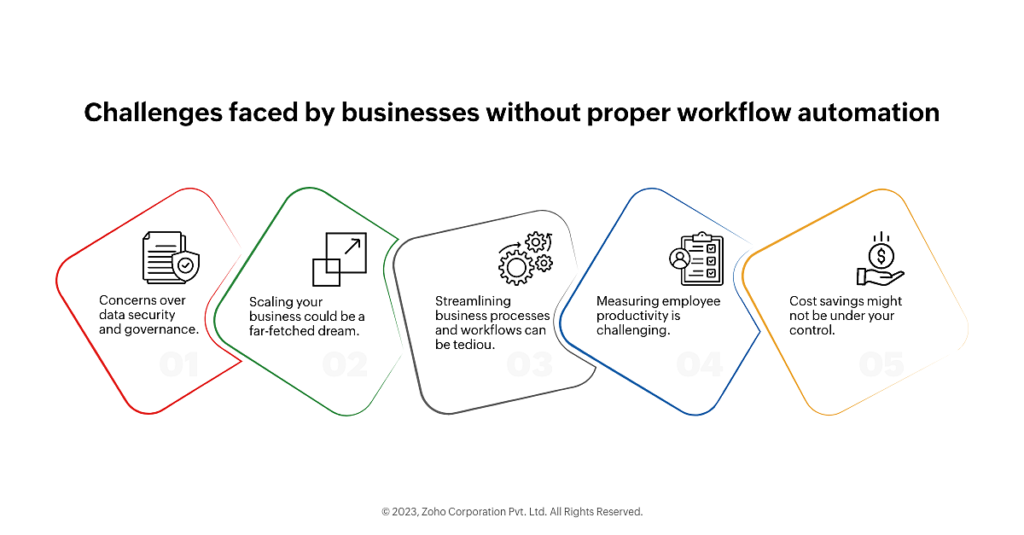
The biggest advantage of workflow tools is clarity. Instead of keeping work in your head or searching through multiple platforms, you can create a central system that shows what is happening.
| Benefit | How It Helps |
|---|---|
| Better organization | Keeps tasks, deadlines, and information structured |
| Automation | Reduces repetitive manual work |
| Team collaboration | Makes responsibilities and updates easier to follow |
| Time management | Helps prioritize important tasks |
| Progress tracking | Shows what is completed and what is pending |
| Fewer mistakes | Creates consistent processes |
| Better visibility | Gives teams a clearer view of ongoing work |
A workflow system can be especially valuable when several people are involved in the same project. Everyone can follow the same process instead of creating their own way of handling tasks.
Workflow Automation: Let Technology Handle Repetitive Work
One of the most useful features of modern workflow platforms is automation.
Many everyday work activities are repetitive. Sending a notification, assigning a task, updating a status, creating a reminder, or moving an item to another stage may not require human attention every time.
Automation can handle these routine actions based on predefined rules.
For example:
When a content draft is marked “Ready for Review,” automatically notify the editor and move the task to the review stage.
This simple automation can remove unnecessary manual steps and keep the workflow moving.
Where Automation Can Help
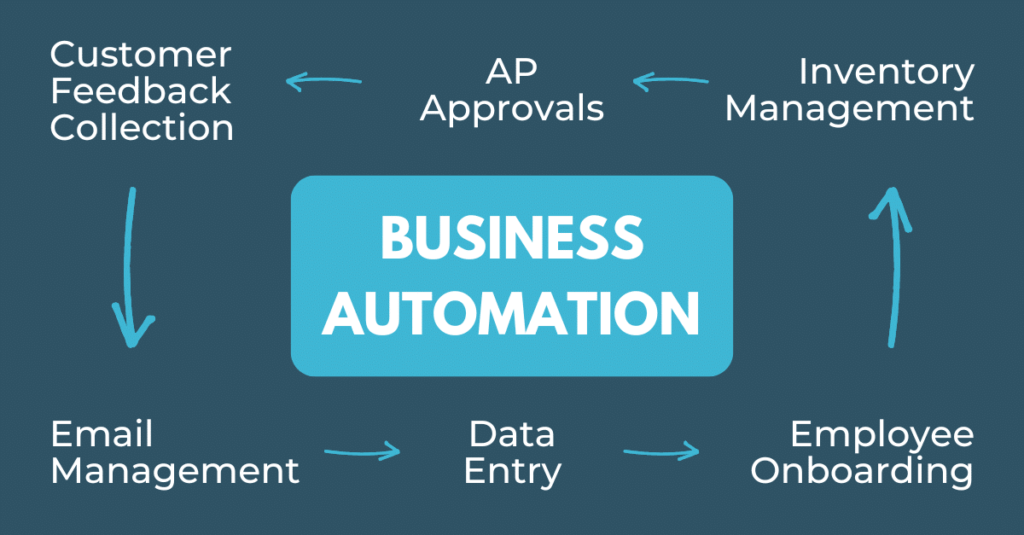
Workflow automation can be useful for:
- Task assignments
- Email or notification alerts
- Approval processes
- Lead management
- Content publishing
- Customer follow-ups
- Data entry
- Reporting
- Project updates
- Recurring tasks
The goal is not to automate everything. Instead, automation works best when it handles predictable, repetitive activities, allowing people to focus on decisions and creative work.
Important Features to Look For
Not every workflow tool is designed for the same purpose. Some focus mainly on task management, while others offer advanced automation, integrations, analytics, and collaboration.
Here are some features worth considering.
1. Task Management
A good workflow platform should make it easy to create tasks, assign owners, set deadlines, and monitor progress.
Features such as labels, priorities, statuses, and checklists can make larger projects easier to manage.
2. Visual Workflow Management
Visual boards and workflow views can make complex processes easier to understand. A Kanban-style board, for example, can show tasks moving from To Do → In Progress → Review → Completed.
This gives teams an immediate picture of current workload.
3. Collaboration
For team-based work, collaboration features are important. Comments, mentions, file sharing, notifications, and shared workspaces can keep communication connected to the task itself.
4. Integrations
Workflow tools become more useful when they can connect with other platforms.
Depending on the tool, integrations may include:
| Integration Type | Possible Use |
|---|---|
| Communication apps | Send task notifications |
| Cloud storage | Access project files |
| Calendar tools | Sync deadlines and schedules |
| CRM platforms | Manage customer workflows |
| Email platforms | Automate follow-ups |
| AI tools | Generate, summarize, or organize information |
Integrations can reduce the need to repeatedly copy information between different systems.
AI and Workflow Tools in 2026

AI is changing how people interact with productivity and workflow software.
Instead of simply storing tasks, some modern platforms can help users create, summarize, organize, and prioritize work.
For example, AI features may help turn meeting notes into action items, summarize project updates, generate task descriptions, identify important information, or assist with repetitive processes.
This can make workflow management more flexible.
However, AI should be treated as a supporting layer rather than a replacement for a well-designed process. If the underlying workflow is confusing, adding AI may not solve the actual problem.
Start with a clear process, then use automation and AI to make that process more efficient.
Workflow Tools for Different Types of Users
Workflow tools can be useful across many types of work.
For Individuals
Freelancers and individual professionals can use workflows to organize client projects, deadlines, invoices, content calendars, and recurring responsibilities.
A simple workflow might be:
Task Created → In Progress → Review → Completed
This provides enough structure without creating unnecessary complexity.
For Content Teams
Content teams can create workflows for research, writing, editing, SEO, approval, and publishing.
This is particularly useful when multiple people are involved in producing the same piece of content.
For Marketing Teams
Marketing workflows can help manage campaign planning, creative approvals, social media schedules, email campaigns, and performance reporting.
Instead of tracking everything through separate conversations, teams can create a shared process for each campaign.
For Businesses
Businesses can use workflow systems for sales, customer support, employee onboarding, approvals, operations, and internal processes.
The larger the number of people and steps involved, the more useful clear process management can become.
How to Choose the Right Workflow Tool
Choosing a workflow platform should start with your actual working process rather than the number of features a product offers.
Ask yourself:
What problem am I trying to solve?
If you mainly need to organize personal tasks, a lightweight task manager may be enough. If you are managing a large team with complex approval processes, automation and integration capabilities may be more important.
Consider these factors before making a decision:
| Factor | What to Consider |
|---|---|
| Ease of use | Can users understand it quickly? |
| Features | Does it support your actual workflow? |
| Automation | Can repetitive actions be automated? |
| Integrations | Does it connect with your existing tools? |
| Collaboration | Can teams communicate and work together? |
| Scalability | Can it support your future needs? |
| Pricing | Does the cost fit your budget? |
| Security | Does it provide appropriate protection for your data? |
A tool with fewer features can sometimes be more practical if your team actually uses those features.
Tips for Creating a Better Workflow
Simply purchasing a workflow tool does not automatically make work more efficient. The workflow itself needs to be designed carefully.
Keep the Process Simple
Avoid creating too many stages. If every small action requires a separate status, the workflow can become difficult to maintain.
Use only the stages that genuinely help people understand progress.
Define Responsibilities
Every important task should have a clear owner. When responsibility is unclear, tasks can sit untouched even when everyone assumes someone else is handling them.
Automate Repetitive Actions
Look for activities that happen repeatedly and follow predictable rules. These are often the best candidates for automation.
Review Your Workflow Regularly
Work processes change over time. A workflow that worked six months ago may no longer fit your current needs.
Regularly review which steps are useful, which are unnecessary, and where delays commonly occur.
Common Workflow Mistakes to Avoid

Even powerful workflow platforms can create problems when they are used incorrectly.
Overcomplicating the system is one common mistake. A complicated workflow may look impressive but can become difficult for employees to follow.
Another problem is creating too many notifications. Constant alerts can become distracting rather than helpful.
It is also important to avoid using different workflows for the same type of task without a clear reason. Consistency makes processes easier to understand and repeat.
Finally, do not automate a poorly designed process. Automation can make a good workflow faster, but it can also make a bad workflow happen faster.
A Simple Workflow Example
Imagine a small team managing a website article.
The process could look like this:
| Stage | Main Activity | Responsible Person |
|---|---|---|
| Idea | Select the topic | Content Team |
| Research | Gather information | Writer |
| Draft | Create the article | Writer |
| Review | Check quality and accuracy | Editor |
| SEO | Optimize title and content | SEO Team |
| Approval | Final review | Manager |
| Publish | Upload and publish | Content Team |
With a workflow tool, each stage can be tracked, assigned, and updated without relying entirely on messages or spreadsheets.
This creates a repeatable process that the team can use again for future articles.
The Future of Workflow Management
Workflow management is moving toward a combination of automation, AI, integrations, and human decision-making.
Instead of simply acting as digital to-do lists, workflow platforms are increasingly becoming central spaces where teams coordinate projects and connect different business processes.
The most effective approach is likely to remain a balance between technology and people. Automation can handle repetitive steps, while humans continue to provide creativity, judgment, communication, and decision-making.

The Best Vivo V80 5G Expected Price, Camera & Features
The Vivo V80 5G is one of the upcoming smartphones attracting attention in India’s premium…
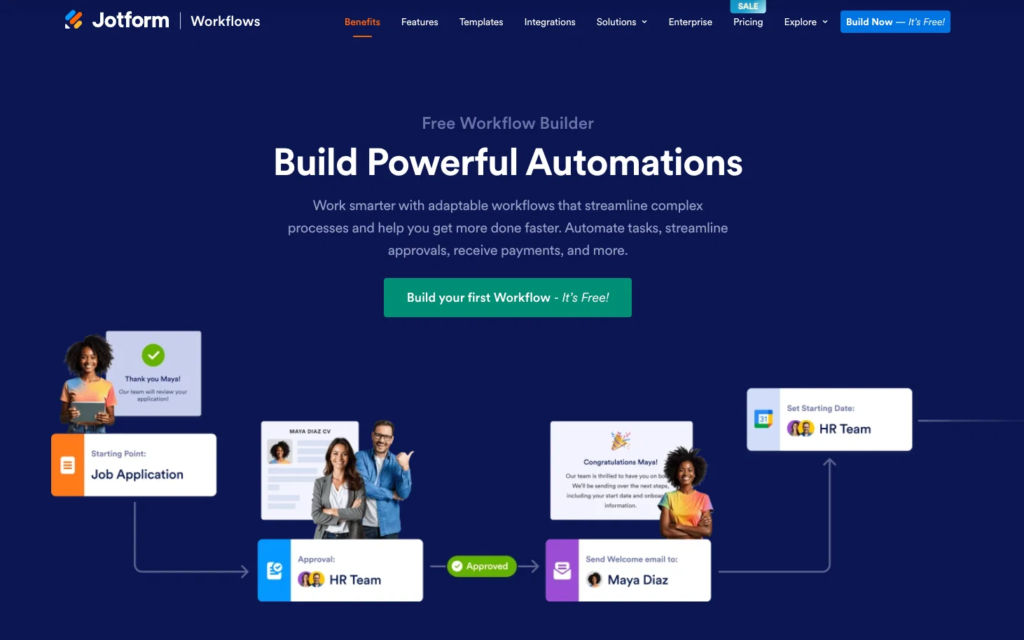
Workflow Tools 2026: Smart Solutions for Better Workflows
Work can quickly become messy when you are managing multiple Tools tasks, deadlines, messages, files,…

Best DIY Guides in 2026: Easy Projects, Tips & Step-by-Step Ideas
DIY projects have become an easy way to make everyday life more creative, practical, and…
Best Project Management Tools in 2026 for Better Productivity
Managing a project sounds simple until tasks start piling up, deadlines move closer, messages arrive…

AI & Automation 2026: Powerful Tools to Automate Your Work
Artificial intelligence and automation are changing the way people work, communicate, and manage everyday tasks….
The Best Creative Tools for Designers, Creators & Artists
Creative work has changed a lot. Creative Tools A designer can build a complete brand…

