
Keeping a team organized can feel like trying to herd cats. Whether you are building a new mobile app, running a small business, launching a marketing campaign, or just trying to keep your personal assignments on track, keeping everyone on the same page is tough. Without a central hub for your work, important tasks fall through the cracks, deadlines get missed, and team chats become a noisy mess of status updates.
That is where project management software comes in.
The good news? You don’t need a massive corporate budget to get world-class tools. Many of the top productivity platforms on the market offer generous free-tier plans that give freelancers, startups, and small teams everything they need to plan, track, and execute work efficiently.
In this ultimate guide, we will break down the best free project management tools available today, compare their key limits, explore their core benefits, and give you a simple framework to pick the right platform for your team.
What to Look For in a Free Project Management Tool
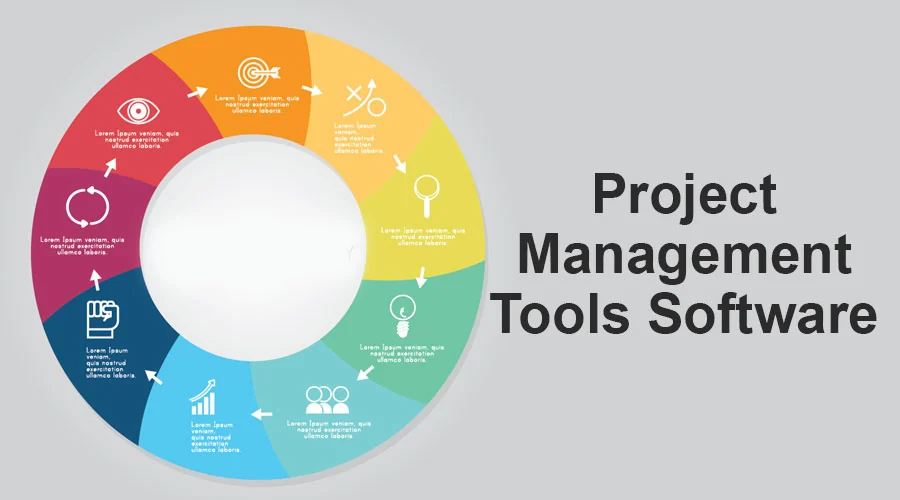
Before diving into specific platforms, it helps to know what actually makes a project management tool worth your time. Not all “free” plans are created equal—some offer nearly full functionality for unlimited users, while others act as trial teasers that force you to upgrade after adding a couple of teammates.
When evaluating free project management software, focus on four key areas:
                    ┌───────────────────────────────────────────┐
                    │     4 ESSENTIAL EVALUATION CRITERIA       │
                    └─────────────────────┬─────────────────────┘
                                          │
        ┌─────────────────────────────────┼─────────────────────────────────┐
        ▼                                 ▼                                 ▼
┌──────────────┐                  ┌──────────────┐                  ┌──────────────┐
│  USER LIMITS │                  │ VIEW FLEX    │                  │ STORAGE/FILES│
├──────────────┤                  ├──────────────┤                  ├──────────────┤
│ How many     │                  │ Kanban, List,│                  │ Storage caps │
│ teammates can│                  │ Calendar, or │                  │ and per-file │
│ join for free│                  │ Gantt charts │                  │ upload limits│
└──────────────┘                  └──────────────┘                  └──────────────┘
                                          │
                                          ▼
                                   ┌──────────────┐
                                   │ INTEGRATIONS │
                                   ├──────────────┤
                                   │ Slack, Drive,│
                                   │ GitHub, and  │
                                   │ email sync   │
                                   └──────────────┘
- User and Seat Limits: Does the free plan allow your whole team to join, or is it capped at just 2 or 3 seats?
- View Flexibility: Can you switch between Kanban boards, list views, calendars, and timelines to see your work the way you prefer?
- Storage & File Limits: Are you capped on overall cloud storage or individual file upload sizes?
- App Integrations: Can the tool easily connect with the apps you already use daily, like Google Drive, Slack, GitHub, or Zoom?
Top Free Project Management Tools Compared
Let’s look closely at seven of the most popular project management platforms offering robust free plans, including their ideal use cases and specific plan limits.
1. Jira: Best for Software Development & Technical Teams
If your team builds software, manages codebases, or runs agile sprints, Jira (by Atlassian) is the undisputed industry standard. Unlike general-purpose task managers, Jira was engineered specifically for technical project tracking.
- How It Works: Jira organizes work into epics, user stories, tasks, and bug reports. Development teams can run Scrum sprints or set up continuous Kanban workflows to push code efficiently.
- Standout Feature: Seamless integration with developer tools like GitHub, Bitbucket, and GitLab. When a developer commits code, the corresponding Jira ticket updates automatically.
- Free Plan Highlights:
- Supports up to 10 users.
- Access to Scrum and Kanban boards.
- 2 GB of file storage.
- Basic reporting and backlog management.
- The Catch: Jira has a steep learning curve. If you just need a simple to-do list for non-technical office tasks, Jira’s complex terminology and setup will likely feel overwhelming.
2. monday.com: Best for Visual Workflow Planning
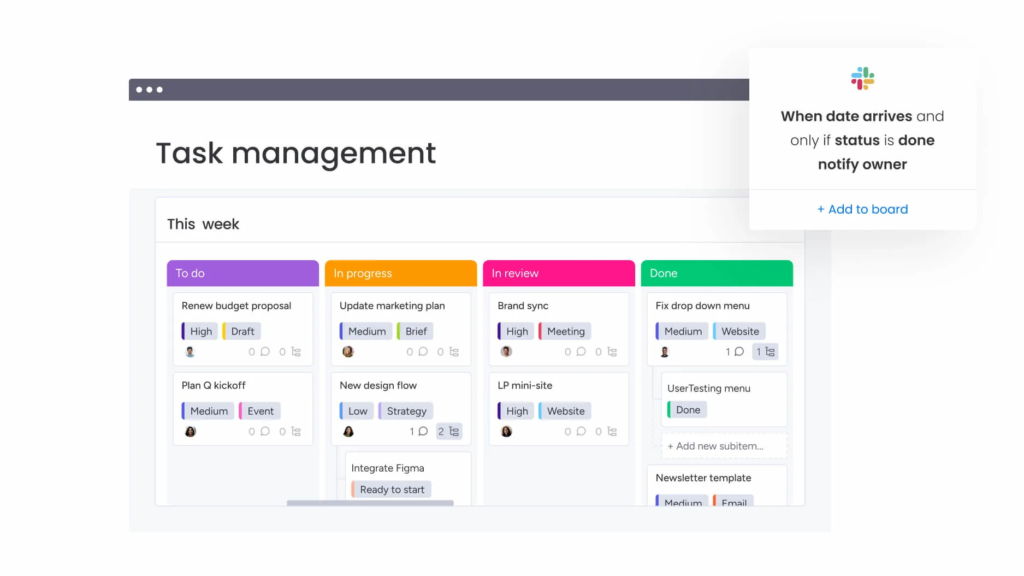
monday.com is famous for its vibrant, highly visual interface that transforms boring task lists into colorful, dynamic workspaces. It is designed for teams that want an intuitive visual dashboard without dealing with a clunky interface.
- How It Works: Everything in monday.com is built around customizable boards. You create columns for task status, assigned team members, priority levels, deadlines, and budget numbers.
- Real-World Example: A boutique marketing agency can use monday.com to track client campaigns. At a glance, the account manager can see which ad creatives are pending approval, who is writing the copy, and when the campaign goes live.
- Free Plan Highlights:
- Free forever for up to 2 seats.
- Up to 3 boards.
- 500 MB of storage.
- Over 200 board templates.
- The Catch: The free plan is strictly limited to 2 users. It is fantastic for freelancers or duo-founders, but growing teams will hit the upgrade paywall quickly.
3. Zoho Projects: Best for Small Businesses & Zoho Ecosystem Users
For growing small businesses that need traditional project planning—including Gantt charts and task dependencies—Zoho Projects delivers exceptional value without charging upfront.
- How It Works: Zoho Projects lets you break down complex work into milestones, task lists, subtasks, and issues. It emphasizes structured planning so everyone knows who is doing what and when.
- Standout Feature: Built-in Gantt charts on the free tier let you map out project timelines visually and track critical paths.
- Free Plan Highlights:
- Supports up to 5 users.
- Up to 2 active projects.
- 5 GB of storage space.
- Seamless integration with other Zoho apps (Zoho CRM, Zoho Books, Zoho Desk).
- The Catch: The free tier restricts you to 2 active projects at a time, meaning you will need to archive completed projects frequently or upgrade as your business expands.
4. ClickUp: The All-in-One Productivity Feature Powerhouse
ClickUp advertises itself as “one app to replace them all,” and its feature-packed free tier lives up to that claim. It combines task management, whiteboards, docs, time tracking, and goal setting into a single app.
- Free Plan Highlights: Unlimited free members, 100 MB storage, and multiple view options (List, Board, Calendar).
- Best For: Teams that want maximum feature flexibility and deep customization options under one roof.
5. Trello: Best for Simple Visual Task Tracking
Built around the classic Kanban board methodology, Trello uses cards, lists, and boards to make task management dead simple.
- Free Plan Highlights: Unlimited cards and members, up to 10 workspaces/boards per team, and unlimited power-up integrations.
- Best For: Beginners, solo creators, and small teams who want to get organized in under five minutes without training.
6. Asana: Best for Team Collaboration & Structure
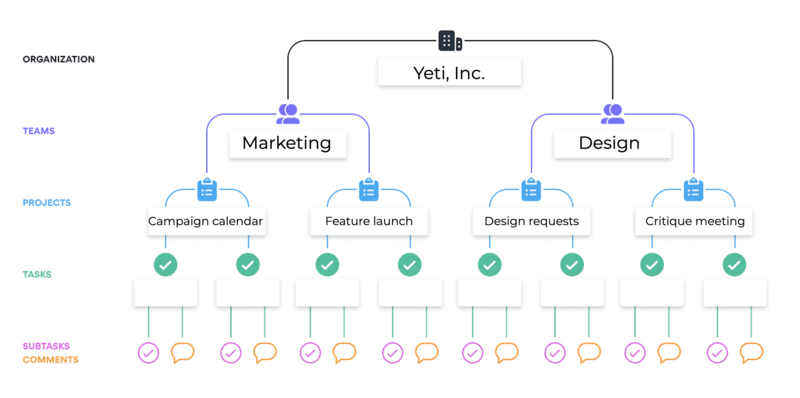
Asana strikes a great balance between power and ease of use, making it a favorite for corporate teams, creative agencies, and operations departments.
- Free Plan Highlights: Supports up to 2 users on new accounts, unlimited tasks/projects, and clean list and board views.
- Best For: Small collaborative teams that need clear task ownership and structured project roadmaps.
7. Notion: Best for Connected Docs & Flexible Workspaces
Notion blends project management with a powerful wiki engine. Instead of static task boards, every item in Notion is an editable document.
- Free Plan Highlights: Unlimited pages and blocks for individual users, light team collaboration features, and customizable databases.
- Best For: Content creators, startups, and teams that want their project tasks sitting directly alongside their meeting notes and documentation.
Quick Comparison Matrix: Best Free Project Management Tools
To help you decide fast, here is how the top platforms stack up side-by-side:
| Tool | Core Focus | Free User Limit | Key Free Highlights | Best Fit For |
| Jira | Software & Agile Development | Up to 10 Users | Scrum/Kanban, GitHub sync, backlog management | Dev teams, engineering squads, IT helpdesks |
| monday.com | Visual Workflows & Tracking | Up to 2 Users | 3 boards, custom columns, visual status colors | Freelancers, solopreneurs, creative duos |
| Zoho Projects | Structured Small Business Planning | Up to 5 Users | Gantt charts, 5 GB storage, milestone tracking | Small businesses, service agencies, Zoho users |
| ClickUp | All-in-One Work Hub | Unlimited Users | 100 MB storage, multiple views, native docs | Feature-hungry teams wanting everything in one place |
| Trello | Drag-and-Drop Kanban Boards | Unlimited Users | 10 boards per workspace, unlimited collaborators | Beginners, quick sprint tracking, simple pipelines |
| Asana | Team Coordination & Roadmaps | Up to 2 Users (New) | Unlimited tasks and projects, clear assignees | Operational teams needing clear accountability |
| Notion | Knowledge Base + Task Databases | Unlimited (Solo) | Flexible wikis, customizable relational databases | Writers, content teams, doc-heavy startups |
5 Major Benefits of Using Project Management Software
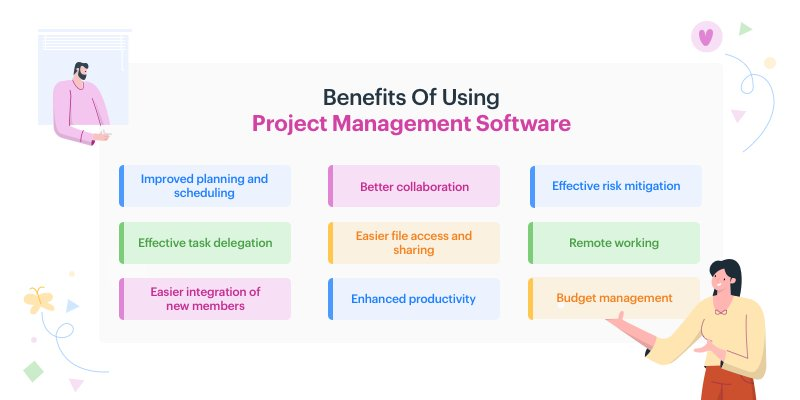
If your team is still managing projects through email threads, sticky notes, or endless spreadsheets, making the switch to a dedicated platform offers massive benefits:
                       ┌────────────────────────────────────────┐
                       │     BENEFITS OF PROJECT MANAGEMENT     │
                       └───────────────────┬────────────────────┘
                                           │
         ┌─────────────────────────────────┼─────────────────────────────────┐
         ▼                                 ▼                                 ▼
┌─────────────────┐               ┌─────────────────┐               ┌─────────────────┐
│ 1. CENTRAL HUB  │               │ 2. COLLABORATION│               │ 3. FEWER DELAYS │
├─────────────────┤               ├─────────────────┤               ├─────────────────┤
│ All tasks, files│               │ Inline comments │               │ Due dates and   │
│ & notes stay in │               │ eliminate messy │               │ automated alerts│
│ one single place│               │ email chains    │               │ keep work on time│
└─────────────────┘               └─────────────────┘               └─────────────────┘
                                           │
                        ┌──────────────────┴──────────────────┐
                        ▼                                     ▼
             ┌─────────────────────┐               ┌─────────────────────┐
             │  4. CLEAR PRIORITY  │               │ 5. ZERO SOFTWARE COST│
             ├─────────────────────┤               ├─────────────────────┤
             │ Everyone knows what │               │ Professional tools  │
             │ to tackle next      │               │ without budget drain│
             └─────────────────────┘               └─────────────────────┘
- Centralized Information Hub: Stop asking “Where is that file?” or “Who is working on this?” All attachments, discussions, and updates live right inside the relevant task ticket.
- Streamlined Team Collaboration: Teammates can leave feedback, tag colleagues using
@mentions, and share progress updates directly on tasks, cutting down unnecessary status meetings. - Fewer Missed Deadlines: With visual calendars, due dates, and automated notification reminders, lingering tasks don’t get forgotten.
- Clear Accountability & Priorities: When every card has a single named owner and a clear priority tag (High, Medium, Low), team members know exactly what to focus on each morning.
- Zero Financial Risk for Small Businesses: Free-tier plans give bootstrapped startups and nonprofits professional-grade infrastructure without blowing their monthly operating budget.
Step-by-Step: How to Pick the Perfect Tool for Your Team
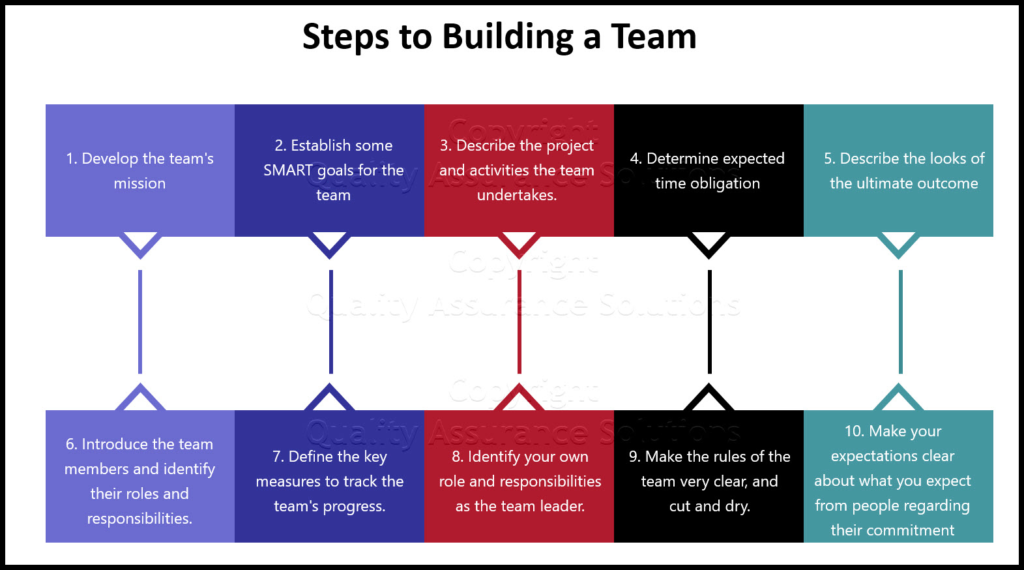
With so many solid options, how do you choose the right one? Follow this simple 4-step decision process:
Step 1: Define Your Primary Use Case
- Building an app or managing software bugs? Pick Jira.
- Managing client pipelines visually? Pick monday.com or Trello.
- Building a company wiki alongside your tasks? Pick Notion.
- Planning structured business projects with timelines? Pick Zoho Projects or Asana.
Step 2: Count Your Active Team Members
Always check user caps first. If you have a team of 6 people, tools like monday.com (2-user cap) or Zoho Projects (5-user cap on free) won’t work without paid upgrades. Look toward Jira (10 users) or ClickUp/Trello (unlimited collaborators) instead.
Step 3: Run a 7-Day Test Drive
Don’t roll out a new tool to your entire company on day one. Pick 2 platforms, set up a dummy project, invite 2 teammates, and run your daily work through them for a week. Pay attention to how fast the app loads, how clean the interface feels, and how easily your team adopts it.
Step 4: Keep It Simple
The best project management tool is not the one with the most bells and whistles—it is the one your team actually uses every day. If a platform feels too complex, strip away unused fields or switch to a simpler tool like Trello.
Frequently Asked Questions
Which free project management tool is best for software development?
Jira is the top choice for software teams due to its built-in agile tools and code repository integrations.
How many free users does Jira support on its standard free plan?
Jira’s free tier allows up to 10 users per workspace.
What is the main limitation of monday.com’s free forever plan?
The free plan is limited to a maximum of 2 user seats and 3 boards.
Does Zoho Projects include Gantt charts on its free plan?
Yes, Zoho Projects offers built-in Gantt charts for up to 5 users on its free tier.
Which free project management tool works best for managing both docs and tasks together?
Notion excels at combining customizable databases with meeting notes and project documentation.