
Managing a project sounds simple until tasks start piling up, deadlines move closer, messages arrive from different places, and nobody is quite sure who is responsible for what.
This is where project management tools can make everyday work much easier. Instead of keeping tasks in spreadsheets, conversations in chat apps, files in separate folders, and deadlines in personal calendars, teams can bring much of their work into one organized workspace.
Project management tools are useful for businesses, marketing teams, developers, freelancers, agencies, students, and anyone working on projects with multiple tasks or deadlines.
In 2026, many project management platforms are also adding AI features, workflow automation, smart summaries, reporting, integrations, and collaboration features. The goal is not simply to create another task list. It is to help teams plan work, stay organized, communicate clearly, and see progress without constantly asking for updates.
What Is a Project Management Tool?
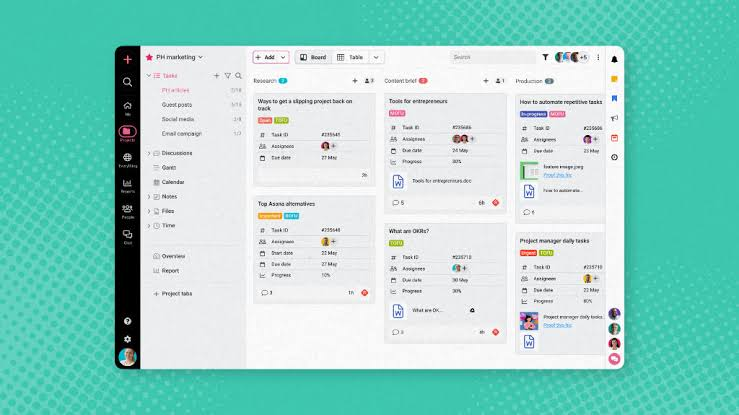
A project management tool is software designed to help individuals or teams plan, organize, track, and complete projects.
Depending on the platform, you may be able to create tasks, assign responsibilities, set deadlines, upload files, communicate with teammates, monitor progress, and generate reports.
A basic project workflow might look like:
Plan → Create tasks → Assign work → Set deadlines → Track progress → Review → Complete
The exact features vary between platforms, so the best tool depends on the type of work your team does.
Why Project Management Tools Matter
Without a central system, project information can become scattered.
One person may have the deadline in a calendar, another may have instructions in an email, and someone else may keep the latest document on their computer.
A project management platform can bring these pieces together.
Key Benefits
| Benefit | How It Helps |
|---|---|
| Task organization | Keeps work in one place |
| Deadlines | Helps teams track due dates |
| Assignments | Makes responsibilities clear |
| Collaboration | Keeps project discussions connected |
| File sharing | Makes documents easier to find |
| Automation | Reduces repetitive work |
| Reporting | Provides visibility into progress |
| Integrations | Connects other work applications |
| AI assistance | Helps with summaries and routine tasks |
The biggest benefit is often visibility. Everyone can see what needs to be done, who is handling it, and what stage the project has reached.
Types of Project Management Tools
Not every project needs the same type of software.
Task-Based Tools
These platforms focus mainly on creating and managing individual tasks.
They are useful for teams that need a straightforward way to organize daily work.
Kanban Tools
Kanban boards display tasks in columns such as:
To Do → In Progress → Review → Completed
They are particularly useful when teams want to see the movement of work visually.
Gantt Chart Tools
Gantt charts show tasks along a timeline.
They can help project managers understand which activities need to happen first and how changes to one deadline may affect other tasks.
All-in-One Platforms
These combine project management with features such as documents, communication, calendars, databases, and automation.
They can be useful for organizations that want fewer separate applications.
What to Look for in a Project Management Tool
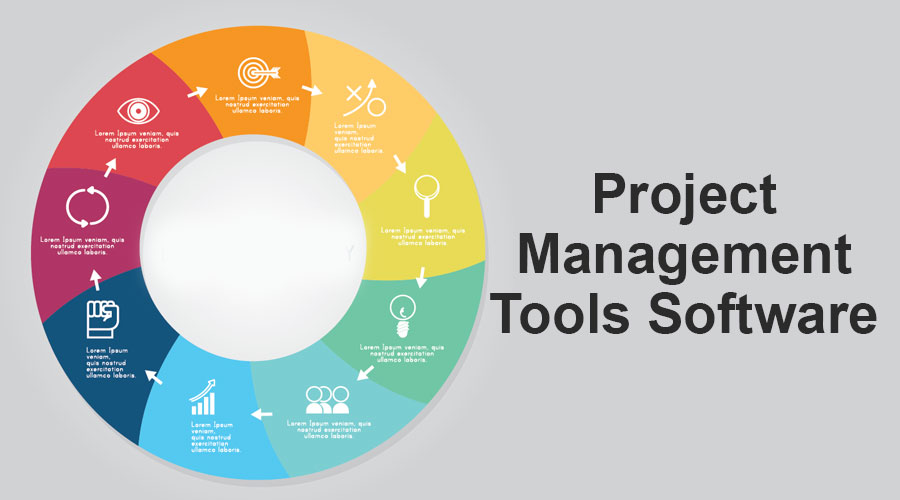
Choosing a platform based only on its feature list can be misleading. A tool may have dozens of functions that your team never uses.
Start with your actual workflow.
1. Task Management
The platform should make it easy to create, assign, prioritize, and complete tasks.
Useful features include:
- Task owners
- Due dates
- Priorities
- Sub-tasks
- Recurring tasks
- Task dependencies
- Status labels
2. Multiple Project Views
Different people prefer different ways of seeing their work.
A good platform may offer:
- List view
- Board view
- Calendar view
- Timeline view
- Gantt view
- Table view
For example, a content team may prefer a Kanban board, while a project manager may prefer a timeline.
3. Team Collaboration
Project management is not only about tasks.
Teams may also need comments, mentions, file sharing, notifications, and discussions.
Having these features connected to the relevant task can reduce the need to search through long chat conversations.
4. Automation
Automation can remove repetitive administrative work.
For example:
When a task is marked complete → move it to the next stage → notify the reviewer
Other examples include automatic reminders, recurring tasks, status changes, and assignment rules.
5. Integrations
A project management tool becomes more useful when it works with the other applications your team already uses.
Common integrations include:
- Calendar
- Cloud storage
- Communication platforms
- CRM systems
- Accounting tools
- Design applications
- Development tools
- Automation platforms
6. Reporting
Managers often need more than a task list.
Reporting features can help answer questions such as:
- How many tasks are completed?
- Which projects are delayed?
- How much work is assigned to each team member?
- Which deadlines are approaching?
- Where are bottlenecks occurring?
Best Project Management Tool Features in 2026
Modern platforms are increasingly combining traditional project management with AI and automation.
| Feature | Why It Is Useful |
|---|---|
| AI task assistance | Helps organize and summarize work |
| Smart summaries | Quickly explains project activity |
| Workflow automation | Reduces repetitive actions |
| Custom dashboards | Shows important metrics |
| Time tracking | Measures time spent on work |
| Team collaboration | Keeps communication organized |
| Templates | Speeds up project setup |
| Integrations | Connects existing software |
| Mobile apps | Enables work from different devices |
| Permissions | Controls access to information |
Project Management Tools for Small Teams
Small teams usually need simplicity more than an enormous collection of features.
If your team has five to twenty people, look for a platform that offers:
- Easy task creation
- Clear assignments
- Simple project views
- Team comments
- File sharing
- Basic automation
- Affordable plans
- Easy onboarding
A complicated platform can create its own productivity problem if employees spend too much time learning how to use it.
Project Management Tools for Large Teams
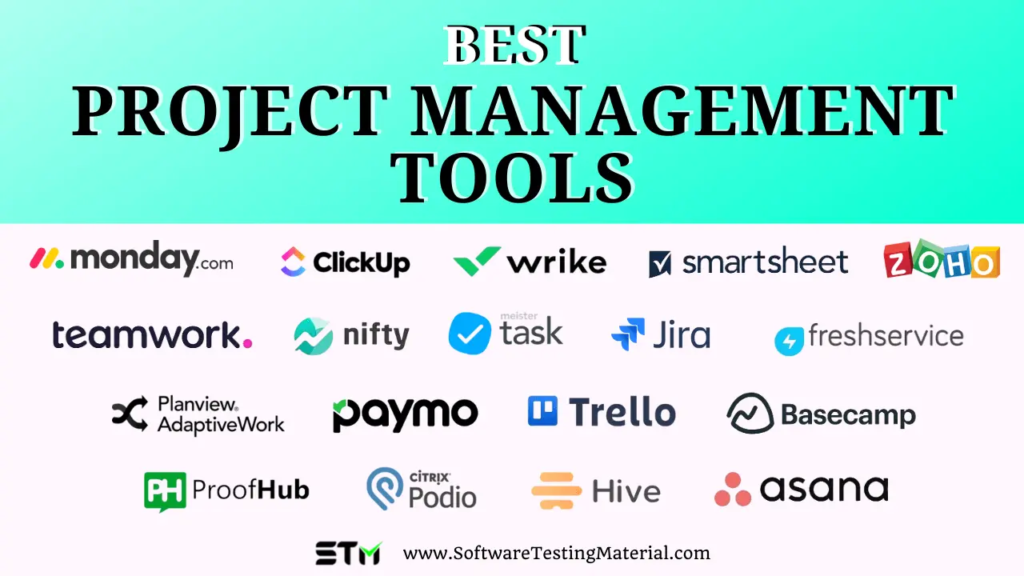
Larger organizations usually need stronger administrative and reporting capabilities.
Important features may include:
- Advanced permissions
- Multiple workspaces
- Portfolio management
- Resource planning
- Detailed reports
- Custom workflows
- Enterprise integrations
- Security controls
- Audit features
Large teams should also consider how well the software can handle growing numbers of projects, users, and documents.
Project Management for Marketing Teams
Marketing teams often manage several types of work simultaneously.
A single campaign might include:
Research → Strategy → Copywriting → Design → Review → Publishing → Promotion → Reporting
A project management tool can give every team member visibility into the campaign.
For example, a content writer can see when research is ready, while the designer can see when the copy has been approved.
Useful features for marketing teams include:
- Content calendars
- Campaign boards
- Approval workflows
- Creative briefs
- Task dependencies
- Publishing schedules
- File sharing
- Performance reporting
Project Management for Software Teams
Development teams have different requirements.
They may need to manage:
- Features
- Bugs
- Releases
- Development tasks
- Testing
- Code reviews
- Product roadmaps
- Technical documentation
Software-focused project tools often include integrations with code repositories, issue trackers, testing systems, and communication platforms.
Agile and Scrum workflows can also be supported by platforms designed for development teams.
Project Management for Freelancers
Freelancers may not need complex enterprise software.
A simple project management tool can help organize:
- Client projects
- Deliverables
- Deadlines
- Revision requests
- Meeting notes
- Invoices
- Files
Keeping each client’s work in a separate project can make it easier to understand what is currently active and what needs attention next.
Project Management for Remote Teams

Remote teams need clear communication because employees cannot simply walk over to a colleague’s desk and ask for an update.
A centralized project system can help remote workers understand project status without relying on constant meetings.
Useful features include:
- Task comments
- @mentions
- Activity history
- Notifications
- Shared documents
- Video meeting integrations
- Time-zone support
- Project dashboards
Good documentation is especially important for remote teams because it gives employees access to information even when colleagues are offline.
AI Features in Project Management
AI is becoming a more common part of project management software.
Instead of simply storing information, modern platforms can help teams work with that information.
For example, AI may assist with:
Meeting Summaries
A meeting can produce a long list of discussions and decisions. AI can help turn those notes into a shorter summary and identify potential action items.
Task Creation
A project description can be converted into smaller tasks, helping teams create an initial workflow more quickly.
Progress Summaries
Instead of reading every update, a manager may be able to review an AI-generated summary of recent project activity.
Writing Assistance
AI can help rewrite task descriptions, create project briefs, or make internal communication clearer.
Identifying Delays
Some platforms can analyze task information and highlight overdue or potentially delayed work.
AI features can save time, but teams should still review important outputs rather than accepting automatically generated information without checking it.
How to Choose the Right Project Management Tool
There is no single project management platform that fits every team.
Use this simple process before choosing one.
Step 1: Identify Your Workflow
Write down how work currently moves through your team.
For example:
Idea → Assigned → In Progress → Review → Approved → Published
This makes it easier to determine which features you actually need.
Step 2: List Your Must-Have Features
Separate essential features from optional ones.
For example:
Must-have: Task assignments, deadlines, comments, file sharing.
Nice-to-have: AI summaries, advanced dashboards, custom automation.
Step 3: Consider Team Size
A freelancer, a five-person startup, and a 500-person company will have very different requirements.
Choose software that matches your current needs while leaving reasonable room for growth.
Step 4: Test the User Experience
A platform can have excellent features and still be difficult to use.
Take advantage of available trials or demonstrations when possible.
Ask team members to test the workflow before making a long-term decision.
Step 5: Check Pricing Carefully
Look beyond the headline subscription price.
Check:
- Number of users included
- Storage limits
- Automation limits
- AI usage
- Guest access
- Advanced reporting
- Integrations
- Administrative features
A low-cost plan may become expensive as your team grows.
Project Management Tool Comparison Checklist
| Question | Why It Matters |
|---|---|
| Is it easy to use? | Reduces training time |
| Does it support your workflow? | Avoids unnecessary workarounds |
| Can tasks be assigned? | Clarifies responsibility |
| Are deadlines supported? | Helps prevent missed work |
| Does it offer automation? | Saves repetitive effort |
| Can it integrate with other apps? | Connects your workflow |
| Does it provide reports? | Helps monitor performance |
| Is there a mobile app? | Supports flexible work |
| Can it scale? | Supports business growth |
| Does it fit your budget? | Keeps software costs manageable |
Common Project Management Mistakes
Even the best software cannot fix an unclear workflow.
Creating Too Many Tasks
Breaking every tiny action into a separate task can make a project unnecessarily complicated.
Create enough tasks to make responsibilities clear without turning the board into a wall of notifications.
Not Assigning Ownership
If everyone is responsible, sometimes nobody is responsible.
Each important task should have a clear owner.
Using Too Many Tools
A team may use one app for tasks, another for documents, another for communication, another for calendars, and another for approvals.
Integrations can help, but using too many disconnected platforms can create confusion.
Ignoring Deadlines
A project board full of tasks is not useful if nobody pays attention to due dates.
Use reminders and regular reviews to keep deadlines visible.
Not Updating Task Status
An outdated project board gives the team a false picture of progress.
Encourage team members to update their tasks as work moves forward.
Best Project Management Tools in 2026 for Better Productivity
Managing a project sounds simple until tasks start piling up, deadlines move closer, messages arrive…
AI & Automation 2026: Powerful Tools to Automate Your Work
Artificial intelligence and automation are changing the way people work, communicate, and manage everyday tasks….
The Best Creative Tools for Designers, Creators & Artists
Creative work has changed a lot. Creative Tools A designer can build a complete brand…
Creative Tools 2026: Explore the Best Creative Software
Creativity has changed dramatically in recent years. You no longer need Creative Tools expensive equipment,…

The Ultimate Creative Tools Guide Best Tools for Creators
Creating something from scratch can be exciting, but it can also become frustrating when you…
The Best AI & Automation Trends and Tools, Agents, Workflows & More
Artificial intelligence has moved far beyond being something people only talk about in tech circles….

