Animations make your content more engaging, attractive, and professional. Whether you are designing social media posts, YouTube intros, website banners, or presentation slides, animated visuals help you grab attention instantly. If you are a beginner and looking for an easy solution, the Animation Generator tool on Alftool.com is a simple and effective option.
In this step-by-step guide, you will learn how to create stunning animations quickly and easily.
Why Choose Alftool.com for Animation?
Many animation tools are complicated and require advanced technical skills. Alftool.com provides a clean and beginner-friendly interface that allows anyone to create professional-looking animations without prior design experience.
It is fully online, so you don’t need to download heavy software. The platform focuses on simplicity, speed, and creativity. That makes it perfect for students, bloggers, marketers, and small business owners.
Step-by-Step Guide to Create Stunning Animations
Step 1: Visit the Website
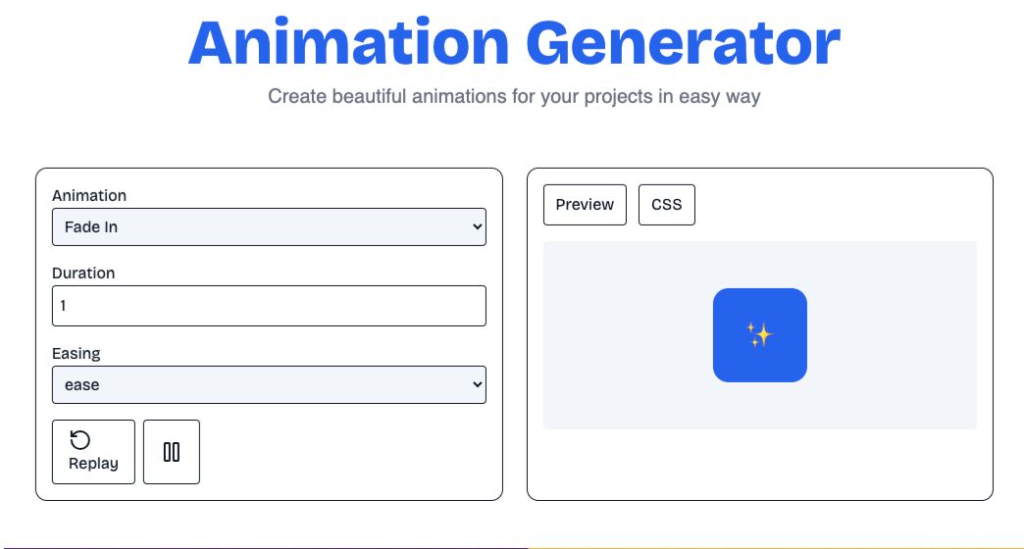
Go to Alftool.com and open the Animation Generator tool from the homepage. The tool loads directly in your browser.
Step 2: Choose an Animation Style or Template
Select a template or animation style that matches your project. Templates save time and help beginners get started quickly.
Step 3: Add Your Text or Content
Enter your text, title, or message inside the editor. This could be a promotional line, presentation heading, or social media caption.
Step 4: Customize the Design
Now customize your animation by adjusting:
- Font style
- Text size
- Colors
- Animation speed
- Effects and transitions
You can preview changes instantly to see how your animation looks.
Step 5: Preview Your Animation
Before downloading, click on the preview option. This helps you check if everything looks smooth and professional.
Step 6: Download and Use
Once satisfied, download the animation file. You can use it in videos, websites, presentations, or social media posts.
Tips to Make Your Animations More Attractive
Keep your text short and clear.
Use colors that match your brand.
Avoid too many effects in one animation.
Maintain smooth and readable transitions.
Always preview before final download.
Simple and clean animations often look more professional than overly complex ones.
Who Can Use This Tool?
Students can create animated presentations.
Content creators can design engaging social posts.
Business owners can make promotional banners.
Bloggers can create animated headers for websites.
The tool is suitable for anyone who wants quick and easy animation creation.
Final Thoughts
Creating animations does not have to be difficult or expensive. With the Animation Generator on Alftool.com, beginners can easily create stunning and professional animations in just a few steps.
If you want a fast, free, and beginner-friendly animation solution, Alftool.com is definitely worth trying.
AI Automation Guide 2026: Work Smarter, Faster & Better
Artificial intelligence and automation are changing the way people work, manage information, communicate, and complete…

Tool Reviews: Find the Best Tools for Every Need
Every single morning, millions of people open their laptops to a screen crammed with open…

The Best Audio Editing Software 2026: Music, Podcasts & More
Good audio can completely change how a song, podcast, video, or voice recording feels.Audio Editing…

Tool Reviews 2026: Explore, Compare & Find Better Tools
Finding the right digital tool can save time, simplify repetitive tasks, and make everyday work…

The Best No-Code Automation Tools Simplify Workflows & Save Time
A lot of everyday work follows the same pattern. No-Code Automation Someone fills out a…
The Best Vivo V80 5G Expected Price, Camera & Features
The Vivo V80 5G is one of the upcoming smartphones attracting attention in India’s premium…

#AnimationGenerator #Alftool #OnlineTools #FreeAnimationTool #BeginnerFriendly #ContentCreation #DigitalDesign #CreativeTools #Carrerbook #Anslation