

In today’s fast-moving digital workplace, getting things done isn’t about grinding yourself down or putting in endless overtime. It really comes down to having smart, reliable systems in your corner. Modern workflow tools help everyday teams and solo workers organize chaotic task lists, automate soul-crushing administrative busywork, manage complex projects, keep team chats focused without endless meetings, and keep daily work moving without hitting frustrating roadblocks or delays.
From straightforward to-do list apps to flexible workflow automation platforms, we have more versatile tools today than ever before. The right platform can transform a messy, unpredictable routine into a clear, repeatable process, freeing up your mental energy to focus on high-impact work that actually matters to your business.
Whether you are leading a small remote team, running an online store, juggling multiple client accounts, or simply trying to get through the day without feeling overwhelmed, adopting dedicated workflow software makes an immediate, noticeable difference. Instead of constantly jumping between spreadsheets, lost email threads, chat alerts, and disconnected apps, you can pull your whole workload into one calm, organized home base.
What Are Workflow Tools?

At their core, workflow tools are smart software platforms designed to help you plan, organize, automate, and track work processes from start to finish. Think of them as the quiet engine running behind your daily operations, handling everything from assigning simple tasks and setting realistic deadlines to executing automated actions and keeping project milestones visible in real time.
For instance, a digital marketing team might rely on a workflow tool to guide a blog post through clear creation steps: coming up with ideas, writing a draft, running quick SEO checks, getting feedback, securing final approvals, and pushing the post live automatically.
A fast-moving sales team might use one to instantly route new web leads to the right person, set gentle reminders for follow-up calls, and keep customer records updated without typing everything twice. Similarly, an independent creator can use no-code workflow automation to connect different apps together, eliminating hours of tedious copy-pasting. The main goal is delightfully simple: make work feel organized, efficient, and far easier to manage.
Why Are Workflow Tools So Important Right Now?
Modern workplaces throw an overwhelming flood of info at us every single day. Teams find themselves spread thin across a dozen different group chats, projects involve multiple people working across different schedules, and repetitive manual chores quietly steal away hours of good focus.
Dedicated workflow systems fix these daily headaches by giving everyone a clear, visual map of how work gets done.
- Centralized Organization: Keep all your tasks, project files, deadlines, and team ownership together in one spot.
- Massive Time Savings: Put routine, mind-numbing administrative steps on autopilot so your team can focus on creative problem-solving.
- Seamless Team Collaboration: Give every team member clear visibility into project status, updates, and upcoming deadlines.
- Significantly Fewer Errors: Standardized workflows help prevent forgotten steps, missed deadlines, and accidental typos.
- Elevated Daily Productivity: Spend dramatically less time managing work and far more time actually finishing it.
- Clear Accountability: Clearly mark who owns every single task, leaving zero room for awkward confusion or dropped balls.
- Scalable Systems: Build solid operational habits that grow naturally alongside your business.
As organizations continue leaning into artificial intelligence, intelligent automation, remote options, and modern digital tools, workflow software has moved from a nice luxury to an essential foundation for staying sane and productive.
Understanding the Main Types of Workflow Tools
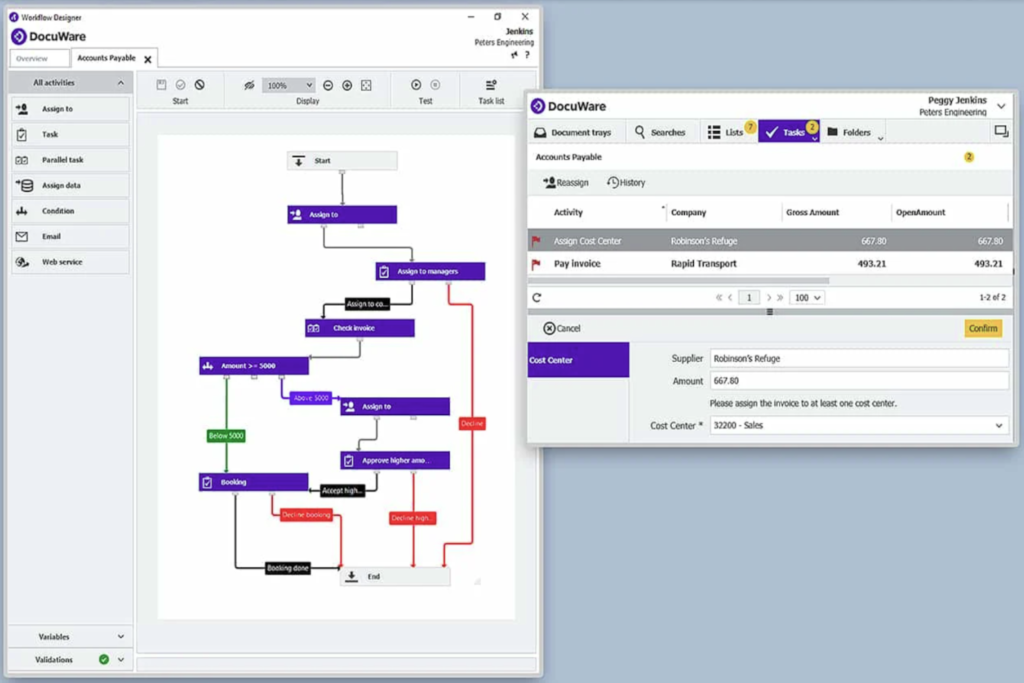
Because no two teams work in the exact same way, workflow software comes in a few distinct flavors. Figuring out these options helps you pick the right fit for your actual workflow.
Project Management Platforms
Project management tools are built to help teams structure multi-step projects from start to finish. They excel at breaking big company goals into doable pieces, assigning owners, setting clear timelines, and tracking overall progress. Typical features include visual Kanban task boards, interactive timelines, shared calendars, file hubs, threaded comments, and quick progress updates.
Task Management Applications
Task management software shines when organizing individual workloads and daily priorities. These light, focused tools are fantastic for freelancers, busy managers, students, and small teams looking for a clean space to plan their day. Through simple checklist layouts, priority flags, recurring task reminders, and deadline alerts, they keep your daily work easy to manage.
No-Code Workflow Automation Tools
Automation platforms focus on connecting separate apps together so they talk to each other seamlessly. By using simple “if this happens, do that” rules, these tools trigger automated actions across your favorite apps without needing any coding skills. For example, when someone fills out a contact form on your site, the system can automatically save their details, alert your team in chat, and create a follow-up task on your calendar.
Team Collaboration Hubs
Collaboration software provides the digital living room where teams talk and share ideas. These platforms offer real-time channels, organized threads, document co-editing, and quick video calls. They are especially lifesavers for remote and hybrid teams, keeping everyone aligned and connected no matter where they are working from.
CRM Workflow Solutions
Customer Relationship Management platforms feature specialized workflows built around sales and client relationships. Businesses use them to capture leads, automate email follow-ups, schedule calls, track deal stages, and forecast revenue. By taking care of sales admin, representatives spend far more time actually talking to prospects.
Next-Gen AI Workflow Systems
Artificial intelligence is adding a whole new layer of smart assistance to productivity tools. Instead of just following strict, fixed instructions, AI-powered tools actively help teams by summarizing long email threads, drafting initial content, prioritizing tasks based on urgency, analyzing data, and recommending smarter ways to organize your work.
Essential Features to Look for in Workflow Software

Shopping for productivity tools can feel overwhelming fast. Instead of getting distracted by long feature lists, focus on capabilities that solve your actual day-to-day pain points.
| Feature Category | Everyday Practical Value | What to Look For |
| Custom Automation | Cuts out manual typing and repetitive clicking | Easy drag-and-drop builders, flexible triggers, conditional logic, and scheduled tasks |
| App Integrations | Ties your favorite software into one connected space | Native connections or simple bridges to your email, storage, CRM, and chat apps |
| Ease of Use | Ensures your team actually enjoys using the platform | Clean design, intuitive menus, fast setup, and mobile-friendly access |
| Team Collaboration | Keeps discussions attached directly to the work | In-line comments, @mentions, shared files, activity logs, and instant notifications |
| Reporting & Insights | Highlights delays before they turn into real problems | Easy visual dashboards, task completion rates, and workload views |
| Solid Security | Keeps sensitive client info and business data safe | Role-based user access, two-factor authentication, encryption, and data compliance |
How Workflow Automation Pays Off in Reclaimed Time
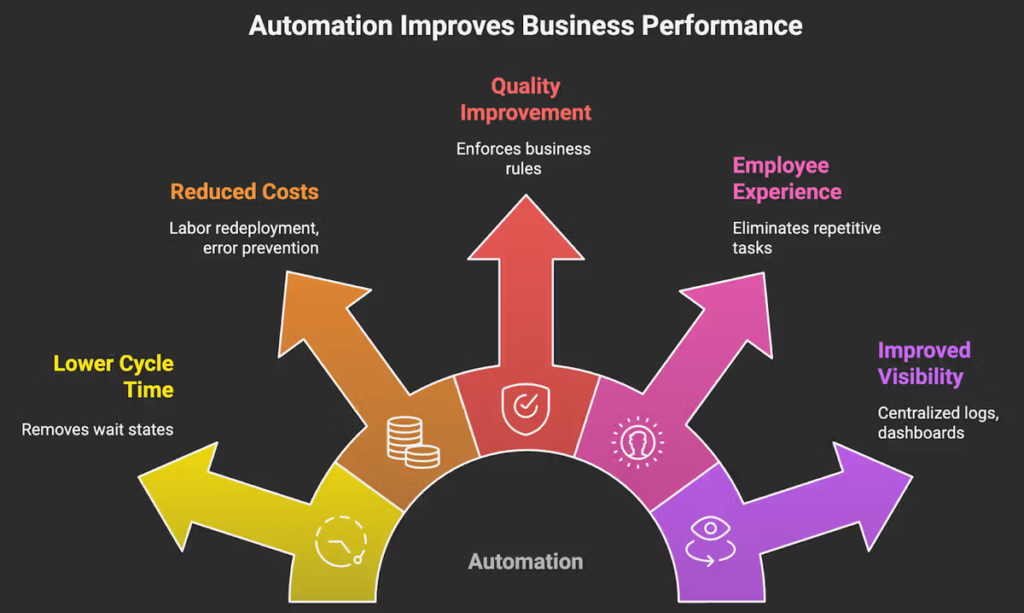
The absolute best part of adopting modern workflow tools is getting back hours of wasted time previously spent on busywork.
Take a look at how a typical business handles daily customer inquiries without automation:
1.Manual Data Entry & Scattered Handoffs:Without automation, staff waste time re-typing information.
An employee opens a customer email, manually copies their details into a spreadsheet, writes a confirmation email, drops a note in a group chat, and manually creates a calendar note to check back in two days.
2.The Automated Alternative:Systems handle the busywork instantly in the background.
The second a customer hits submit on a form, your automated workflow engine triggers every step at once: the customer gets a quick confirmation, their info lands in your database, the assigned rep gets notified, and a follow-up task lands on their list automatically.
This shift isn’t about replacing people with robots. Instead, it frees your team from mind-numbing administrative chores, giving them the time and mental space for creative thinking, strategy, and genuine human connection.
Step-by-Step Guide: Choosing the Right Tool for Your Team

Finding the right software is all about knowing your team’s real-world habits. Follow this straightforward checklist to pick a winner:
1. Spot Your Biggest Daily Roadblocks
Get your team together and talk through your current routine. Figure out which tasks feel tedious, where projects usually stall, which handoffs lead to confusion, and where manual copy-paste errors keep popping up.
2. Map Out Your Current Tech Stack
Write down every app your team uses every day—like your email client, chat apps, cloud storage, and calendar tools. Make sure any new workflow software plays nicely with these tools, keeping your info connected.
3. Choose Simple and Friendly Over Complex
It is easy to get tempted by platforms packed with complex settings. However, if a tool feels confusing, people simply won’t use it. Pick clean interfaces, friendly navigation, and easy setup to make sure your team adopts it effortlessly.
4. Think About Growth and Budget
Keep in mind both your team size today and where you hope to be in a year or two. Look for flexible pricing plans and scalable features so your workflow system grows smoothly alongside you without needing a full overhaul later.
Tailored Workflow Strategies for Different Work Styles

Because every job comes with its own rhythms, setting up workflows suited to your specific team type makes a massive difference.
Small Businesses & Startups
Small businesses need agility. They thrive on lightweight, versatile workflow tools that bundle task management, collaboration, and basic automation under one roof. The focus should be on keeping things simple and lean while building solid habits that help a small team accomplish big things.
Marketing & Creative Teams
Marketing teams handle dynamic pipelines with a lot of moving parts. A well-designed content workflow moves assets smoothly from early ideas to copywriting, design work, SEO tweaks, reviews, approvals, and scheduling, keeping projects on track without chaos.
Sales Teams
Sales success relies on fast follow-ups. Setting up automated lead routing, reminder nudges, and real-time deal updates keeps warm prospects from falling through the cracks, giving reps more time to connect with people.
Remote & Hybrid Teams
Remote work relies heavily on trust and visibility. Modern workflow platforms serve as the central digital home for remote teams, giving everyone a clear view of who owns what, when it’s due, and where projects stand, drastically cutting down on unnecessary check-in meetings.
Freelancers & Solo Professionals
Freelancers balance client work, admin, and outreach single-handedly. Using a single workflow hub to handle client requests, track deadlines, track invoices, and manage daily to-dos keeps everything professional while preventing burnout.
Common Workflow Mistakes to Keep an Eye Out For
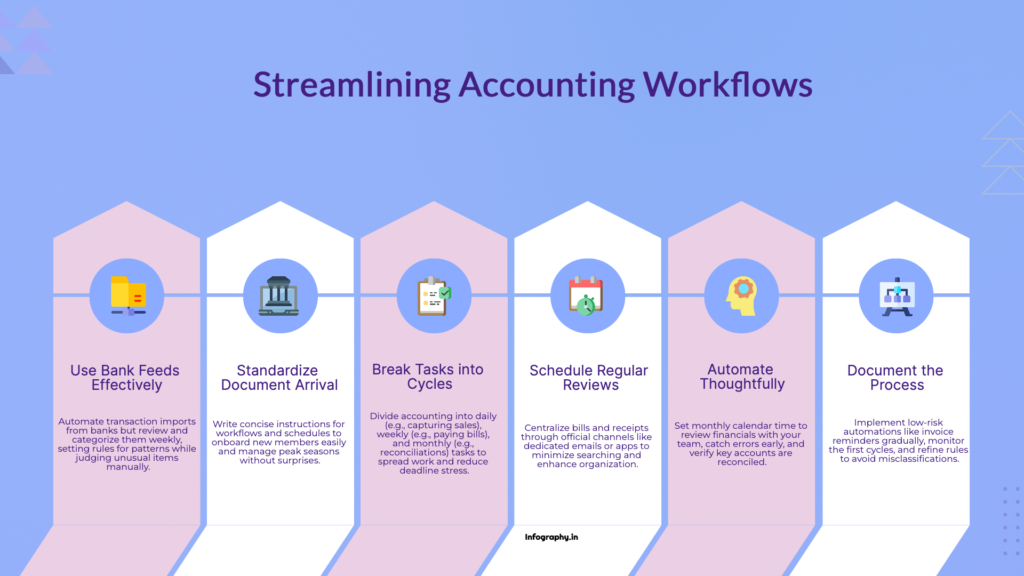
Even the slickest software can’t fix an inherently messy process. Avoid these common pitfalls to get the most value out of your setup:
Automating a Broken Process
A super common mistake is automating a process before cleaning it up. Automating a messy, confusing process simply makes bad work happen faster. Always simplify and sketch out your workflow on paper before turning on automated rules.
Falling for “Tool Overload”
Adding a separate app for every minor problem creates a chaotic software stack. When people have to flip between six different tabs just to update a status, focus drops and frustration builds. Aim for a clean setup where fewer tools do more heavy lifting.
Forgetting to Review and Refresh
Business needs change over time. A workflow system that worked perfectly six months ago might feel clunky today. Set aside time for a quick quarterly check-in to review your automated routines, gather feedback from your team, and adjust things as your work evolves.
The Real Role of AI in Everyday Automation

Artificial intelligence is changing how we approach daily workflows in a very practical way. In the past, automation relied strictly on rigid, fixed rules—if A happens, do B.
Modern AI-powered workflow tools go a step further by offering contextual help and flexible support:
- Quick Summaries: AI tools can scan long email threads, meeting notes, or project documents, pulling out key action items in seconds.
- Smart Task Ordering: Intelligent systems look at deadlines and workloads to suggest realistic daily to-do lists.
- Helpful First Drafts: From customer support replies to basic project outlines, AI tools give you a solid head start, speeding up production.
- Spotting Bottlenecks: AI can flag where projects tend to get stuck, recommending small tweaks before deadlines slip.
Even with smart algorithms, human good sense still leads the way. The best approach is using AI to handle tedious heavy lifting, while leaving big decisions, empathy, and strategy to real human minds.

Content Marketing Trends 2026: Research & Storytelling
The internet has never had a shortage of content. Every day, businesses publish blog posts,…
Top Workflow Tools for Better Team Productivity in 2026
It rarely happens with a big dramatic crash. Instead, it’s a slow, quiet leak. You…

AI Automation Guide 2026: Work Smarter, Faster & Better
Artificial intelligence and automation are changing the way people work, manage information, communicate, and complete…
Tool Reviews: Find the Best Tools for Every Need
Every single morning, millions of people open their laptops to a screen crammed with open…

The Best Audio Editing Software 2026: Music, Podcasts & More
Good audio can completely change how a song, podcast, video, or voice recording feels.Audio Editing…
Tool Reviews 2026: Explore, Compare & Find Better Tools
Finding the right digital tool can save time, simplify repetitive tasks, and make everyday work…

