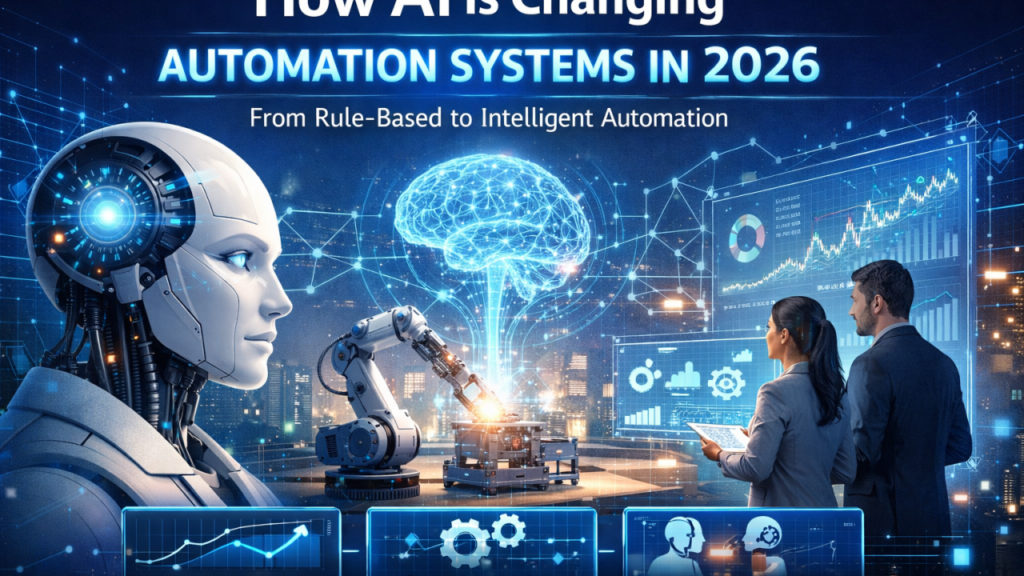
Artificial intelligence and automation are changing the way people work, manage information, communicate, and complete everyday tasks. What once required hours of repetitive manual effort can now be handled with software designed to organize data, generate content, analyze information, manage workflows, and support decision-making.
In 2026, AI automation is accessible to individuals, small business owners, creators, marketers, and large enterprises alike. You do not need deep programming knowledge to benefit from these tools. Many modern platforms feature intuitive visual interfaces that allow anyone to build automated systems without writing code from scratch. The primary value of AI automation is not simply increasing volume; it is eliminating unnecessary friction so people can focus on work requiring creativity, critical judgment, empathy, and strategic problem-solving.
Understanding AI Automation
AI automation combines rule-based software workflows with machine learning models capable of handling unstructured data. Traditional automation follows strict, predetermined triggers and actions—such as sending an automated confirmation email whenever a customer fills out a web form.
AI automation expands this capability by interpreting nuanced information. Machine learning models can analyze text, summarize lengthy documents, categorize incoming support tickets, generate contextual responses, identify complex data patterns, and recommend next steps. When these cognitive abilities connect to automated workflows, multi-step tasks move forward with minimal manual intervention.
                               Traditional vs. AI Automation

  Traditional Automation:      [ Form Submission ] ──► [ Send Template Email ]

  AI Automation:               [ Customer Message ] ──► [ AI Intent & Sentiment Analysis ]
                                                            │
                                        ┌───────────────────┴───────────────────┐
                                        ▼                                       ▼
                            [ Categorize & Priority Tag ]            [ Generate Custom Response ]
                                        │                                       │
                                        ▼                                       ▼
                            [ Route to Correct Team ]               [ Save Draft for Review ]
Core Productivity Applications

Modern knowledge work often involves managing high volumes of administrative tasks. Workers can spend hours each week responding to routine inquiries, updating spreadsheets, compiling weekly reports, organizing files, scheduling meetings, and copying data between disconnected web apps. AI automation reduces this burden by streamlining daily routines:
- Document Summarization: Extracting key takeaways and action items from long PDFs, meeting transcripts, or research reports automatically.
- Inbox Categorization: Tagging incoming emails by priority, topic, or urgency and drafting initial contextual replies.
- Task Generation: Converting meeting notes, slack messages, or customer feedback directly into assigned project management tasks.
- Data Harmonization: Cleaning, reformatting, and moving customer information between forms, spreadsheets, and databases automatically.
Instead of starting every task from a blank screen, workers can review and refine AI-generated drafts, dramatically reducing completion time.
Streamlining Core Business Operations
Businesses rely on standard processes to run efficiently. Operations like lead capture, customer onboarding, appointment scheduling, billing, reporting, and internal communications all involve repetitive sequences.
Consider lead management: when a potential client submits an inquiry on a website, an automated AI workflow can evaluate the request, score the lead based on company criteria, enrich the record with public business data, log the detail in a Customer Relationship Management (CRM) platform, and notify the correct account representative with a drafted introduction email. The sales team can focus entirely on relationship-building rather than manual data entry.
                  ┌──────────────────────────────────────────────────┐
                  │          Automated Sales Lead Pipeline           │
                  └─────────────────────────┬────────────────────────┘
                                            │
   ┌──────────────────────┬─────────────────┴──────────────────┬──────────────────────┐
   │                      │                                    │                      │
┌──▼──────────────────┐ ┌─▼──────────────────────────┐ ┌───────▼──────────────┐ ┌─────▼────────────────┐
│ 1. Form Submission  │ │ 2. AI Lead Evaluation      │ │ 3. CRM Enrichment    │ │ 4. Drafted Outreach  │
│ User submits site   │ │ Evaluates intent and       │ │ Logs entry and updates│ │ Generates custom     │
│ inquiry form.       │ │ assigns lead score.        │ │ customer database.   │ │ introduction email.  │
└─────────────────────┘ └────────────────────────────┘ └──────────────────────┘ └──────────────────────┘
Content Creation and Marketing Operations

Marketers, writers, and digital creators use AI automation to streamline research, drafting, and distribution. Rather than replacing human creativity, automation accelerates the early stages of production.
- Idea Generation & Outlining: Creating structural drafts and content angles based on target keywords or raw research.
- Content Repurposing: Converting a long video transcript or blog post into social media summaries, newsletter segments, or presentation slides.
- Behavioral Marketing: Triggering tailored email sequences based on how individual subscribers interact with specific content or products.
Human oversight remains essential throughout this process. Editing is necessary to maintain factual accuracy, brand voice, tone, and context. AI accelerates initial assembly, but human judgment ensures quality.
Modernizing Customer Support
Customer service teams frequently manage high volumes of repetitive inquiries regarding order tracking, business hours, account settings, and basic troubleshooting. AI-driven support workflows handle these initial inquiries efficiently:
| Support Layer | Primary Function | Operational Role |
|---|---|---|
| Tier 1 (Automated AI) | Direct answers to standard FAQs; intent recognition | Instant self-service responses 24/7 |
| Triage & Routing | Sentiment analysis and topic categorization | Assigns urgent or complex issues to specialists |
| Tier 2 (Human Support) | Complex problem solving and account escalations | High-touch personal customer care |
This hybrid structure ensures routine questions are resolved instantly while complex issues receive dedicated human attention.
Data Analysis and Automated Reporting
Organizations accumulate operational data across multiple platforms, including payment processors, web analytics, CRM systems, and advertising dashboards. Compiling this information manually into weekly or monthly reports takes significant time.
Automated AI workflows collect metrics from multiple sources on a schedule, generate summary visualizations, highlight notable variance or anomalies, and deliver structured reports directly to decision-makers. Teams can spend less time pulling data and more time interpreting what the numbers mean for the business.
Personal Workflows and Freelance Productivity
Automation is equally valuable for independent professionals, freelancers, and students. Key personal automation workflows include:
- Client Onboarding: Automatically sending intake forms, contracts, and payment links when a new client accepts a proposal.
- Research Organization: Automatically tagging, summarizing, and filing web articles or research papers into a digital knowledge base.
- Invoice Management: Generating and sending recurring billing reminders to clients without manual intervention.
To identify personal candidates for automation, ask one simple question: Which task do I repeat weekly that requires little creative thought? That task is usually an ideal candidate.
The No-Code Movement and AI Agents

Visual no-code platforms allow users to build complex workflows by connecting applications through graphical interfaces. Users set triggers (such as receiving a specific email) and assign actions (such as extracting attachments and uploading them to cloud storage).
Additionally, autonomous AI agents represent an evolution beyond rigid step-by-step workflows. Instead of following fixed rules, an AI agent interprets a high-level goal, formulates a plan, interacts with connected software tools, and executes multi-step tasks independently. For example, an agent can receive a prompt to “summarize market trends for company X,” search approved sources, synthesize findings, and format a final brief.
Maintaining Human Oversight and Data Security
While automation increases speed, it must be paired with human oversight. AI systems can misinterpret context, hallucinate false facts, or process subtle data incorrectly. For sensitive financial, legal, medical, or customer-facing decisions, human approval steps should always be built into the workflow.
Data privacy and security require equal consideration:
- Access Control: Grant tools only the minimum API permissions necessary to function.
- Data Policy: Verify how automation platforms process, store, and train on your data.
- Sensitive Information: Establish clear policies prohibiting raw confidential data from entering unvetted AI tools.
Practical Implementation Strategy
To implement AI automation successfully without creating operational confusion, follow a structured, step-by-step approach:
                            Step-by-Step Implementation Map

┌─────────────────────────┐     ┌─────────────────────────┐     ┌─────────────────────────┐
│ 1. Identify Bottleneck  │ ──► │  2. Select Simple Tool  │ ──► │  3. Build & Test Single │
│ Map one repetitive task │     │ Choose user-friendly    │     │      Workflow Step      │
│ wasting manual time.    │     │ no-code platform.       │     │ Verify outputs closely. │
└─────────────────────────┘     └─────────────────────────┘     └─────────────────────────┘
                                                                             │
                                                                             ▼
┌─────────────────────────┐     ┌─────────────────────────┐     ┌─────────────────────────┐
│ 6. Scale Gradually      │ ◄── │ 5. Refine & Maintain    │ ◄── │ 4. Add Human Checkpoint │
│ Automate next process   │     │ Adjust parameters based │     │ Require approval before │
│ once stability proved.  │     │ on real-world errors.   │     │ final execution step.   │
└─────────────────────────┘     └─────────────────────────┘     └─────────────────────────┘
Automating an already chaotic process only produces chaos faster. Begin by simplifying the underlying workflow manually, automate a single step, verify accuracy, and expand the system gradually.
Long-Term Value of Automation
The ultimate goal of AI automation is practical operational improvement. Measuring success comes down to time saved, reduced error rates, faster response times, and increased capacity for high-value work. As these tools continue to evolve into more interconnected systems in 2026, combining automated efficiency with human judgment remains the most reliable strategy for sustainable productivity.
FAQ’s
1. What is AI automation?
AI automation combines artificial intelligence with automated workflows to complete repetitive tasks with less manual effort.
2. How can AI automation improve productivity?
It can reduce repetitive work, organize information, automate workflows, and give people more time for important tasks.
3. Can beginners use AI automation tools?
Yes. Many no-code and low-code tools allow beginners to create simple automated workflows without advanced programming skills.
4. Is human oversight still needed?
Yes. Important workflows should include human review because AI systems can make mistakes or produce inaccurate results.
5. How should I start with AI automation?
Start with one repetitive task, choose a suitable tool, test the workflow, and improve it gradually.