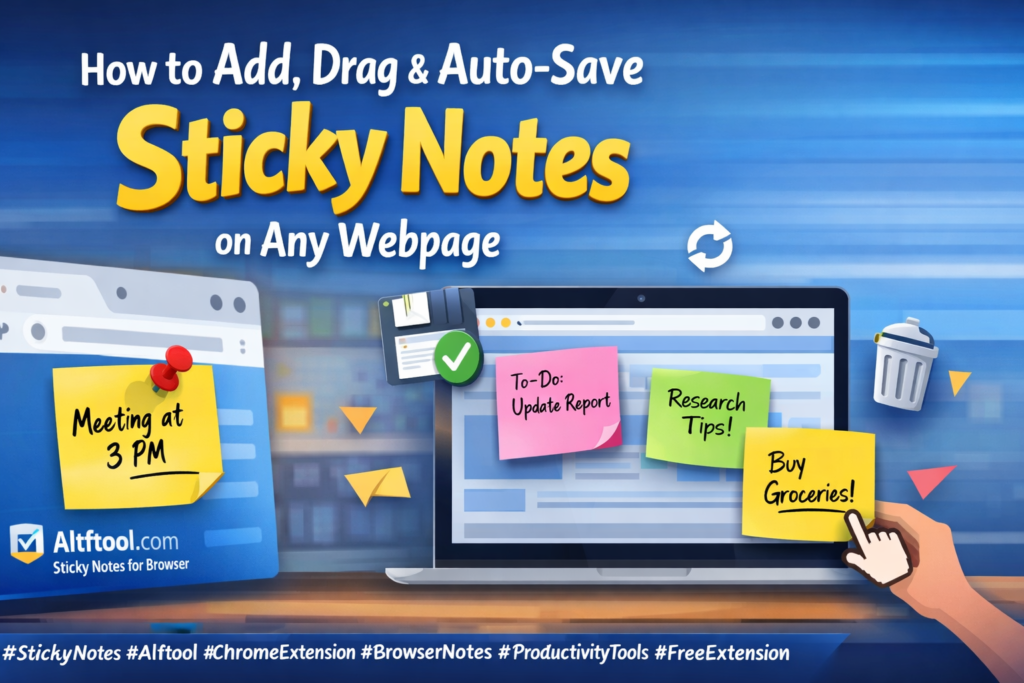
While browsing the internet, we often come across important information that we want to remember later. Switching between apps or opening a separate notepad can interrupt workflow and reduce productivity. That’s why adding sticky notes directly on webpages is a smart and practical solution.
With the Sticky Notes tool by Altftool.com, you can create floating notes on any webpage, move them anywhere on the screen, and have them automatically saved without any manual effort.
Why Sticky Notes on Webpages Are Useful
When you take notes directly on a webpage, your information stays connected to the context where you found it. This makes research, studying, and task management much easier. Instead of remembering which notebook or file contains your notes, you simply reload the same page and your notes appear automatically.
This approach keeps your browsing organized and helps you focus better without distractions.
How to Add Sticky Notes
Using the extension is simple and beginner-friendly. Open any webpage in Chrome, click on the Sticky Notes extension icon, and choose “Add Note.” A floating note will instantly appear on your screen. You can start typing immediately, and your content will begin saving automatically as you write.
There’s no need for a separate save button, and no risk of losing your text.
Drag & Position Notes Anywhere
One of the most convenient features is the ability to drag and drop notes anywhere on the page. You can place them near important paragraphs, beside product details, or in a corner where they don’t block content.
Even after refreshing the page, the notes remain in the same position. This persistent positioning ensures that your workspace stays exactly how you arranged it.
Auto-Save & Per-Page Storage
The extension saves notes automatically while you type, making the process smooth and worry-free. Each note is stored separately based on the website’s URL. This means notes written on one site will not appear on another.
When you revisit or reload the same page, your notes are restored instantly. Everything works seamlessly in the background, helping you stay productive.
Easy Note Management
If you no longer need a note, you can delete it individually. There’s also an option to clear all notes from the current page at once. All data is stored locally in your browser using secure storage, ensuring privacy and control over your information.
No external servers are involved, and no login is required.
Final Thoughts
Adding, dragging, and auto-saving sticky notes on webpages is a simple yet powerful productivity upgrade. Whether you are a student, professional, blogger, or researcher, this tool helps you keep important information exactly where you need it.
The Sticky Notes feature by Altftool.com makes online note-taking faster, smarter, and more organized. Once you start using floating browser notes, you’ll wonder how you ever browsed without them.
FAQs
#StickyNotes #Altftool #ChromeExtension #BrowserNotes #ProductivityTools #DigitalOrganization #FreeExtension #WorkSmart #OnlineProductivity #Carrerbook #Anslation
AI Automation Guide 2026: Work Smarter, Faster & Better
Artificial intelligence and automation are changing the way people work, manage information, communicate, and complete…

Tool Reviews: Find the Best Tools for Every Need
Every single morning, millions of people open their laptops to a screen crammed with open…

The Best Audio Editing Software 2026: Music, Podcasts & More
Good audio can completely change how a song, podcast, video, or voice recording feels.Audio Editing…

Tool Reviews 2026: Explore, Compare & Find Better Tools
Finding the right digital tool can save time, simplify repetitive tasks, and make everyday work…

The Best No-Code Automation Tools Simplify Workflows & Save Time
A lot of everyday work follows the same pattern. No-Code Automation Someone fills out a…
The Best Vivo V80 5G Expected Price, Camera & Features
The Vivo V80 5G is one of the upcoming smartphones attracting attention in India’s premium…