
In today’s digital world, accessibility is no longer optional. If a website is difficult to navigate for people with disabilities, it’s not just a technical flaw — it’s a missed opportunity to serve everyone equally. As someone who works closely with websites, I’ve realized that accessibility checks often get ignored because they feel complicated or time-consuming.
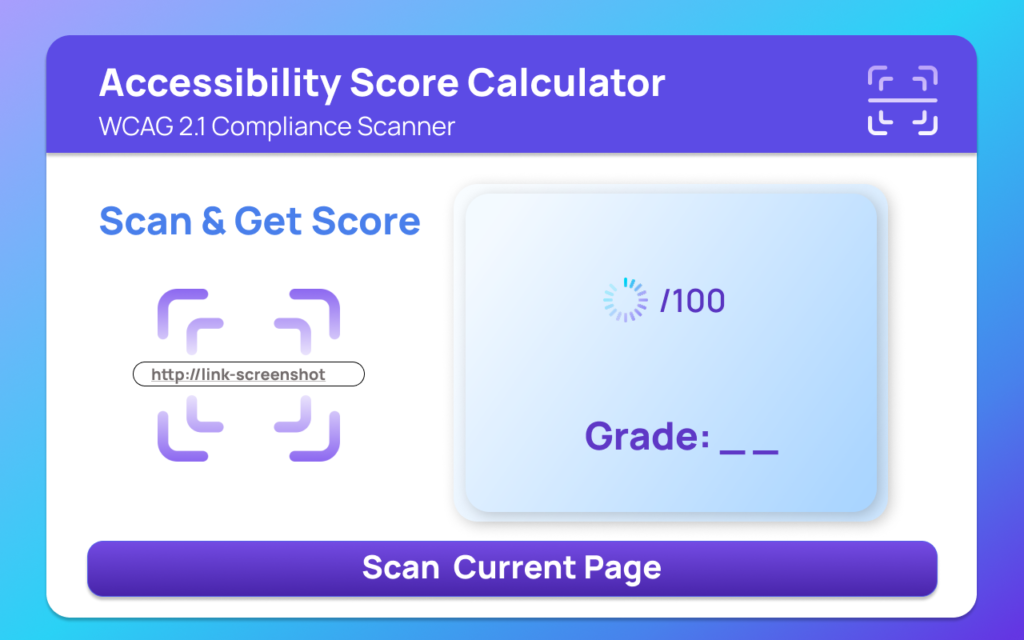
That’s where the Accessibility Score Calculator by AltFTool comes in. It’s a simple yet powerful Chrome extension designed to scan web pages and instantly show how accessible they really are.
Let’s break it down.
What Is the Accessibility Score Calculator?
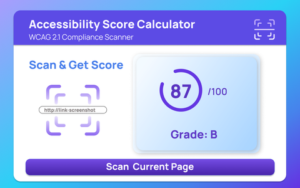
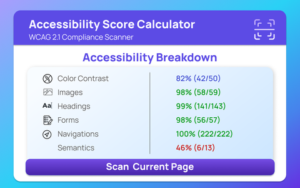
The Accessibility Score Calculator is an AltFTool extension that quickly scans any webpage and evaluates it against WCAG 2.1 guidelines. Instead of overwhelming you with technical jargon, it provides a clear score (0–100), a grade, and a list of issues you can fix.
The motive behind this tool is straightforward:
Make accessibility testing fast, simple, and practical for developers, designers, and website owners.
Why Website Accessibility Matters
Accessibility ensures that people with visual, auditory, cognitive, or motor disabilities can use your website comfortably. Issues like poor color contrast, missing alt text, or incorrect heading structure may seem small, but they can significantly impact user experience.
Beyond inclusivity, accessibility also:
- Improves SEO
- Enhances usability
- Reduces legal risk
- Builds brand trust
Key Features of Accessibility Score Calculator
1. Core Accessibility Scanning
This is where the extension shines. With just one click, it automatically checks:
- Color contrast issues
- Missing alt text on images
- Incorrect heading structure
- Form label problems
- Navigation accessibility concerns
It evaluates everything based on WCAG 2.1 standards and generates:
- A score between 0–100
- An accessibility grade
- A detailed issue list
This makes it extremely easy to understand where your site stands.
2. Smart Suggestions System
Finding problems is helpful — but fixing them is even more important.
The extension provides improvement recommendations based on detected issues. Instead of just telling you something is wrong, it guides you toward better accessibility practices.
For beginners, this feels like having a mini accessibility consultant built into your browser.
3. Reporting & Data Storage
One feature I personally appreciate is the report history.
- Saves up to 50 recent accessibility reports
- Tracks the last scan time
- Automatically stores results after each scan
This helps monitor improvements over time and compare before-and-after results when optimizing a website.
4. Clean Interface & Easy Controls
The extension is designed with usability in mind:
- Popup UI for quick scanning
- Dedicated dashboard page for detailed reports
- Keyboard shortcut (Ctrl+Shift+A / Cmd+Shift+A) for instant access
You don’t need to navigate complex menus. Everything is just one click away.
5. Background Automation
The extension runs smoothly in the background, handling:
- Report saving
- Clearing history
- Auto-scan mode (optional setting)
This automation makes the workflow seamless, especially for developers who frequently test pages.
Step-by-Step: How to Use It
- Open the extension popup.
- Click “Scan Current Page” or use the keyboard shortcut.
- Wait while it analyzes the webpage.
- View your score, grade, and issue list.
- Check the suggestions for improvements.
- Access the dashboard for detailed reports.
- Clear history or adjust settings anytime.
It’s straightforward, even if you’re not deeply technical.
Who Should Use This Extension?
- Web developers
- UI/UX designers
- Website owners
- Digital marketers
- Students learning web development
- Agencies managing multiple client sites
If you build or manage websites, this tool can become part of your regular workflow.
My Honest Take
What I like most about the Accessibility Score Calculator is its simplicity. Accessibility audits often require complex tools, but this extension makes the process quick and approachable.
It’s not overwhelming. It gives you clarity. And most importantly, it encourages consistent accessibility testing instead of one-time audits.
For a free Chrome extension, it offers impressive functionality and practical value.

AI Automation Guide 2026: Work Smarter, Faster & Better

Tool Reviews: Find the Best Tools for Every Need

The Best Audio Editing Software 2026: Music, Podcasts & More

Tool Reviews 2026: Explore, Compare & Find Better Tools

The Best No-Code Automation Tools Simplify Workflows & Save Time

The Best Vivo V80 5G Expected Price, Camera & Features
Final Thought
Accessibility is about empathy as much as it is about technology. Tools like the Accessibility Score Calculator by AltFTool make it easier to create inclusive digital experiences without adding complexity to your workflow. If you’re serious about building better websites in 2026 and beyond, this extension is definitely worth trying.
Disclaimer : This blog is based on informational details provided about the Accessibility Score Calculator (AltFTool extension). Features and functionality may change over time. Users should verify the latest updates from the official source before making decisions based on this review.
#Accessibility #WebAccessibility #WCAG #ChromeExtension #AltFTool #WebDevelopment #InclusiveDesign #DigitalAccessibility #Carrerbook #Anslation

