
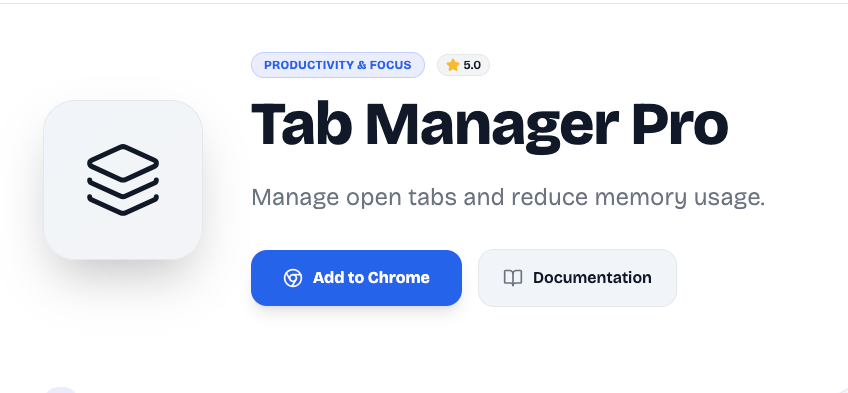
In today’s digital era, managing multiple browser tabs has become a common struggle. From research work to office tasks and content creation, we often keep dozens of tabs open at the same time. This not only slows down the browser but also affects focus and productivity.
That’s where Tab Manager Pro by Altftool.com becomes a game-changer. It helps you organize, manage, and control your tabs in a smarter and faster way.
Why Managing Tabs Matters in 2026
In 2026, most work happens online. Students attend virtual classes, professionals manage dashboards, and marketers handle multiple platforms simultaneously. When too many tabs are open, it becomes difficult to switch between tasks efficiently.
A proper tab management system reduces distractions and keeps your browser clean. It also helps improve system performance by reducing unnecessary memory usage.

What is Tab Manager Pro by Altftool.com?
Tab Manager Pro is a simple and lightweight Chrome extension available on Altftool.com. It allows users to view all open tabs in one place and manage them easily.
Instead of manually clicking through crowded tabs, you can search, close, or organize them within seconds. The tool is designed for everyday users who want better control over their browsing experience.
Key Features of Tab Manager Pro
Tab Manager Pro offers practical features that actually make a difference:
- Quick view of all open tabs
- Easy tab search option
- One-click close for unnecessary tabs
- Clean and user-friendly interface
- Helps reduce browser clutter
The extension focuses on simplicity while delivering powerful results.
How It Improves Productivity
When your browser is organized, your workflow becomes smoother. You spend less time searching for tabs and more time completing important tasks.
This extension is especially helpful for students working on research projects, bloggers handling multiple references, developers managing tools, and office professionals switching between dashboards. By keeping everything structured, it saves both time and effort.
How to Use Tab Manager Pro
Getting started is very simple. Install the extension from the Chrome Web Store, click on the extension icon, and you will instantly see a structured list of all your open tabs. From there, you can manage them according to your needs.
No technical skills are required, and the interface is beginner-friendly.
Why Choose Altftool.com?
Altftool.com is known for providing useful and free browser-based tools that enhance productivity. Their tools are lightweight, easy to understand, and designed for modern digital users.
Tab Manager Pro reflects the same commitment to simplicity and efficiency.
Final Thoughts
If you often struggle with too many open tabs, Tab Manager Pro is a smart solution. It keeps your browser clean, improves focus, and helps you work more efficiently.
In 2026, smart browsing is not optional — it’s necessary. Try Tab Manager Pro today and experience a better way to manage your tabs.
AI Automation Guide 2026: Work Smarter, Faster & Better
Artificial intelligence and automation are changing the way people work, manage information, communicate, and complete…

Tool Reviews: Find the Best Tools for Every Need
Every single morning, millions of people open their laptops to a screen crammed with open…

The Best Audio Editing Software 2026: Music, Podcasts & More
Good audio can completely change how a song, podcast, video, or voice recording feels.Audio Editing…

Tool Reviews 2026: Explore, Compare & Find Better Tools
Finding the right digital tool can save time, simplify repetitive tasks, and make everyday work…

The Best No-Code Automation Tools Simplify Workflows & Save Time
A lot of everyday work follows the same pattern. No-Code Automation Someone fills out a…
The Best Vivo V80 5G Expected Price, Camera & Features
The Vivo V80 5G is one of the upcoming smartphones attracting attention in India’s premium…

#TabManagerPro #Altftool #ChromeExtension #ProductivityTools #BrowserManagement #FreeExtension #DigitalTools2026 #WorkSmart #OnlineTools #TimeManagement #Carrerbook #Anslation

