
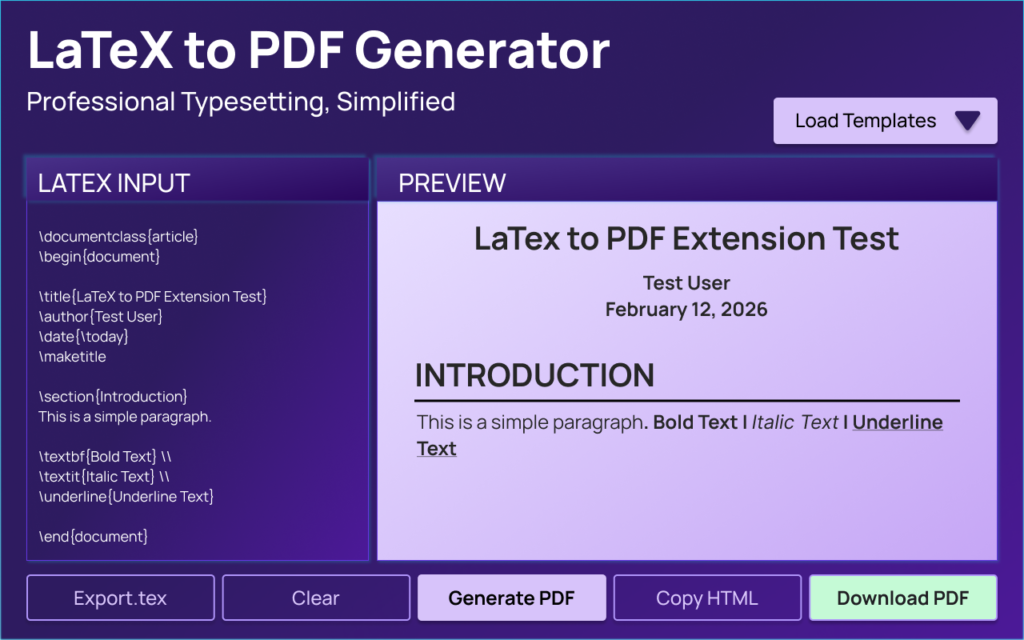
In the world of academic writing, technical documentation, and research publishing, LaTeX remains one of the most powerful typesetting systems available. However, traditional LaTeX tools often require complex setup, software installation, and manual compilation. That’s where the AltFtool LaTeX to PDF Editor Extension steps in — offering a streamlined, browser-based solution for writing and compiling LaTeX documents instantly.
If you’re looking for a fast, clean, and professional way to convert LaTeX code into polished PDF documents without installing heavy software, this extension could be the perfect tool for you.
What Is the AltFtool LaTeX to PDF Editor Extension?
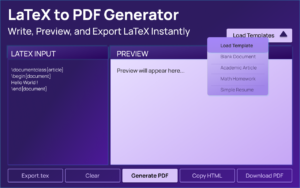
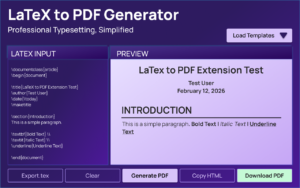
The AltFtool LaTeX to PDF Editor is a browser extension designed to help users write LaTeX code and instantly generate high-quality PDF documents directly from their browser. It eliminates the need for complicated LaTeX distributions or external editors.
This tool focuses on simplicity, speed, and accessibility — making LaTeX document creation easier for everyone.
Key Features of the Extension
1. Browser-Based LaTeX Editor
No software installation required. You can write and edit LaTeX directly in your browser.
2. Instant PDF Compilation
Generate a clean, formatted PDF within seconds after writing your LaTeX code.

3. Clean and Professional Output
Ensures properly formatted academic and technical documents.
4. Lightweight and Fast
Unlike traditional LaTeX setups, this extension runs smoothly without slowing down your system.
5. User-Friendly Interface
Simple layout designed for both beginners and experienced LaTeX users.
6. No Complex Configuration
No need to configure compilers or install packages manually.
Step-by-Step Guide: How to Use the Extension
Step 1: Install the Extension
Download and install the AltFtool LaTeX to PDF Editor from the Chrome Web Store.
Step 2: Open the Extension
Click on the extension icon in your browser toolbar to launch the editor.
Step 3: Write or Paste Your LaTeX Code
Start typing your LaTeX document or paste your existing code into the editor.
Example:
\documentclass{article}
\begin{document}
Hello World!
\end{document}
Step 4: Click Compile / Generate PDF
Use the compile button to instantly convert your LaTeX code into a PDF file.
Step 5: Download or Save the PDF
Once generated, download your professionally formatted PDF document.
That’s it — no external software, no complicated setup.
Who Can Use This Tool?
The AltFtool LaTeX to PDF Editor is ideal for:
Students
Perfect for writing assignments, research papers, thesis documents, and mathematical reports.
Researchers & Academics
Generate publication-ready documents with structured formatting.
Developers
Create technical documentation, API documentation, and project reports.
Bloggers & Content Creators
Publish clean, formatted content for ebooks or downloadable resources.
Engineers & Scientists
Write equations, formulas, and structured technical papers effortlessly.
Why This Tool Stands Out
Many LaTeX tools require installing large distributions like TeX Live or MiKTeX. For beginners, that setup can feel overwhelming. The AltFtool extension removes that barrier by offering a lightweight, browser-based environment.
It’s particularly useful for quick document creation, last-minute edits, and working on shared systems where installing software isn’t possible.
The simplicity of this extension makes LaTeX accessible without sacrificing professional output quality.
Benefits of Using a Browser-Based LaTeX Tool
- No storage-heavy installations
- Accessible from anywhere
- Faster workflow
- Beginner-friendly experience
- Ideal for quick edits and small-to-medium documents
Final Thoughts
The AltFtool LaTeX to PDF Editor Extension offers a smart, efficient solution for anyone who wants to create clean and professional documents without dealing with complex LaTeX setups. Whether you’re a student finishing an assignment or a researcher preparing a paper, this tool simplifies the process while maintaining document quality.
If productivity, speed, and simplicity matter to you, this browser-based LaTeX editor is worth exploring.

AI Automation Guide 2026: Work Smarter, Faster & Better
Artificial intelligence and automation are changing the way people work, manage information, communicate, and complete…

Tool Reviews: Find the Best Tools for Every Need
Every single morning, millions of people open their laptops to a screen crammed with open…

The Best Audio Editing Software 2026: Music, Podcasts & More
Good audio can completely change how a song, podcast, video, or voice recording feels.Audio Editing…

Tool Reviews 2026: Explore, Compare & Find Better Tools
Finding the right digital tool can save time, simplify repetitive tasks, and make everyday work…

The Best No-Code Automation Tools Simplify Workflows & Save Time
A lot of everyday work follows the same pattern. No-Code Automation Someone fills out a…

The Best Vivo V80 5G Expected Price, Camera & Features
The Vivo V80 5G is one of the upcoming smartphones attracting attention in India’s premium…
Disclaimer : This blog is for informational purposes only. Features and functionality of the AltFtool LaTeX to PDF Editor Extension may change over time. Users should verify details directly from the official extension page before installation or professional use.
#LaTeX #PDFEditor #AltFtool #ChromeExtension #AcademicWriting #TechTools #LaTeXtoPDF #StudentTools #DeveloperTools #ProductivityTools #Carrerbook #Anslation

