
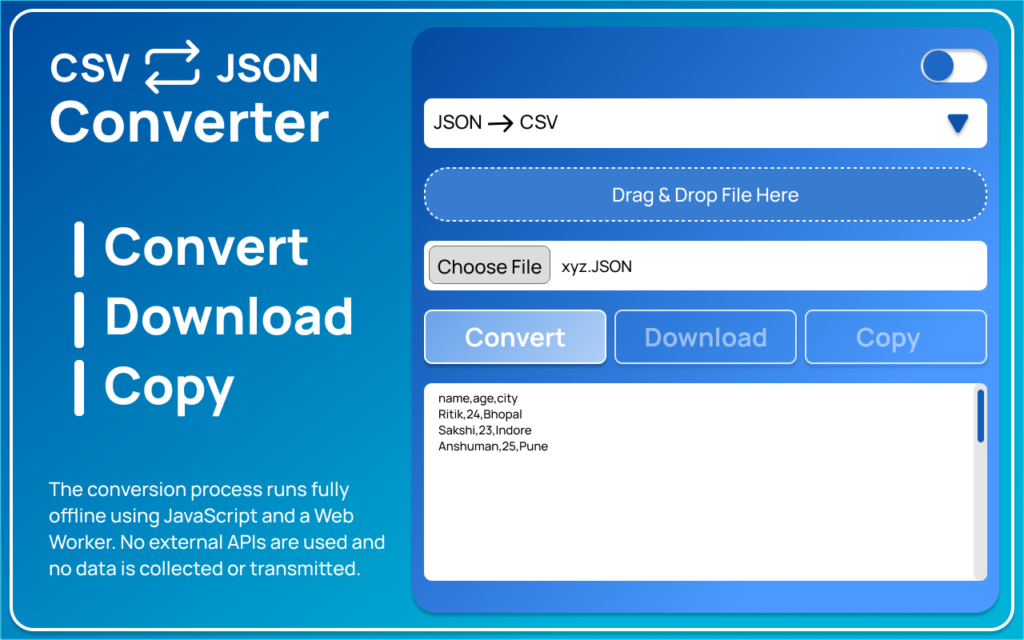
In today’s data-driven world, developers, analysts, and students frequently switch between CSV and JSON formats. Whether you’re working with APIs, databases, spreadsheets, or web applications, converting structured data quickly and accurately is essential. The CSV ⇄ JSON Converter Chrome extension makes this process simple, fast, and completely secure — all within your browser.
This lightweight extension eliminates the need for online converters that require file uploads. Instead, it processes everything locally, ensuring privacy and speed without compromising performance.
Why You Need a CSV ⇄ JSON Converter
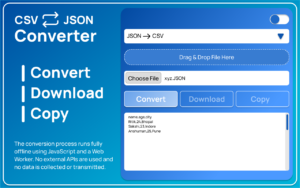
CSV (Comma-Separated Values) is widely used for spreadsheets and tabular data, while JSON (JavaScript Object Notation) is the preferred format for APIs and modern web applications. Switching between these formats manually can be time-consuming and error-prone.
This extension removes that hassle by allowing instant two-way conversion directly inside Chrome. No coding, no complex setup, and no external tools required.
Key Features
- Two-Way Conversion – Easily convert CSV to JSON and JSON to CSV.
- 100% Offline Processing – No file uploads; everything runs locally in your browser.
- Drag & Drop Support – Quickly import files with a simple drag-and-drop interface.
- Instant Preview – View converted results before downloading.
- One-Click Copy – Copy the converted output instantly.
- Download Option – Save the converted file directly to your device.
- Light & Dark Mode – Clean interface with theme options.
- Smooth Performance – Uses Web Worker technology for efficient processing.
Privacy & Security First
One of the standout features of the CSV ⇄ JSON Converter is its privacy-focused design. Unlike many online tools, this extension does not upload or store your data. There is no tracking, no external API calls, and no account registration required. Your files stay on your device at all times, making it ideal for handling sensitive or confidential data.
Performance & Technical Details
The extension is lightweight (approximately 361 KiB), meaning it installs quickly and runs smoothly without slowing down your browser. The latest version (1.4) was updated in February 2026, ensuring improved performance and reliability.
Because it uses Web Worker technology, the conversion process runs in the background, keeping the interface responsive even when working with moderately large files.
Who Should Use It?
- Web developers working with APIs
- Data analysts managing spreadsheet exports
- Students learning data structures
- Backend developers handling structured datasets
- Anyone who frequently converts CSV and JSON files
AI Automation Guide 2026: Work Smarter, Faster & Better
Artificial intelligence and automation are changing the way people work, manage information, communicate, and complete…

Tool Reviews: Find the Best Tools for Every Need
Every single morning, millions of people open their laptops to a screen crammed with open…

The Best Audio Editing Software 2026: Music, Podcasts & More
Good audio can completely change how a song, podcast, video, or voice recording feels.Audio Editing…

Tool Reviews 2026: Explore, Compare & Find Better Tools
Finding the right digital tool can save time, simplify repetitive tasks, and make everyday work…

The Best No-Code Automation Tools Simplify Workflows & Save Time
A lot of everyday work follows the same pattern. No-Code Automation Someone fills out a…

The Best Vivo V80 5G Expected Price, Camera & Features
The Vivo V80 5G is one of the upcoming smartphones attracting attention in India’s premium…

Final Thoughts
The CSV ⇄ JSON Converter Chrome extension is a practical, secure, and efficient tool for everyday data transformation needs. Its offline functionality, ease of use, and privacy-first approach make it a reliable choice for professionals and beginners alike. If you regularly work with structured data, this extension can save time, reduce errors, and simplify your workflow.
Frequently Asked Questions
Disclaimer : This content is for informational purposes only. We are not officially affiliated with the extension developer. Features and details may change over time, so please check the official Chrome Web Store listing before use. Use the tool at your own discretion.
#CSVtoJSON #JSONtoCSV #Altftool #DataConversion #ChromeExtension #WebDevelopment #DeveloperTools #DataTools #OfflineConverter #ProductivityTools #TechTools #Carrerbook #Anslation

