
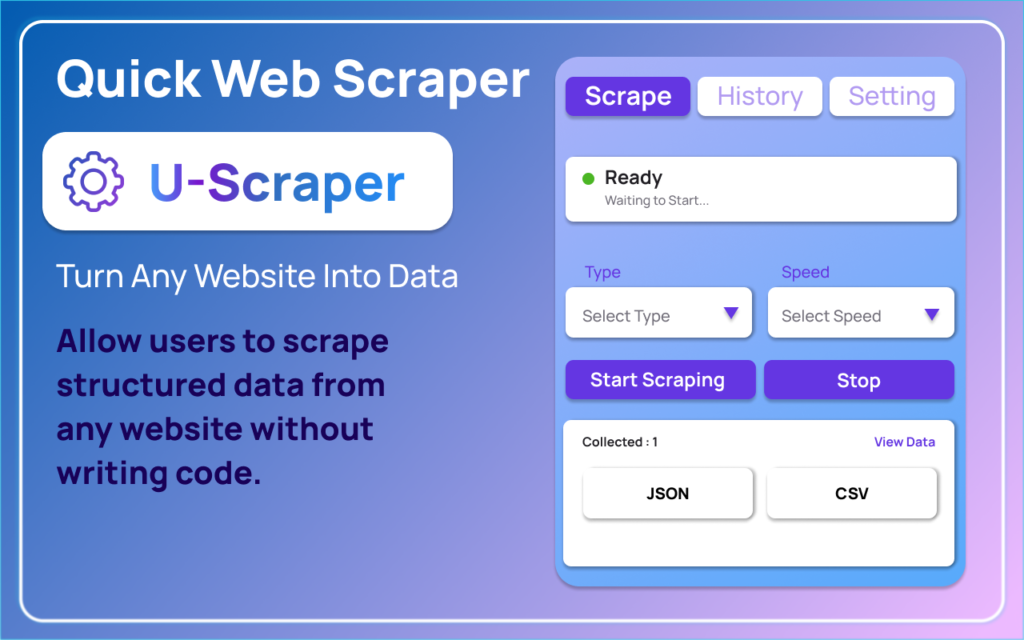
Web scraping can sound intimidating to beginners, especially when they hear terms like HTML structure, selectors, APIs, and automation scripts. Many assume that extracting data from websites requires advanced coding skills or technical expertise. However, modern browser extensions have made the process incredibly simple. Quick Web Scraper is designed specifically for users who want to extract structured data from any website without writing a single line of code. Whether you are a student, marketer, researcher, or entrepreneur, this tool provides an easy entry point into the world of web data extraction.
A Simple, No-Code Approach to Web Scraping
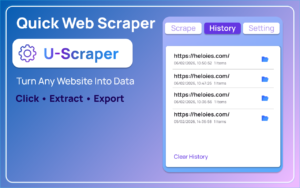
One of the biggest challenges beginners face is technical complexity. Quick Web Scraper eliminates that barrier with its one-click scraping feature. Instead of configuring scripts or installing heavy software, users simply open the extension popup and click the scrape button. The extension automatically processes the current webpage and extracts structured data instantly. This simplicity makes it ideal for those who want results without a steep learning curve.
The extension captures a wide range of webpage elements, including headings, paragraphs, lists, tables, links, forms, images, videos, and metadata. This full-page data extraction ensures that users get comprehensive results in an organized format. Rather than manually copying and pasting content, users receive structured data that is ready for analysis or export.
Interactive Data Preview Dashboard
Another standout feature is the built-in data preview dashboard. After scraping, the extension opens a well-organized preview interface that separates data into clear sections such as Overview, Content, Media, Structure, and Raw Data. This layout allows users to review extracted information before exporting it. Beginners especially benefit from this transparency, as they can see exactly what has been captured and verify accuracy without technical guesswork.
The ability to refresh scraped data directly from the dashboard adds flexibility. If a page updates or if auto-scroll is required to load dynamic content, users can easily refresh and reprocess the information. The close control ensures a smooth user experience, allowing users to exit the preview at any time.
Flexible Export and Customization Options
Data is only valuable when it can be used effectively. Quick Web Scraper supports multiple export formats, including JSON and CSV, making it compatible with spreadsheets, databases, and analytics tools. This flexibility is essential for marketers analyzing competitor data, researchers collecting information, or business owners organizing leads.
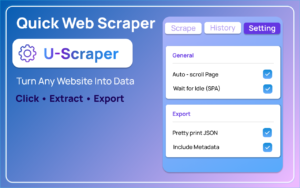
The extension also includes an options page where users can customize scraping preferences. Settings such as auto-scroll and SPA wait time help capture content from dynamic or single-page applications. These configurations ensure more accurate extraction while keeping the process beginner-friendly.
Secure and Local Processing
Privacy and security are major concerns when dealing with web data. Quick Web Scraper addresses this by processing all data locally within the browser. No external servers are required, and no scraped information is transmitted elsewhere. This local processing approach gives users confidence and control over their extracted data.
Why It’s the Perfect Tool for Beginners
Quick Web Scraper combines simplicity, structure, and functionality in one lightweight browser extension. Its intuitive user flow—from opening the popup to exporting structured data—makes web scraping accessible to everyone. By removing technical barriers and offering organized previews and exports, it serves as the perfect starting tool for anyone interested in web data extraction.
AI Automation Guide 2026: Work Smarter, Faster & Better
Artificial intelligence and automation are changing the way people work, manage information, communicate, and complete…

Tool Reviews: Find the Best Tools for Every Need
Every single morning, millions of people open their laptops to a screen crammed with open…

The Best Audio Editing Software 2026: Music, Podcasts & More
Good audio can completely change how a song, podcast, video, or voice recording feels.Audio Editing…

Tool Reviews 2026: Explore, Compare & Find Better Tools
Finding the right digital tool can save time, simplify repetitive tasks, and make everyday work…

The Best No-Code Automation Tools Simplify Workflows & Save Time
A lot of everyday work follows the same pattern. No-Code Automation Someone fills out a…

The Best Vivo V80 5G Expected Price, Camera & Features
The Vivo V80 5G is one of the upcoming smartphones attracting attention in India’s premium…

Frequently Asked Questions (FAQ)
Disclaimer : This article is for informational purposes only. Quick Web Scraper should be used responsibly and in compliance with applicable laws, website terms of service, and data privacy regulations. Users are solely responsible for how they collect and use scraped data.
#WebScraping #DataExtraction #NoCodeTools #ChromeExtension #BrowserExtension #ScrapeData #DataCollection #DataCollection #AutomationTools #DigitalTools

