

Introduction
In today’s digital marketing landscape, long and messy URLs can reduce click-through rates, look unprofessional, and become difficult to manage across campaigns. Marketers constantly look for tools that are fast, reliable, and easy to integrate into their workflow. That is exactly why the URL Shortner by AltF Tools extension is gaining attention right now.
Designed as a lightweight Chrome extension, this tool converts long URLs into clean, shortened links using the T.ly API. With a simple interface and instant results, it is quickly becoming a practical solution for marketers who prioritize speed and efficiency.
The Core Purpose of URL Shortner
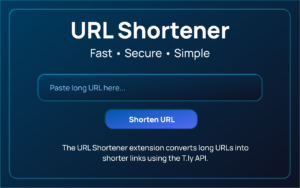
The primary function of URL Shortner is straightforward: transform long URLs into short, shareable links. However, what makes it appealing is how seamlessly it performs this task inside the browser. Instead of switching between multiple tabs or external websites, users can paste a long link directly into the extension popup, generate a shortened version, and copy it instantly.
For marketers running email campaigns, social ads, affiliate promotions, or social media posts, this convenience saves time and reduces friction in daily workflows.
API-Based URL Shortening with T.ly
At the core of this extension is its integration with the T.ly API. When a user clicks the “Shorten URL” button, the extension sends a secure POST request to the T.ly API endpoint to generate the shortened link.
This API-driven approach ensures that the shortened URLs are generated reliably and consistently. Instead of relying on random redirection scripts or unstable services, the extension connects directly to a recognized link-shortening infrastructure.
This makes the tool suitable for marketers who depend on working links for paid campaigns and performance tracking.
Secure API Key Configuration
One of the important aspects of the extension is its API key configuration system. A valid T.ly API key is required to use the service. The extension includes a settings page where users can enter and store their API key securely using Chrome’s local storage.
Because the key is stored locally via chrome.storage.local, it remains within the user’s browser environment rather than being exposed publicly. This adds a layer of privacy and security, which is particularly valuable for professionals managing branded or campaign-specific links.
One-Click Copy for Faster Workflow
Efficiency matters in marketing, especially when managing multiple links across platforms. The extension includes a one-click copy feature powered by the navigator.clipboard API.
Once the shortened link is generated, users can copy it instantly without manually selecting and pasting the text. This small but impactful feature eliminates extra steps and allows marketers to quickly move from link creation to content publishing.
Recent Link History for Easy Access
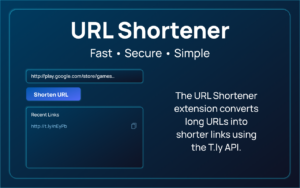
Another reason the tool is trending is its built-in recent link history. The extension stores the last two shortened URLs along with timestamps.
This feature is particularly helpful when users need to quickly retrieve recently created links without generating them again. Whether adjusting a social media caption or reusing a campaign link, having quick access to recent history enhances productivity and reduces repetitive work.
Input Validation and Error Handling
Professional tools must handle errors gracefully, and URL Shortner addresses this effectively. The extension includes input validation to prevent empty submissions. It also manages API errors and network issues, ensuring users receive clear feedback if something goes wrong.
This reliability is crucial for marketers working under tight deadlines. Instead of being left guessing why a link did not generate, they receive immediate clarity and can take corrective action.
Loading Indicator for Better User Experience
User experience plays a major role in tool adoption. URL Shortner includes a loading indicator that displays a spinner while the API request is processing. During this time, the shorten button is disabled to prevent duplicate submissions.
This may seem like a small detail, but it creates a smoother and more professional interaction. It signals to users that the request is being processed and avoids confusion or accidental repeated clicks.
Clean and Minimal Popup Interface
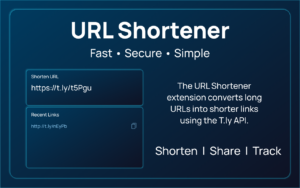
The extension features a clean popup UI that includes an input field, a shorten button, a result display area, and a history section. The minimalist design ensures that users can focus on the task without distractions.
For marketers who prefer simple tools that perform one job extremely well, this uncluttered interface is a strong advantage.
Simple and Efficient User Flow
The workflow of URL Shortner is designed to be intuitive:
First, the user opens the extension popup and pastes a long URL into the input field.
Next, they click the “Shorten URL” button.
The shortened link appears in the result section within seconds.
Finally, the user can copy the link instantly or access it later through the recent history section.
There are no complicated menus or unnecessary steps. The entire process takes only a few seconds, making it ideal for busy marketing professionals.
Why Marketers Are Adopting It Now
Several factors explain why URL Shortner by AltF Tools is trending among marketers right now:
- Increased demand for cleaner links in social media and email marketing
- Growing focus on productivity and browser-based tools
- Preference for API-driven reliability
- Minimalist design with essential features only
- Secure local storage of API credentials
As digital campaigns become more data-driven and fast-paced, tools that eliminate extra steps gain popularity quickly. URL Shortner fits perfectly into this shift toward lightweight, efficiency-focused extensions.
Final Thoughts
URL Shortner by AltF Tools succeeds because it keeps things simple. It does not attempt to overload users with complex dashboards or analytics layers. Instead, it focuses on what marketers need most: fast, secure, and reliable link shortening directly inside the browser.
With API-based functionality, local API key storage, instant copy capability, recent link history, and a clean interface, it provides a smooth experience tailored to modern marketing workflows. For professionals who frequently manage campaign links, this extension is a practical and time-saving addition to their Chrome toolkit.

AI Automation Guide 2026: Work Smarter, Faster & Better
Artificial intelligence and automation are changing the way people work, manage information, communicate, and complete…

Tool Reviews: Find the Best Tools for Every Need
Every single morning, millions of people open their laptops to a screen crammed with open…

The Best Audio Editing Software 2026: Music, Podcasts & More
Good audio can completely change how a song, podcast, video, or voice recording feels.Audio Editing…

Tool Reviews 2026: Explore, Compare & Find Better Tools
Finding the right digital tool can save time, simplify repetitive tasks, and make everyday work…

The Best No-Code Automation Tools Simplify Workflows & Save Time
A lot of everyday work follows the same pattern. No-Code Automation Someone fills out a…

The Best Vivo V80 5G Expected Price, Camera & Features
The Vivo V80 5G is one of the upcoming smartphones attracting attention in India’s premium…
Disclaimer : This review is based solely on the provided feature details of the URL Shortner extension. Actual performance may vary depending on API configuration, network stability, and future updates to the tool or the T.ly service.
#URLShortner #AltFTools #LinkShortening #ChromeExtension #DigitalMarketingTools #ProductivityTools #MarketingWorkflow #TechReview #Carrerbook #Anslation

