
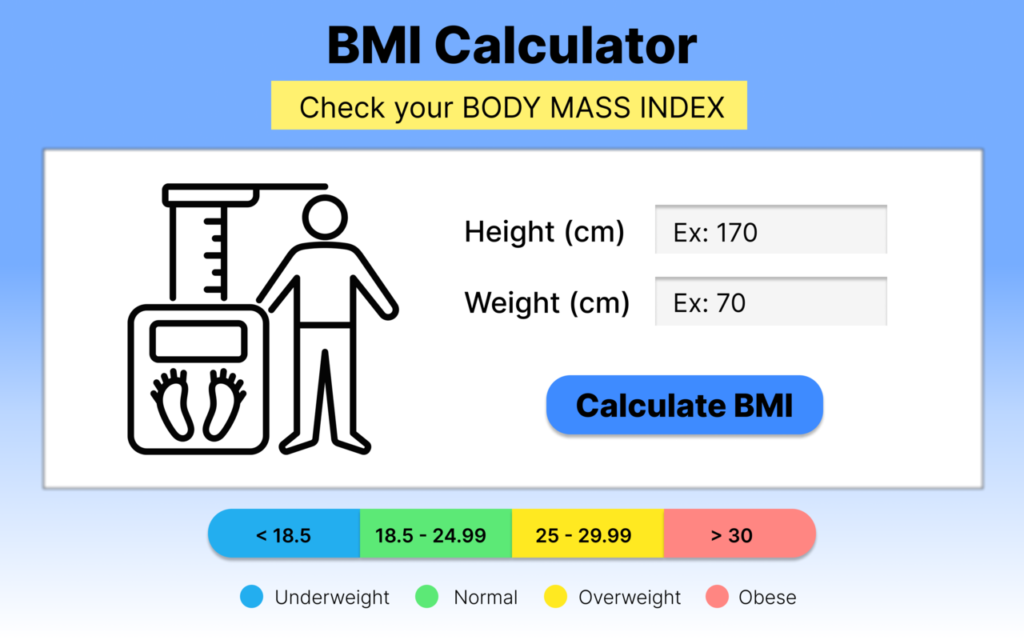
In 2026, health tools are everywhere. From smartwatches to calorie apps, everything promises to track something. But sometimes, all you really need is a simple, reliable way to check your Body Mass Index without downloading a heavy app or signing up for yet another account. That’s exactly why I decided to try the AltF Tool BMI Calculator extension — and honestly, it surprised me in the best way.
This isn’t one of those overcomplicated health platforms. It’s simple, fast, and built for people who just want clear answers.
My First Impression: Simple, Clean, and Straight to the Point
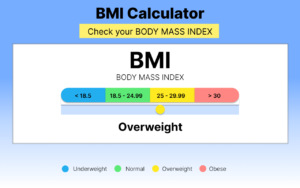
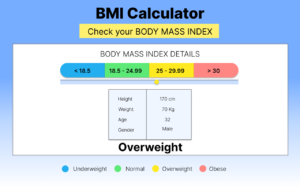
The moment I opened the extension popup, I appreciated how clean it looked. No clutter. No ads. No confusing buttons.
The interface follows a modern gradient design with smooth typography that feels polished but not overwhelming. Everything is visible at a glance:
- Height (cm)
- Weight (kg)
- Age
- Gender selection (Male, Female, Other)
It felt intuitive — even someone who isn’t tech-savvy could use it without instructions.
Instant BMI Calculation Without Any Fuss
I entered my height and weight, added my age, selected gender, and clicked Calculate BMI. Within a second, the result appeared.
No loading screen. No redirect. No internet dependency.
The calculation happens completely inside the browser popup, which makes it incredibly fast. Since everything runs locally, there’s also a sense of privacy. Nothing is stored. Nothing is sent anywhere. That matters a lot today.
How the BMI Categories Are Displayed
What I liked most wasn’t just the BMI number — it was the health category shown alongside it. The extension doesn’t just give you a number and leave you guessing. It clearly labels your result as:
- Underweight
- Normal Weight
- Overweight
- Obesity
That extra clarity makes the result easier to understand.
To give you a better idea, here’s a standard BMI category reference:
| BMI Range | Health Category |
|---|---|
| Below 18.5 | Underweight |
| 18.5 – 24.9 | Normal Weight |
| 25 – 29.9 | Overweight |
| 30 and Above | Obesity |
Seeing both the number and the category instantly makes the information more meaningful.
Age & Gender Input – Why It Matters
One detail that stood out to me was the age input support (5 to 120 years). Many basic BMI tools ignore age completely, but adding this field makes the tool feel more context-aware.
The gender selection option (Male, Female, Other) also ensures inclusivity. While BMI formula itself is based on height and weight, collecting this data adds structured health context.
It feels thoughtfully designed rather than rushed.
Smart Validation System
I tested the extension by entering incorrect values just to see what would happen.
Instead of calculating nonsense, it showed a clear error message. That validation system prevents incorrect BMI results and ensures users don’t misinterpret invalid inputs.
That small detail makes the tool feel trustworthy.
Works Completely Offline – A Big Plus
One of the strongest features of this extension is that it works completely offline.
No internet connection required.
No permissions requested.
No background tracking.
Everything happens locally inside the popup. For users who care about privacy and minimal permissions, this is a major advantage.
User Flow – Exactly As Promised
Here’s how the process feels in real use:
- Open the extension popup.
- Enter height (cm), weight (kg), age, and select gender.
- Click “Calculate BMI.”
- Get instant BMI result with category.
- If anything is incorrect, see a helpful error message.
There are no unnecessary steps. No distractions. Just quick health insight.
Who Should Use This Extension?
In my opinion, this BMI Calculator extension is perfect for:
- Students learning about BMI
- Fitness beginners tracking progress
- Office workers who want quick health checks
- Anyone who prefers browser tools over mobile apps
If you just want a fast BMI calculation without complications, this extension does the job.
Frequently Asked Questions
Final Thoughts
After using the AltF Tool BMI Calculator extension, I can confidently say that its strength lies in its simplicity. It doesn’t try to be a full health tracking app. It focuses on one job — calculating BMI quickly and accurately — and it does that exceptionally well. In a time when many tools overcomplicate basic functions, this extension feels refreshingly straightforward. If you’re looking for a lightweight, privacy-friendly, and easy-to-use BMI calculator in 2026, this one genuinely stands out.
AI Automation Guide 2026: Work Smarter, Faster & Better
Artificial intelligence and automation are changing the way people work, manage information, communicate, and complete…

Tool Reviews: Find the Best Tools for Every Need
Every single morning, millions of people open their laptops to a screen crammed with open…

The Best Audio Editing Software 2026: Music, Podcasts & More
Good audio can completely change how a song, podcast, video, or voice recording feels.Audio Editing…

Tool Reviews 2026: Explore, Compare & Find Better Tools
Finding the right digital tool can save time, simplify repetitive tasks, and make everyday work…

The Best No-Code Automation Tools Simplify Workflows & Save Time
A lot of everyday work follows the same pattern. No-Code Automation Someone fills out a…

The Best Vivo V80 5G Expected Price, Camera & Features
The Vivo V80 5G is one of the upcoming smartphones attracting attention in India’s premium…

Disclaimer : This extension provides BMI calculations based on standard mathematical formulas. BMI is a general health indicator and should not replace professional medical advice. Always consult a healthcare professional for accurate diagnosis and health recommendations.
#AltFTool #BMICalculator #HealthTools2026 #FitnessTracking #BrowserExtensions #DigitalHealth #Carrerbook #Anslation

