
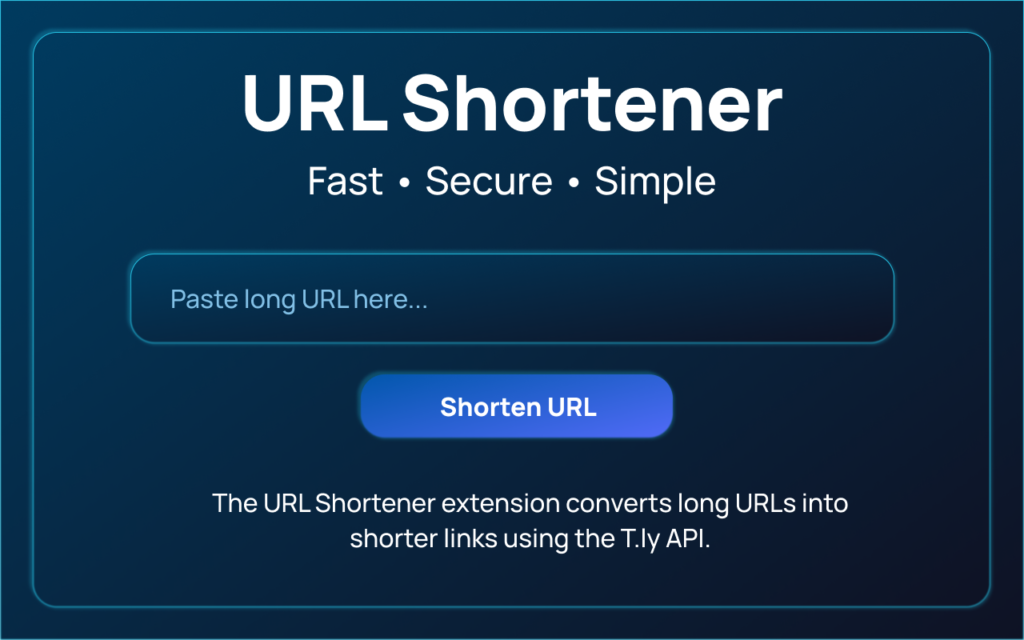
In 2026, the demand for clean, shareable, and trackable links is higher than ever. Whether you are a blogger, marketer, student, or business owner, long and messy URLs simply don’t look professional anymore. That’s exactly where AltF Tool’s URL Shortner comes in — a simple yet powerful microtool designed to turn bulky links into clean, compact URLs within seconds.
I recently explored this extension in depth, and what impressed me most wasn’t just its speed — it was how thoughtfully it has been built for real users who want quick results without complicated steps.
What Is AltF Tool’s URL Shortner?
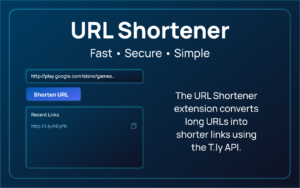
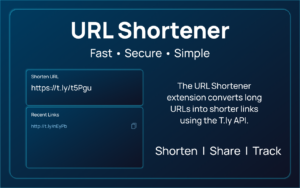
AltF Tool’s URL Shortner is a lightweight browser extension that converts long URLs into shorter links using the T.ly API. Unlike many online platforms that require account creation, dashboards, or unnecessary tracking pages, this tool works directly from a clean popup interface.
It is designed for people who want a fast solution without distractions.
Why URL Shorteners Are Trending in 2026
Search trends show rising interest in:
- “Free URL shortener without signup”
- “Best Bitly alternative”
- “Secure link shortener tool”
- “Quick short link generator”
The reason is simple. Social media captions have limited space. Messaging apps look cleaner with short links. Email campaigns perform better when links appear professional. Even QR code generation becomes easier with shortened URLs.
AltF Tool understands this modern need and keeps everything focused on speed and simplicity.
Key Features That Make It Stand Out
Here are the features that truly make this extension different:
- API-Based URL Shortening
Uses the T.ly API to generate reliable and functional short links through secure POST requests. - API Key Configuration
Users can securely store their T.ly API key usingchrome.storage.local, meaning your credentials stay on your device. - One-Click Copy Option
With thenavigator.clipboardAPI, copying the shortened URL takes just one click. - Recent Link History
Stores the last two shortened links with timestamps, making it easy to access your most recent URLs without regenerating them. - Input Validation & Error Handling
Prevents empty submissions and clearly handles API or network errors, which improves reliability. - Loading Indicator for Better UX
Displays a spinner and disables the button while processing, so users know the tool is working. - Clean Popup Interface
Minimal design including:- Input field
- “Shorten URL” button
- Result display area
- History section
The overall experience feels smooth and clutter-free.
How the User Flow Works
One of the biggest strengths of this tool is its simplicity. The process is straightforward:
- Open the extension popup.
- Paste your long URL into the input field.
- Click on “Shorten URL.”
- Instantly receive the shortened link.
- Copy the link or access it later from recent history.
There are no unnecessary redirects, no forced signups, and no complicated dashboards. It does exactly what it promises.
My Personal Experience Using It
When I tested the tool, the first thing I noticed was how lightweight it felt. No lag, no confusion, no overwhelming options. I pasted a long blog URL, clicked shorten, and within seconds, I had a compact link ready to share.
The loading indicator gave reassurance that the request was being processed. The copy feature worked instantly. And the recent history section saved me from repeating the same task again.
What I appreciated most was that everything happens inside the browser popup — no need to open additional tabs. For someone who values workflow efficiency, that makes a real difference.
Who Should Use AltF Tool’s URL Shortner?
This extension is ideal for:
- Bloggers sharing content on social media
- Digital marketers running campaigns
- Students submitting project links
- Businesses sending professional emails
- Anyone who wants clean and compact URLs
If your goal is speed and simplicity without overcomplication, this tool fits perfectly.
Is It Better Than Other Free URL Shorteners?
Many online shorteners either:
- Require account creation
- Show ads
- Track unnecessary data
- Redirect through branded pages
- Limit usage
AltF Tool focuses on being straightforward. Since it uses the T.ly API and stores the API key locally, you maintain better control over your usage and credentials.
It feels more like a productivity tool rather than a marketing-heavy platform.

AI Automation Guide 2026: Work Smarter, Faster & Better

Tool Reviews: Find the Best Tools for Every Need

The Best Audio Editing Software 2026: Music, Podcasts & More

Tool Reviews 2026: Explore, Compare & Find Better Tools

The Best No-Code Automation Tools Simplify Workflows & Save Time

The Best Vivo V80 5G Expected Price, Camera & Features
Final Thoughts
In a world where time matters and simplicity wins, AltF Tool’s URL Shortner delivers exactly what modern users need — fast link shortening with a clean interface and minimal friction.
It may not try to replace enterprise-level link management platforms, but for everyday use, content sharing, and quick shortening tasks, it stands out as one of the best free URL shortener tools in 2026.
Sometimes, the best tools are the ones that quietly do their job without making things complicated — and this one does just that.
Frequently Asked Questions (FAQ)
Disclaimer : This blog is based on personal research and user-level testing of the AltF Tool URL Shortner extension. Features and functionality may vary depending on API usage limits and future updates. Always review official documentation before integrating it into professional workflows.
#URLShortener #AltFTool #FreeLinkShortener #BestURLShortener2026 #TechTools #BrowserExtension #DigitalMarketingTools #LinkManagement #ProductivityTools

