We have all been trapped in that one specific, soul-crushing meeting. Workflow You know the one: ten people sit around a physical or virtual table, half-listening, while each person spends two minutes reciting a grocery list of tasks they completed over the last week just to prove they’ve been working. It is an administrative ritual designed to create a fragile illusion of control, and it is a colossal waste of everyone’s creative energy.
Meanwhile, outside that meeting, the actual work is a chaotic mess.
Important feedback is buried on page four of a frantic Slack thread. A critical client asset is hiding in someone’s personal downloads folder. A priority task was completely missed because it was agreed upon during an informal hallway conversation or an ad-hoc Zoom call that nobody documented. We aren’t suffering from a lack of talent, ambition, or hard work; we are suffering from a lack of structural clarity.
    The Fragmented Mess                     The Central System
┌─────────────────────────────────┐    ┌─────────────────────────────────┐
│ • "Did you see my email?"       │    │ • Single source of truth        │
│ • Searching 4 apps for a file   │ VS │ • Statuses update in real time  │
│ • Status meetings that drain energy│ │ • Context lives inside the task │
│ • Siloed, hidden blockages      │    │ • Clear ownership, zero guessing│
└─────────────────────────────────┘    └─────────────────────────────────┘
When a team scales past three people, managing work through memory, good intentions, and scattered chat channels completely breaks down. True productivity isn’t about working faster or chaining yourself to your desk for longer hours. It is about reducing the friction of coordination. Modern workflow and collaboration tools aren’t just trendy software subscriptions; they are the digital architecture that allows human beings to collaborate, focus, and build meaningful things together without losing their minds.
1. The Hidden Cost of Context Switching: Why Your Team is Tired
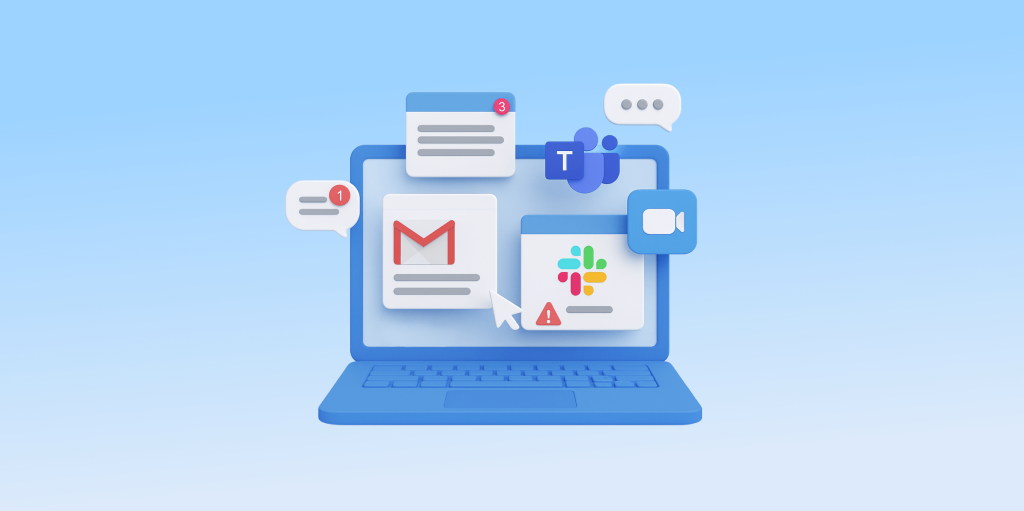
Before we look at the specific tools that can organize your projects, we need to address the invisible tax every knowledge worker pays daily: context switching.
   [ Open Email ] ─────────────► [ Check Slack ] ────────────► [ Jump to Trello ]
    Lost focus on core work      Interrupts deep thinking      Searching for context
Research across organizational psychology consistently shows that every time an employee switches from a deep focus task (like writing code, designing a layout, or analyzing data) to check a notification, answer a vague email, or hunt for a file, it takes an average of 23 minutes to regain deep focus.
When your company’s operational workflow lives entirely across scattered text messages, sticky notes, and loose emails, your team isn’t actually working. They are spending half their energy performing “work about work”—the exhausting act of searching for instructions, asking for updates, and trying to piece together what needs to happen next.
A dedicated workflow platform acts as an external brain for your organization. It takes the invisible, swirling mass of team responsibilities and lays it out in broad daylight. When a project has a single, definitive home, the constant background anxiety of “Am I forgetting something?” completely evaporates.
2. Deciphering the Layouts: Kanban, Gantt, and Lists
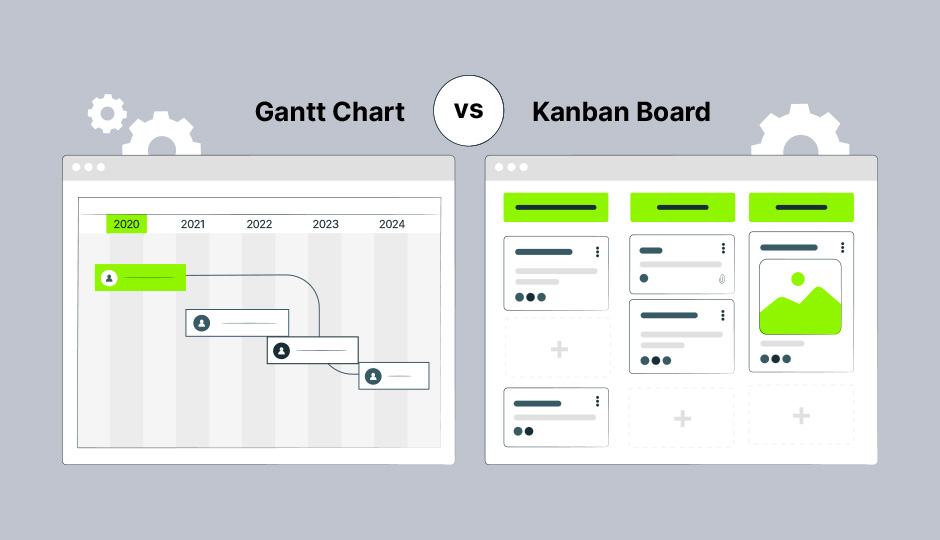
When you open a modern workflow tool, you are usually greeted by several different visual ways to look at your projects. Choosing the right layout isn’t just about personal aesthetic preference; different visual structures serve completely different cognitive functions.
                  ┌───────────────────────────┐
                  │   PROJECT VISUAL VIEWS    │
                  └─────────────┬─────────────┘
                                │
         ┌──────────────────────┼──────────────────────┐
         ▼                      ▼                      ▼
 ┌───────────────┐      ┌───────────────┐      ┌───────────────┐
 │ Kanban Board  │      │  Gantt Chart  │      │ Shared Lists  │
 ├───────────────┤      ├───────────────┤      ├───────────────┤
 │ Best for high-│      │ Best for big  │      │ Best for structured│
 │ velocity fluid│      │ deadlines and │      │ step-by-step  │
 │ stage tracking│      │ dependencies  │      │ execution     │
 └───────────────┘      └───────────────┘      └───────────────┘
The Kanban Board: Managing the Pipeline
Popularized by Japanese manufacturing pipelines, Kanban boards use visual cards that slide from left to right across vertical columns (typically labeled To Do, In Progress, Review, and Done).
- Why it works: It provides an instant, high-level snapshot of project health. If you see thirty cards piled up in the “Review” column and only two in “In Progress,” you don’t need a status meeting to know exactly where your team’s operational bottleneck is.
The Gantt Chart (Timeline): Navigating Dependencies
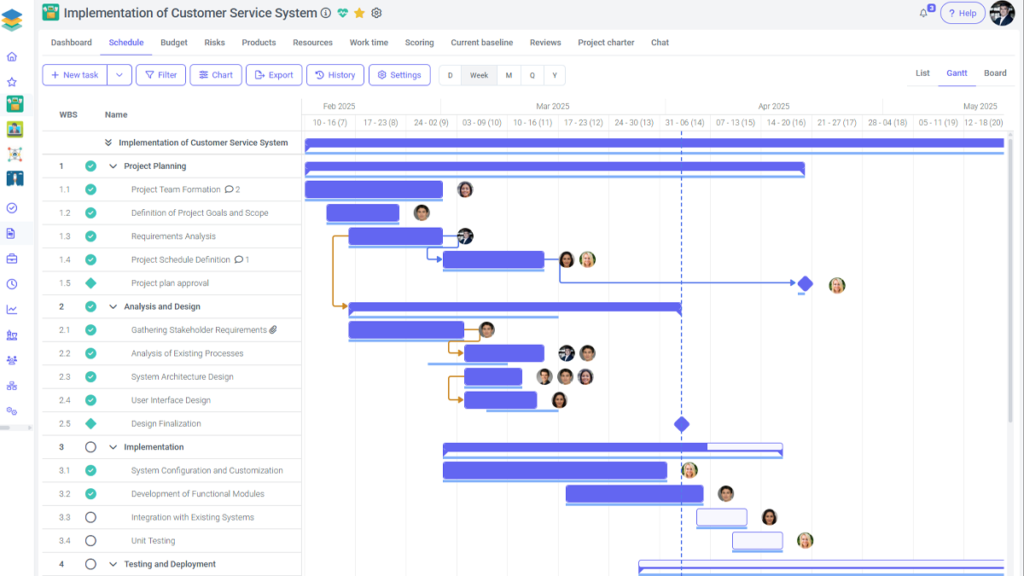
Gantt views look like a horizontal calendar filled with cascading bars. They map out exactly when tasks start, how long they take, and crucially, how they connect to one another.
- Why it works: It is indispensable for complex, multi-layered projects where Step C cannot physically begin until Step B is completely finished. If an early phase gets delayed by a week, a Gantt timeline automatically shifts the remaining downstream tasks, showing you the realistic impact on your final launch date.
The Standard List View: Pure Executive Execution
Sometimes, you just need a clean, unvarnished look at your day. List views organize tasks linearly, allowing you to sort work by individual priority, assignee, or impending due date.
- Why it works: It cuts out the conceptual noise and tells individual creators exactly what they need to focus on next.
3. The Automation Revolution: Making the Software Do the Grunt Work
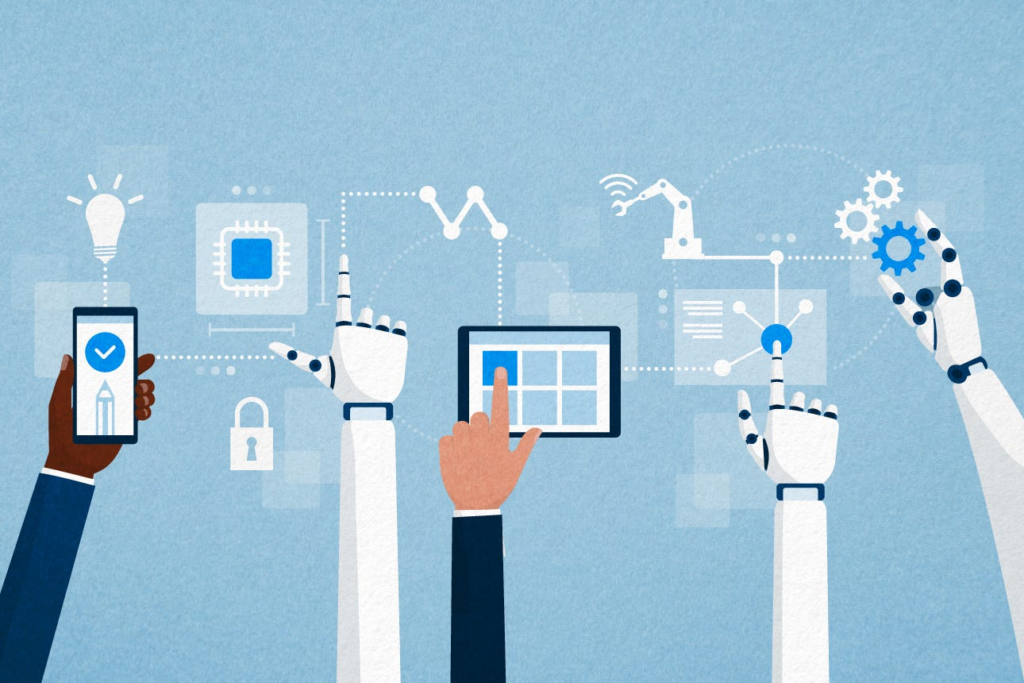
The true magic of modern workflow tools lies in their ability to handle repetitive, low-value administrative tasks automatically. Think of automation not as an artificial intelligence replacing human judgment, but as a digital assistant handling your paperwork.
Consider a standard project handoff: An account executive signs a new client, manually drafts an introductory brief, emails a project manager to assign a creative lead, and shoots a message over to Slack to alert the production team. That is four manual steps where data can easily be mistyped, delayed, or forgotten.
With basic workflow automation rules, that entire sequence happens instantly behind the scenes:
- The contract is digitally signed.
- The workflow tool automatically generates a standard onboarding project template.
- The tool assigns specific deadlines based on the target launch date.
- An automated notification is sent to the creative team’s dedicated Slack channel.
By offloading these repetitive administrative tasks to software, you give your team hours of their weekly focus back, allowing them to spend their energy on high-value human skills: strategic planning, problem-solving, and creative execution.
4. A Framework for Choosing Your Team’s Digital Workspace

If you search for workflow software online, you will find hundreds of platforms making identical promises. Finding the right fit requires looking past the marketing jargon and matching the tool to your team’s actual work style.
| Platform Type | Best Fit For | Primary Structural Advantage |
|---|---|---|
| Visual & Intuitive (e.g., Trello, Asana) | Creative teams, marketing groups, and general operations | Low barrier to entry; highly visual boards that require minimal training |
| Highly Structured & Scale (e.g., ClickUp, Monday.com) | Cross-departmental companies and complex operations | Deep customization, advanced reporting, and built-in automation suites |
| Developer & Tech Focused (e.g., Jira, Linear) | Software engineering and product development | Tailored specifically for bug tracking, sprints, and agile development cycles |
| The Blank Canvas Docs (e.g., Notion, Coda) | Knowledge management and research-heavy teams | Combines company wikis, project databases, and structured text in one unified space |
5. The Human Factor: The Real Reason Most Software Adaptations Fail

Here is an uncomfortable truth that software companies hate to admit: Buying a license for a top-tier workflow tool will not fix a broken company culture.
If your team’s internal communication is chaotic, introducing a complex new piece of software will often just make that chaos faster and more visible. Software adoption failures rarely happen because the technology is bad; they happen because leaders ignore the human element of change management.
         ┌────────────────────────────────────────────────────────┐
         │              SUCCESSFUL ADOPTION ECOSYSTEM             │
         └───────────────────────────┬────────────────────────────┘
                                     │
                 ┌───────────────────┴───────────────────┐
                 ▼                                       ▼
       ┌───────────────────┐                   ┌───────────────────┐
       │ Culture Over Tool │                   │ Built-In Guardrails│
       ├───────────────────┤                   ├───────────────────┤
       │ Define explicit   │                   │ Standardized tags │
       │ communication     │                   │ Regular cleanup   │
       │ expectations      │                   │ One true source   │
       └───────────────────┘                   └───────────────────┘
The “Single Source of Truth” Mandate
For a project management tool to work, usage must be a non-negotiable team standard. If half your team uses the new project board, while two senior leaders insist on barked instructions over Slack, and another manager tracks everything in a private spreadsheet, the entire system collapses. Leaders must lead by example—if a task isn’t logged in the central platform, it effectively does not exist.
Beware of Over-Engineering the Setup
When an organization rolls out a new workflow tool, there is an intense temptation to create a highly complex ecosystem filled with dozens of custom tags, mandatory fields, complex colors, and strict rules.
- The Reality: If a system is painful and confusing to update, your team will quietly resist using it. Keep your initial setup as simple as humanly possible. You can always add columns, tags, and automation rules later as your team organically outgrows your baseline structure.
6. Embracing Async: Designing Work Around Life

Ultimately, implementing a world-class workflow tool isn’t just about maximizing company revenue or squeezing more output out of your employees. It is about building a modern workplace culture rooted in trust, flexibility, and asynchronous efficiency.
When a project’s status, files, notes, and deadlines live transparently in a shared digital space, you don’t need to hover over your team’s shoulders to know they are getting things done. You no longer need to schedule a meeting to find out if a design is ready for review.
This transparency opens the door for true remote and hybrid flexibility. It allows team members to work during their peak focus hours, across different time zones, without blocking their colleagues’ momentum.
FAQs
1.What are workflow tools used for?
Workflow tools are used to organize tasks, assign responsibilities, track progress, and improve collaboration. They help teams manage projects in one place so work is easier to follow and complete.
2.Are workflow tools only for large businesses?
No, workflow tools are useful for businesses of all sizes. Small teams, freelancers, startups, and large organizations can all benefit from better task management and communication.
3.How do workflow tools improve collaboration?
Workflow tools improve collaboration by keeping communication, files, updates, and tasks in one shared space. This makes it easier for team members to stay aligned and work together efficiently.
4.Can workflow tools help remote teams?
Yes, workflow tools are especially helpful for remote and hybrid teams because they provide visibility, structure, and real-time updates even when people are working from different locations.
5.What features should I look for in a workflow tool?
Important features include task assignment, deadline tracking, progress boards, notifications, comments, file sharing, automation, and integrations with other tools your team already uses.