We’ve come a long way from those clunky, isolated days. Today, work isn’t tied to a specific building; it happens across different time zones, kitchen tables, quiet corners of coffee shops, and shared workspaces. This shift has turned collaboration and workflow tools from minor conveniences into the absolute foundation of our daily professional lives. They are the digital infrastructure that keeps our teams connected.
In reality, the most successful remote teams aren’t always the ones putting in the longest hours. Often, they are simply the ones using the right systems to make their daily tasks feel lighter, clearer, and more manageable.
When you first start setting up a remote workspace, the process usually follows a familiar pattern. You pick a chat app, choose a task manager, and gradually piece together document editors, video call platforms, and automated workflows. This step-by-step approach makes complete sense because remote work isn’t just one massive hurdle; it is a collection of small, everyday coordination challenges. A teammate needs a quick answer, someone needs to share a presentation, a manager wants a progress update, and everyone needs a single, central place to see what requires attention next.
The most effective tools solve these problems without filling your day with unnecessary digital noise. This is exactly why platforms like Slack, Microsoft Teams, Asana, and Notion have become essential parts of modern work culture—each one tackles the challenge of distance from a slightly different angle.
Moving Past the Endless Inbox

Email will always have its place for formal notices and external messages, but relying on it to run a fast-moving remote team is an uphill battle. When every project update, quick question, and file version lives entirely inside individual inboxes, it becomes incredibly difficult to track the bigger picture. Important details get buried under a mountain of daily messages, and figuring out what actually matters right now becomes a chore.
Remote teams need a setup that makes ongoing communication visible and gives their daily tasks a clear structure. This is where dedicated collaboration platforms change the game. Instead of spending twenty minutes digging through a messy email chain to find a single feedback note, team members can navigate a clean, shared system where conversations, tasks, and historical files are organized and easy to search.
For a distributed team, that shift changes everything. It eliminates repeated questions, prevents basic miscommunications, and saves everyone hours of frustration. It also makes onboarding a much warmer, smoother experience for new hires; instead of trying to piece together how the company operates from scattered, forward-forwarded emails, they can look at the active channels and project boards to see exactly how work flows. A genuinely good collaboration tool doesn’t just give you a place to talk—it removes the friction from getting things done.
Slack: The Digital Watercooler and Fast-Paced Hub

If your team thrives on quick conversations, immediate feedback, and a high-energy pace, Slack is usually the natural choice for your central hub. It is designed from the ground up to mimic the natural flow of a live office, transforming what could be isolated remote roles into a highly connected group.
The real beauty of Slack lies in how it structures your daily communication. Instead of dropping every single message into one massive group text that moves too fast to read, you can map out dedicated channels for specific teams, standalone projects, or even casual interests. This keeps conversations relevant. People can drop in, find the exact context they need, and contribute without disrupting everyone else.
Beyond basic text chat, features like Slack Canvas let teams build flexible, living documents right inside their workspaces to track FAQs or meeting agendas. Meanwhile, Slack Lists give teams a straightforward way to manage tasks without ever having to log into a separate project tool.
What truly cements Slack as an everyday operational engine is its ability to tie all your other tools together. By integrating apps like Google Drive, Jira, or your favorite calendar, your team can see automated updates and take quick actions without constantly switching tabs. It feels like a living, breathing workspace where projects advance through natural conversation.
Microsoft Teams: Built for Deep Collaboration and Integrated Meetings

On the other side of the landscape sits Microsoft Teams. If Slack’s core personality is built around quick, fluid chat, Teams is built with a deep focus on structured communication, secure file sharing, and high-quality video meetings. It is an incredibly powerful option for organizations that need a highly secure environment or are already deeply embedded in the Microsoft 365 ecosystem.
Teams excels at pulling the different threads of a workday into a single, cohesive window. It removes the clunky boundaries between text messaging and live video calls. For instance, when you are in a meeting reviewing a document, you can edit that file securely alongside your colleagues in real time without opening three different browser windows.
The introduction of Teams Facilitator makes live video interactions significantly more practical:
- Real-Time Shared Notes: The tool writes out collaborative notes in a dedicated sidebar while people are speaking, ensuring everyone stays on the same page.
- Time Tracking: It monitors your meeting agenda and gently alerts the group if a specific topic is running over its allotted time.
- Decision and Task Capture: It notes down verbal commitments the moment they are stated, logging who agreed to handle what.
- Unanswered-Question Resolution: If a team member asks a technical question in the chat that the room misses, the tool flags it and offers to look up the answer via a secure web search.
For larger organizations or teams that handle sensitive information, this structured approach is incredibly reassuring. It provides a comprehensive, highly reliable environment where meetings, data, and daily chats feel entirely unified.
Asana: Making Work Visible and Standardizing Your Process
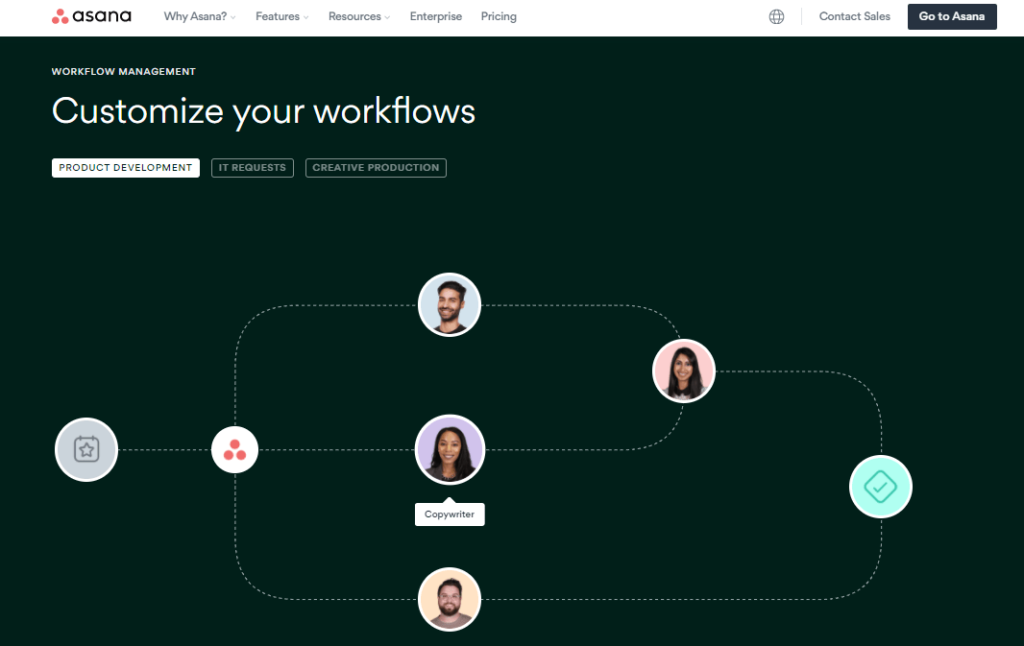
While chat apps are fantastic for keeping everyone connected, they aren’t built to show you the long-term health of a complex project. That is where Asana steps in. Asana isn’t about casual conversation; it is about bringing absolute clarity to how your team gets work done.
In a remote team, you can’t simply look across the room to see who is buried under a heavy workload or walk over to a colleague’s desk to ask when a design asset will be ready. Asana solves this by making accountability completely visual. Every major project is broken down into clear tasks, clear owners, and clear deadlines, mapping out the entire journey of an idea from the initial brainstorm straight through to completion.
| Feature | Primary Purpose | Remote Work Benefit |
|---|---|---|
| Visual Timelines | Maps out project dependencies and milestones | Prevents bottlenecks before they stall a launch |
| Custom Automations | Hands off tasks to the next person automatically | Eliminates the need for “Are you done yet?” check-ins |
| Central Dashboards | Offers high-level views of team capacity and progress | Helps managers balance workloads fairly |
| Standardized Templates | Saves repeatable steps for recurring processes | Ensures consistency across asynchronous schedules |
This structured approach is a breath of fresh air for remote teams that handle complex, recurring processes—like a weekly content calendar, a monthly financial close, or a standard product launch. Instead of reinventing the wheel every few weeks, the team can rely on a clear, documented workflow. Everyone knows exactly what they are responsible for, where to hand off their work, and when it is due, keeping projects moving forward smoothly without requiring constant check-in meetings.
Notion: Creating a Single Source of Truth for Team Knowledge

When a team is entirely distributed, keeping company knowledge organized can quickly become a major headache. Important onboarding steps get lost in chat histories, process guides end up scattered across multiple cloud drives, and people lose time hunting for basic information. Notion tackles this issue directly by acting as your team’s shared brain.
Notion stands out because it allows you to build a highly organized internal workspace that combines deep documentation, standard wikis, and flexible project trackers in one clean canvas.
[Company Wiki]
   ├── Brand Guidelines & Assets
   ├── Engineering Docs & Code Standards
   ├── Employee Onboarding & Benefits
   └── Q3 Product Roadmap & Goals
For teams that embrace asynchronous work—where people collaborate across entirely different schedules and time zones—having a reliable, easily searchable reference point is life-changing. If an engineer in London needs to understand a feature requirement written by a product manager in San Francisco, they don’t have to wait for the West Coast to wake up. They can simply open the team wiki, find the fully updated documentation, and keep moving.
It functions as an organized, living library where your long-term goals, meeting notes, daily checklists, and company policies live side by side. It gives everyone on the team the context they need to make smart, independent decisions without having to constantly ping a colleague for help.
Building Your Tech Stack: How to Make Tools Work Together

The secret to a calm, highly productive remote team isn’t finding one single application that claims to do absolutely everything. The most effective teams build a thoughtful, integrated collection of tools where every single platform has a specific, well-defined job.
Consider how naturally a well-balanced tech stack can guide a project through its entire lifecycle:
[ Notion ] ─────────────► [ Asana ] ─────────────► [ Slack ] ─────────────► [ Teams ]
Write project brief      Break into tasks        Daily coordination       Deep-dive review
& team knowledge         & assign deadlines      & quick updates          & final alignment
When your tools are aligned like this, your digital workspace instantly becomes much more peaceful. People stop panicking about missing an important update because they know exactly where different types of information live.
Quick, fluid conversations belong in Slack. Formal deadlines and project milestones live in Asana. Deep, long-term company knowledge and process guides are documented safely in Notion. And secure, multi-person working sessions or face-to-face alignments take place in Teams.
A clear division of labor keeps your digital workspace organized. It prevents your team from feeling overwhelmed by notifications, protects everyone’s focused writing or coding time, and makes sure no critical details slip through the cracks.
Finding the Right Fit for Your Team Culture

When you are looking at all the options, it is easy to get caught up trying to find the tool with the absolute longest feature list. But the honest truth is that the best tool is simply the one that your team will actually enjoy using every single day. The right choice depends heavily on your unique team culture and how you naturally communicate.
Before committing to a new platform, take a step back and think about how your team operates:
- The Quick & Adaptive Style: If your group operates at a fast pace, thrives on constant feedback, and prefers informal, open communication, a chat-first setup centered around Slack will likely feel like home.
- The Structured & Process-Driven Style: If your work involves intricate, multi-step dependencies, strict regulatory requirements, or complex client deliverables, investing your energy into building clear workflows in Asana will save you massive amounts of logistical stress.
- The Unified & Enterprise-Focused Style: If you are already managing your business using Microsoft products, value highly centralized file security, and spend a significant portion of your week in collaborative meetings, leaning into Microsoft Teams is a deeply practical choice.
- The Thoughtful & Document-Heavy Style: If your team relies heavily on asynchronous communication, values deep writing, and needs an organized repository for research and notes, a workspace built around Notion will give you the foundation you need.
Every remote team is entirely unique. There is no single, mandatory setup that you have to copy. What truly matters is creating an environment where your people feel aligned, context is always easy to find, and your systems make daily collaboration feel entirely natural.
Frequently Asked Questions
1.What are collaboration and workflow tools for remote teams?
They are software platforms that help remote teams communicate, assign work, share files, document processes, and track progress in one organized system. Slack, Microsoft Teams, Asana, and Notion are common examples.
2.Which tool is best for remote team communication?
Slack and Microsoft Teams are both strong options. Slack focuses heavily on channels, messages, integrations, and workflow automation, while Teams combines chats, channels, meetings, and secure collaboration.
3.Which tool is best for project tracking?
Asana is one of the strongest choices for project and workflow tracking because it is built around workflows, task management, automations, and dashboards.
4.Which tool is best for documentation and team knowledge?
Notion is a strong choice because it is designed as a connected workspace for docs, notes, projects, and wiki-style knowledge management.
5.Do remote teams need more than one tool?
Usually, yes. Many teams use one tool for communication, another for task tracking, and another for documentation or meetings. That setup helps each tool do what it does best.