
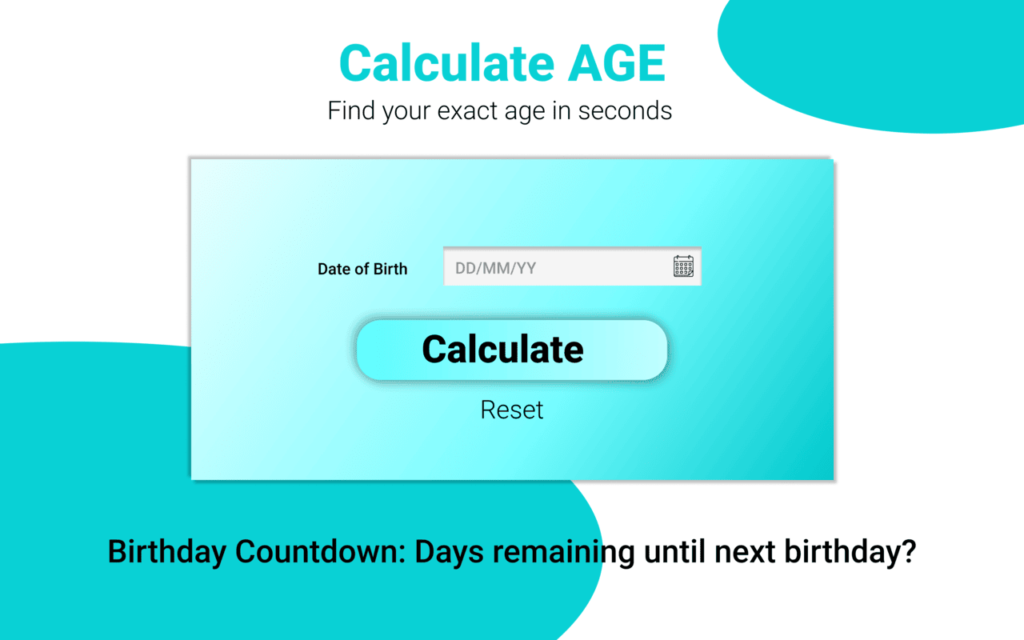
In today’s fast-paced digital world, simple tools that save time are becoming increasingly popular. One such utility gaining attention is the AltFTool Age Calculator Extension for Chrome. Designed for quick and accurate age calculation, this extension helps users determine their exact age in years, months, and days within seconds. Whether you need it for official forms, school records, job applications, or personal use, this lightweight extension simplifies the process without requiring complex steps or manual calculations.
What Is AltFTool Age Calculator Extension?
AltFTool Age Calculator is a Chrome-based browser extension that allows users to calculate age instantly by entering a date of birth. Instead of manually calculating age or searching online calculators repeatedly, this extension works directly from your browser toolbar. Once installed, it provides a clean and simple interface where users can input a birth date and receive an accurate breakdown of age.
The main purpose of this tool is convenience. It eliminates calculation errors and saves time by providing instant results in a structured format. Most versions of such tools also show additional details like total months, total days lived, and sometimes even countdowns to the next birthday.
How to Use It – Step-by-Step Guide



Using the AltFTool Age Calculator Extension is simple and beginner-friendly. Follow these steps:
- Install the Extension
Open the Chrome Web Store and search for “AltFTool Age Calculator Extension.” Click on “Add to Chrome” and confirm installation. - Pin the Extension
After installation, click on the extension icon in your browser toolbar and pin it for easy access. - Open the Tool
Click the AltFTool icon from your toolbar. A small popup window will appear. - Enter Date of Birth
Select or type your date of birth in the provided field. - Click Calculate
Press the calculate button. The tool will instantly display your exact age in years, months, and days. - Optional Features
Some versions may allow you to calculate age on a specific future or past date as well.
The entire process takes less than a minute and does not require any technical knowledge.
Key Features
- Instant and accurate age calculation
- User-friendly and clean interface
- Lightweight and fast performance
- Free to use
- No complicated setup required
- Works directly from Chrome toolbar
- Calculates age in years, months, and days
Who Can Use It?
This extension is useful for a wide range of users:
- Students filling out school or college forms
- Job seekers completing official applications
- HR professionals verifying age details
- Parents tracking children’s exact age
- Event planners calculating milestone birthdays
- Anyone who needs quick and accurate age information
Because it is simple and free, it is suitable for both personal and professional use.
Why Is It Trending?
With increasing demand for productivity tools, browser extensions that offer instant results without opening multiple tabs are becoming more popular. The AltFTool Age Calculator fits perfectly into this trend. Its speed, accuracy, and convenience make it appealing for everyday use.

AI Automation Guide 2026: Work Smarter, Faster & Better
Artificial intelligence and automation are changing the way people work, manage information, communicate, and complete…

Tool Reviews: Find the Best Tools for Every Need
Every single morning, millions of people open their laptops to a screen crammed with open…

The Best Audio Editing Software 2026: Music, Podcasts & More
Good audio can completely change how a song, podcast, video, or voice recording feels.Audio Editing…

Tool Reviews 2026: Explore, Compare & Find Better Tools
Finding the right digital tool can save time, simplify repetitive tasks, and make everyday work…

The Best No-Code Automation Tools Simplify Workflows & Save Time
A lot of everyday work follows the same pattern. No-Code Automation Someone fills out a…

The Best Vivo V80 5G Expected Price, Camera & Features
The Vivo V80 5G is one of the upcoming smartphones attracting attention in India’s premium…
Final Thought
If you frequently need to calculate age for documentation, forms, or personal tracking, the AltFTool Age Calculator Extension can be a practical addition to your Chrome browser. It is simple, efficient, and eliminates manual errors, making age calculation effortless. For users looking for a quick and reliable solution, this tool is definitely worth trying.
Frequently Asked Questions
Disclaimer : This review is for informational purposes only. Features and availability may vary depending on updates or the official Chrome Web Store listing. Users should verify details directly from the official source before installation.
#AltFTool #AgeCalculatorExtension #ChromeExtension #FreeTools #ProductivityTools #DigitalUtilities #TechReview #Carrerbook #Anslation

