
A lot of everyday work follows the same pattern. No-Code Automation Someone fills out a form. An email needs to be sent. A spreadsheet has to be updated. A task needs to be assigned. A notification has to reach the right person. Then the same process starts again tomorrow.
These small tasks may only take a few minutes each, but across a week or month, they can consume a surprising amount of time.
That is where no-code automation tools can help.Instead of writing scripts or building complicated software, no-code automation platforms let you connect apps and create workflows using visual interfaces, triggers, actions, templates, and simple rules.
For small businesses, marketers, freelancers, creators, operations teams, and even individual users, this can turn repetitive work into an automated process.
What Is No-Code Automation?
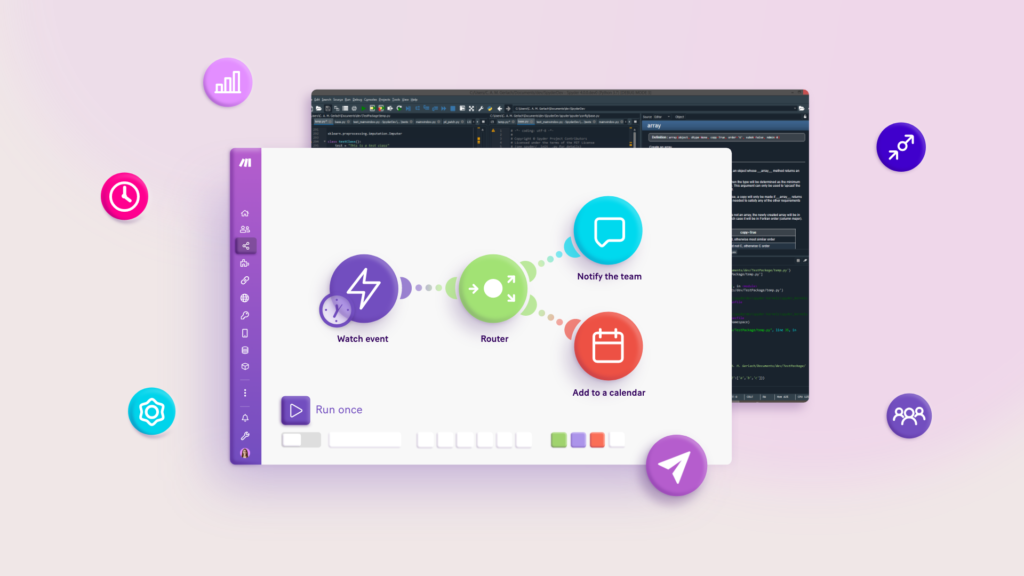
No-code automation is a way to automate digital tasks and workflows without having to write traditional programming code.
Most platforms use a simple structure:
When something happens → perform an action.
For example:
When a customer submits a form → add the information to a spreadsheet → send a confirmation email → notify the sales team.
Instead of manually completing every step, the automation handles the repetitive parts.
Simple No-Code Automation Example
Imagine you run an online business and receive inquiries through a website.
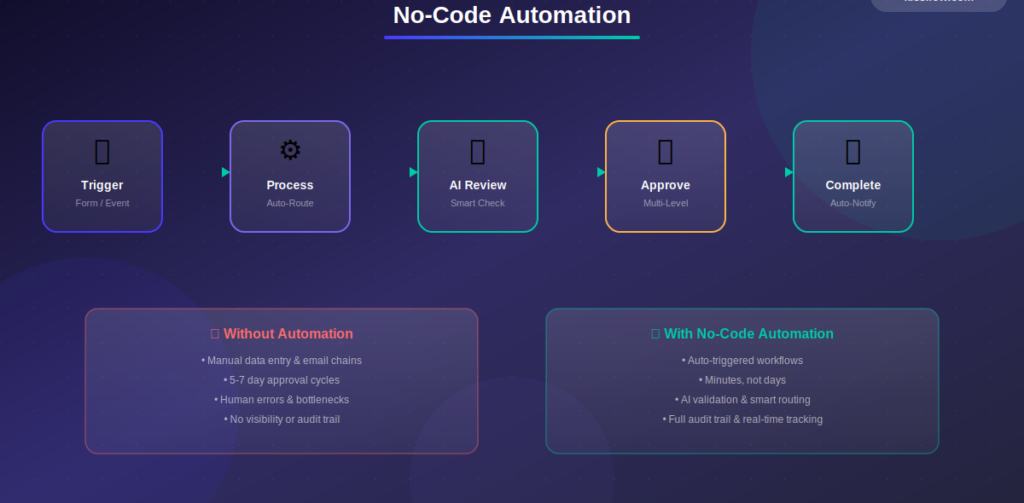
Without automation:
- Check the form.
- Copy the customer’s information.
- Add it to a spreadsheet.
- Send an email.
- Notify your team.
- Create a follow-up reminder.
With a no-code workflow, these steps can be connected into one automated process.
Why No-Code Automation Is Becoming Popular
The biggest attraction is simplicity.
Traditional automation may require programming knowledge, APIs, servers, or technical support. No-code platforms are designed to make automation accessible to people who work outside software development.
They can help teams:
- Reduce repetitive manual work
- Save time
- Connect different applications
- Standardize routine processes
- Reduce copy-and-paste tasks
- Improve workflow visibility
- Speed up everyday operations
- Create repeatable business processes
Automation also gives employees more time to focus on work that requires judgment, creativity, communication, or decision-making.
No-Code Automation Tools at a Glance
| Tool | Best For | Typical Automation Use |
|---|---|---|
| Zapier | Connecting apps and automating tasks | Forms, email, CRM and productivity workflows |
| Make | Visual multi-step workflows | Complex app integrations and data flows |
| Microsoft Power Automate | Microsoft ecosystem automation | Business processes and Microsoft 365 workflows |
| Airtable | Database-style workflows | Records, approvals and project processes |
| n8n | Flexible workflow automation | Advanced integrations and customizable workflows |
| Pipedream | Developer-friendly automation | APIs, integrations and event-driven workflows |
| IFTTT | Simple personal automations | Smart devices, notifications and everyday tasks |
| HubSpot | Marketing and CRM workflows | Leads, sales, email and customer processes |
| monday.com | Project and team workflows | Task assignments, notifications and project updates |
| ClickUp | Productivity automation | Tasks, status changes and team workflows |
Features, pricing, integrations, and availability can change, so check each provider’s current documentation before choosing a platform.
1. Zapier
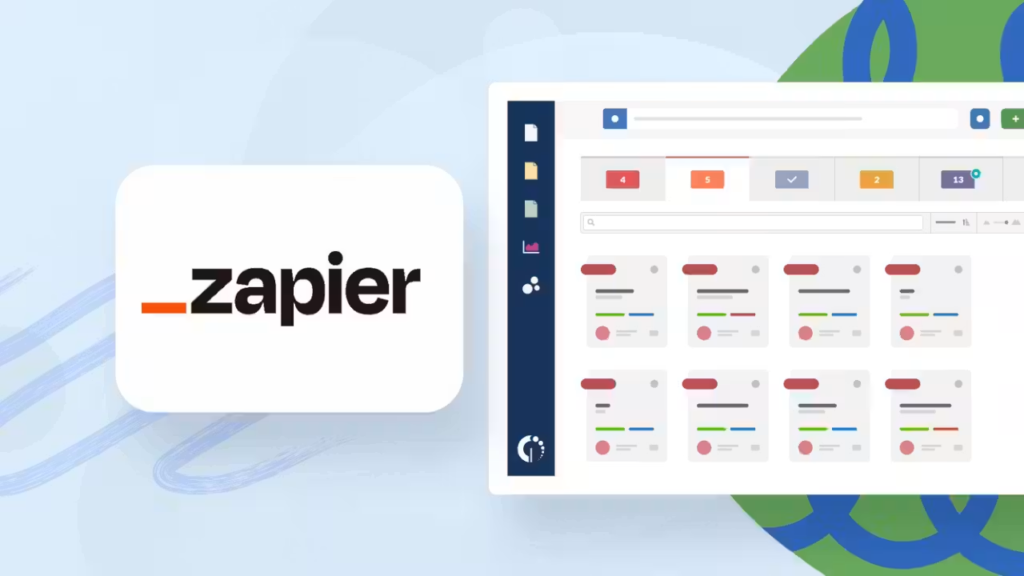
Zapier is one of the most recognizable names in no-code automation.
Its core idea is straightforward: connect different applications and create automated workflows between them.
A workflow can start with a trigger and then perform one or more actions.
For example:
New form response → create spreadsheet row → send email → notify team
Zapier is useful for people who want to connect popular business and productivity applications without building integrations from scratch.
Good For
- Marketing workflows
- Lead management
- Email automation
- Forms
- Productivity tasks
- Small-business processes
2. Make
Make takes a more visual approach to automation.
Instead of viewing an automation as a simple sequence, users can build workflows with multiple routes, conditions, and actions.
This makes it useful for processes that go beyond a basic trigger-and-action setup.
For example, a business could create a workflow that receives a form submission, checks the information, sends different messages depending on the response, and updates several systems.
Good For
- Multi-step workflows
- Data processing
- Business automation
- App integrations
- Conditional workflows
3. Microsoft Power Automate
Microsoft Power Automate is particularly useful for organizations already working within the Microsoft ecosystem.
It can connect workflows with Microsoft products and other supported services.
Common use cases include document approvals, notifications, data movement, and business process automation.
Good For
- Microsoft 365 workflows
- Approvals
- Business processes
- Internal notifications
- Document workflows
4. Airtable
Airtable combines database-style organization with workflow capabilities.
It can be useful when your automation starts with structured information such as content records, customer information, product data, or project details.
For example:
New project record → assign owner → notify team → create follow-up task
Good For
- Content operations
- Project tracking
- Marketing databases
- Product information
- Team processes
5. n8n

n8n is designed for workflow automation with a strong emphasis on flexibility.
It can connect services, APIs, databases, and other systems while giving users more control over how workflows operate.
It can be particularly interesting for technical teams and users who want more customization than a simple point-and-click automation.
Good For
- Advanced workflows
- API integrations
- Data processing
- AI workflows
- Custom automation
6. IFTTT
IFTTT focuses on simple connections between services and devices.
Its familiar “if this, then that” approach makes it accessible for personal automations and smart-home scenarios.
For example:
If a specific event occurs → send a notification
Good For
- Personal automation
- Smart-home workflows
- Notifications
- Connected devices
- Simple triggers
7. HubSpot

HubSpot includes workflow automation as part of its broader CRM and marketing ecosystem.
Businesses can automate parts of lead management, customer communication, marketing activities, and sales processes.
Good For
- CRM workflows
- Lead management
- Marketing automation
- Sales processes
- Customer follow-ups
8. monday.com
monday.com combines project management with workflow automation.
Teams can create rules that respond to changes in tasks, statuses, assignments, and other project information.
For example:
Task status changes to complete → notify manager → move item → update project board
Good For
- Project management
- Team workflows
- Task automation
- Notifications
- Operations
9. ClickUp
ClickUp offers automation features alongside task and project management.
This can be useful when your team already manages its work inside a centralized workspace.
Automations can help with recurring processes such as task assignments, status updates, notifications, and workflow changes.
Good For
- Task management
- Project workflows
- Team collaboration
- Repetitive task processes
- Productivity
What Can You Automate Without Coding?
The possibilities depend on the tools you use, but common examples include:
Automate routine email notifications, confirmations, follow-ups, and internal alerts.
Forms
When someone submits a form, automatically store the response, create a task, and notify the appropriate person.
Spreadsheets
Move information between applications and update records without repeatedly copying and pasting.
Marketing
Automate lead notifications, campaign workflows, contact updates, and content-related processes.
Customer Support
Create tickets, assign requests, send notifications, or update customer records.
Project Management
Automatically assign tasks, change statuses, create reminders, and notify team members.
Content Workflows
A content team could connect:
Idea → content database → writer assignment → review task → publishing checklist
This can reduce the amount of administrative work around content production.
No-Code Automation vs. Manual Work
The difference becomes clearer when you look at a repetitive process.
| Manual Workflow | Automated Workflow |
|---|---|
| Check incoming form | Form submission triggers workflow |
| Copy information | Data is transferred automatically |
| Create a task | Task is created automatically |
| Send notification | Notification is triggered |
| Update spreadsheet | Record is updated automatically |
| Set reminder | Reminder is generated |
| Repeat process | Workflow runs whenever conditions are met |
Automation does not eliminate the need for people. Instead, it can handle predictable steps while people focus on decisions and exceptions.
How to Choose the Right No-Code Automation Tool
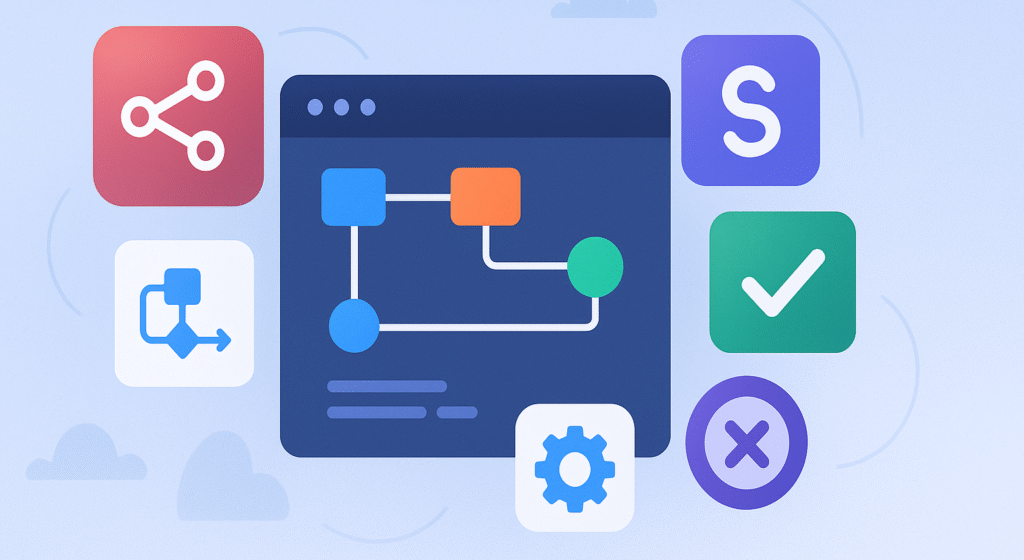
There are many automation platforms, and choosing one based only on popularity can lead to a poor fit.
Consider these factors first.
1. Apps You Already Use
Check whether the platform integrates with the applications your business already depends on.
2. Workflow Complexity
A basic two-step automation does not require the same capabilities as a workflow involving multiple branches, conditions, databases, and APIs.
3. Ease of Use
If nontechnical employees will build and maintain workflows, a clear visual interface can make a major difference.
4. Scalability
Think about what happens if your automation volume grows.
A workflow that works for 50 tasks a month may need a different setup when it handles thousands.
5. Cost
Look beyond the starting price.
Consider task limits, automation runs, premium integrations, users, storage, and advanced features.
6. Security
Business workflows may involve customer information, financial data, internal documents, or other sensitive information.
Review the provider’s security documentation, permissions, data handling, and compliance information before connecting important business systems.
How to Build Your First No-Code Automation
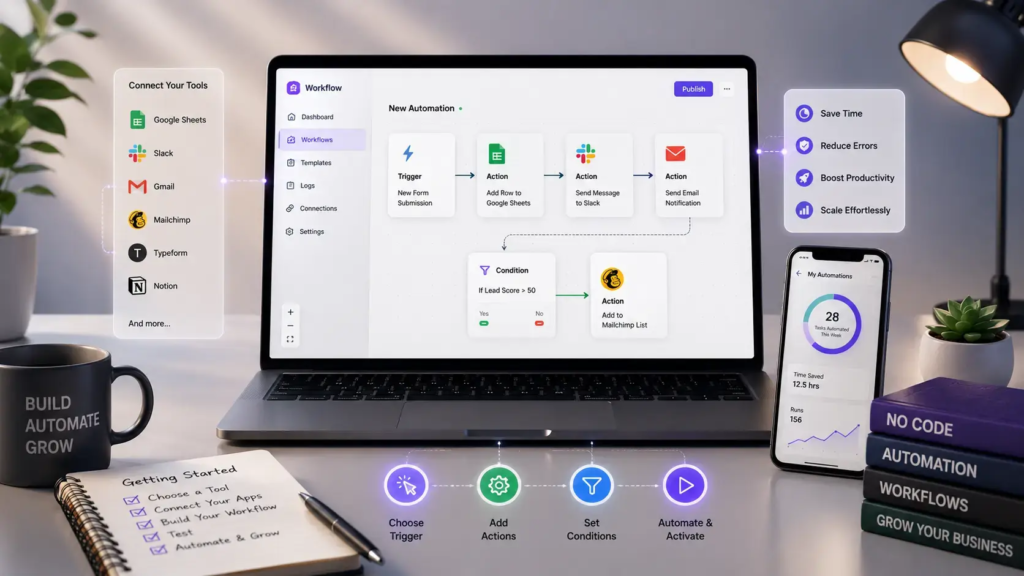
You do not need to automate an entire business on day one.
Start with one repetitive task.
1: Find a Repetitive Task
Look for something you perform regularly and in roughly the same way each time.
2: Write Down the Process
Document every step from beginning to end.
3: Identify the Trigger
Ask:
What event starts this workflow?
It could be a form submission, new email, calendar event, new database record, or status change.
4: Identify the Actions
List what should happen after the trigger.
5: Connect Your Apps
Choose a platform that supports the applications involved.
6: Test It
Run several test cases before relying on the workflow.
7: Monitor the Results
Automation can fail because of changed permissions, disconnected accounts, altered fields, service outages, or unexpected data.
Check important workflows regularly.
Common No-Code Automation Mistakes
Automation is powerful, but poor automation can create more work.
Automating a Bad Process
If the existing workflow is confusing or inefficient, automating it simply makes the same problem happen faster.
Improve the process first.
Creating Too Many Automations
A workspace filled with dozens of poorly documented workflows can become difficult to manage.
Start with high-value processes.
Forgetting About Exceptions
Not every situation follows the normal path.
Build checks or human-review steps into workflows where unusual cases are possible.
Ignoring Permissions
Make sure workflows have appropriate access to the information and systems they use.
Never Reviewing Automations
Applications change. Teams change. Business processes change.
Review important workflows periodically.
No-Code Automation and AI
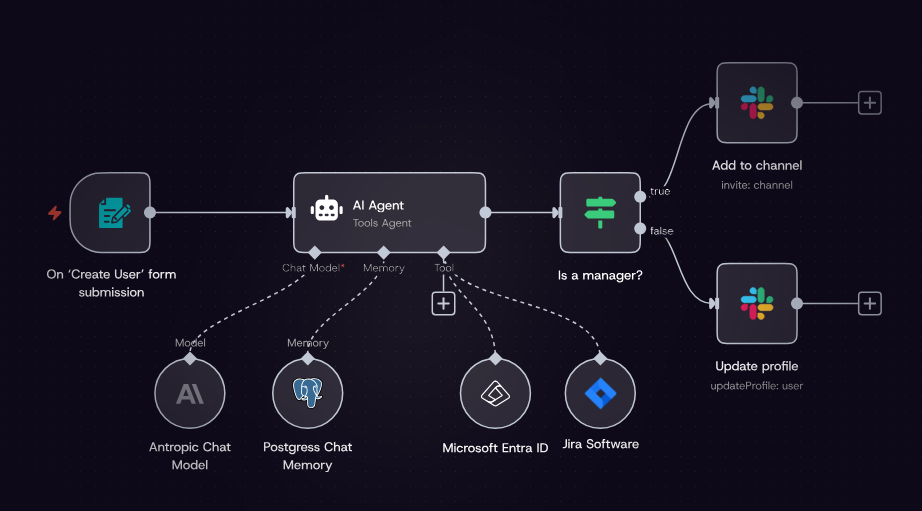
AI is expanding what automation workflows can do.
Traditional automation is generally good at predictable instructions:
If X happens → do Y.
AI-enabled workflows can add capabilities such as:
- Classifying incoming information
- Summarizing text
- Extracting information from documents
- Drafting responses
- Categorizing customer requests
- Processing unstructured information
- Generating content for review
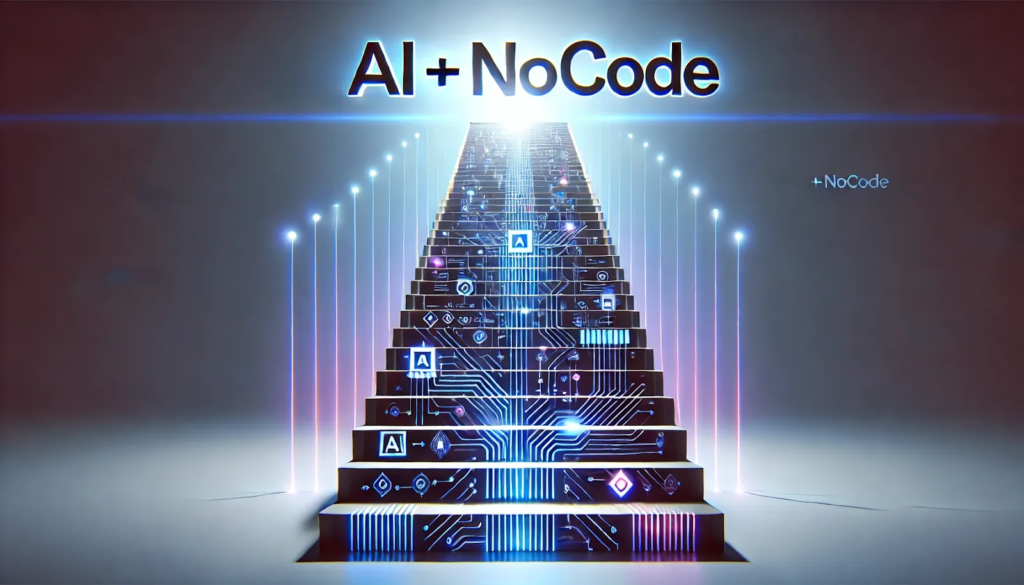
This creates a combination of AI + automation where AI handles more flexible tasks and automation connects the steps.
For example:
Customer email → AI identifies topic → workflow assigns department → notification is sent → record is updated
Human review can still be valuable when decisions involve important financial, legal, customer, or business consequences.
Best No-Code Automation Use Cases
| Area | Example Automation |
|---|---|
| Marketing | New lead → CRM → notification |
| Sales | New prospect → create follow-up task |
| Customer Support | New request → create ticket → assign team |
| HR | New employee → create onboarding checklist |
| Finance | Invoice received → record information → notify finance |
| Content | New idea → add to content calendar |
| Ecommerce | New order → update records → send notification |
| Project Management | Status change → assign next task |
| Communication | Form submission → automated confirmation |
| Personal Productivity | Calendar event → reminder or task |
How No-Code Automation Saves Time

The biggest advantage is not that automation makes every task disappear.
It reduces the number of small decisions and repetitive actions that people have to perform manually.
Consider a task that takes five minutes and happens 20 times each week.
That is about 100 minutes of repetitive work every week.
If the process can be safely automated, those minutes can be redirected toward higher-value work.
Across a month or year, small efficiencies can add up.
FAQ’S
1. What is no-code automation?
No-code automation allows users to create automated workflows without writing traditional programming code. Most platforms use visual builders, triggers, actions, and simple rules.
2. What are the best no-code automation tools?
Popular options include Zapier, Make, Microsoft Power Automate, Airtable, n8n, IFTTT, HubSpot, monday.com, and ClickUp. The right choice depends on your workflow, apps, budget, and technical requirements.
3. Can beginners use no-code automation tools?
Yes. Many no-code platforms are designed for beginners and provide templates, visual workflow builders, and step-by-step setup options.
4. What tasks can be automated without coding?
Common examples include email notifications, form submissions, spreadsheet updates, task assignments, CRM updates, reminders, lead management, and content workflows.
5. How does no-code automation save time?
It handles repetitive steps automatically, reducing manual data entry, copying and pasting, notifications, and routine task management.

