

Introduction
If you regularly work with dozens of open tabs, you already know how quickly a browser can turn into a cluttered workspace. Important pages get buried, memory usage climbs, and productivity slowly declines. What begins as organized multitasking often ends in confusion and slowdown. Tab Manager Pro is built to solve exactly this problem. Its core motive is simple: help users efficiently manage multiple open tabs with smart tools that reduce clutter, improve navigation, and restore control over their browsing experience.
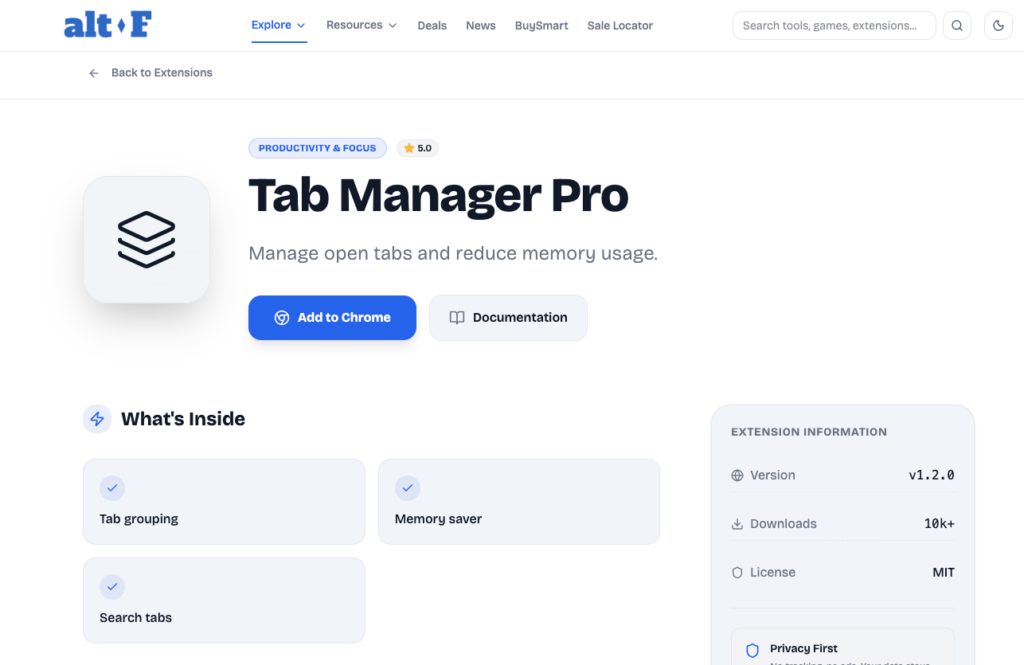
A Smarter Way to Manage Tabs
Tab Manager Pro provides a complete set of tools to find, filter, group, sort, suspend, and close tabs quickly. Instead of manually scanning through a crowded tab bar, users can open a clean popup interface that instantly displays all active tabs in one structured view. From there, managing tabs becomes intentional rather than reactive. The extension transforms tab management from a daily frustration into a streamlined process.
Auto Suspend Inactive Tabs for Better Performance
One of the most valuable features is Auto Suspend Inactive Tabs. Tabs that remain inactive for 30 minutes are automatically discarded using the browser’s built-in tab discard function. This reduces memory consumption without permanently closing the tab. When you return to a suspended tab, it reloads normally.
This feature quietly improves browser speed and system performance while keeping your workflow intact. Instead of manually deciding which tabs to close, the system handles inactive ones intelligently, giving you both efficiency and peace of mind.
Full Tab Management Interface
The popup interface serves as a centralized control panel. As soon as you open it, all active tabs are loaded and displayed clearly. You can search for specific tabs, filter them by category, or sort them according to your needs. This interface eliminates guesswork and makes navigation faster, especially during heavy multitasking sessions.
Everything is accessible in one place, which significantly reduces the time spent switching between tabs or trying to locate a single page among many.
Advanced Tab Filters for Instant Organization
Tab Manager Pro includes practical filtering options that make organization effortless. You can filter tabs by All, Pinned, Audio Playing, or Duplicate.
This is particularly helpful when trying to locate a playing video or remove duplicate pages that are consuming unnecessary resources. Instead of manually hunting for repeated tabs, the extension identifies them for you. The result is a cleaner and more focused browsing environment.
Flexible Sorting Options

Sorting tabs logically can improve clarity and workflow. With Tab Manager Pro, tabs can be sorted by title, domain, newest, or oldest.
Sorting by domain groups similar websites together, making research projects easier to manage. Sorting by newest or oldest can help prioritize tasks based on when they were opened. These small structural adjustments create a more intuitive browsing system tailored to your work style.
Multi-Select Actions for Faster Control
Managing tabs individually can be time-consuming. The multi-select feature allows users to select several tabs at once and apply actions in bulk. You can close, pin, unpin, or group multiple tabs simultaneously.
This function is especially useful during cleanup sessions or when transitioning between projects. Instead of repeating the same action over and over, you complete it in seconds.
Quick Actions That Simplify Your Workflow
Quick actions are designed for efficiency. With a single click, you can close duplicate tabs, group tabs by domain, suspend inactive tabs, mute all tabs, or close all tabs.
These shortcuts reduce repetitive effort and give you instant control over your workspace. Whether you are wrapping up a project or starting a new one, these actions help reset your environment quickly.
Save Sessions for Seamless Continuity
The Save Sessions feature ensures that your work is never lost. You can store your current tab session locally and restore it later whenever needed. This is particularly valuable for users managing multiple projects or research tasks.
Instead of keeping dozens of tabs open for days, you can save the session, close the browser, and return to the exact setup later. This not only reduces clutter but also encourages structured work habits.
Dashboard View for Insights and Control
The Dashboard provides a broader overview of your browsing activity. It displays session history, tab statistics, memory estimates, and options to restore or delete saved sessions.
Having access to this data helps users make informed decisions about their browsing habits. It encourages better digital organization and provides transparency into how tabs are being managed.
Clean and Modern User Interface
Productivity tools should be simple and visually clear. Tab Manager Pro offers a modern design with a gradient background, tab lists that include favicons, loading overlays, and notification feedback.
The interface feels structured and professional, ensuring that functionality never overwhelms usability. The clean design supports focus rather than distraction.
Smooth and Logical User Flow
The user journey is straightforward. You open the popup, and all tabs are instantly loaded. From there, you can search, filter, or sort as needed. You can select individual or multiple tabs to group, pin, close, or mute. Quick actions allow you to clean duplicates or save sessions in one step. Finally, the Dashboard gives access to saved sessions and performance insights.
This logical flow ensures that even new users can navigate the extension without confusion.

AI Automation Guide 2026: Work Smarter, Faster & Better
Artificial intelligence and automation are changing the way people work, manage information, communicate, and complete…

Tool Reviews: Find the Best Tools for Every Need
Every single morning, millions of people open their laptops to a screen crammed with open…

The Best Audio Editing Software 2026: Music, Podcasts & More
Good audio can completely change how a song, podcast, video, or voice recording feels.Audio Editing…

Tool Reviews 2026: Explore, Compare & Find Better Tools
Finding the right digital tool can save time, simplify repetitive tasks, and make everyday work…

The Best No-Code Automation Tools Simplify Workflows & Save Time
A lot of everyday work follows the same pattern. No-Code Automation Someone fills out a…

The Best Vivo V80 5G Expected Price, Camera & Features
The Vivo V80 5G is one of the upcoming smartphones attracting attention in India’s premium…
Final Thoughts
Tab Manager Pro goes beyond basic tab organization. It introduces structure, automation, and strategic control into everyday browsing. By combining auto suspension, session saving, advanced filtering, and performance insights, it turns a chaotic tab environment into an organized workspace.
For anyone who frequently works with multiple tabs, this extension can significantly improve efficiency and reduce digital clutter. Productivity often begins with clarity, and Tab Manager Pro delivers exactly that.
This article is intended for informational purposes only and is based on the official documentation of Tab Manager Pro. Features and performance may vary depending on browser version, device configuration, and individual usage patterns. Users should review extension permissions and functionality before installation.
#TabManagerPro #ProductivityTools #BrowserManagement #DigitalWorkspace #SessionManagement #TabOrganization #WorkSmarter #Anslation #Carrerbook #ALTFTOOL #Extansion

