Creativity has always been about turning ideas into something people can see, hear, read, or experience. What has changed is how easily those ideas can now become reality. A blogger can design a professional-looking image without hiring a designer, a small business owner can create promotional videos from home, and a beginner can experiment with digital illustration using tools that were once available mainly to professionals.
In 2026, digital creativity is an important part of blogging, marketing, education, entertainment, business, and everyday communication. People use creative tools to design graphics, edit photographs, produce videos, write content, create presentations, develop websites, and explore new ideas. Artificial intelligence has added another layer to this process by helping users generate concepts, automate repetitive tasks, and experiment with different creative styles.
However, having access to more tools does not automatically make someone more creative. The real advantage comes from knowing which tools solve a particular problem and how to use them effectively.
Whether you are a content creator, graphic designer, student, freelancer, entrepreneur, or someone exploring a new hobby, the right digital tools can make creative work more manageable. This guide explores the essential types of creative tools in 2026, their features, benefits, practical applications, and how to choose the options that suit your needs.
What Are Digital Creative Tools?
Digital creative tools are software applications, online platforms, and digital services that help people create, edit, organise, and share original work.
Some tools focus on one specific task, such as editing photographs or recording audio. Others combine several functions, allowing users to design graphics, collaborate with teammates, publish content, and manage projects from a single platform.
Creative tools can be used by beginners with little technical experience as well as professionals working on complex projects.
Common examples include:
- Graphic design and illustration software.
- Photo editing applications.
- Video editing and animation tools.
- Writing and content planning platforms.
- AI-assisted image, audio, and text generators.
- Presentation and website-building tools.
- Music production and audio editing software.
- Digital collaboration and creative project management platforms.
The best tool depends on the result you want to achieve. A social media creator may need a simple design platform, while a filmmaker may require advanced editing software with detailed colour correction and audio controls.
The goal is not to collect as many applications as possible. It is to build a practical set of tools that helps you produce better work without making the process unnecessarily complicated.
Best Types of Creative Tools in 2026
Different creative projects require different capabilities. Understanding the main categories can help you decide where to begin.
Graphic Design Tools
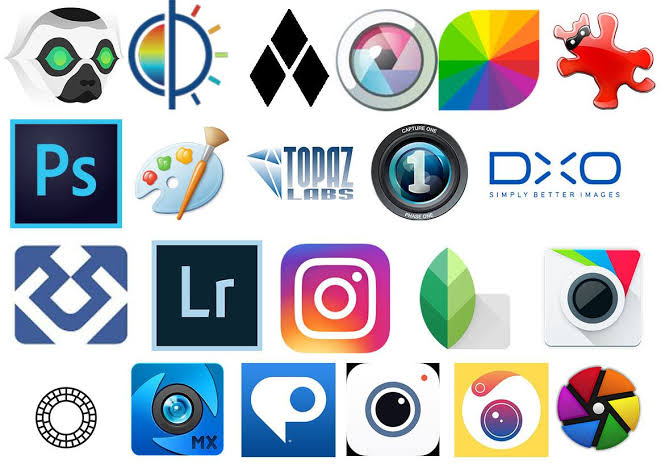
Graphic design tools help users create visual content such as social media posts, advertisements, posters, logos, infographics, and marketing materials.
Many modern platforms provide ready-made templates, drag-and-drop editing, background removal, typography controls, and reusable brand assets. These features make design more accessible to people who do not have formal graphic design training.
For example, a small business owner can create a promotional banner, while a blogger can prepare a featured image that matches the style of an article.
Photo Editing Tools
Photo editing software allows users to improve images by adjusting brightness, contrast, colour, sharpness, and composition. More advanced applications offer layer editing, masking, object removal, and detailed retouching.
Photographers may use these tools to develop a consistent visual style. Online sellers can use them to prepare clear product photographs, while travel bloggers can edit images to better communicate the atmosphere of a destination.
Good editing should improve the image without misleading the audience, especially when photographs are used to represent real products or events.
Video Editing Tools
Video has become an important format for tutorials, product demonstrations, social media posts, online courses, and business promotions.
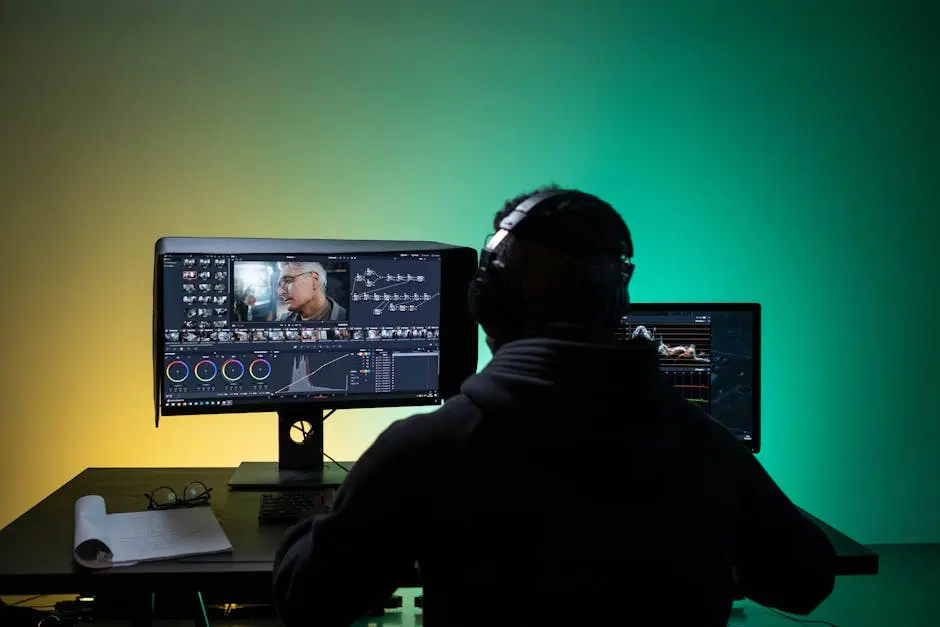
Video editing tools help users trim clips, arrange scenes, add subtitles, balance audio, insert transitions, and combine footage with music or graphics. Some platforms also offer automatic captioning, background removal, and AI-assisted editing features.
A beginner might use a mobile editor to prepare a short vertical video, while a professional editor may need a desktop application for a longer production.
Writing and Content Creation Tools
Writing tools help users plan, draft, edit, and organise written content. Depending on the application, they may include grammar suggestions, spelling checks, outlines, content calendars, collaboration features, and AI-assisted brainstorming.
Bloggers can use writing tools to organise article ideas, while businesses can prepare product descriptions, newsletters, website copy, and social media captions.
AI can help generate a starting point, but original insights, fact-checking, tone, and a clear understanding of the audience remain essential.
Illustration and Digital Art Tools
Digital illustration applications are designed for drawing, painting, sketching, and creating detailed visual artwork.
They may offer custom brushes, pressure-sensitive drawing, layers, blending modes, colour palettes, and support for digital pens or tablets.
Artists can use them to create character illustrations, book covers, concept art, decorative designs, and original digital paintings. Beginners can start with basic drawing applications before moving to more advanced software.
Presentation and Website Design Tools
Presentations and websites are also forms of digital communication. Creative platforms can help users organise information visually, create attractive slides, build landing pages, and develop online portfolios.
Students may use presentation tools for assignments, while freelancers can create portfolio websites to display their work. Businesses can use website builders to introduce their services and help potential customers find important information.
These tools are particularly useful when they make complex information easier to understand.
Popular Creative Tools Worth Exploring in 2026
The following platforms represent different parts of the creative workflow. Their features, pricing, and availability may change, so check the official websites before choosing a subscription.
| Creative tool | Main purpose | Suitable for |
|---|---|---|
| Canva | Graphic design and visual content | Beginners, bloggers, and small businesses |
| Adobe Photoshop | Advanced image editing and compositing | Photographers and designers |
| Adobe Illustrator | Vector graphics and illustration | Logo designers and illustrators |
| CapCut | Video editing and short-form content | Social media creators and video beginners |
| DaVinci Resolve | Video editing, colour correction, and audio post-production | Video editors and filmmakers |
| Figma | Interface design and collaboration | UI/UX designers and product teams |
| Procreate | Digital drawing and painting on supported Apple devices | Illustrators and digital artists |
| Audacity | Audio recording and editing | Podcasters and audio beginners |
| Notion | Notes, planning, and creative project organisation | Writers, students, and teams |
| ChatGPT | Brainstorming, drafting assistance, and idea development | Writers, creators, and professionals |
These applications are not direct substitutes for one another. Some are specialised professional tools, while others are designed to make common creative tasks easier.
Before committing to a paid plan, test the free features where available and check whether the software supports your device, file formats, collaboration requirements, and intended workflow.
How AI Is Changing Digital Creativity

Artificial intelligence is changing the way people approach creative work. Rather than beginning every task from a blank page, users can now explore concepts, generate rough drafts, organise information, and experiment with alternatives more quickly.
AI features appear in several types of creative software, including image editors, writing assistants, video applications, and design platforms.
Faster Idea Generation
Coming up with the first idea can sometimes be more difficult than completing the actual project. AI-assisted brainstorming can help users explore different themes, headlines, visual directions, or content formats.
For instance, a fashion blogger might ask for several article angles around seasonal clothing. A designer could explore different colour combinations before choosing a final direction.
The suggestions are starting points, not finished creative decisions. The user still needs to select ideas that fit the project and audience.
Support for Repetitive Tasks
Certain tasks take time without requiring much original thinking. Examples include generating captions, creating rough transcripts, resizing designs, or organising draft content.
Automation can reduce some of this work and leave more time for editing, research, and creative decision-making.
However, automated results should be checked. Incorrect captions, formatting problems, and unsuitable suggestions can create additional work if they are accepted without review.
More Accessible Creative Production
AI features can help people with limited design or editing experience try new formats. A small business owner may experiment with promotional graphics, while a student may create a first video presentation using guided editing tools.
This accessibility is useful, but it does not remove the value of learning basic design principles, writing clearly, or understanding how a good video is structured.
Personalisation and Experimentation
AI-assisted tools may help users produce different versions of a design or adapt content for different platforms.
A creator could prepare several headline options or test different layouts for a promotional image. Comparing alternatives can make the final result more effective.
The important step is to evaluate each version rather than choosing automatically generated content simply because it was quick to produce.
Major Benefits of Digital Creative Tools
Creative tools can improve both the production process and the quality of the final result when they are chosen carefully.
Better Productivity
Templates, reusable assets, keyboard shortcuts, batch editing, and automation can reduce the time needed for common tasks.
For example, a content creator who regularly publishes articles can develop a reusable visual template rather than designing every featured image from scratch.
Greater Creative Freedom
Digital tools make experimentation easier. Users can test colours, fonts, compositions, transitions, and editing styles without necessarily rebuilding an entire project.
Layers, undo controls, duplicate files, and version history also make it easier to explore alternatives while preserving earlier work.
More Professional Results
A well-chosen tool can help users produce cleaner layouts, more consistent colours, readable typography, balanced audio, and better-organised presentations.
Professional results still depend on skill and attention to detail. A complicated application will not automatically improve a poorly planned design, but suitable tools can help users apply good principles more effectively.
Easier Collaboration
Many modern platforms allow people to share projects, comment on designs, review changes, and work together remotely.
This is particularly useful for marketing teams, agencies, educators, and businesses whose members work from different locations.
Opportunities for Small Businesses
Creative tools allow smaller businesses to produce a wider range of marketing materials without needing a separate application for every task.
A business owner might create a flyer, prepare social media graphics, edit a product video, and build a basic landing page using a carefully selected set of tools.
The best choice depends on the business’s budget, quality requirements, and available time.
Essential Creative Tools for Different Types of Creators
The same software setup does not suit everyone. Choosing tools according to your work can prevent unnecessary spending and simplify your workflow.
For Bloggers and Content Writers
Bloggers often need tools for writing, editing, image creation, research, and content organisation.
A practical setup might include a writing editor, a graphic design platform, a reliable research process, and a planning application. These tools can help manage article drafts, featured images, social media graphics, and publication schedules.
Writers should still verify factual claims, check source quality, and ensure that the final article reflects their own editorial judgement.
For Graphic Designers
Graphic designers may need vector illustration software, image editing applications, font management tools, and collaborative design platforms.
A logo project, for example, may require scalable vector artwork, while a photo-heavy campaign may need detailed image correction. Choosing tools based on the actual deliverables is more effective than paying for every available design application.
For Video Creators
Video creators typically need software for editing footage, recording or cleaning audio, creating captions, and preparing videos for different platforms.
Beginners can start with a straightforward editor and gradually explore more advanced features as their projects become more demanding.
Before publishing, check audio levels, caption accuracy, aspect ratios, export settings, and the rights associated with any music or stock footage.
For Students and Educators
Students can use creative applications to prepare presentations, diagrams, posters, study materials, and video assignments.
Teachers may use them to make lessons more visual and interactive. Simple layouts and readable text are often more valuable than complicated effects.
Students should also follow their institution’s rules on AI use, attribution, and original work.
For Entrepreneurs and Small Businesses
Business owners may need product photography tools, social media design platforms, presentation software, and website builders.
A practical approach is to identify the tasks that occur most often. If social media promotion is the main requirement, a design and scheduling workflow may be more useful than an expensive professional illustration package.
How to Choose the Right Creative Tool
With so many applications available, selecting the right one can feel overwhelming. A simple evaluation process can make the decision easier.
Start With Your Main Goal
Write down what you want to create. Do you need to edit photographs, design a website, publish blog graphics, produce videos, or record a podcast?
A clear goal helps narrow the choices and prevents you from paying for features you may never use.
Consider Your Skill Level
Beginners may benefit from templates, guided tutorials, and simple interfaces. Experienced professionals may need detailed controls, advanced file management, and specialised production features.
Choose a tool that meets your current needs while allowing reasonable room to grow.
Check Device Compatibility
Some applications work mainly in a web browser, while others require installation on a computer or a supported mobile device.
Check operating system requirements, available storage, memory needs, export formats, and whether an internet connection is necessary for important features.
Compare Pricing Carefully
Look beyond the headline subscription price. Some tools limit exports, storage, collaboration, or premium assets on free plans.
If you are considering a paid subscription, check renewal terms, cancellation policies, usage limits, and whether a monthly or annual plan suits your situation.
Test the Workflow
Try a small, realistic project before committing. Create a sample graphic, edit a short video, or organise a draft article.
Pay attention to how easy it is to learn the interface, complete the task, export the result, and revise your work later.
Consider Privacy and Ownership
Review how the platform handles uploaded files, project data, and AI-generated content. Businesses should be especially careful when uploading confidential documents, customer information, or unreleased products.
Also check the licensing terms for stock images, fonts, templates, music, and generated content before using them commercially.
Free vs Paid Creative Tools: Which Is Better?
Free tools can be an excellent starting point, particularly for students, beginners, and people exploring a new skill. They may provide enough functionality for basic graphics, writing, presentations, audio editing, and simple video projects.
Paid tools may offer advanced features, larger asset libraries, more storage, professional export options, collaboration controls, or additional automation.
| Factor | Free tools | Paid tools |
|---|---|---|
| Cost | No subscription fee for included features | Subscription or one-time payment may apply |
| Features | Often sufficient for basic tasks | May include advanced editing and automation |
| Learning | Frequently beginner-friendly | Can range from simple to highly specialised |
| Collaboration | May have usage limits | Often offers expanded team features |
| Support | Varies by provider | May include additional support options |
| Best use | Learning and everyday projects | Professional or specialised workflows |
Neither option is automatically better. A free application that meets your needs is often a better choice than a paid platform with features you rarely use.
You can also combine tools. For example, a creator might use a free audio editor, a paid video application, and a basic design platform.
Common Mistakes to Avoid When Using Creative Tools
Digital applications can make creative work easier, but certain habits can reduce their effectiveness.
Using too many applications: Switching between numerous tools can create confusion and duplicate work. Begin with a small set that covers your main needs.
Following every trend: A new AI feature may be interesting without being useful for your particular project. Evaluate tools based on practical results rather than popularity alone.
Ignoring the basics: Good composition, readable typography, clear writing, balanced sound, and thoughtful editing remain important even when automation is available.
Accepting AI output without review: Generated content may contain mistakes, generic ideas, inaccurate information, or unsuitable visual details. Review it before publication.
Overlooking licensing: Not every image, font, music track, or template can be used freely for commercial purposes. Check the relevant terms.
Forgetting backups: Keep important project files and exported work backed up in a secure location. Cloud storage can be convenient, but it should not be your only plan for important work.
Spending before testing: A free trial or sample project can reveal whether a tool is genuinely useful before you pay for it.
Avoiding these mistakes can make your creative workflow more organised and cost-effective.
The Future of Digital Creativity

Digital creativity will continue to evolve as software becomes more capable and connected. Several developments are likely to influence how creators work in the coming years.
More Integrated Workflows
Creative platforms may continue combining design, editing, collaboration, publishing, and project management features. This could reduce the need to move between separate applications for every stage of a project.
More AI-Assisted Editing
AI features are likely to remain an important part of creative software, particularly for repetitive editing, transcription, idea generation, and content adaptation.
The most useful implementations will be those that give people meaningful control over the result instead of hiding important decisions behind automation.
Greater Focus on Authenticity
As AI-generated content becomes more common, audiences may pay greater attention to original perspectives, transparent communication, reliable information, and distinctive creative styles.
A recognisable voice and a genuine understanding of the audience can help creators produce work that feels more personal and relevant.
Improved Collaboration
Cloud-based workflows and shared project spaces can make it easier for teams to review work and exchange feedback.
At the same time, teams will need clear permissions, good file organisation, and sensible privacy practices to protect their projects.
Growing Importance of Digital Skills
Learning how to communicate visually, edit media, organise content, and evaluate digital information can be useful across many professions.
Creators do not need to master every tool. Developing a strong foundation and learning new features when necessary is often a more sustainable approach.
A Simple Creative Workflow for Beginners
If you are new to digital creativity, you do not need to learn every application at once. Start with a manageable project and build your skills through practice.
Step 1: Choose one project. Decide whether you want to create a blog image, social media post, short video, presentation, or digital illustration.
Step 2: Select one suitable tool. Choose an application that supports the project without adding unnecessary complexity.
Step 3: Gather your materials. Prepare your text, photographs, ideas, references, and any assets you have permission to use.
Step 4: Create a first draft. Focus on communicating the idea clearly rather than making every detail perfect immediately.
Step 5: Review the result. Check spelling, layout, image quality, audio, accessibility, and factual accuracy as appropriate.
Step 6: Ask for feedback. Another person’s perspective may reveal confusing details or opportunities for improvement.
Step 7: Export and organise your work. Save the final version in the appropriate format and keep the editable project file when possible.
Step 8: Learn from the process. Identify which features helped, what took too long, and what you would change next time.
This approach makes it easier to develop confidence without becoming overwhelmed by the number of available tools.
Final Thoughts
Digital creativity in 2026 is not limited to professional designers, experienced video editors, or people with expensive equipment. Writers, students, entrepreneurs, photographers, educators, and hobbyists can all use digital tools to turn ideas into practical results.
The most useful tools are not necessarily the most complicated or popular. They are the ones that fit your goals, support your workflow, and help you produce work you are proud to share.
Start with one creative project, choose a suitable application, and spend time learning its essential features. Use AI where it genuinely helps, but continue to apply your own judgement, taste, and knowledge. Check licensing terms, protect sensitive information, and review your work before publishing it.
Most importantly, remember that software can support creativity, but it cannot replace the value of a thoughtful idea. The strongest results come from combining useful technology with curiosity, practice, and a clear understanding of what you want to communicate.
Your next creative project does not need a perfect setup. It needs a good idea, the right tools, and the willingness to begin.
FAQ’s
1. What are digital creative tools?
Digital creative tools are software applications that help users create and edit graphics, videos, photographs, written content, presentations, and digital artwork.
2. Which are the best creative tools in 2026?
Popular options include Canva for graphic design, Adobe Photoshop for photo editing, CapCut for video editing, Figma for interface design, and ChatGPT for brainstorming and writing assistance.
3. Are there free digital creative tools for beginners?
Yes, many platforms offer free plans or versions that support basic design, video editing, writing, audio editing, and content creation.
4. How does AI help with digital creativity?
AI can assist with idea generation, content drafting, image creation, editing, transcription, and repetitive tasks, allowing creators to spend more time refining their work.
5. How can I choose the right creative tool?
Consider your project requirements, skill level, budget, device compatibility, essential features, and privacy needs before selecting a tool.