The internet is no longer just a convenience; it is the backbone of daily life. Whether you are working remotely, studying online, streaming your favorite series, or trying to stay close with family, a solid internet connection is non-negotiable.
By 2026, the traditional way of getting online is changing. More people than ever are ditching bulky cables, phone lines, and rigid contracts for flexible solutions that match their lifestyle. That is where mobile broadband comes in.
Instead of relying on a physical line running into your house, mobile broadband gives you internet access right through the cellular network. Providers like Vodafone UK now offer everything from pocket-sized mobile hotspots to powerful 5G routers designed for the whole family.
If you are curious about how this wireless alternative works, you are in the right place. Let’s break it down into simple, everyday language.
What Exactly Is Mobile Broadband?

Put simply, mobile broadband is a wireless internet service that connects your devices to the web using 4G or 5G mobile networks. It works using the exact same cell towers that send data to your smartphone, but it is repackaged to power multiple devices at once.
Getting started is incredibly easy:
- You get a data-enabled SIM card.
- You pop it into a compatible device (like a router, portable hotspot, tablet, or USB dongle).
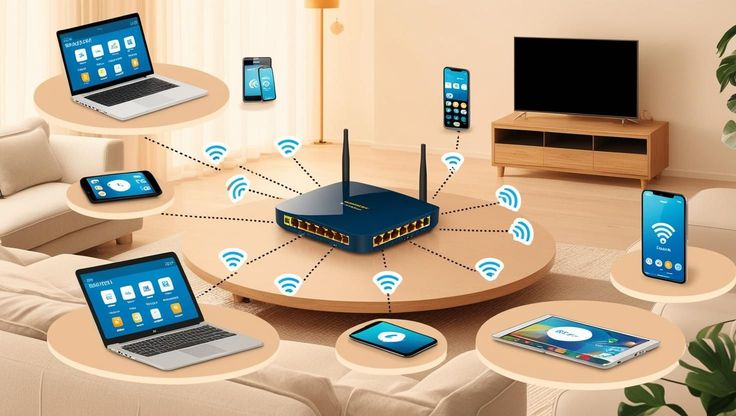
- The device picks up the mobile signal from a nearby tower and shares it, creating a personal Wi-Fi bubble for your phone, laptop, or smart TV.
Why Is Everyone Switching to Wireless Internet?
The way we live and work has shifted. We stream higher-resolution videos, join hours of virtual meetings, and connect dozens of smart home gadgets all at once.
Recent UK data shows that nearly nine out of ten people view fast internet as an absolute daily necessity. Yet, many people still battle with sluggish connections, dropouts, and the headache of fixed-line installations.
Mobile broadband solves these pain points. There is no waiting for engineers, no drilling holes into your walls, and no long setups. You simply plug a device in, and you are online in minutes. For renters, students, and frequent movers, this plug-and-play setup is a total game-changer.
Choosing Your Device: Hotspots, Dongles, and Routers
Different lifestyles require different gadgets. Here are the main ways you can use mobile broadband today:
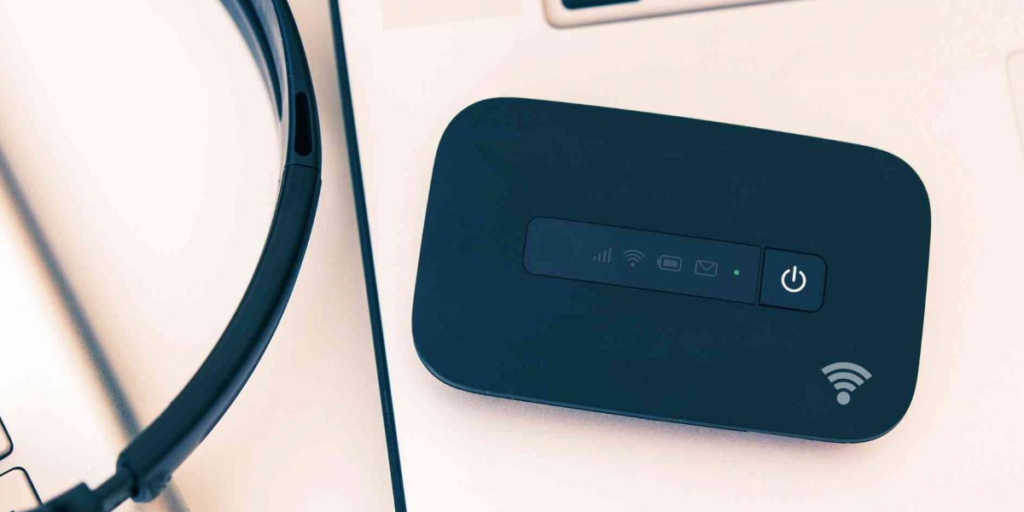
Mobile Hotspots (MiFi): Tiny, battery-powered devices that fit right in your pocket. They create a portable Wi-Fi network, making them perfect for road trips, holidays, or working from a local café.
Dongles: Small USB sticks that plug directly into your laptop. They are great if you only need to get a single computer online while away from home.
- Data-Only SIMs: These cards go directly into your existing LTE/5G-enabled tablet or iPad, giving you data on the move without needing a separate phone plan.
- 5G Home Routers: These look and act just like a standard home hub but get their data from a cell tower. Devices like Vodafone’s GigaCube can easily handle dozens of connected devices at once, making them a true alternative to traditional home internet.
The Big Matchup: 4G vs. 5G Mobile Broadband
When shopping around, you will see a lot of talk about 4G and 5G. Here is the difference in plain English:
4G Mobile Broadband
4G has been the reliable standard for years. It is widely available and provides plenty of speed for daily habits like scrolling social media, checking emails, online shopping, and standard video streaming.
5G Mobile Broadband
5G is the ultra-fast, next-generation network. It delivers massive download speeds and incredibly low latency (lag). It is built to handle heavy data traffic, meaning your connection won’t choke even if multiple people are streaming and gaming at the same time.
Can You Use It for Working, Streaming, and Gaming?
Working from Home: Absolutely. Remote work requires steady video calls and quick file sharing. Mobile broadband provides a robust primary connection, and many professionals also use it as a reliable backup line in case their main home internet goes down.
Streaming and Gaming: Yes, especially on a 5G network. High-speed 5G provides the smooth performance needed for 4K streaming and online multiplayer gaming. However, keep in mind that your experience depends heavily on your local signal strength and how busy the network is at that moment.
Mobile Broadband vs. Traditional Fibre: Which Is Best?
- Choose Traditional Broadband if: You have access to a reliable, full-fibre connection, you don’t plan on moving anytime soon, and you require perfectly consistent speeds for heavy data usage.
- Choose Mobile Broadband if: You value flexibility, want an instant setup, travel often, live in a rental property, or live in an area where physical fibre cables haven’t been laid yet.
What Does the Future Hold?

The future of wireless internet is incredibly bright. Network operators are investing heavily in expanding 5G coverage across the UK. For instance, Vodafone’s network now reaches over 26 million homes, bringing high-speed data to rural and underserved communities.
Looking forward, providers are even testing satellite-backed mobile networks to fill in the deepest coverage gaps, ensuring that staying connected is seamless no matter where life takes you.
Frequently Asked Questions
1.Can mobile broadband fully replace my home internet?
Yes, it can. If you live in an area with strong 4G or 5G coverage, a 5G home router can easily match or beat traditional broadband speeds without the need for a landline or phone contract.
2.Do I need a technician to set it up?
No. One of the best features of mobile broadband is self-installation. You just insert the SIM card, turn on the device, and connect your gadgets to the new Wi-Fi network.
3.Can I take my mobile broadband abroad?
Yes, depending on your network provider’s roaming policies. Portable hotspots and dongles are specifically built to travel with you wherever there is mobile network coverage.
4.Will weather or bad signal affect my speeds?
Because it is a wireless technology, speeds can fluctuate slightly based on your distance from the nearest cell tower, physical obstacles (like thick stone walls), and local network congestion during peak hours.
5.Can I connect multiple devices to a mobile hotspot?
Yes. While a USB dongle only connects one laptop, a mobile hotspot or 5G router can connect anywhere from 10 to over 60 devices simultaneously, depending on the specific model you choose.