We’ve all heard the pitch: “Work harder, hustle faster, do more.” But let’s be honest—in a world dominated by constant pings and fractured attention spans, working harder isn’t the solution. The real competitive edge belongs to the people who figure out how to work smarter.
Look at how the software world looks today. We’ve finally moved past the era of glorified digital sticky notes and clunky spreadsheet trackers. Modern workflow tools have evolved into the actual brain of an organization. They pull together artificial intelligence, background automation, and predictive data to do the boring, heavy lifting for us. The core objective isn’t to look busy; it’s to clear out the digital clutter so humans can focus on creative, high-impact problem-solving.
When you find the right system, the daily chaos simply drops away. You stop wasting hours bouncing between six open browser tabs just to figure out what needs to happen next. Your team stays on the same page without needing a million “quick sync” alignment calls, and you can make decisions based on real facts rather than gut feelings.
Why Centralized Workflows Matter Right Now
The daily reality of how we work has fundamentally broken open. Between hybrid schedules, teammates distributed across different time zones, and the sudden rise of autonomous AI assistants, our attention is split a hundred different ways.
When you don’t have a single source of truth, things fall apart fast. Relying on an unholy mix of frantic email chains, half-updated spreadsheets, and direct messages is a recipe for missed deadlines and high anxiety.
- The Broken Way: Info hidden in personal drives ➔ Constant status meetings ➔ Bottle-necked approvals.
- The Modern Way: Shared interactive boards ➔ Transparent project health ➔ Instant, asynchronous progress updates.
A well-designed workflow hub fixes this by putting everything in context. When a project lives on a shared dashboard, everyone inherently knows who owns what. Managers can spot a bottleneck before it derails a launch, creators know exactly what to tackle first, and clients get accurate updates without anyone needing to draft a long status report.
The 2026 Toolkit: Honest Breakdowns of the Top Platforms
Notion
Notion continues to be one of the most flexible productivity platforms available in 2026. It combines note-taking, document management, project planning, databases, calendars, and collaboration features into one workspace.
Think of Notion as a blank digital canvas with infinite structural power. It completely erases the border between your company documents, shared wikis, and active project tracking databases. Its true magic is its block-based system—you build the exact workspace you want rather than forcing your team into someone else’s rigid template. Today, its deep AI layers mean you can simply ask your workspace questions like, “What did we decide on the budget last Tuesday?” and it will instantly search thousands of pages of notes to give you the answer.
- The Standout Traits: Relational data linking, instant AI summarization, nested documentation, and unified team wikis.
- Who It’s Truly For: Startups, independent creators, and creative teams who need their knowledge base to sit right next to their active task lists.
Asana
Asana approaches project tracking with zero fluff and complete clarity. It is built explicitly for high-accountability environments where tracking dependencies—like “Task B can’t start until Task A is finished”—is non-negotiable. Its modern predictive features are incredibly smart; they look at how fast your team usually gets things done and will quietly flag a deadline three weeks out if it senses you’re over-scheduled.
- The Standout Traits: Masterful Gantt timelines, live workload balancing, automatic task handoffs, and aggregate project health metrics.
- Who It’s Truly For: Project managers, scaling agencies, and corporate teams running multi-stage initiatives with hard deadlines.
ClickUp
ClickUp’s ongoing mission is to completely kill the need for any other app on your desktop. Instead of subscribing to one app for tasks, another for documents, and a third for goal tracking, ClickUp builds a wall-to-wall ecosystem under one roof. It is incredibly feature-dense and highly customizable. Its internal automation builder lets you design highly specific rule sets, like auto-assigning a task to your designer the exact second a writer moves a piece to “Ready for Review.”
- The Standout Traits: Universal application searching, built-in visual whiteboards, native time tracking, and hyper-customizable layouts.
- Who It’s Truly For: Agile companies looking to streamline their software subscriptions into a single, powerhouse tool.
Trello
If dense spreadsheets and complex database architectures give your team a headache, Trello is your safe haven. It stays fiercely loyal to the classic Kanban board style: cards represent tasks, and you drag them left-to-right across columns as work progresses. It is so intuitive that anyone can pick it up in five minutes, yet its underlying background rules can still handle heavy-duty automated archival work without making the interface feel cluttered.
- The Standout Traits: Super clean drag-and-drop mechanics, zero learning curve, low-code automations, and visual calendar overlays.
- Who It’s Truly For: Freelancers, small marketing squads, and anyone who wants straightforward, highly visual task management.
Monday.com
Monday.com brings a beautiful, executive-ready interface to complex enterprise workflows. It excels at taking massive amounts of departmental data and turning it into clean, scannable, color-coded visual boards. It is perfect for large organizations where leadership needs to check in on the overall health of multiple departments—like Sales, HR, and Product—simultaneously without digging into the weeds.
- The Standout Traits: Polished visual reporting, flexible project views (switch from grid to timeline instantly), and cross-board data synchronization.
- Who It’s Truly For: Medium to large corporations requiring deep resource scheduling and cross-department visibility.
Zapier
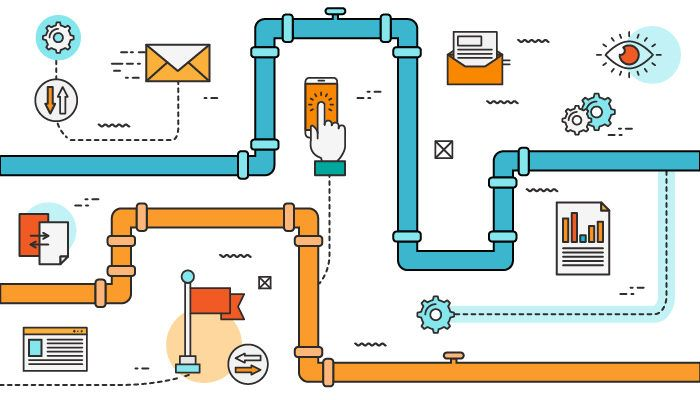
Zapier doesn’t give you a dashboard to track tasks; instead, it acts as the invisible plumbing beneath your entire tech stack. If you are frustrated that your forms don’t talk to your CRM, or your CRM doesn’t ping your Slack channels, Zapier solves it. It lets you link completely unrelated apps together using basic logic, turning manual copy-paste routines into completely automated background processes.
- The Standout Traits: Code-free API connections, smart multi-step routing paths, and an AI assistant that builds automations based on plain-text requests.
- Who It’s Truly For: Operations managers and automation-first teams looking to sync up a scattered software footprint.
Microsoft Power Automate
If your company runs entirely on Outlook, Teams, and SharePoint, Power Automate is a massive asset. It is a enterprise-level automation engine built to securely handle complex internal workflows—like multi-stage financial sign-offs or vendor invoice processing. Because it includes true Robotic Process Automation (RPA), it can even log into legacy, old-school software applications to input data so your employees don’t have to.
- The Standout Traits: Flawless Microsoft 365 synergy, robust desktop RPA, and enterprise-grade data security compliance.
- Who It’s Truly For: IT leaders, operations teams, and enterprise environments deeply locked into the Microsoft world.
Airtable
Airtable is a dream for data nerds who want the familiarity of an Excel spreadsheet but need the structural muscle of a true database. It lets you treat your data like LEGO bricks—you can view a single dataset as an inventory list, a gallery of product images, a content calendar, or an intake form. It is remarkably flexible and handles unstructured information incredibly well.
- The Standout Traits: Relational data linking, a built-in custom interface designer, interactive web forms, and robust data filtering.
- Who It’s Truly For: Marketers managing massive asset libraries, product managers tracking feature pipelines, and operations leads.
We all know Slack as a chat app, but it has quietly turned into an operational command center. By integrating your project tools directly into your chat channels, you can approve expenses, review code changes, and update task statuses without ever closing your conversation window. Its AI text catch-up summaries are incredibly human, letting you parse through 100 unread messages in a busy thread in a matter of seconds.
- The Standout Traits: Centralized communication streams, conversational AI summaries, and rich contextual app integrations.
- Who It’s Truly For: Fast-moving, remote-first teams that live and breathe real-time communication.
Google Workspace
Google Workspace is the digital air we breathe. It remains the absolute gold standard for real-time, side-by-side file collaboration. Whether you are building a financial model in Sheets or writing a strategy proposal in Docs, the experience is seamless. Its latest AI additions sit directly in your writing flow, helping you draft client emails, clean up spreadsheet formatting mistakes, and intelligently auto-schedule overlapping meetings.
- The Standout Traits: Flawless real-time document co-authoring, cloud-native storage infrastructure, and integrated identity management.
- Who It’s Truly For: Just about everyone—from solo freelancers to massive school systems and global organizations.
How AI is Actually Changing the Game

AI is no longer just a gimmick that fixes your spelling mistakes or drafts generic emails. It has become a proactive, predictive partner that works right alongside you.
Instead of waiting for you to tell it what to do, modern AI layers sit in the background analyzing patterns. They look at your team’s historical speed, watch current bandwidth, and say: “Hey, looking at past timelines, this marketing launch is likely going to be delayed by four days unless we reassign these two tasks.” It turns project management from a reactive, stressful game of catch-up into a highly predictable, strategic science.
The Reality Check: Choosing Your Perfect Setup
Don’t buy into a tool just because it has a flashy marketing campaign or every startup on Twitter is using it. Tools don’t fix broken human processes. To find something your team will actually stick with, ask yourself three direct questions:
- Where is the actual pain point? Are projects slipping through the cracks because no one knows who is accountable? Go with Asana or Monday.com. Is your collective team knowledge scattered across individual hard drives and random threads? Lean into Notion or Workspace.
- What language does your current stack speak? If your entire workflow is built around Microsoft or Google, don’t force your team to adapt to a completely foreign ecosystem unless there is a massive, structural reason to do so. Stay close to home.
- How much setup time do you honestly have? Custom powerhouses like ClickUp or Airtable offer infinite potential, but they take serious time to configure and maintain. If your team is non-technical or short on time, a beautiful, out-of-the-box solution like Trello will give you an immediate win.
Ultimately, the best tool is simply the one that your team actually uses every day without complaining. Map your workflows out on paper first, identify where the friction lies, and then pick the ecosystem that makes that friction disappear.
FAQs
1. What is a workflow tool?
A workflow tool is software that helps organize tasks, automate repetitive work, improve collaboration, and streamline business processes.
2. Which workflow tool is best for small businesses?
Notion, Trello, and ClickUp are excellent choices for small businesses due to their flexibility, affordability, and ease of use.
3. How do workflow tools improve productivity?
They reduce manual tasks, automate processes, improve team communication, track progress, and help manage deadlines more efficiently.
4. Are workflow tools suitable for remote teams?
Yes. Most modern workflow tools support real-time collaboration, cloud access, file sharing, and communication for remote and hybrid teams.
5. Do workflow tools use AI in 2026?
Yes. Many workflow tools now include AI features such as task prioritization, content generation, meeting summaries, workflow automation, and smart project insights.