

The Tyranny of the Fractured Toolkit

We are currently living through an era of extreme digital fragmentation. The Tool average professional spends their workday bouncing between a dozen different browser tabs, communication channels, cloud drives, and task trackers. This constant jumping triggers a psychological phenomenon known as context switching cost. Every single time you leave your core work tool check a ping, look up a deadline on a separate board, or hunt down an emailed attachment, your brain experiences a micro-shred of cognitive fatigue.
By the time mid-afternoon arrives, you aren’t exhausted from doing deep, creative problem-solving; you are exhausted from the sheer friction of navigating your own chaotic toolkit. This is exactly why unified workflow platforms have shifted from luxury conveniences into survival tools. The goal isn’t just to track assignments; it’s to create a singular, calm workspace that protects your team’s remaining mental bandwidth from digital exhaustion.
Stripping Away the Marketing Myth

The software industry loves to sell the beautiful illusion that buying a premium subscription will automatically unlock a state of effortless corporate harmony. They flash screenshots of immaculate, colorful Gantt charts and perfectly balanced workload widgets. They want you to believe that organizational peace is just a credit card swipe away.
The blunt reality is that software is entirely neutral. It doesn’t care about your goals, and it won’t force your team to communicate. A truly functional workflow is built on habits, not hyperlinks. If your team feels like updating a project board is an annoying administrative chore rather than a core part of their execution, the system will inevitably rot from neglect. True efficiency begins when you strip away the flashy marketing promises and select a tool that matches the actual, messy behavior of your real-world team.
Asana: The Structured Tool Task Architect
Asana is the undisputed corporate gold standard for teams that require clear, unyielding structure. It excels at breaking massive, multi-faceted operations down into a pristine hierarchy of tasks, subtasks, and milestones. Whether your team prefers a clean list, a visual board, or a complex timeline, Asana maps out dependencies with absolute precision.
Asana Hierarchy: [Workspace] ──> [Project] ──> [Task] ──> [Subtask]
The absolute best part of Asana is its human accountability engine. You cannot assign a task to three different people to dodge blame; a task belongs to one single soul with one explicit due date. This clarity completely eliminates the classic corporate excuse of “I thought someone else was handling that.” The downside? It can feel incredibly rigid, and if you don’t actively prune old projects, it quickly transforms into an intimidating wall of overdue red dates.
Trello: The Visual Canvas Tool
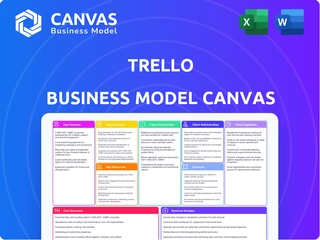
Trello is the ultimate antidote to software complexity. Built entirely around the classic Kanban methodology, it treats your projects like a physical whiteboard covered in digital sticky notes. You create a card, type an idea, and drag it from left to right across your custom lists as it moves from ideation to completion.
Its beauty lies in its complete simplicity. You can onboard a brand-new hire, a non-technical client, or an outside freelancer in less than five minutes without a single training video. Through its custom Power-Ups, it can connect with your calendar and cloud drives quite easily. However, if your business handles highly intricate operations with shifting dependencies, multiple sub-phases, and deep resource allocation, Trello’s flat visual layout will quickly break under the weight.
ClickUp: The Customization Monster
ClickUp entered the market with a bold, aggressive promise: to replace every single productivity app on your desktop. It is an absolute powerhouse of customization, offering an overwhelming array of views, custom fields, embedded docs, goal tracking, and whiteboards within a single ecosystem.
If your organization has unique, highly unconventional operational processes that refuse to fit into traditional software templates, ClickUp gives you the raw lego blocks to build whatever you imagine. But that infinite flexibility is a massive double-edged sword. The platform has a notorious learning curve, and if you do not assign a dedicated internal administrator to lock down the interface, your team will quickly get lost in a labyrinth of features they don’t actually need.
Monday.com: The Visual Dashboard
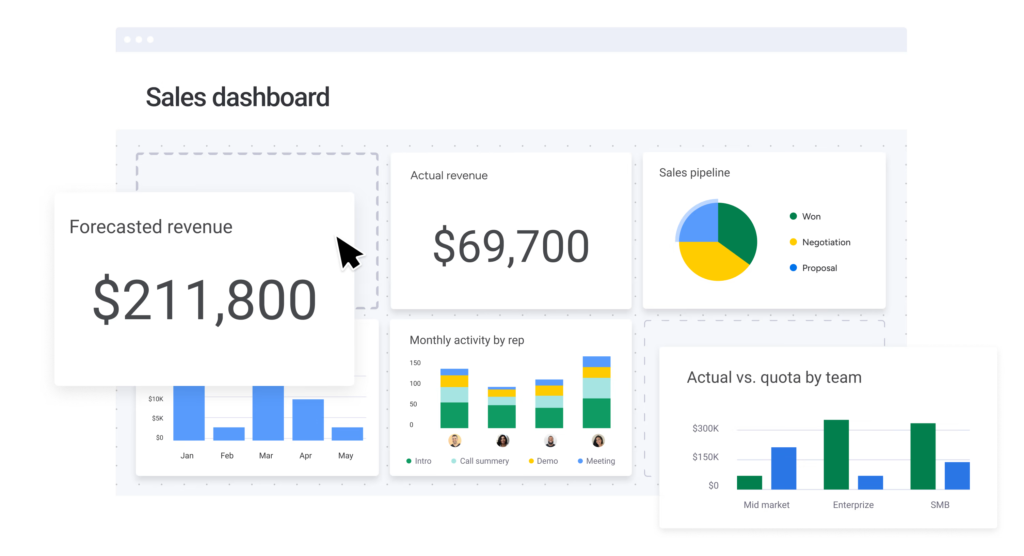
Monday.com approaches workflow management through the lens of vibrant, high-visibility data tables. It is designed to turn dry project lists into highly engaging, color-coded status boards that give executives and managers an instant snapshot of team health.
Where Monday.com truly shines is its internal automation engine. You can build complex, logic-based recipes—such as “When a status changes to ‘Approved’, instantly move it to the design board, notify the creative lead, and set a 48-hour deadline”—using a simple, natural language interface. It is a fantastic fit for sales pipelines, marketing departments, and HR onboarding. The major catch is its rigid tier-based pricing structure, which forces you to pay for blocks of user seats even if you only need to add a single person.
Notion: The Living Knowledge Base
Notion breaks completely away from traditional project management design. It doesn’t give you a predefined grid; it gives you a completely blank digital canvas. It combines text documents, flexible databases, wikis, and task trackers into a unified workspace where your team can document information and run projects side by side.
It is an extraordinary tool for startups, creative agencies, and remote companies that need a centralized company brain to house employee handbooks, meeting notes, and brand guidelines. The challenge with Notion is that its task management features lack the deep, built-in engineering found in dedicated tools like Asana. Building functional workflows in Notion requires a significant upfront investment of time to construct your databases from scratch.
Zapier: The Invisible Infrastructure
Zapier doesn’t give you a dashboard to assign tasks or track deadlines. Instead, it lives entirely behind the scenes, operating as the invisible nervous system of your business. Its entire purpose is to forge secure connections between completely unrelated software platforms.
For example, when a prospective client fills out an independent form on your website, Zapier can automatically create a card in Trello, draft a lead profile in your CRM, drop a notification into your team chat, and email a confirmation to the client—all in less than a second without a human touching a keyboard. It is an absolute lifesaver for businesses running a hybrid mix of specialized apps. The setup requires zero coding knowledge, but as your business scales and you begin running thousands of automated steps each month, the subscription costs can escalate rapidly.
Airtable: The Relational Powerhouse
Airtable looks exactly like a traditional spreadsheet on the surface, but underneath that familiar grid lies a deeply sophisticated, relational database management system. It allows you to link completely different tables together, ensuring that a change made to a client profile instantly updates across your inventory sheets, invoice trackers, and project boards.
It is the preferred tool for operations teams, product managers, and editorial directors who handle massive volumes of complex data that need to be viewed in multiple ways—whether as a standard spreadsheet, a calendar view, or a customized gallery layout. While it offers incredible data modeling capabilities, users looking for a casual, lightweight to-do list will likely find its database architecture far too technical for comfort.
Smartsheet & Microsoft Planner: Institutional Control Tool
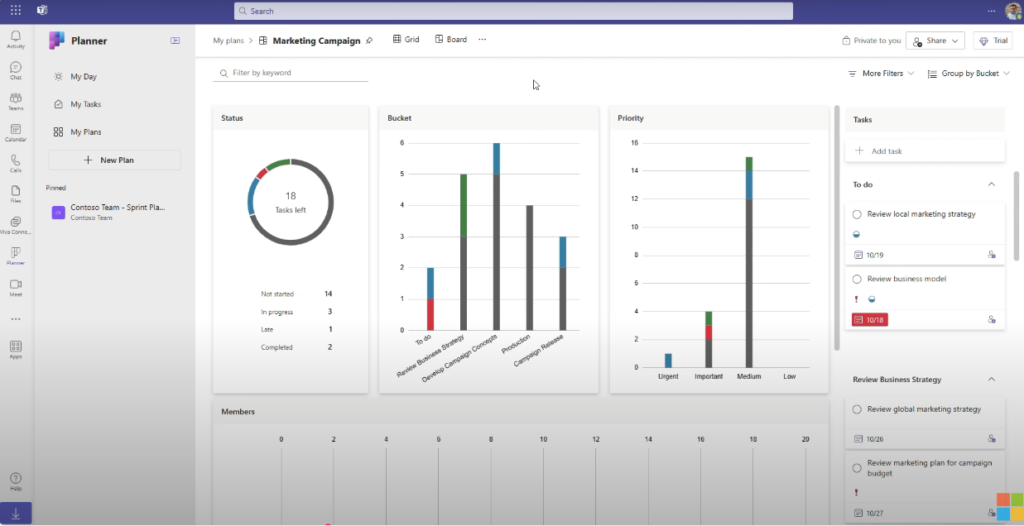
For organizations operating deep within the traditional corporate ecosystem, specialized startup apps are often an impossible sell to internal IT departments. This is where options like Microsoft Planner and Smartsheet dominate the landscape. Planner integrates seamlessly into the Microsoft 365 infrastructure, making it an incredibly convenient, low-friction addition for teams that already spend their entire workday inside Microsoft Teams and Outlook.
Smartsheet, on the other hand, takes the familiar layout of traditional Excel and supercharges it with enterprise-grade project tracking, automated data requests, and massive scale compatibility. It is the preferred choice for massive construction projects, healthcare operations, and corporate manufacturing chains that require rigid governance, ironclad security compliance, and comprehensive audit trails over aesthetic flair.
Designing a Low-Friction Adoption Strategy
| Platform | Best Suited For | Primary Strength | Learning Curve |
| Trello | Freelancers & Small Teams | Absolute Visual Simplicity | Almost Zero |
| Asana | Growing Cross-Functional Teams | Ironclad Accountability & Structure | Moderate |
| Monday.com | Marketing, Sales & HR Teams | Powerful Natural-Language Automation | Low to Moderate |
| ClickUp | Complex, Multi-Department Ops | Infinite Feature Customization | High |
| Notion | Knowledge-Heavy & Remote Teams | Unified Docs and Internal Wikis | Moderate to High |
The Danger of Feature Overload
The absolute most common mistake leadership teams make when adopting new workflow software is trying to launch every single advanced feature on day one. They build incredibly intricate systems with dozens of custom fields, mandatory tags, and automated notification loops before their employees have even mastered the basic habit of logging in.
This immediate blast of complexity creates severe friction, alienates your team, and leads to rapid user abandonment. When introducing a new tool, always start with a Minimum Viable System. Begin by tracking just one single project, utilizing nothing more than a basic three-column board: To Do, In Progress, and Done. Allow your team to build the baseline habit of digital tracking first. Once the software feels like a natural extension of their daily routine, you can slowly layer on advanced automations and deeper features over time.
Steering Into the Future Autonomously

The workspace management landscape is currently evolving at a breakneck pace, driven almost entirely by deep artificial intelligence integrations. We are moving rapidly toward a future where your workflow tool won’t just sit there waiting for your inputs; it will actively assist you. AI engines will automatically read through long team comment sections, distill the core talking points into bulleted summaries, auto-assign action items based on verbal agreements, and alert managers to hidden timeline bottlenecks before they cause a missed deadline.
These technological advancements are incredible, but they are ultimately just tools. The core of any successful project will always be human clarity, trust, and shared intentionality. Use these platforms to automate the boring, repetitive administrative chores of your business, but never lose sight of the real human connections that keep a team moving forward.
Frequently Asked Questions
1. Will downloading a top-tier project management tool instantly fix a messy business?
A piece of software is an amplifier, not a savior. If your team already suffers from poor communication, vague deadlines, and undefined responsibilities, moving onto a flashy platform will only give you a highly coordinated, digital version of your existing chaos.
2. Why do feature-heavy platforms like ClickUp feel so overwhelming?
Because they suffer from the trap of trying to be absolutely everything to everyone. When a platform packs in task lists, mind maps, docs, time trackers, and chat channels all at once, the cognitive friction of entry skyrockets.
3. Can I run a growing business using entirely free tiers of workflow software?
For a surprising amount of time, yes. Platforms like Trello, Asana, and Notion offer incredibly generous free options that work perfectly for freelancers and tiny teams. The trap occurs when you need advanced multi-step automations, granular user permission controls, or enterprise-level security. That is the exact moment platforms lock the best features behind a premium paywall.
4. Is Zapier really necessary if my main software already has built-in automations?
It depends on how fragmented your digital toolkit is. If you live entirely inside a single ecosystem like Microsoft 365 or Monday.com, their internal triggers are usually enough. But the second you need an unlisted app—like a specific website form, an independent CRM, or a custom SMS gateway—to talk to your main board, Zapier acts as the essential digital translator that glues your business together.
5. Will artificial intelligence completely replace human project managers?
No, but project managers who use AI will rapidly replace those who don’t. AI is phenomenal at cutting through administrative noise—summarizing long comment threads, predicting missing dates, and auto-generating standard subtasks.

