
Artificial Intelligence (AI) and automation are changing how people work, communicate, create content, and manage everyday tasks. From AI-powered chatbots and smart assistants to automated business workflows and intelligent robots, these technologies are making digital experiences faster, more connected, and more efficient.
Tasks that once required hours of manual effort can now be completed with the help of intelligent software. Businesses use automation to manage customer queries, organise information, process data, and improve operations. Individuals use AI tools to write, design, research, learn new skills, and manage their daily schedules.
But AI and automation are not just about saving time. They are also creating new opportunities for creativity, innovation, and problem-solving. Understanding how these technologies work can help individuals and businesses make smarter decisions in an increasingly digital world.
What Are AI and Automation?

Artificial Intelligence refers to computer systems designed to perform tasks that typically require human intelligence. These tasks may include understanding language, recognising images, analysing information, identifying patterns, and generating content.
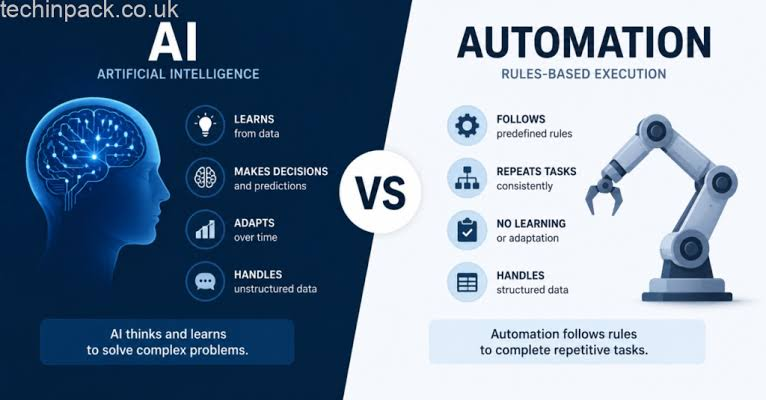
Automation, on the other hand, involves using technology to perform repetitive tasks with limited manual involvement. It follows predefined rules, instructions, or intelligent decisions to complete a process.
Although the two concepts are closely connected, they are not exactly the same. Traditional automation generally follows fixed instructions, while AI can analyse information and respond to different situations.
| Feature | Artificial Intelligence | Automation |
|---|---|---|
| Main purpose | Simulates aspects of human intelligence | Performs tasks automatically |
| How it works | Analyses data and identifies patterns | Follows rules, triggers, or workflows |
| Common use | Chatbots, recommendations, image generation | Email scheduling, file transfers, notifications |
| Flexibility | Can adapt within its trained capabilities | Usually follows predefined conditions |
| Main benefit | Supports intelligent decisions and content creation | Reduces repetitive manual work |
When combined, AI and automation can create smarter workflows. For example, an AI system can understand an incoming customer message, identify its purpose, and trigger an automated process to route it to the correct department.
How AI and Automation Work Together

AI and automation often operate as two parts of the same digital workflow. AI provides the ability to analyse information, while automation helps execute the next steps.
Consider an online store receiving hundreds of customer messages. An AI-powered system can identify whether a message is about delivery, payment, product information, or returns. An automation platform can then direct that message to the appropriate team or send a suitable response.
A typical workflow may look like this:
- Input collection: The system receives information from a user, website, form, or application.
- AI analysis: AI interprets the information and identifies relevant patterns or intent.
- Decision-making: The system selects an appropriate action based on its instructions and available information.
- Automated execution: The workflow sends a response, updates a record, or starts another task.
- Human review: A person checks important results, handles exceptions, and corrects mistakes when necessary.
This combination can reduce manual work while helping teams focus on tasks that require creativity, communication, and judgment.
Popular Applications of AI & Automation
1. AI in Content Creation and Marketing
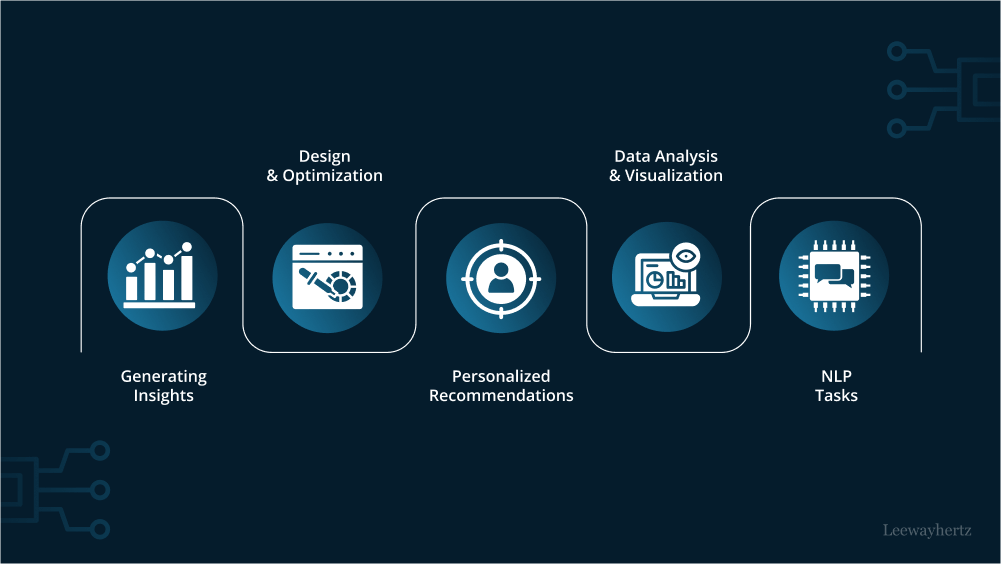
Content creators and marketing teams use AI tools to support research, brainstorming, writing, editing, and campaign planning. AI can suggest article outlines, generate social media ideas, summarise information, and help develop creative concepts.
Automation makes the process even more efficient. Teams can schedule posts, organise content calendars, send campaign emails, and track performance using connected platforms.
However, AI-generated content should always be reviewed. Human editing helps maintain accuracy, originality, brand voice, and relevance.
2. AI in Business Operations
Businesses manage many repetitive activities, including data entry, invoice processing, customer communication, reporting, and document organisation.
AI-powered automation can help process information, identify unusual patterns, and support routine decisions. For example, an automated system may extract details from invoices and organise them for review.
This can improve operational efficiency, but sensitive financial or business decisions should still involve appropriate human supervision.
3. AI in Education and Learning
AI is creating new ways for students and teachers to explore information. AI-powered learning assistants can explain difficult concepts, create practice questions, summarise lessons, and help learners understand topics at their own pace.
Teachers can also use AI to prepare lesson plans, develop educational activities, and organise learning materials.
The most effective approach is to use AI as a learning assistant rather than a replacement for independent thinking. Students should verify information and develop their own understanding.
4. AI in Customer Support
Customer service is another area where AI and automation are becoming increasingly useful. Chatbots can answer common questions, provide basic information, and guide customers through simple processes.
For more complicated requests, AI systems can help summarise conversations and transfer relevant information to human support agents.
This combination can improve response times while allowing customer service teams to focus on more complex problems.
5. AI in Healthcare and Daily Life
Healthcare organisations are exploring AI for medical image analysis, administrative support, research, and other specialised applications. These systems can assist qualified professionals, but they should not replace clinical judgment or professional medical care.
In everyday life, AI appears in navigation applications, voice assistants, smart home devices, personalised recommendations, and language translation tools.
Popular AI and Automation Tools
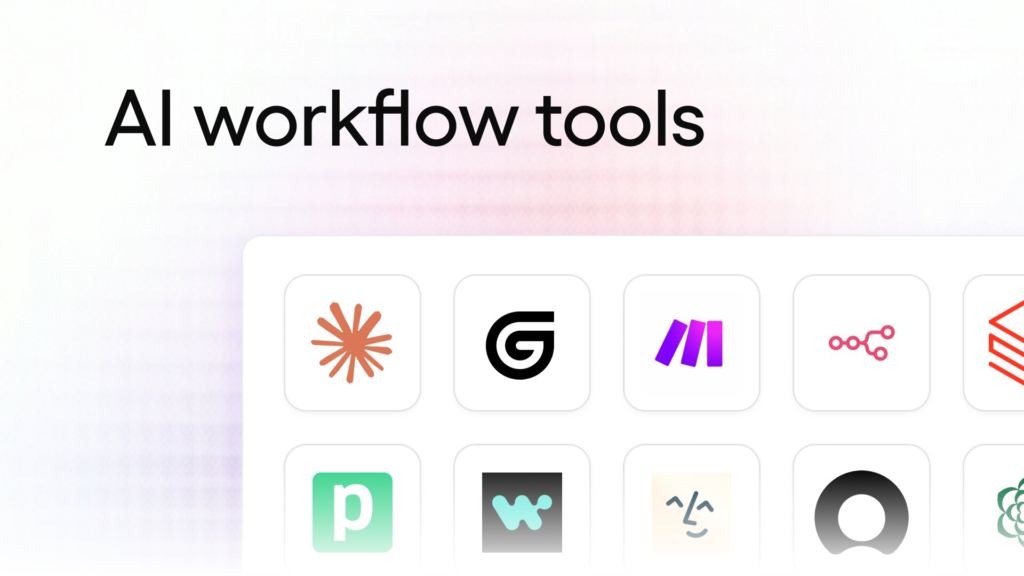
Different tools support different activities. Some focus on content generation, while others help connect applications and automate workflows.
| Tool | Main purpose | Common use |
|---|---|---|
| ChatGPT | AI assistant | Writing, research, brainstorming, and explanations |
| Google Gemini | AI assistant | Information assistance and productivity |
| Zapier | Workflow automation | Connecting apps and automating tasks |
| Make | Visual automation | Building multi-step workflows |
| n8n | Workflow automation | Custom and self-hosted workflows |
| Microsoft Power Automate | Business automation | Automating tasks across Microsoft services |
| Canva Magic Studio | AI-powered design | Creating and editing visual content |
| Notion AI | AI productivity | Summarising, organising, and writing information |
Tool features, integrations, and pricing can change. Before choosing a platform, review its official documentation and check whether it supports your requirements.
Benefits of AI & Automation
AI and automation offer several advantages when they are used thoughtfully. Their biggest value comes from reducing repetitive effort and helping people make better use of their time.
Important benefits include:
- Time savings: Automated workflows can handle repetitive activities more quickly.
- Improved productivity: Teams can spend more time on creative and strategic work.
- Better organisation: Digital systems can organise documents, information, and tasks.
- Faster customer responses: AI assistants can help answer common questions.
- Data analysis: AI can identify patterns in large datasets and support decision-making.
- Consistency: Standardised workflows can reduce variations in routine processes.
- Scalability: Businesses can manage increasing workloads without manually repeating every task.
AI and Automation in Small Businesses
Small businesses can benefit from these technologies without building complicated systems. A simple workflow that automatically collects customer enquiries, organises them in a spreadsheet, and sends a confirmation message can already save time.
Content scheduling, appointment reminders, email organisation, and basic customer support are other practical starting points.
The important thing is to identify a real problem before selecting a tool. Adding automation to an unnecessary process can create extra complexity rather than improve productivity.
Challenges and Risks of AI Automation
Despite its benefits, AI automation also introduces challenges that users should understand.
Data Privacy and Security
AI systems may process personal, financial, or business information. Users should understand how a platform handles uploaded data, whether it stores information, and what privacy controls are available.
Avoid sharing passwords, confidential documents, customer records, or sensitive information with tools that have not been approved for that purpose.
Incorrect or Misleading Results
AI can produce inaccurate information, misunderstand instructions, or generate convincing but incorrect responses. This is especially important when using AI for research, financial analysis, legal information, or professional communication.
Always verify important outputs using reliable sources.
Job Roles and Changing Skills
Automation can reduce the need for some repetitive tasks, but it can also change the responsibilities of existing roles and create demand for new skills.
Workers may need to develop digital literacy, problem-solving, communication, data analysis, and AI-related skills to adapt to changing workplaces.
Overdependence on Technology
Relying completely on automated systems can create problems when software fails or produces unexpected results. Human review, clear responsibilities, and backup processes remain essential.
Best Practices for Using AI and Automation

Getting good results requires more than choosing a popular tool. A thoughtful approach helps users avoid unnecessary expenses and unreliable outcomes.
- Start with a clear goal: Identify which task takes too much time or creates repeated work.
- Choose suitable tools: Compare features, integrations, privacy policies, and pricing.
- Test small workflows: Begin with a simple task before automating an entire process.
- Review AI outputs: Check facts, calculations, and generated content.
- Protect sensitive information: Follow appropriate data protection practices.
- Keep human oversight: Make sure people can review important decisions and handle exceptions.
- Measure performance: Compare time saved, errors, cost, and overall results.
A useful automation should make a process easier to manage, not simply add another application to your workflow.
The Future of AI & Automation
The future of AI and automation is likely to involve more connected systems, intelligent assistants, and specialised digital agents. These technologies are developing towards workflows that can understand instructions, use connected applications, and complete multiple steps with varying levels of human supervision.
Growth of AI Agents
AI agents are designed to work towards a goal by carrying out a sequence of tasks. Depending on their permissions and capabilities, they may gather information, use software tools, organise results, and report their progress.
They can make workflows more flexible, but they also require clear instructions, permission controls, and monitoring.
Smarter Personal Assistants
AI assistants are becoming more useful for planning, research, writing, scheduling, and everyday productivity. Future developments may make interactions more natural and allow assistants to work across multiple connected services.
More Accessible Automation
No-code and low-code platforms are making automation easier for people without advanced programming knowledge. Users can create workflows through visual interfaces and connect applications using predefined integrations.
Human and AI Collaboration

The future is not simply about replacing human work with machines. Many successful applications will combine AI’s speed and analytical capabilities with human creativity, judgment, empathy, and responsibility.
AI and automation are transforming the way individuals and businesses manage everyday activities. From creating content and organising information to supporting customer service and improving business workflows, these technologies offer practical opportunities to save time and increase productivity.
However, successful adoption requires more than using the latest AI tool. Users need to understand its limitations, protect their information, verify important results, and maintain human oversight.
Start with one repetitive task, choose a suitable tool, and test a simple workflow. As your understanding grows, you can gradually build more useful systems. The real advantage of AI and automation comes from using technology to solve meaningful problems and make everyday work smarter.
FAQs
1. What is AI and automation?
AI enables systems to perform intelligent tasks, while automation helps complete processes with limited manual effort.
2. What are common examples of AI automation?
Chatbots, automated email workflows, smart document processing, and AI-powered customer support are common examples.
3. Can beginners use AI automation tools?
Yes. Many platforms offer beginner-friendly interfaces, templates, and no-code workflow builders.
4. Is AI automation useful for small businesses?
Yes. It can help with customer enquiries, appointment reminders, marketing tasks, and routine administration.
5. Will AI automation replace all human jobs?
No. It may change certain tasks and job responsibilities, while human judgment, creativity, and communication remain important.