

Data isn’t just a nice-to-have advantage anymore. It’s the engine driving almost every smart business decision made today. Companies that know how to use their information well are running circles around their competitors, making sharper choices, and operating far more efficiently.
However, collecting endless streams of information isn’t enough. The real magic happens when you analyze that information intelligently using modern data tools and AI.
A report from IDC Global Insights highlights this shift clearly: companies that actively prioritize data analytics are 23% more profitable and 19% more efficient in their daily operations compared to those relying on gut feelings or outdated methods. Modern analytics platforms pair artificial intelligence with cloud computing to turn mountain-sized datasets into clear, actionable next steps.
Adopting these next-generation tools isn’t just a trend—it’s standard practice for staying relevant. Let’s look at how modern analytics and AI-driven development are transforming raw numbers into genuine business growth.
From Static Dashboards to Intelligent Insights
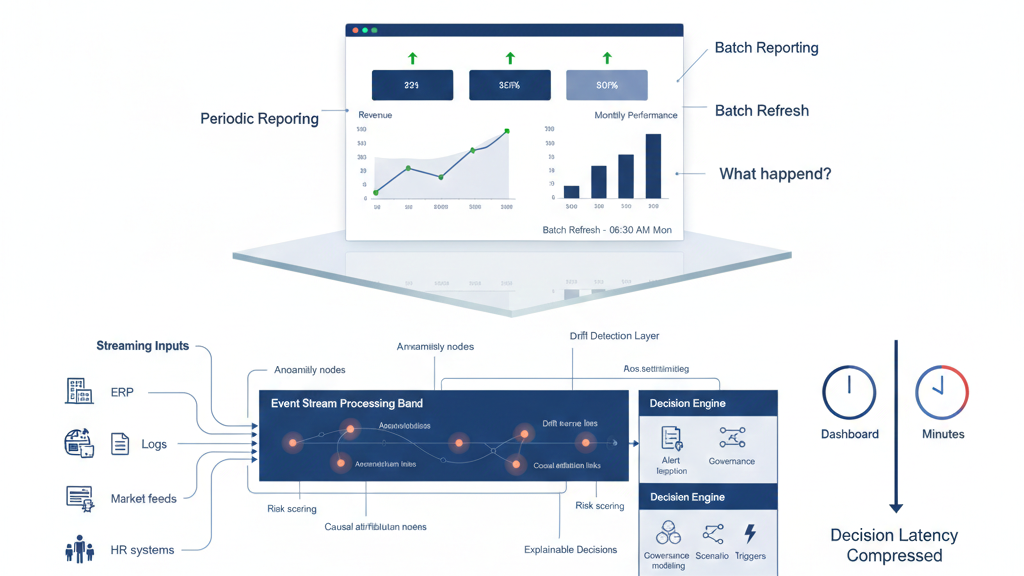
Out with the Old, In with the New
For a long time, businesses relied on traditional reporting: static PDF documents, spreadsheets, and basic summaries of what happened last month. While helpful for basic record-keeping, these old methods share major drawbacks:
- They don’t update in real time.
- They struggle to handle large amounts of fresh information.
- They only tell you what already happened, not what comes next.
Modern analytics tools flip this model on its head. They use AI and automation to process massive amounts of information instantaneously. Instead of just looking backward, they help you anticipate future market shifts and customer needs before they happen.
Why Modern Businesses Are Upgrading
Switching to advanced analytics gives organizations a massive boost:
- Handles Heavy Lifting: Easily manages structured numbers and unstructured text from multiple sources.
- Predicts Future Scenarios: Lets teams run “what-if” models to test ideas before spending money.
- Empowers Every Team Member: Simple, visual dashboards mean anyone on the team can find answers without waiting for IT.
- Drives Faster Decisions: Real-time data keeps departments aligned and ready to move quickly.
Top 5 Analytics Platforms Leading the Pack
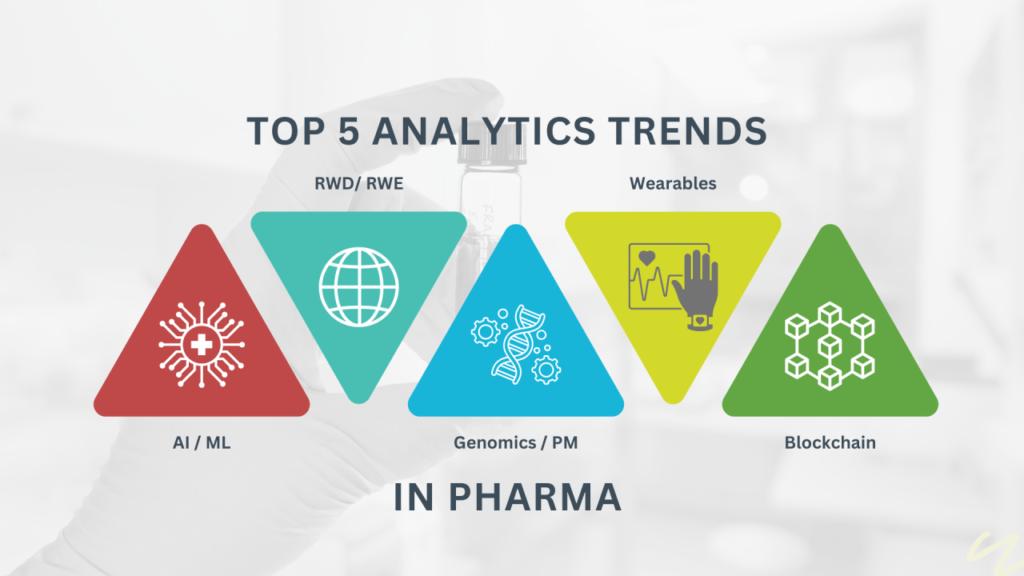
Different teams need different tools depending on their size, budget, and goals. Here are five of the top platforms driving business intelligence:
+--------------------------+----------------------------------+------------------------------------+
| Platform                 | Best Suited For                  | Standout Feature                   |
+--------------------------+----------------------------------+------------------------------------+
| Microsoft Power BI       | Microsoft Ecosystem Users        | Deep Excel & Azure Integration     |
| Tableau                  | Visual Storytelling & AI Insights| Intuitive Drag-and-Drop Interface  |
| Google Looker Studio     | Marketers & Small Businesses     | Free, Easy Connection to Google Ads|
| SAS Viya                 | Large Enterprise Operations      | Heavy-Duty Machine Learning        |
| Apache Spark             | Data Engineering & Big Data      | High-Speed Open-Source Processing  |
+--------------------------+----------------------------------+------------------------------------+
- Microsoft Power BI: A flexible cloud platform that connects seamlessly with tools like Excel, Azure, and Teams. It’s an easy pick for companies already built on the Microsoft suite.
- Tableau: Famous for turning confusing spreadsheets into gorgeous, easy-to-understand visuals. Its drag-and-drop design helps teams uncover hidden trends without needing a degree in statistics.
- Google Looker Studio: A free, user-friendly tool built for quick reports. It hooks directly into Google Analytics, Ads, and BigQuery, making it a favorite for marketing teams.
- SAS Viya: Designed for massive enterprises handling complex environments. It packs serious machine learning muscle to keep large-scale operational decisions moving smoothly.
- Apache Spark: An open-source engine built for heavy lifting. Engineers love it for streaming huge feeds of live data, training machine learning models, and building automated pipelines.
The AI Revolution in Software Development
While data analytics reveals what needs to be done, artificial intelligence is changing how we build the software to do it.
Developer workflows look completely different than they did a few years ago. AI tools are no longer experimental add-ons—they are everyday sidekicks used for writing code, catching bugs, and optimizing systems.
A Mass Adoption Surge
More than 80% of software developers now use AI tools as a regular part of their daily routine. Assistants like GitHub Copilot can boost individual coding productivity by as much as 94%. Meanwhile, end-to-end workflow platforms like Omniflow help trim product development cycles down by up to 70%.
While data analytics reveals what needs to be done, artificial intelligence is changing how we build the software to do it.
Developer workflows look completely different than they did a few years ago. AI tools are no longer experimental add-ons—they are everyday sidekicks used for writing code, catching bugs, and optimizing systems.
A Mass Adoption Surge
More than 80% of software developers now use AI tools as a regular part of their daily routine. Assistants like GitHub Copilot can boost individual coding productivity by as much as 94%. Meanwhile, end-to-end workflow platforms like Omniflow help trim product development cycles down by up to 70%.
Rather than spending days writing routine boiler-plate lines, engineers can focus on solving bigger, more creative architectural challenges.
+------------------------------------+---------------------------------------+
| Metric                             | Impact                                |
+------------------------------------+---------------------------------------+
| Developer AI Usage Rate            | 80%+ of developers use daily AI tools |
| Developer Productivity Lift        | Up to 94% faster output with Copilot  |
| Development Timeline Reduction     | Up to 70% faster with workflow tools  |
| Process Error Reduction            | Up to 90% fewer manual errors         |
+------------------------------------+---------------------------------------+
How Business Automation Is Replacing Manual Labor
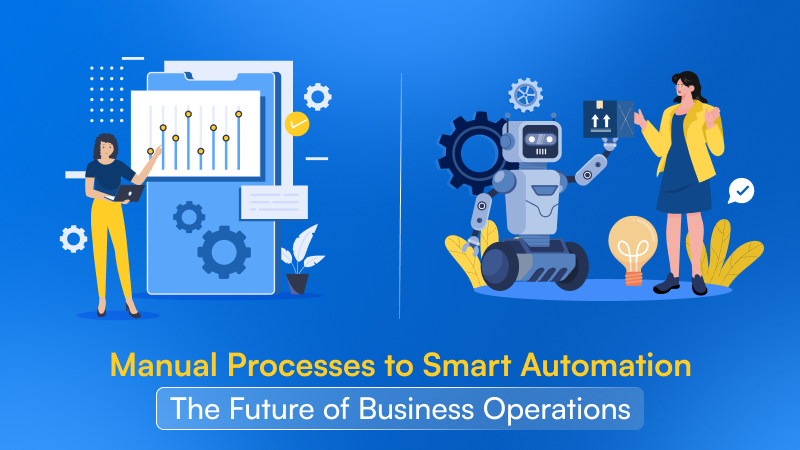
Building software isn’t just about creating apps anymore—it’s about automating business routines so teams can focus on high-value work.
A study by the McKinsey Global Institute noted that roughly 60% of all jobs contain at least 30% of tasks that can be fully automated. Businesses that jump on the automation train see productivity jumps of up to 40%.
When repetitive administrative steps are handled behind the scenes, operations run smoother and costly human errors drop dramatically—sometimes by as much as 90%.
The Growth of Low-Code and No-Code Platforms
You no longer need years of computer science experience to build useful tools. The rise of low-code and no-code platforms is opening software creation to non-technical founders, marketers, and project managers.
- Low-Code Speed: Low-code platforms can cut app creation time by up to 90%. Research suggests that over 75% of new apps will be built with low-code or no-code technology.
- No-Code Expansion: The global no-code market is projected to top $45 billion. Experts estimate that around 65% of all software projects will soon take place outside traditional IT departments.
AI takes these platforms a step further. Instead of building complex logic diagrams by hand, you can describe what you want in plain text, and the AI translates your words into functional screens, workflows, and database connections.
Bringing It All Together

Looking at how data and software development are evolving, a few clear realities stand out:
- Speed Wins: AI speeds up development and decision-making by massive margins.
- Automation is the New Standard: Manual processes are quickly becoming a liability.
- Anyone Can Build: Non-technical creators are building powerful tools using plain language.
- Data Fuels Growth: The smartest businesses use live analytics instead of old reports or guesswork.
Artificial intelligence and modern analytics are no longer optional tools tucked away in the IT department—they form the core foundation of modern business success.
Frequently Asked Questions
1. What is the difference between traditional analytics and modern analytics?
Traditional analytics focuses on static, historical reporting (describing what already happened through spreadsheets and old logs). Modern analytics uses cloud power and AI to process live data, predict future outcomes, and automatically suggest the best next steps.
2. Do I need to know how to code to use modern analytics tools?
Not at all. Most modern analytics platforms (like Power BI, Tableau, and Google Looker Studio) feature user-friendly drag-and-drop interfaces and plain-language search features, allowing anyone to explore data easily.
3. How does AI actually help developers write better software?
AI helps developers by suggesting lines of code in real time, finding hidden bugs early, writing automated tests, and converting natural-language requirements into functional logic. This allows developers to work much faster with fewer manual errors.
4. Will low-code and no-code tools replace professional developers?
No. These tools free up developers from building routine forms and simple web apps. Professional software engineers can focus on complex system architecture, security, scaling, and high-performance algorithms while business teams handle basic app builds.
5. Why is real-time data so important for business efficiency?
Real-time data allows companies to respond to customer needs, supply chain hiccups, and market shifts as they happen. Waiting days or weeks for end-of-month reports often means missing key opportunities or catching costly mistakes far too late.

