Imagine waking up on a Monday morning to a completely empty inbox.
Your social media posts for the entire week are already formatted and scheduled. Your new leads from the weekend have been researched, qualified, and organized inside your CRM. Your client receipts are logged into your accounting system, and your weekly project reports are already drafted and sitting in your inbox waiting for a quick sanity check.
Best of all? You didn’t do any of that work. And you didn’t hire a massive, expensive team of assistants to do it, either.
Welcome to the world of AI automation.
Whether you’re running a solo freelance gig, managing a neighborhood business, or leading a remote team, putting AI to work behind the scenes isn’t just a trendy tech gimmick anymore—it’s the secret weapon that separates overwhelmed, overworked business owners from the ones running thriving, scalable operations.
Let’s break down exactly what AI automation is, why it matters, which tools are actually worth your time, and how you can build your very first automated workflow without writing a single line of code.
What Is AI Automation, Really?

To understand why everyone is talking about AI automation, it helps to look at how old-school automation used to work versus how smart tools work today.
Traditional Automation vs. AI Automation
For years, basic automation followed strict, fragile rules:
- Old-School Rule: “If an email subject contains the exact word ‘Invoice’, move it to the Finance folder.”
If a customer sent an email with the subject line “Receipt for last month” or “Payment query,” the old system broke down completely. It didn’t know what to do because it couldn’t actually read or think.
AI automation changes the game by adding a layer of digital common sense:
- AI Automation Rule: “Read every incoming email, determine if the sender is asking about a payment or sending a receipt, pull out the dollar amounts, check them against our database, flag anything strange, and draft a polite reply.”
Instead of just following rigid directions, AI automation tools understand context, handle messy inputs, make reasonable decisions, and adapt when information isn’t presented perfectly. Think of it like hiring an extraordinarily sharp assistant who works 24/7, never drinks coffee, and never gets tired of doing boring paperwork.
[Trigger Event] ──► [AI Processing & Decision] ──► [Automated Output]
 (New Customer Form)    (Reads, Classifies & Drafts)   (Updates CRM & Emails)
Why You Should Care (Even If You Aren’t “Tech-Savvy”)

The single biggest myth keeping everyday people from using these tools is the idea that you need to be a programmer or a computer whiz.
That couldn’t be further from the truth. Modern “no-code” platforms use simple drag-and-drop visual builders. If you can move files around on your desktop or organize photos on your phone, you have all the tech skills you need to build powerful automations.
Here is what setting up a few basic automations can do for your day-to-day life:
- Reclaim 10+ Hours Every Week: Stop wasting your precious mental energy on mind-numbing data entry, manual file copying, and copy-pasting routine email replies.
- Wipe Out Silly Human Mistakes: Humans get tired, distracted, and overwhelmed. Automated workflows execute the exact same steps flawlessly every single time.
- Scale Without Overspending: Take on twice as many clients or handle five times as many orders without having to immediately double your payroll.
- Connect Your Disconnected Apps: Make all your everyday business software—Gmail, Slack, Excel, Trello, Shopify, HubSpot—talk to each other seamlessly.
The Big Four AI Automation Tools (Ranked for Real People)
Not all automation software is created equal. Some platforms are built for total beginners, while others are geared toward tech-heavy developers. Here is an honest breakdown of the top platforms available right now.
1. Zapier AI — The Easiest Way to Get Started
Zapier is the indisputable king of beginner-friendly automation. It connects with over 6,000 different web applications, making it almost impossible to find a tool in your stack that it doesn’t support.

- The Standout Feature: Zapier’s built-in AI assistant lets you build workflows using plain English. You can literally type: “When a new lead submits a Google Form, draft a personalized welcome email in Gmail and send an alert to my team on Slack.” Zapier will interpret what you said and map out the entire automation for you automatically.
- Best For: Freelancers, marketers, and small business owners who want simple, reliable automations without a learning curve.
- Ease of Use: Super easy. You can build your first “Zap” in about ten minutes.
2. Make.com — Best for Visual Thinkers & Complex Workflows
Formerly known as Integromat, Make.com is a visual canvas platform that lets you build multi-step, branching automations.
- The Standout Feature: While Zapier usually moves in a straight line (A → B → C), Make lets you build complex, spiderweb-style maps. You can add visual filters, create “if-this-then-that” branching logic, and transform data on the fly. Best of all, Make is significantly cheaper than Zapier if you run high volumes of tasks.
- Best For: Agencies, power users, and anyone who wants to map out intricate business processes visually.
- Ease of Use: Moderate. The visual editor is fun and intuitive, but mastering the advanced data settings takes a little practice.
3. n8n — The Open-Source Powerhouse

If you care deeply about data privacy, hate monthly subscription limits, or have a developer on your team, n8n is the undisputed champion.
- The Standout Feature: n8n is open-source, meaning you can host it on your own private server for free. It integrates deeply with top-tier AI models (like OpenAI’s ChatGPT and Anthropic’s Claude), allowing you to build sophisticated AI agents without paying third-party markup fees on every task.
- Best For: Tech-savvy founders, developers, and businesses handling sensitive client data that can’t leave their internal servers.
- Ease of Use: Moderate to High. It has a slick visual builder, but setting up a self-hosted instance requires technical know-how.
4. Microsoft Power Automate — Best for Corporate & Office Teams
If your daily work lives inside Microsoft 365 (Outlook, Excel, Teams, SharePoint, OneDrive), Power Automate is often the path of least resistance.
- The Standout Feature: It comes pre-packaged with native AI tools that can automatically read scanned invoices, extract table data from PDFs, and analyze the sentiment of customer emails right out of the box.
- Best For: Corporate employees, operations managers, and teams already heavily invested in the Microsoft ecosystem.
- Ease of Use: Moderate. It’s immensely powerful, though its interface feels a bit more rigid and enterprise-focused than Zapier or Make.
Comparison at a Glance
| Platform | Best For | Free Tier? | Starting Paid Price | Difficulty Level |
| Zapier AI | Absolute Beginners | Yes (100 tasks/month) | ~$19.99/mo | Very Low |
| Make.com | Visual Power Users | Yes (1,000 ops/month) | ~$9.00/mo | Medium |
| n8n | Developers & Self-Hosters | Yes (Self-hosted is free) | ~$20.00/mo (Cloud) | Medium – High |
| Power Automate | Microsoft 365 Users | Yes (Included with M365) | ~$15.00/user/mo | Medium |
4 Real-World Workflows You Can Build Today
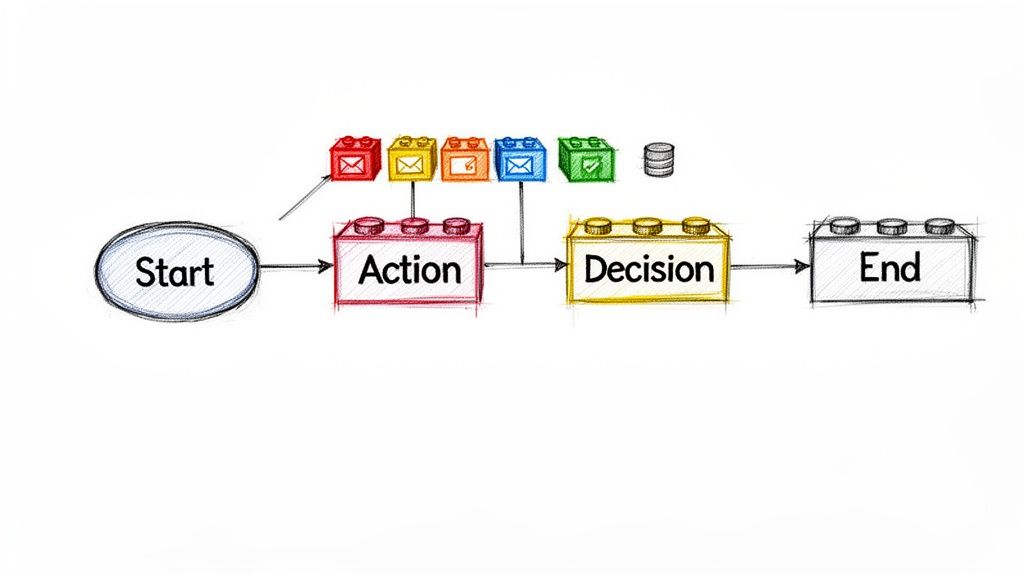
Want to see what this actually looks like in practice? Here are four practical automations you can set up today to save hours every single week:
1. Hands-Free Lead Sorting & Outreach
- Trigger: A visitor fills out a contact form on your website.
- AI Step: ChatGPT reads their message, checks their company size, assigns them a priority score, and drafts a tailored reply addressing their specific questions.
- Action: The lead is added to your CRM, the draft reply is saved in your Gmail, and an urgent alert is sent to your sales channel on Slack if it’s a high-value account.
2. Automatic Social Media Content Pipeline
- Trigger: You publish a new blog post or upload a video.
- AI Step: AI analyzes the content, pulls out three key takeaways, and crafts three distinct social posts optimized for LinkedIn, X (Twitter), and Facebook.
- Action: The posts are automatically scheduled across your accounts over the next seven days using Buffer or Hootsuite.
3. Customer Support Co-Pilot
- Trigger: A customer submits a help desk ticket or support email.
- AI Step: The system scans your company knowledge base or FAQ documentation, finds the correct answer, and writes a helpful, friendly reply.
- Action: The response is saved as a draft for a human team member to quickly review and hit “send,” cutting ticket resolution times by 80%.
4. Automatic Invoice & Expense Logging
- Trigger: A vendor emails you a digital receipt or invoice attachment.
- AI Step: Vision AI scans the PDF, extracting the vendor name, invoice date, due date, line items, and total amount.
- Action: The data is clean-coded into your accounting software (like QuickBooks or Xero), and the original file is archived safely in Google Drive.
FAQs
1. Do I need to learn how to code to use AI automation tools?
No! Modern platforms like Zapier and Make use visual, drag-and-drop interfaces and plain English commands. You can design, test, and launch complete multi-step automations without knowing a single line of code.
2. How much do these tools cost?
You can start completely for free. Almost every major platform offers a generous free tier that lets you build basic workflows and test out features. As your business grows and your task volume increases, paid plans generally start around $9 to $20 per month.
3. Is my business and client data safe when using AI automation?
Safety depends on how you configure your setups. Leading cloud platforms like Zapier, Make, and Microsoft follow strict enterprise security standards and encryption protocols. If you deal with highly confidential or regulated data, self-hosting an open-source tool like n8n keeps all your information strictly on your own private servers.
4. What happens if an automated workflow makes a mistake?
Most platforms feature built-in “human-in-the-loop” options. Instead of letting the AI send an email or post a update directly to the public, you can instruct the automation to create a draft or send you a notification first. That way, you get the speed of AI drafting with the safety of human review.
5. Which tool should I start with as a complete beginner?
Start with Zapier. Its natural language AI copilot makes setting up your very first automation as simple as having a conversation. Once you feel comfortable with basic workflows, you can explore tools like Make.com for more complex setups at a lower cost.