
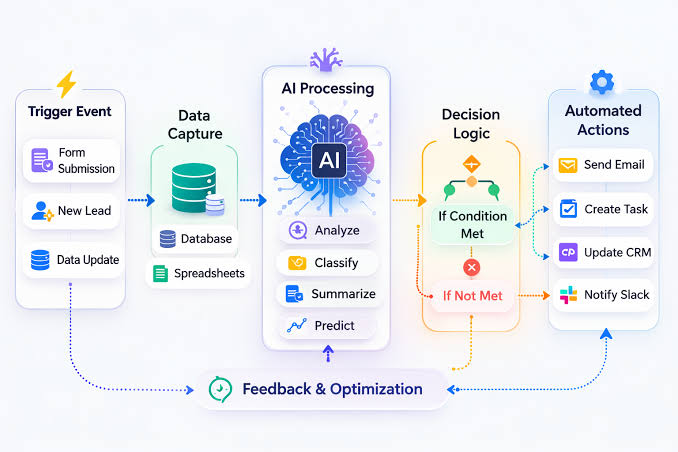
Artificial Intelligence (AI) is transforming the way people work by helping businesses automate repetitive tasks, improve collaboration, and increase efficiency. Instead of spending hours on manual processes, teams can now use AI workflow tools to streamline operations, reduce errors, and focus on more strategic work.
Whether you’re a freelancer, small business owner, project manager, or part of a large enterprise, AI-powered workflow tools can help simplify daily tasks and improve overall productivity. From task management and document processing to customer support and data analysis, these tools are changing the future of work.
In this guide, you’ll learn what AI workflow tools are, how they work, their benefits, key features, and how to choose the right solution for your needs.
What Are AI Workflow Tools?

AI workflow tools are software applications that use artificial intelligence to automate tasks, organize workflows, and assist with decision-making. Unlike traditional workflow software, AI-powered platforms can analyze data, recognize patterns, make recommendations, and perform repetitive actions with minimal human intervention.
These tools are widely used across industries such as marketing, finance, healthcare, education, customer service, software development, and human resources.
How AI Workflow Tools Work
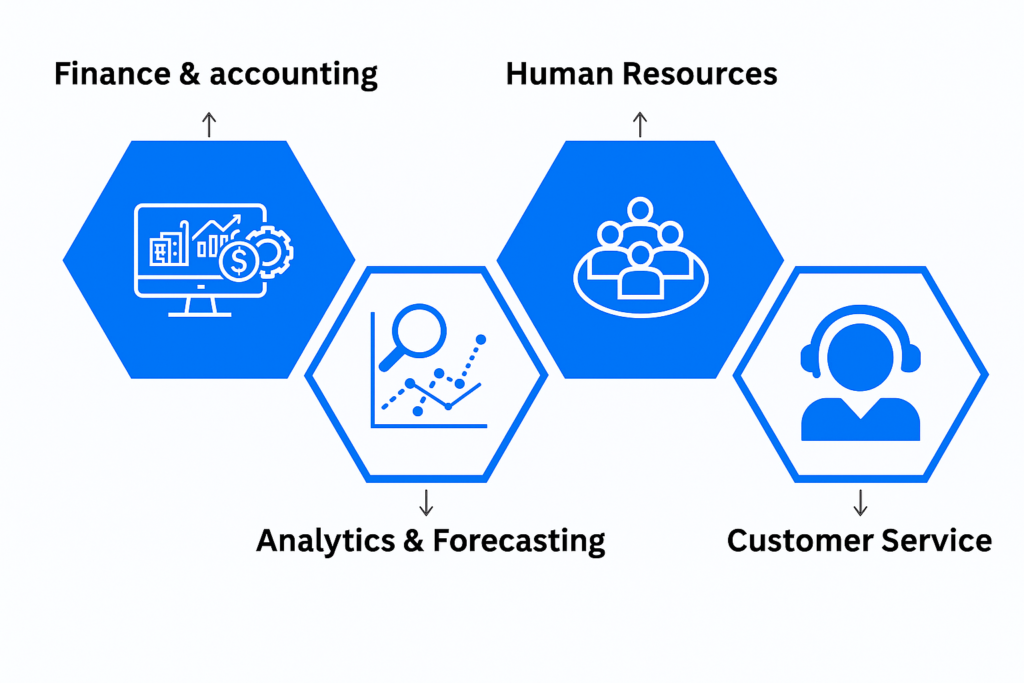
AI workflow tools combine technologies such as:
- Machine Learning (ML)
- Natural Language Processing (NLP)
- Automation
- Predictive Analytics
- Data Processing
These technologies enable software to learn from data, automate routine processes, generate insights, and improve efficiency over time.
For example, an AI workflow tool can automatically assign tasks, prioritize projects, send reminders, summarize meetings, or generate reports without requiring manual input.
Benefits of AI Workflow Tools
1. Increased Productivity
One of the biggest advantages of AI workflow tools is the ability to automate repetitive tasks.
Examples include:
- Scheduling meetings
- Sending reminders
- Organizing emails
- Updating project status
- Generating reports
Automation frees up valuable time for higher-priority work.
2. Better Team Collaboration

AI workflow platforms make communication easier by centralizing tasks, documents, and conversations.
Team members can:
- Share files
- Assign tasks
- Leave comments
- Track progress
- Collaborate in real time
This reduces confusion and helps everyone stay aligned.
3. Improved Accuracy
Manual data entry and repetitive tasks often lead to mistakes.
AI helps reduce errors by:
- Automating calculations
- Validating data
- Identifying inconsistencies
- Standardizing workflows
Improved accuracy leads to better business outcomes.
4. Faster Decision-Making

Many AI workflow tools provide dashboards, reports, and predictive insights that help managers make informed decisions quickly.
Real-time analytics make it easier to monitor performance and identify areas for improvement.
5. Cost Savings
Automating routine processes can reduce operational costs by improving efficiency and minimizing manual work.
Organizations can often complete more work without increasing administrative overhead.
Key Features of AI Workflow Tools

Modern AI workflow platforms typically include:
Task Automation
Automatically create, assign, and update tasks based on predefined rules or triggers.
Smart Scheduling
AI helps optimize calendars, meeting times, and project timelines.
Document Management
Organize, search, categorize, and process documents more efficiently.
Workflow Automation
Automate approvals, notifications, reminders, and repetitive business processes.
AI Assistants
Many platforms include virtual assistants that answer questions, summarize information, and generate content.
Reporting and Analytics
Monitor team performance, project progress, and workflow efficiency using AI-generated insights.
Common Use Cases
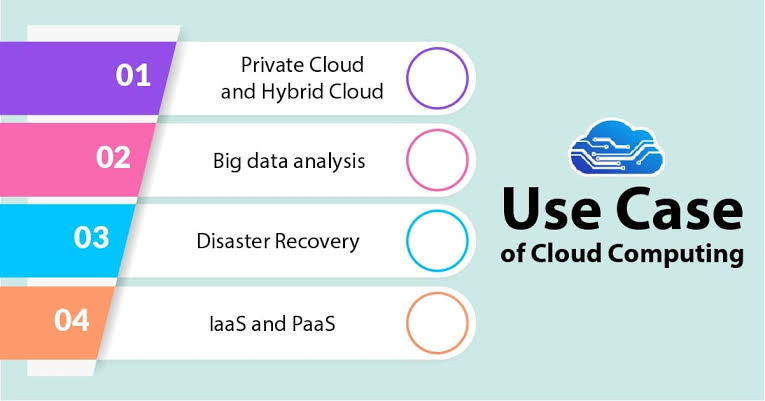
AI workflow tools support a wide range of business activities.
Marketing Teams
- Content planning
- Campaign management
- Social media scheduling
- Performance reporting
Sales Teams
- Lead management
- Customer follow-ups
- Sales forecasting
- CRM automation
Human Resources
- Employee onboarding
- Resume screening
- Interview scheduling
- Performance tracking
Customer Support
- AI chatbots
- Ticket routing
- Automated responses
- Knowledge base management
Finance
- Invoice processing
- Expense approvals
- Financial reporting
- Budget tracking
How to Choose the Right AI Workflow Tool
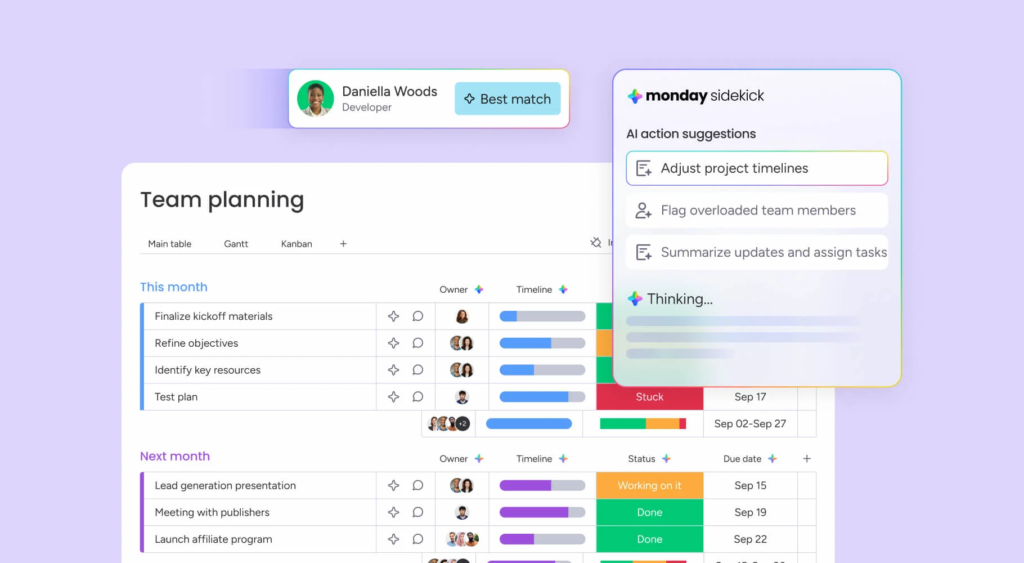
Before selecting a platform, consider the following factors:
- Ease of use
- AI capabilities
- Workflow automation features
- Integration with existing software
- Collaboration tools
- Security and privacy
- Mobile accessibility
- Pricing and scalability
Choosing a tool that fits your team’s size and workflow requirements will improve adoption and long-term success.
Best Practices for Using AI Workflow Tools
To maximize the value of AI workflow software:
- Start with simple workflows.
- Automate repetitive tasks first.
- Train your team on new features.
- Monitor workflow performance regularly.
- Keep processes organized.
- Review AI-generated recommendations before acting on them.
- Update workflows as business needs evolve.
AI works best when combined with human oversight and clear business processes.
Future Trends in AI Workflow Tools
AI technology continues to evolve rapidly.
Some emerging trends include:
Smarter Automation
AI systems are becoming better at handling complex workflows with less manual input.
Generative AI Integration
Many workflow tools now include AI features that help create emails, reports, meeting summaries, and other business content.
Predictive Analytics
AI can forecast project risks, identify bottlenecks, and recommend actions before problems occur.
Voice and Conversational AI
Voice assistants and chat-based interfaces are making workflow management more accessible and user-friendly.
Greater Personalization
AI platforms are increasingly adapting workflows based on individual user preferences and work patterns.
Common Challenges
While AI workflow tools offer many benefits, businesses should also consider:
- Initial learning curves
- Integration with older systems
- Data privacy requirements
- Ongoing maintenance
- Employee training
Planning and proper implementation can help overcome these challenges.
AI workflow tools are helping businesses work smarter by automating repetitive tasks, improving collaboration, and delivering valuable insights. Whether you’re managing projects, handling customer support, creating marketing campaigns, or organizing daily operations, AI-powered workflow software can improve productivity and save valuable time.
The best results come from choosing a solution that matches your business needs, training your team effectively, and continuously refining your workflows. As AI technology continues to advance, these tools will play an even greater role in shaping the future of work.
Frequently Asked Questions
1. What are AI workflow tools?
AI workflow tools are software applications that use artificial intelligence to automate tasks, organize workflows, improve collaboration, and increase productivity.
2. Who can benefit from AI workflow tools?
Businesses, freelancers, project managers, marketing teams, HR departments, customer support teams, and remote workers can all benefit from AI workflow software.
3. What tasks can AI workflow tools automate?
They can automate task assignments, approvals, scheduling, reporting, document processing, reminders, customer support, and many other repetitive business processes.
4. Are AI workflow tools suitable for small businesses?
Yes. Many AI workflow platforms are designed for businesses of all sizes and can help small teams improve efficiency without large investments.
5. How do I choose the best AI workflow tool?
Look for a solution with strong automation features, AI capabilities, easy integration, collaboration tools, security, scalability, and pricing that fits your budget.

