Discover the best Workflow Tools to improve productivity, streamline tasks, enhance collaboration, and automate daily processes. Learn how to work faster and smarter with modern workflow management solutions in 2026.
There is a huge misconception that implementing workflow software turns your company into a rigid, soul-crushing corporate bureaucracy. In reality, the exact opposite is true. Providing your team with a structured, clear system is what grants them the mental freedom to be truly creative and innovative. As we navigate the professional landscape of 2026, workflow tools have evolved far beyond basic, boring to-do lists. We now have access to hyper-intelligent, cloud-based hubs powered by smart automation and predictive artificial intelligence that handle your repetitive administrative chores for you. Let’s look at how choosing the right workflow platform can eliminate human error, boost team communication, and help your business work exponentially faster and smarter.
What Are Workflow Tools?
To fundamentally overhaul how your business operates, you must first understand that a genuine workflow tool is far more than just a digital notepad. It is a highly strategic, centralized ecosystem designed to map out, manage, and optimize your entire operational process.
[Messy Inboxes & Files] ──► Centralized Workflow Engine ──► Automated, Visible Progress
When you look at your company’s daily habits through the lens of a workflow engineer, you realize that every project is a series of interconnected steps. A professional workflow tool takes those abstract steps and transforms them into a crystal-clear, visual roadmap. It allows you to instantly see who owns a task, how it connects to the broader project, and exactly what needs to happen before it can move to the next phase. Instead of relying on human memory or chaotic sticky notes, workflow software builds a reliable, structured environment where work flows naturally and effortlessly from one milestone to the next.
Why Workflow Tools Are Important
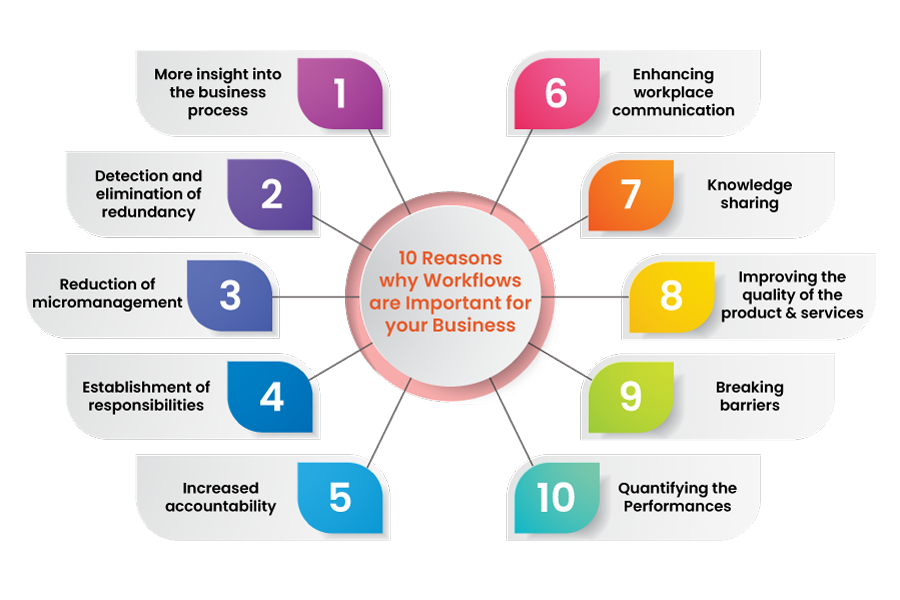
Operating a business without an organized workflow platform is exactly like running a professional kitchen without a head chef or a menu. The line cooks will constantly bump into each other, duplicate orders will be made, critical ingredients will be forgotten, and your customers will ultimately leave furious.
Without visibility, your team operates in a blind, reactive bubble. Team members waste hours second-guessing their priorities, deadlines quietly slip past unnoticed, and massive communication gaps develop between departments. Workflow tools completely cure this structural blindness by injecting absolute transparency and clear accountability into your organization. When every single team member can log into a single dashboard and instantly see their exact responsibilities, the daily stress levels of the entire company drop dramatically.
How Workflow Tools Improve Productivity
The absolute greatest thief of modern workplace productivity is a phenomenon known as “work about work.” This is the exhaustive amount of time employees waste hunting down missing document links, asking for status updates, or waiting for managerial approvals.
[Old Manual Method] ──► Endless Status Meetings ──► Lost Time ──► Burnout
[Modern Workflow Tool] ──► Real-Time Dashboards ──► Instant Status ──► High Deep Work
Workflow tools systematically destroy this operational waste. By gathering your project details, files, and conversations into one centralized home, you eliminate the need for soul-crushing status meetings and endless email check-ins. Automated notifications instantly alert a designer the exact second a copywriter finishes their draft, keeping the project moving forward dynamically without a manager needing to micromanage. This structural efficiency allows your employees to stop playing administrative catch-up and finally commit their prime energetic hours to high-value, deep creative work.
Better Task Management
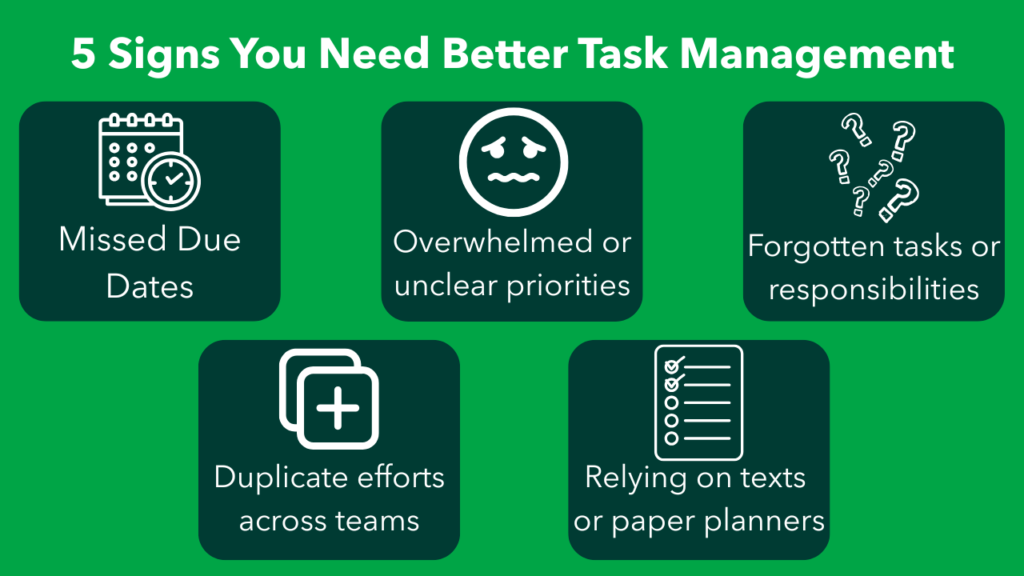
At the absolute foundation of every profitable enterprise lies the simple ability to execute daily tasks flawlessly. Yet, simple task execution often falls apart when workloads scale up and responsibilities get fuzzy.
A professional workflow engine changes everything by allowing you to break massive, intimidating projects down into highly actionable, bite-sized tasks with explicit deadlines and priority labels. You can categorize your work into distinct phases—such as “Backlog,” “In Progress,” “Review,” and “Approved”—giving your team a satisfying visual representation of their forward momentum. This meticulous level of organization ensures that no critical client deliverable ever slips through the cracks, allowing managers to distribute workloads evenly without overloading their best performers.
Improved Team Collaboration
We need to face a cold hard truth: long, messy email threads are where great ideas go to die a quiet death. When feedback is scattered across multiple private inboxes, critical details get completely lost in translation, and team alignment becomes impossible.
Modern workflow software fixes this by anchoring your team communications directly to the specific task they are working on. Whether someone needs to request a minor copy edit or upload a fresh layout design, the entire conversation stays right there in context for everyone to see. This open, centralized dialogue creates a beautiful culture of radical transparency. New team members can hop onto a project mid-way through and instantly get up to speed by reading the historical comment thread, completely bypassing weeks of confusing onboarding syncs.
Workflow Automation Saves Time
If your highly skilled, well-paid employees are still spending their days manually copying data between apps, sending routine email templates, or chasing down managers for simple approvals, you are actively throwing your company’s money down the drain.
[Form Submitted] ──► AI Auto-Assigns Task ──► Slack Notification Sent ──► Zero Manual Effort
The absolute superpower of modern workflow tools in 2026 is their mind-blowing automation engines. You can easily set up simple, conditional recipes that handle your mind-numbing administrative chores automatically. For example, the moment a new client fills out an intake form, the software can instantly generate a fresh project board, assign the correct account manager, and ping the team group chat. By taking the human hand out of repetitive data entry, you save thousands of collective hours and free up your human brainpower for complex problem-solving.
Reducing Human Errors
We are all human, and when we are tired, rushed, or deeply stressed, we inevitably make costly mistakes. We forget to CC a vital stakeholder on a contract, drop the ball on a critical quality assurance check, or accidentally delete a master document.
Workflow tools act as an automated safety net for your operations by standardizing your business processes into unskippable, repeatable blueprints. You can configure the software so that a project physically cannot move to the production stage until a designated manager signs off on the final proof. By establishing clear validation rules, mandatory checklists, and automated compliance tracking, you systematically erase the risk of human error and ensure a flawless level of service quality every single time.
Centralized Information Management
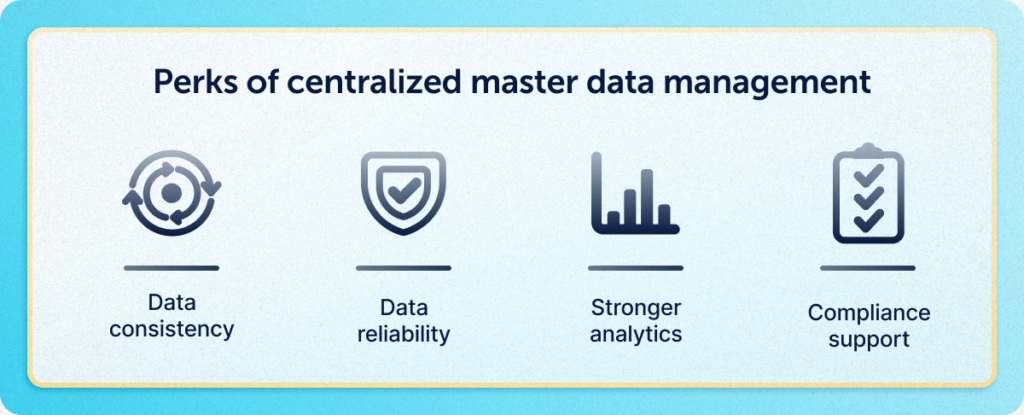
One of the most quietly frustrating experiences in corporate life is working with information that is scattered across ten different siloed platforms. Half your data is stuck in a private Google Drive, some notes are in a personal notebook, and crucial specs are buried deep in a chat history.
A workflow platform solves this digital fragmentation by serving as your company’s absolute single source of truth. Every document, project requirement, client feedback loop, and historical file is neatly attached exactly where it belongs. This radical centralization means your employees never have to waste their precious cognitive energy playing digital detective. They can find exactly what they need in a matter of seconds, which instantly accelerates your business velocity.
Workflow Tools for Small Businesses
There is a dangerous myth that robust workflow management systems are only meant for massive Fortune 500 corporations with thousands of staff members. In reality, small businesses actually need workflow tools the most.
When you are running a lean, hungry small business with limited staff, every single drop of human efficiency counts. You don’t have the luxury of hiring a massive administrative staff to manage your scheduling. A workflow platform allows a tiny, agile team of three to five people to operate with the sheer output and organizational precision of a massive corporation. It simplifies your client onboarding, tracks your incoming revenue streams, and coordinates your customer support requests smoothly from a single screen, allowing you to scale up without losing your sanity.
Workflow Tools for Large Organizations
On the opposite end of the spectrum, massive enterprises face an entirely different operational nightmare: the terrifying complexity of cross-departmental silos and massive bureaucratic gridlock.
[Siloed Departments] ──► Enterprise Workflow Platform ──► Universal Project Visibility
When an organization scales to hundreds of employees spread across different continents, keeping everyone aligned feels like herding cats. Large-scale enterprise workflow software handles this by providing high-level portfolio management dashboards. These advanced views allow executives to zoom out and instantly track the health, budgets, and milestones of hundreds of parallel projects across the entire company. It breaks down the walls between marketing, sales, and engineering, ensuring that everyone is pulling in the exact same strategic direction.
Workflow Tools for Remote Teams
The global rise of distributed and remote work has fundamentally broken the old, traditional ways of managing a workforce. You can no longer look over an employee’s shoulder to check their progress or gather everyone into a physical conference room for a quick huddle.
In a fully remote or hybrid workspace, your workflow software literally becomes your digital office building. It acts as the virtual environment where your team meets, collaborates, and shares victories. Because these platforms update in real-time across the cloud, it completely eliminates the timezone barrier. A developer in Tokyo can seamlessly pick up a project exactly where an engineer in New York left it, creating a beautiful, continuous twenty-four-hour production cycle that keeps your business moving forward while you sleep.
Project Tracking and Visibility

If you are a project manager, there is nothing more terrifying than having zero visibility into the actual, honest status of a looming deadline. Relying on an employee telling you “yeah, it’s almost done” is an absolute recipe for disaster.
Modern workflow engines provide you with gorgeous, real-time visual tracking boards—such as Kanban views, Gantt charts, and interactive calendars. At a single glance, a manager can see exactly where a project is stalling out, pinpoint an employee who is being completely crushed by an unfair workload, and rearrange deadlines before a delay occurs. This high-level visibility transforms you from a stressed-out manager who is constantly reacting to emergencies into a calm, strategic leader who anticipates roadblocks days in advance.
Workflow Tools and Employee Accountability
Let’s be completely honest: team morale completely plummets when certain employees are working late every night while others are quietly slacking off in the shadows. A lack of clear ownership breeds deep resentment within a team.
Workflow tools gently but firmly solve this cultural problem by introducing a beautiful layer of radical, public accountability. Because the software explicitly records who is assigned to each individual task, there is absolutely zero room for excuses, finger-pointing, or confusion. Everyone can see exactly who is hitting their milestones and who is consistently missing their deadlines. This clear visibility naturally motivates people to take true pride in their personal output, while giving managers the objective data they need to reward their top performers fairly.
Artificial Intelligence in Workflow Management
As we make our way through 2026, artificial intelligence has officially graduated from being a simple novelty to becoming the literal brain of workflow automation. The newest platforms don’t just passively track your tasks; they actively analyze your work patterns to optimize your business.
[Historical Team Data] ──► AI Predictive Engine ──► Automatic Project Deadline Adjustment
The AI integration inside modern workflow management software can automatically read an incoming client email, understand the project scope, and instantly draft a customized project plan. It can look at your team’s historical velocity and accurately predict if a project is going to miss its deadline weeks before it happens. These smart tools can even automatically prioritize an employee’s daily dashboard based on which tasks are most critical to your company’s bottom line, helping your entire team make flawless, data-driven decisions on autopilot.
Choosing the Right Workflow Tool
With hundreds of flashy productivity platforms aggressively competing for your attention online, picking the perfect software can feel incredibly overwhelming. The key to success is avoiding the trap of simply buying the most expensive option with the most features.
Before investing a single dollar, you need to gather your team and clearly outline your specific operational pain points. If your team struggles heavily with visual design collaboration, choose a tool that prioritizes image commenting. If you run a high-volume manufacturing operation, lean toward platforms with robust, customizable automation engines. The absolute best tool is always the one that integrates seamlessly with your existing software stack and feels so naturally intuitive that your employees actually enjoy using it every single day.
Training, Adoption, and Long-Term Success
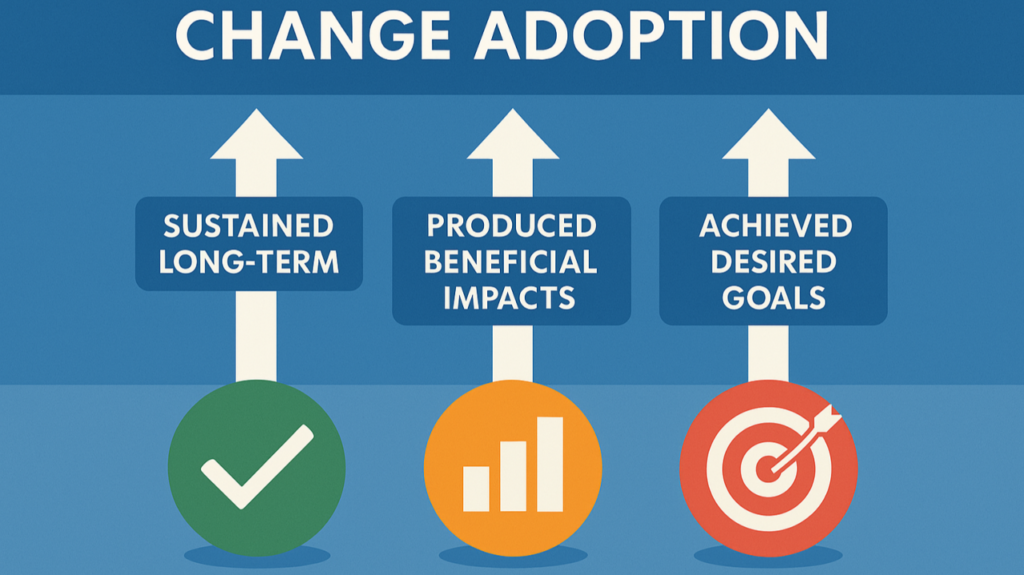
The sad reality of corporate software is that even the most brilliant, expensive, AI-powered tool will become a complete waste of capital if your employees completely refuse to use it. Software adoption is a human challenge, not a technological one.
To ensure a highly successful software rollout, you must avoid simply dropping a new tool on your team’s desk without a plan. You need to provide comprehensive, hands-on training sessions and assign a dedicated internal champion to answer daily questions. Keep your initial workflow structures incredibly simple, clean, and straightforward. Do not overcomplicate your boards with fifty different custom status options right away. Allow your team to slowly build up their confidence with the software, and celebrate the small wins as they realize how much time the system is saving them.
The Future of Workflow Management
Looking ahead into the horizon of business technology, the way we interact with our daily work processes will continue to become more frictionless and immersive. We are already seeing the foundational steps of spatial computing workflows and hyper-personalized automated operations.
We are moving toward a beautiful future where your workflow software will dynamically adapt itself to the specific cognitive style of each individual employee—offering a highly detailed spreadsheet view to your analytical accountants while presenting an incredibly clean, minimalist visual timeline to your creative designers. But no matter how advanced, automated, or incredibly smart our software becomes, the ultimate heart of workflow management will always remain exactly the same: eliminating the stressful digital noise so that human beings can do what they do best—collaborate, create, and build amazing things together.