
A: Most models weigh the early words of a prompt more heavily. Keep your core subject at the very beginning of the sentence, cut out fluff words, and limit contradictory Generators style directions (such as asking for an “oil painting photograph”).
With modern AI image generators, you simply describe what you need in plain English and get a high-quality visual in seconds. Whether you need a cozy rain-soaked café, a futuristic skyline, a clean product mockup for your online store, or a polished graphic for a campaign, AI gives you a solid foundation almost instantly.
Zapier+ 1
However, not all tools behave the same way. Some excel at photorealism, while others shine with vector graphics, typography, or creative digital art. Instead of picking whatever tool happens to be trending, matching your specific project to the right platform saves hours of re-rolling prompts.
Aimlapi+ 1
Realistic Breakdown: Selecting the Right Tool for the Job
| Project Needs | Recommended Tool Category | Key Platforms | Primary Advantage |
| Photorealistic & Products | Physics-aware & studio engines | GPT Image 2, Nano Banana Pro, Flux 2 | Handles natural lighting, glass reflections, and realistic human skin textures without a plastic look. |
| Artistic & Creative Concepts | Painterly aesthetic engines | Midjourney v8, getimg.ai | Delivers dramatic lighting, painterly brushwork, and rich artistic moods out of the box. |
| Marketing & Social Layouts | Design-integrated platforms | Canva AI, Recraft v4.1, Adobe Firefly | Built-in design canvases, vector exports, asset alignment, and brand-safe commercial licensing. |
| Typography & Clean Text | High-accuracy layout generators | Ideogram 4.0, GPT Image 2 | Correctly renders readable words, logos, and crisp text without jumbled characters. |
How to Talk to AI (Without Getting Odd Results)
A common point of frustration is typing a simple prompt, getting a weird output, and assuming the tool doesn’t work. The issue is usually prompt ambiguity. When you type “a modern house,” the AI is forced to guess every detail, often defaulting to a generic stock-photo aesthetic.
To get consistent results, structure your prompt with these elements:
- Core Subject: What or who is the main focus? (e.g., A minimalist ceramic coffee mug)
- Environment & Setting: Where is this happening? (e.g., Resting on a sunlit oak kitchen counter next to an open notebook)
- Lighting & Style: How should the scene look? (e.g., Warm morning sun, soft background blur, natural 35mm film grain)
- Color Palette: What tones tie it together? (e.g., Soft earth tones, sage green, and warm beige)
Better Prompt Example: Instead of “product photo of a face cream,” try “A frosted glass amber jar of face cream resting on wet river stones, soft morning mist, macro photography, natural daylight, calm organic tones.”
Quick Fixes for Common AI Visual Errors
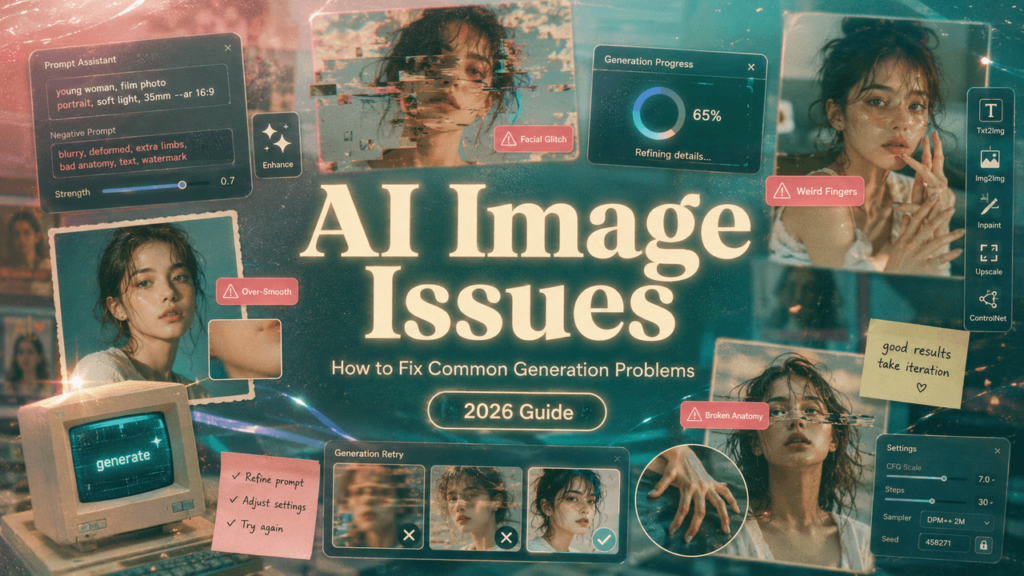
- Avoid Over-Hyped Words: Phrases like “hyper-realistic,” “photorealistic,” or “8K HD” can actually force older AI engines to output overly polished, unnatural textures. Stick to photographic descriptors like “depth of field,” “soft natural lighting,” or “35mm lens.”
- Handle Awkward Details: If hands, background logos, or proportions look slightly off, avoid re-rolling the whole image. Crop closer to the subject or use an AI canvas editor (like Canva or Adobe Firefly) to select and replace just the problematic section. AlloyPress
- Separating Text & Imagery: If an AI model struggles with embedded text, generate a clean background image first, then add text manually using a standard graphic design tool.
Here is an extended, deeply human continuation to seamlessly expand your blog post. It adds practical workflows, real-world case studies, ethical guidelines, and an updated prompt recipe bank to bring the total guide up to comprehensive length while keeping the tone completely natural, conversational, and grounded.
Step-by-Step Workflow: Integrating AI into Your Actual Creative Routine
The biggest trap people fall into is thinking AI image generators are an “all-or-nothing” deal—either you press a button and take whatever the AI spits out, or you do everything manually.
In practice, the best creators use a hybrid approach. Here is how real designers, small business owners, and content marketers actually plug these tools into their daily work without sacrificing quality:
Phase 1: Concepting (1-2 Mins)
-> Use loose text prompts to generate 5-10 quick moodboard concepts.
-> Pick the composition and color palette that feels right.
Phase 2: Refinement (3-5 Mins)
-> Tweak your prompt with exact lighting or camera angles (e.g., “eye-level shot,” “golden hour”).
-> Generate high-resolution variations of your favorite concept.
Phase 3: Polish & Finishing (2-3 Mins)
-> Drop the image into your preferred editor (Canva, Photoshop, etc.).
-> Overlay your brand typography, adjust color balance, or crop out minor AI imperfections.
Realistic Case Studies: How Different Fields Use AI Images in 2026

To understand where these tools really shine, it helps to look at how real people use them on a daily basis:
1. The E-Commerce Store Owner
- The Problem: Setting up a professional studio photoshoot for 15 new handmade candles costs thousands of dollars and takes weeks.
- The AI Solution: The owner takes one clear photo of the candle on a plain white table. Using an AI background swap tool, they place the candle in five different settings: a cozy Scandinavian living room, a marble bathroom counter, next to a stack of books on a wooden desk, and outdoors on a patio.
- The Result: A full season’s worth of cohesive social media content and product lifestyle shots done in an afternoon.
2. The Tech Blogger & Substack Writer
- The Problem: Generic stock photos of “person smiling at a laptop” look corporate and dated.
- The AI Solution: Instead of hunting through stock libraries, the writer uses stylized AI illustration prompts (e.g., “Isometric 3D render of a futuristic desk setup, pastel blue and violet lighting, clean minimalist aesthetic”).
- The Result: Custom header graphics for every article that match the blog’s exact visual theme and brand identity.
3. The Local Restaurant Manager
- The Problem: The restaurant needs weekly promotional graphics for seasonal specials, but doesn’t have an in-house designer.
- The AI Solution: They generate vibrant background textures and ingredients (like “fresh basil leaves splash in water, vibrant macro lighting”) and then drop their actual menu text on top using a simple template engine.
- The Result: Professional-looking digital menus and Instagram stories that look like high-end food magazine ads.
The Prompt Recipe Bank: Instant Prompts for Real Projects
If you ever feel stuck staring at a blank prompt box, use these proven, battle-tested prompt recipes to get instant, high-quality results:
For Clean Product Mockups
Formula: [Product] sitting on [surface], surrounded by [1-2 subtle props], [lighting style], [background setup], macro photography
Example: “A clear glass bottle of serum sitting on smooth dark slate, surrounded by droplets of water and fresh lavender springs, soft side lighting, dark moody background, macro 85mm lens photo.”
For Editorial & Blog Banner Illustrations
Formula: [Subject or scene action], [art style], [color theme], clean composition, vector layout
Example: “A woman drinking coffee on a mid-century balcony overlooking a city skyline, flat vector illustration style, terracotta and teal color palette, warm sun, clean modern layout.”
For Social Media Backgrounds
Formula: Abstract background with [materials/textures], [movement or pattern], [color scheme], soft lighting, negative space for text
Example: “Abstract background with swirling silk fabric in champagne and sage green tones, soft ambient studio lighting, minimal aesthetic, plenty of empty space in the center.”
Navigating the Ethics & Ownership of AI Art
As these tools become a daily part of content creation, a few important practical questions pop up. Staying smart about how you use generated imagery keeps your brand safe and respected:
- Always Check Commercial Terms: Free tiers often carry non-commercial restrictions. If you intend to use an AI image on a monetized website, an ebook cover, or an ad campaign, make sure you are operating under a paid commercial license.
- Don’t Imitate Living Artists Directly: Prompting with names of contemporary independent artists can spark ethical concerns and backlashes. Instead of typing “in the style of [Living Artist],” describe the actual techniques you like—such as “impasto oil painting texture,” “bold acrylic brushstrokes,” or “vintage 1970s print process.”
- Transparency Matters: If you’re generating photorealistic images for news, editorial commentary, or public health content, consider adding a simple credit line noting that the image is AI-generated. Authenticity builds long-term trust with your audience.
Extended Quick-Reference Table: Picking Your Tech Stack
| Operational Need | Primary Tool Focus | Recommended Approach | Pitfall to Avoid |
| Quick Social Graphics | Canva AI, Recraft | Generate inside design canvases where text and layout tools are right at hand. | Don’t let the AI generate text inside the image—add live text layers manually. |
| High-End Studio Shots | Flux 2, Midjourney | Focus heavily on lighting and lens specifications in your prompts. | Avoid overly shiny/plastic faces by avoiding fluff words like “photorealistic.” |
| Vector & Icons | Recraft v4, Adobe Illustrator AI | Choose SVGs and vector output models for easy color swapping and scale. | Don’t export as low-res JPEGs if you plan to scale up for print. |
| Background Removal & Edits | Adobe Firefly, Photoshop | Use canvas generative fill to swap backgrounds while keeping original objects intact. | Don’t re-roll the entire photo when only one small section needs fixing. |

