The Complete Guide to AI-Powered Workflow Automation explores how AI automation helps businesses eliminate repetitive tasks, improve productivity, reduce costs, and streamline operations. Learn how intelligent workflow automation drives faster, smarter, and more efficient work.
This is exactly why AI-powered workflow automation is becoming so popular. By bringing Artificial Intelligence and automation together, companies can hand off their repetitive daily chores to smart software. This helps keep things running smoothly, cuts down on tedious manual work, and frees up human employees to focus on creative problem-solving and big-picture strategy.
At its core, this technology isn’t about replacing people. It’s about taking the robotic, boring parts out of our jobs so we can focus on the tasks that actually require human passion, intelligence, and empathy.
What Exactly Is Smart Workflow Automation?
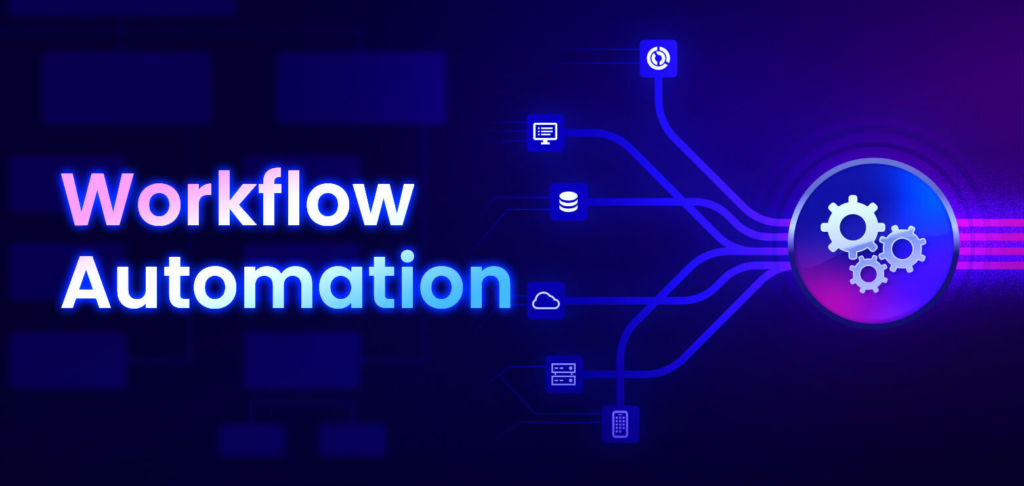
In plain terms, AI-powered workflow automation means using smart software to handle routine tasks and make daily business operations easier.
Traditional automation is pretty rigid; it can only follow strict rules. If a task changes even a little bit, standard software gets stuck. AI automation is different because it can actually read information, spot patterns, make smart choices, and learn how to do things better over time.
Think of it as an incredibly fast, highly organized digital assistant that works behind the scenes. It can read messy documents, sort customer emails, organize schedules, and keep your software systems talking to each other without missing a beat.
How It Works behind the Scenes

Smart automation works by combining a few different technologies to mimic the way humans sort through information. It uses tools like natural language processing (which helps computers understand human speech and text), machine learning, and basic software bots.
The process follows a few simple steps:
- The system gathers information from emails, files, or spreadsheets.
- It looks closely to find trends or common issues.
- It takes over the repetitive, boring steps automatically.
- It offers helpful suggestions to users based on past data.
- It learns from its mistakes and gets better every single day.
Because these systems learn as they go, your business workflows naturally become smoother, faster, and more reliable the more you use them.
The Real Benefits for Everyday Teams
When a business decides to bring in smart automation, the positive changes show up almost immediately across the entire team.
- Giving People Their Time Back: Because software handles the repetitive data entry, employees can focus on meaningful projects like brainstorming new ideas or building stronger relationships with clients.
- Fewer Mistakes and Headaches: We all make typos when we’re tired or rushed. Automated tools don’t get distracted, which means fewer errors in important paperwork, financial files, and company records.
- Making Smarter Choices Faster: Instead of spending days digging through spreadsheets to find answers, managers can use AI to look at data instantly and give clear, helpful insights to make quick choices.
- Keeping Costs Down: By cutting out operational bottlenecks and reducing the time spent on manual labor, businesses can save a significant amount of money on overhead.
- Happier Customers: With AI handling simple support tickets and routing complex questions to the right people, customers get fast, helpful replies whenever they need support.
How Different Departments Use It Every Day

Smart automation isn’t just for tech companies. It’s making a difference across almost every department in a modern business.
- Customer Care: Smart chatbots can handle simple questions, look up order statuses, and solve basic customer problems 24 hours a day, so human support teams can focus on helping customers with unique, complex issues.
- Marketing Teams: Marketers use AI to automatically group audiences, send out personalized email campaigns, and track what customers like most to improve future campaigns.
- Human Resources (HR): AI helps sort through hundreds of resumes to find top candidates, sets up interview schedules, and helps new hires get onboarded without mountains of confusing paperwork.
- Finance and Invoicing: Automation reads incoming invoices, matches them with purchase orders, flags weird or suspicious charges, and keeps accounting systems perfectly balanced.
- Project Management: Teams use smart tools to assign tasks, send friendly reminders, and automatically adjust project schedules so everyone stays on track to hit their deadlines.
Popular Tools Making Work Easier
There are several friendly, user-friendly tools on the market today that help teams automate their work without needing a degree in computer science:
| Software Name | What It Does Best | How Teams Use It |
|---|---|---|
| Zapier AI & Make | Connects different apps together. | Moves info automatically from emails into spreadsheets or chat apps. |
| Monday.com & Asana | Organizes team projects. | Automatically assigns tasks, tracks deadlines, and updates project statuses. |
| ClickUp AI & Notion AI | Manages notes and tasks. | Summarizes long meeting notes, writes quick drafts, and organizes team ideas. |
| HubSpot & Salesforce | Keeps track of customers. | Automatically updates client profiles and sends follow-up notes to sales leads. |
| UiPath | Handles older desktop software. | Uses smart visual technology to type and click inside older computer programs. |
The Roadblocks to Watch Out For

While these tools are incredibly helpful, bringing them into a business isn’t always smooth sailing. It’s important to be realistic about the challenges.
For starters, getting these tools set up and integrated can be expensive upfront. Also, people naturally dislike sudden changes. If you don’t train your team properly or explain why the new tools are helpful, employees might feel frustrated or worried about their jobs.
There are also data privacy and safety risks to consider. You have to make sure your customer information stays completely secure and that the choices your AI makes are always fair, accurate, and easy for a human to double-check.
Tips for Getting It Right
If you want your team to succeed with smart automation, it’s best to take things slow and follow a few human-centric best practices:
First, start small by automating your simplest tasks, like sending automated email reminders or sorting standard forms. Make sure you know exactly what goals you want to hit before you buy expensive software. Always use clean, organized information to set up your tools, and check in regularly to make sure the software is working correctly. Most importantly, remember to train your employees to work alongside the AI as a helpful partner, and keep tweaking the system based on real feedback from your team.
A Look into the Future of Work

As technology continues to improve, these automated tools are going to get even better at understanding human context. They will move beyond simple tasks and become capable of helping us plan and predict future business needs.
The next wave of tools will feature autonomous digital assistants. Instead of you having to build a step-by-step workflow plan, you will be able to talk to your computer in plain, everyday language. You can simply state your goal—like “organize our client list and flag accounts that haven’t ordered recently”—and the AI will figure out the best way to create and run that workflow on its own.
Conclusion: A Smarter Way to Work Together
AI-powered workflow automation is completely changing the way we approach our daily jobs. By taking over stressful, repetitive chores, it gives businesses a chance to lower costs and create a less stressful workplace for their employees.
Whether you run a tiny neighborhood shop, a growing startup, or a large international company, adopting these smart tools is one of the best ways to build a faster, happier, and more successful team in our modern digital world.