

We’ve all been there. You sit down at your laptop with a giant mug of coffee, ready to have a seriously productive Tools day. Then you check one email. One email turns into twenty. You rearrange your calendar, answer a few messages, organize your task list, and suddenly half the morning is gone.
It’s frustrating because you were busy the entire time—but somehow, the important work still hasn’t started.
That’s why productivity looks a little different in 2026. It’s less about collecting dozens of apps and more about building a simple system that takes unnecessary work off your plate.
The best productivity and time management tools today can help schedule your day, organize information, capture meeting notes, track your time, and even automate repetitive tasks. The real goal, though, isn’t to become better at managing apps.
It’s to have more time and energy for the work that actually matters.
Here are some of the tools worth knowing if you want to build a smarter, more practical productivity setup.
1. AI-Powered Scheduling Tools

Your calendar can quickly become a mess when meetings, deadlines, personal commitments, and unexpected tasks keep moving around.
AI scheduling tools are designed to take some of that juggling off your hands.
Motion
Motion is built around the idea of having an intelligent assistant manage your schedule.
You give it your tasks, deadlines, estimated work times, and meetings. It then helps arrange your day around those commitments.
The useful part is what happens when your plans change. If a meeting gets added or something takes longer than expected, Motion can reorganize your schedule instead of leaving you with a calendar full of outdated plans.
It can be particularly helpful if your days rarely go exactly as planned.
Reclaim
Reclaim AI takes a slightly different approach. It works with your calendar to protect time for things that are important but easy to overlook.
That might include exercise, personal routines, focused work, breaks, or preparation time.
Instead of hoping you’ll “find time” for these things later, Reclaim can help reserve space for them automatically.
Best for: People with busy calendars who want their schedules to adapt without constant manual editing.
2. Digital Workspaces & Knowledge Management
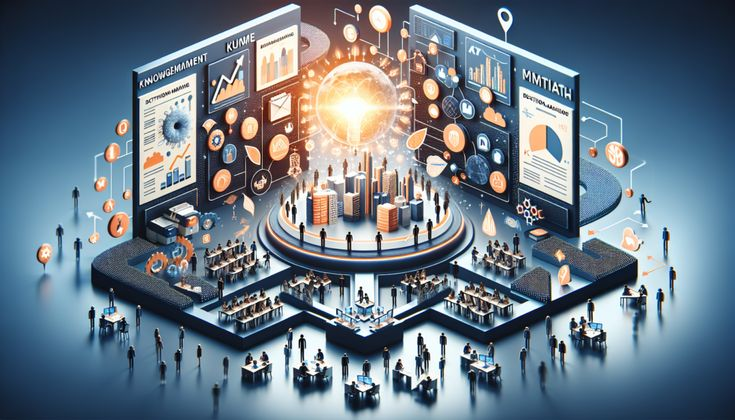
One of the easiest ways to lose momentum is to have important information scattered everywhere.
A project brief is in one app. Meeting notes are somewhere else. A useful link is buried in an email. And the idea you had yesterday? You have no idea where you wrote it down.
A good knowledge hub brings those pieces together.
Notion
Notion has become popular because it can be whatever you need it to be.
You can use it for project management, meeting notes, content calendars, databases, team documentation, personal planning, and much more.
Its AI features can also help summarize information, draft content, search through workspace information, and handle certain repetitive tasks.
The biggest advantage is flexibility. You can start with something as simple as a few pages and gradually build a more sophisticated workspace as your needs grow.
Obsidian
Obsidian is a favorite among people who want a more personal and interconnected note-taking system.
Instead of treating notes as isolated documents, Obsidian lets you connect related ideas. Over time, those connections can become a kind of personal knowledge network.
It also stores notes locally as Markdown files, which appeals to users who want more control over their information.
Best for: Writers, researchers, students, developers, and anyone who enjoys building a personal “second brain.”
3. Task Management Tools

Sometimes productivity doesn’t need to be complicated.
You simply need somewhere reliable to put the things you need to do.
Todoist
Todoist remains a strong choice for people who want to capture tasks quickly without dealing with a complicated interface.
You can organize tasks by project, assign deadlines, create recurring tasks, and use natural-language input to quickly turn an idea into an actionable item.
That simplicity is a big part of its appeal.
You don’t have to spend twenty minutes organizing your task manager before you can start working.
TickTick
TickTick goes beyond basic task management by combining tasks, habits, calendars, reminders, and focus features.
The built-in Pomodoro functionality is especially useful if you like working in focused sessions with regular breaks.
It’s a practical option for people who want several personal productivity features in one place.
Best for: Everyday planning, personal organization, recurring tasks, and people who prefer an all-in-one approach.
4. Meeting Assistants & Time Tracking

Meetings can be useful, but too many meetings can quickly eat into the hours when you’re supposed to be doing focused work.
The challenge isn’t just the meeting itself. It’s everything that comes afterward: remembering what was discussed, finding action items, updating notes, and following up with people.
Tactiq
Tactiq can capture meeting conversations and turn them into searchable transcripts and useful summaries.
Instead of frantically typing notes while trying to participate in a conversation, you can focus more on what’s actually being discussed.
Otter.ai
Otter.ai is another popular option for meeting transcription and summaries.
It can help turn long conversations into more manageable notes, making it easier to review discussions and identify follow-up tasks.
Of course, always make sure meeting participants are aware of and consent to recording or transcription when required.
Toggl Track
Toggl Track is useful when you want to understand where your working hours actually go.
For freelancers and agencies, it can also make tracking billable hours much easier.
Even if you don’t bill clients by the hour, spending a week tracking your time can be surprisingly revealing. You might discover that a task you thought took thirty minutes regularly takes two hours.
Best for: Freelancers, remote workers, agencies, consultants, and anyone curious about where their workday disappears.
5. Focus Tools for Blocking Distractions

Sometimes the problem isn’t a lack of organization.
It’s the internet.
You sit down to work and suddenly you’re checking social media, reading the news, watching a random video, or answering messages that could easily wait another hour.
Focus tools create a little friction between you and those distractions.
Forest
Forest takes a playful approach to staying focused.
You start a focus session by planting a virtual tree. As long as you stay focused, the tree grows.
It sounds simple—and that’s the point. The visual progress gives you something small to work toward without turning productivity into another complicated system.
Freedom
Freedom is more aggressive.
It can block distracting websites and apps during scheduled focus sessions, helping create a digital environment where distractions are harder to reach.
This can be especially useful when willpower alone isn’t enough.
Best for: Deep work, studying, writing, coding, reading, and anyone who frequently gets pulled into distracting websites.
Top Productivity Tools at a Glance
| Category | Recommended Tool | What Makes It Useful | Best For |
|---|---|---|---|
| Smart Scheduling | Motion | Dynamic scheduling and rescheduling | Busy professionals |
| Calendar Planning | Reclaim AI | Protects flexible time and routines | Calendar-heavy users |
| Workspace | Notion | Flexible pages, databases and AI features | Teams and creators |
| Knowledge Management | Obsidian | Connected, local Markdown notes | Researchers and writers |
| Task Management | Todoist | Fast and simple task capture | Everyday planning |
| Personal Productivity | TickTick | Tasks, habits and focus tools | Individual users |
| Meeting Intelligence | Tactiq | Transcripts and meeting summaries | Remote teams |
| Meeting Intelligence | Otter.ai | Automated transcription and notes | Frequent meeting users |
| Time Tracking | Toggl Track | Simple tracking and reports | Freelancers |
| Focus | Forest | Gamified focus sessions | Students and individuals |
| Distraction Blocking | Freedom | Blocks distracting sites and apps | Deep work |
How to Build a Productivity System That Actually Work

They discover a few productivity apps, get excited, sign up for everything, and spend the next week building an incredibly complicated system.
Then they stop using it.
You don’t need ten different tools to have a productive workflow.
Start With One Main Hub
Choose one place where your important projects and information live.
That could be Notion, your existing workspace, or a simple task manager.
The important thing is consistency.
Keep Your Task List Simple
Don’t turn every tiny thought into a complicated project.
Write down what needs to happen and give important tasks realistic deadlines.
Your task manager should help clear your head—not make you feel like you’re running a small software company.
Protect Your Best Hours
Pay attention to when you naturally do your best thinking.
If you’re most focused in the morning, don’t automatically give those hours to meetings and email.
Reserve them for work that requires actual concentration.
Automate the Boring Stuff
Whenever you notice yourself repeatedly doing the same administrative task, ask:
“Can this be automated?”
Maybe a meeting summary can automatically become a task. AMaybe a form can update a database. Maybe routine emails can be drafted automatically.
Small automations can add up to significant time savings.
Don’t Try to Optimize Every Minute
This one is important.
Your day doesn’t need to be perfectly optimized.
Leave some breathing room. Unexpected conversations happen. Tasks take longer than expected. Sometimes you simply need a break.
A productivity system that leaves no room for real life isn’t really a sustainable productivity system.
The Biggest Productivity Mistake in 2026

It’s easy to get caught up in the idea that the newest AI tool will completely transform your workday.
Sometimes it will help.
But adding another app isn’t automatically going to make you productive.
If you already have five task managers, three calendars, and a dozen browser extensions, the answer probably isn’t another tool.
Simplify first.
Choose the few tools that genuinely solve problems you have, learn how to use them well, and remove everything that creates more work than it saves.
Frequently Asked Questions
1. What are the best productivity tools for 2026?
Some of the most useful productivity tools in 2026 include Motion, Notion, Todoist, TickTick, Reclaim AI, Toggl Track, Tactiq, Otter.ai, Forest, and Freedom. The best choice depends on whether you need task management, scheduling, time tracking, meeting assistance, or distraction blocking.
2. What is the best time management tool in 2026?
There isn’t one tool that’s best for everyone. Motion and Reclaim AI are strong options for smart scheduling, while Todoist and TickTick are excellent for managing everyday tasks and deadlines.
3. Are AI productivity tools worth using?
Yes, when they’re used for the right tasks. AI tools can help with scheduling, meeting summaries, task organization, research, writing, and repetitive administrative work, giving you more time for higher-value activities.
4. What is the best productivity app for staying organized?
Notion is a popular choice for people who want an all-in-one workspace, while Todoist is better suited to users who prefer a straightforward task-management experience.
5. How can productivity tools help with time management?
They can help you plan schedules, prioritize tasks, track working hours, set reminders, automate repetitive activities, and protect focused work sessions.

