Let’s be honest: our daily to-do lists have gotten completely out of hand. The Best AI Productivity Tools for Professionals and Students Whether you’re a professional trying to stay afloat in an endless sea of corporate meetings, emails, and project deadlines, or a student trying to balance heavy course loads, exams, and a social life, the pressure to maintain peak efficiency is real.
That is exactly why everyone is talking about artificial intelligence right now. The good news? The best AI tools aren’t here to steal your job or do your thinking for you. Instead, look at them as hyper-capable digital sidekicks. AI Productivity They take care of the boring, repetitive, and time-consuming tasks so you can actually focus on the work that requires your genuine creativity and critical thinking.
If you want to build a better daily workflow but don’t know where to start, here is a breakdown of the tools actually worth your time, written by a human, for humans.
The All-Rounders: Brainstorming & Writing Assistants

1. ChatGPT
Think of ChatGPT as your ultimate digital sounding board. It’s incredibly versatile because it adapts to whatever you throw at it. Need a quick outline for an essay? Want to draft a polite but firm email to a difficult client? Or maybe you just need a complex coding bug explained like you’re five years old? ChatGPT handles all of it easily.
- Why it works: For professionals, it’s a massive time-saver for breaking through writer’s block or drafting business communications. For students, it acts like a 24/7 tutor that can summarize dense chapters or help map out study plans.
2. Google Gemini
If your entire life lives inside Google Workspace, Gemini is a no-brainer. Because it’s baked directly into the tools you already use every day, you don’t have to keep switching tabs to get an AI assist.
- Why it works: You can ask it to draft a document directly in Google Docs, pull insights from a messy spreadsheet in Sheets, or clean up your inbox in Gmail. It’s a seamless addition to an already familiar routine.
3. Microsoft Copilot
On the flip side, if you are firmly entrenched in the corporate world of Microsoft, Copilot is your go-to. It integrates deeply with the entire Office 365 ecosystem.
- Why it works: It can instantly transform a wordy report into a beautifully formatted PowerPoint deck, summarize a Microsoft Teams meeting you missed, or dig through your Outlook emails to find an action item. It’s built specifically to take the friction out of the classic 9-to-5 workday.
The Workspaces: Organizing Your Mind and Projects
4. Notion AI
If your notes, tasks, and thoughts are scattered across five different apps, Notion AI is the antidote. Notion is already famous for being a highly customizable all-in-one workspace, but adding AI pushes it to the next level.
- Why it works: Instead of just storing your text, Notion AI can read through your messy pages, instantly extract key takeaways, generate action items, or rewrite a rough draft to sound much more professional. It’s a game-changer for student study hubs and corporate knowledge boards alike.
5. Trello (with AI Features)
If you prefer seeing your work laid out visually, Trello’s classic board-and-card system is incredibly intuitive. With its modern AI enhancements, it takes the manual labor out of project tracking.
- Why it works: The AI can automatically predict deadlines, sort incoming tasks, move cards based on your team’s behavior, and suggest workflows. It keeps teams moving forward without someone having to play “project manager” every hour of the day.
The Specialists AI Productivity: Research, Design, and Audio
6. Perplexity AI
We’ve all experienced the frustration of using traditional search engines today—you type a question, and you’re met with a wall of ads, SEO-optimized junk text, and links you have to open individually. Perplexity fixes this.AI Productivity It is a conversational search engine that actually searches the live web for you.
- Why it works: Instead of giving you a list of links, it reads the top results and writes a concise, comprehensive answer. Best of all, it includes clear footnotes citing exactly where the information came from, which is an absolute lifesaver for students writing research papers or professionals looking for verified data.
7. Canva Magic Studio
Not everyone is born a graphic designer, but in today’s world, we’re all expected to make things look pretty. Canva’s Magic Studio uses AI to level the playing field entirely.
- Why it works: You can type a simple description and watch the AI generate an entire pitch deck, social media graphic, or event poster from scratch. It handles the alignment, color palettes, and visual hierarchy so you don’t have to waste hours moving text boxes around.
8. Grammarly
Grammarly has evolved way past simple spellcheck. Today, it acts more like an editor sitting right next to you, making sure your writing actually connects with your audience.
- Why it works: It watches your tone, flags passive voice, fixes awkward phrasing, and ensures your writing is clear. Whether you’re submitting a high-stakes academic paper or sending a crucial pitch to an executive, it prevents those embarrassing “I wish I hadn’t sent that” moments.
9. Otter.ai
Trying to actively participate in a fast-paced meeting or a lecture while simultaneously typing out detailed notes is an impossible task. You usually end up doing a mediocre job at both. Otter.ai fixes this by listening for you.
- Why it works: It joins your Zoom or Google Meet calls (or sits on your desk during a live lecture) to record the audio and generate a highly accurate, speaker-separated text transcript in real-time. Afterward, it gives you a neat summary of the key decisions and action items.
10. Zoom AI Companion
If your day is completely consumed by back-to-back virtual meetings, this built-in tool is a massive sanity saver.
- Why it works: Arriving late to a Zoom call? You can privately ask the AI companion to catch you up on what was said before you joined. Missed a meeting entirely? It creates a flawless summary with distinct chapters so you don’t have to sit through a one-hour recording.
How to Build Your Personal Setup Without Getting Overwhelmed AI Productivity
With so many options out there, the biggest trap you can fall into is downloading all ten tools at once. That won’t make you productive—it will just give you ten more apps to manage.
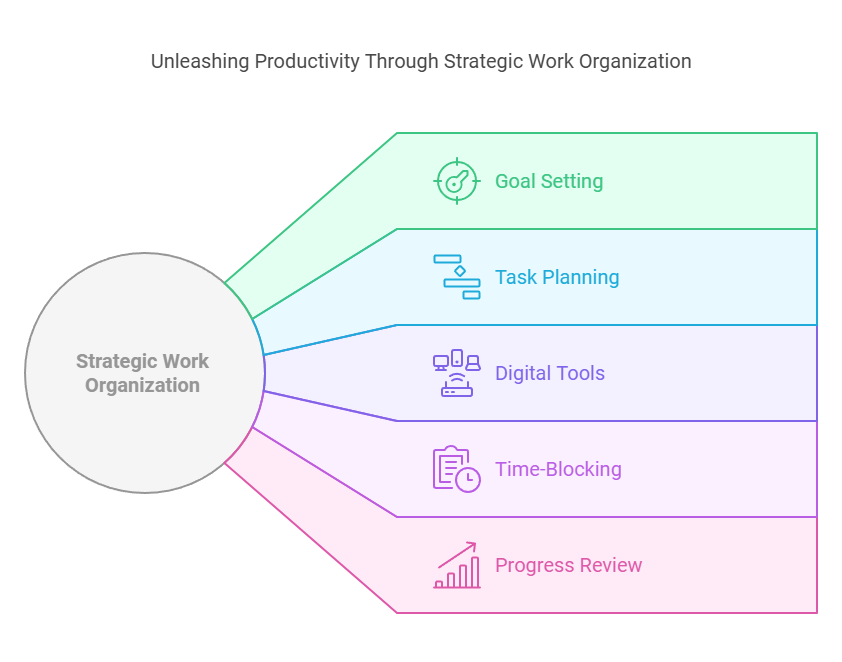
Instead, take a step back and look at where your daily workflow actually breaks down:
- If you spend all day writing or brainstorming: Start with a conversational tool like ChatGPT or an editor like Grammarly.
- AI If you are drowning in disorganization: Pick a smart workspace like Notion or Trello.
- If you spend half your life in meetings: Let Otter.ai or Zoom’s companion take the notes for you.
The absolute best setup is usually a lean, focused stack of just two or three tools that talk to each other and fit naturally into your existing habits.
AI Productivity A Few Ground Rules for the Road

To make sure these tools actually work for you instead of creating more problems, keep these human rules of thumb in mind:
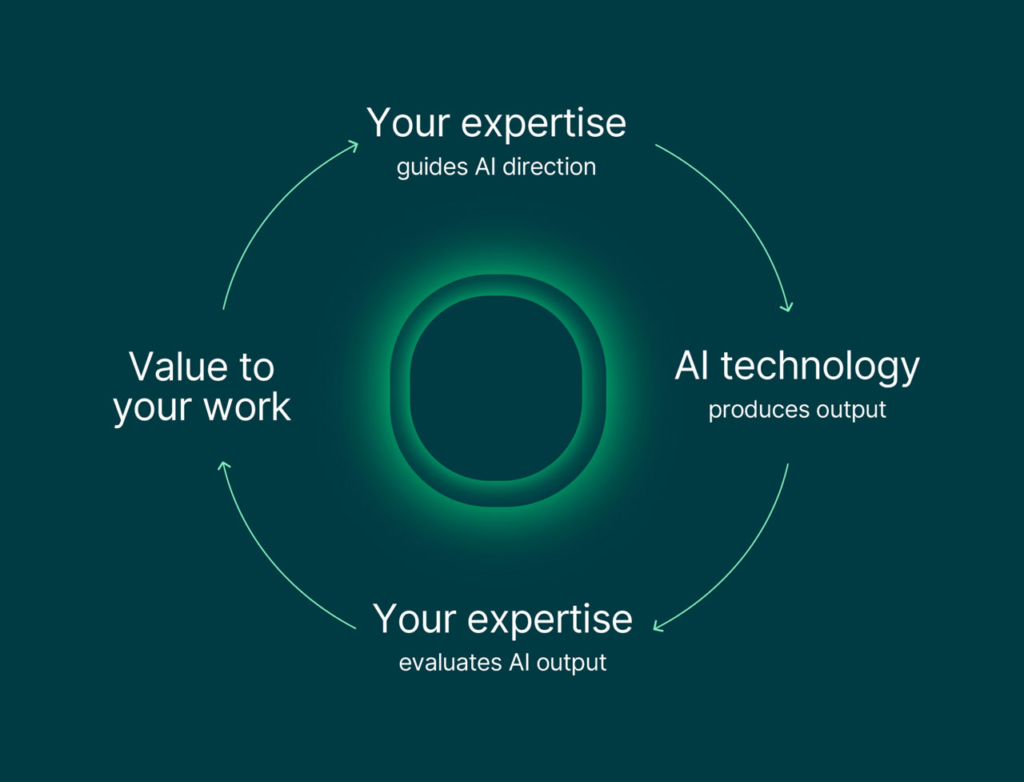
- Talk to it like a person: The more specific, contextual, and clear your prompts are, the better the results will be. AI Productivity Treat the AI like a bright, eager intern who needs clear directions.
- Always do a sanity check: AI makes mistakes. It can misinterpret facts, smooth over nuances, or sound a bit robotic if left unchecked. Never copy-paste an AI response blindly—always read it through and inject your own voice, expertise, and personality.
- Protect your privacy: Never feed highly sensitive, private corporate data or personal personal information into public AI models.
At the end of the day, artificial intelligence is just a tool. AI Productivity It can write the first draft, format the slide, or organize the spreadsheet—but the intuition, the passion, and the final breakthrough ideas will always have to come from you. Work smarter, save your energy, and use that extra time to focus on what you actually enjoy doing.
Final Thoughts
AI productivity tools are reshaping the way we work and learn. Whether you’re preparing for exams, managing a busy career, leading a team, or creating content, the right AI assistant can help you work more efficiently and stay focused on high-value tasks.
The key is to choose tools that match your workflow and use them responsibly. AI is most effective when it supports your knowledge, creativity, and decision-making rather than replacing them. By embracing these technologies thoughtfully, professionals and students alike can boost productivity, save time, and achieve their goals with greater confidence.
Frequently Asked Questions
1. Which AI productivity tool is best for students?
ChatGPT, Notion AI, Grammarly, and Google Gemini are popular choices for studying, writing, note-taking, and research.
2. Which AI tool is best for professionals?
Microsoft Copilot, ChatGPT, Notion AI, Grammarly, and Zoom AI Companion are excellent options for workplace productivity.
3. Can AI productivity tools improve time management?
Yes. They can automate repetitive tasks, organize schedules, summarize information, and streamline workflows, helping users manage their time more effectively.
4. Are AI productivity tools free?
Many offer free plans with basic features, while premium subscriptions provide advanced capabilities for professional or academic use.
5. Is it safe to use AI for work and study?
Generally, yes—but avoid sharing confidential or sensitive information with AI services, and always verify important outputs before relying on them.