Artificial intelligence and automation are changing the way people work, communicate, create content, manage businesses, and complete everyday tasks. What once required hours of manual effort can now sometimes be completed faster with the help of intelligent software and automated workflows.
AI and automation are not limited to large technology companies. Small businesses, freelancers, students, marketers, creators, and everyday users can also benefit from these technologies.
However, getting started can feel confusing. There are countless tools, platforms, features, and strategies available. The key is not to use every new technology you discover. Instead, focus on tools that solve real problems and make your work simpler.
This guide explains AI and automation in simple terms, explores practical uses, and looks at where these technologies may be heading next.
What Is Artificial Intelligence?
Artificial intelligence, commonly called AI, refers to computer systems designed to perform tasks that normally require certain forms of human intelligence.
These tasks can include understanding language, recognizing patterns, analyzing information, generating content, making predictions, and assisting with decision-making.
AI can be found in many everyday services. Search engines use algorithms to organize information, recommendation systems suggest content, navigation apps estimate travel times, and modern software can assist with writing, research, analysis, and customer support.
AI is becoming increasingly useful because it can process large amounts of information and help people complete certain tasks more efficiently.
What Is Automation?
Automation involves using technology to perform tasks with little or no manual intervention.
A simple example is an automatic email reminder. Instead of manually sending the same message every time, software can send it based on a specific schedule or trigger.
More advanced automation can connect multiple applications. For example, when someone submits an online form, an automated workflow could store the information, notify a team member, create a task, and send a confirmation message.
Automation is especially useful for repetitive work.
AI vs. Automation

AI and automation are related but not identical.
Automation usually follows predefined rules. If a specific event happens, the system performs a specific action.
AI can analyze information, recognize patterns, generate responses, and sometimes adapt its output based on context.
When combined, AI and automation can create powerful workflows.
For example, an automated system could collect customer messages, while AI helps categorize them and identify which ones require immediate attention.
The combination can reduce repetitive work while helping people handle information more effectively.
Why AI and Automation Matter
One of the biggest benefits of AI and automation is time savings.
Businesses and individuals often spend significant amounts of time on repetitive tasks such as data entry, scheduling, reporting, email organization, document processing, and routine communication.
Automating some of these activities can free people to focus on tasks that require creativity, judgment, communication, and strategic thinking.
AI can also help users work with information more quickly. It can assist with brainstorming, summarizing, analyzing, organizing, and generating first drafts.
The goal should not be to remove human involvement from every task. Instead, technology can handle suitable repetitive work while people focus on higher-value responsibilities.
Common AI Tools
AI tools are available for many different purposes.
Writing assistants can help with brainstorming, editing, summarization, and content creation. Image-generation tools can assist with visual concepts. AI-powered research tools can help organize information. Coding assistants can support developers with programming tasks.
Other tools focus on meeting summaries, customer support, data analysis, translation, transcription, and productivity.
Before choosing a tool, identify the exact problem you want to solve.
For example, if you spend hours creating repetitive reports, an analysis or automation tool may be more valuable than a general AI assistant.
Automation Tools and Workflows

Automation platforms can connect different applications and services.
A typical workflow might look like this:
Trigger → Action → Processing → Result
For example, a new customer inquiry could trigger an automated process. The system might record the inquiry, categorize it, notify the appropriate person, and create a follow-up task.
This can reduce manual data entry and help ensure that important information does not get overlooked.
Automation can also be useful for marketing, customer support, project management, finance, administration, and internal operations.
AI for Content Creation
Content creation is one of the most visible applications of AI.
AI tools can help generate ideas, create outlines, improve grammar, summarize information, and develop first drafts.
However, human review remains important.
AI-generated content can contain incorrect information, repetitive language, or statements that lack context. It may also fail to capture a brand’s unique voice.
A strong workflow often uses AI for assistance rather than blindly publishing everything it generates.
People can provide the strategy, experience, creativity, and final judgment while AI helps with repetitive parts of the process.
AI for Business Productivity

Businesses can use AI to improve productivity in several areas.
Businesses can use AI to improve productivity in several areas.
For example, AI can assist with:
- Customer communication
- Document summarization
- Data analysis
- Meeting notes
- Research
- Content planning
- Internal knowledge management
- Sales support
- Customer service
- Workflow optimization
The most useful applications are usually connected to clear business objectives.
Instead of asking, “Where can we use AI?” a better question is, “Which repetitive or time-consuming problem can AI help us solve?”
Automation for Small Businesses
Small businesses often have limited time and resources, making automation particularly valuable.
Routine tasks such as appointment reminders, lead management, email responses, invoicing workflows, and customer follow-ups can sometimes be automated.
This can allow small teams to spend more time on customers and business development.
However, automation should be introduced carefully. A poorly designed workflow can create errors or frustrate customers.
Start with simple processes and monitor the results before expanding automation across the business.
AI in Customer Service
Customer expectations for fast responses are increasing.
AI-powered customer service tools can help answer common questions, organize support requests, summarize conversations, and route complex issues to human representatives.
This can reduce pressure on support teams.
However, customers should have an easy way to reach a human when their problem is unusual, sensitive, or too complicated for automated assistance.
The best customer service systems combine speed with human understanding.
AI and Data Analysis

Businesses generate large amounts of information every day.
AI and automation can help organize and analyze this data.
AI systems can identify patterns, summarize reports, detect unusual activity, and help users understand large datasets.
This does not mean every AI-generated insight is automatically correct. Data quality and human interpretation remain important.
Businesses should verify important findings before making major decisions based on automated analysis.
How to Start With AI and Automation
You do not need to transform your entire business or workflow at once.
Start by identifying repetitive tasks that consume time.
Ask yourself:
- What tasks do I repeat every week?
- Which processes involve manual data entry?
- What information do I frequently organize?
- Which tasks follow predictable steps?
- Where do delays commonly happen?
- Which activities require the most unnecessary effort?
Choose one small process and test an automation or AI solution.
If it works well, gradually expand.
Choose Tools Based on Problems
A common mistake is choosing technology first and looking for a use afterward.
Instead, identify the problem first.
If scheduling takes too much time, look for scheduling automation. If customer questions are repetitive, explore customer-support tools. If reporting is slow, consider data automation or AI-assisted analysis.
This approach prevents businesses from paying for tools that they rarely use.
Protect Privacy and Sensitive Information

AI and automation can involve large amounts of information, so privacy should be considered from the beginning.
Before using a tool, understand what information it collects, how data is processed, what controls are available, and how information is stored.
Avoid putting sensitive or confidential information into systems without understanding the relevant privacy and security policies.
Businesses should also create clear internal guidelines for employees using AI tools.
Human Oversight Still Matters
AI can be powerful, but it is not perfect.
AI systems may produce incorrect information, misunderstand context, or generate confident-sounding answers that need verification.
Human oversight is particularly important for financial decisions, legal matters, healthcare, security, hiring, and other high-impact situations.
Use AI as an assistant rather than assuming it is always an authority.
The more important the decision, the more carefully the output should be reviewed.
Create an AI and Automation Strategy
A successful strategy should connect technology with actual goals.
Start by identifying business or personal objectives. Then determine which tasks are slowing progress.
Next, choose appropriate tools and create a small test workflow.
Measure the results. Did the process save time? Did it reduce errors? Did it improve customer experience? Did it make work easier?
If the results are positive, continue improving the workflow.
This creates a practical approach based on measurable value rather than technology trends alone.
Common Mistakes to Avoid
AI and automation can create problems when introduced without planning.
One common mistake is automating a process that is already inefficient. Automation may simply make a bad process happen faster.
Another mistake is using too many tools. A complicated collection of platforms can become difficult to manage.
Poor data quality is another challenge. If the information entering a system is inaccurate or incomplete, the resulting output may also be unreliable.
Finally, avoid removing humans from processes where judgment, empathy, or accountability is essential.
The Future of AI and Automation
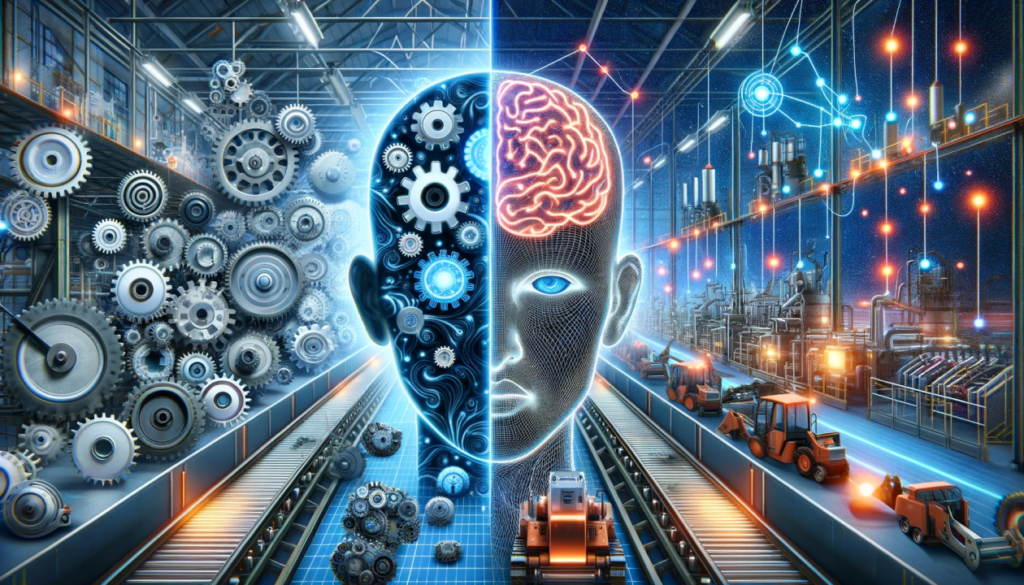
AI and automation are likely to become more integrated into everyday software and business systems.
Instead of using separate AI tools, people may increasingly interact with AI features built directly into applications they already use.
Automation may also become easier to create. Users could describe a desired workflow in natural language and receive assistance building the process.
AI agents may increasingly help coordinate multiple steps, such as researching information, organizing tasks, preparing drafts, and updating systems.
At the same time, questions about privacy, security, accuracy, transparency, and responsible use will become increasingly important.
Skills That Will Matter in an AI-Powered World
As AI handles more repetitive tasks, human skills remain valuable.
Critical thinking, communication, creativity, problem-solving, leadership, adaptability, and decision-making are difficult to replace with simple automation.
People who learn how to work effectively with AI may have an advantage because they can combine technology with human judgment.
Understanding how to evaluate AI output may become just as important as knowing how to use AI tools.
FAQ’s
1. What is AI and automation?
AI helps systems perform intelligent tasks, while automation uses technology to complete tasks with less manual effort.
2. How can AI improve productivity?
AI can assist with research, writing, analysis, organization, communication, and repetitive tasks.
3. What tasks can be automated?
Scheduling, data entry, email workflows, reporting, reminders, and routine administrative tasks can often be automated.
4. Is AI useful for small businesses?
Yes. AI can help small businesses save time, improve customer support, and streamline everyday operations.
5. Is human oversight still needed?
Yes. Important AI-generated information should be reviewed for accuracy, context, privacy, and reliability.