Artificial Intelligence (AI) and automation are changing how people work, businesses operate, and everyday tasks get completed. From smart assistants and automated customer support to data analysis and robotic manufacturing, these technologies are helping people save time, reduce repetitive work, and make better decisions. What once required hours of manual effort can now be completed in minutes with the right digital tools.
AI and automation are closely connected, but they serve different purposes. AI enables machines and software to perform tasks that usually require human intelligence, such as understanding language, recognizing patterns, generating content, and making predictions. Automation focuses on completing tasks with minimal manual intervention. When combined, they can create efficient workflows that respond to information, learn from patterns, and carry out actions automatically.
Whether you are a student, freelancer, small business owner, or part of a large organization, understanding AI and automation can help you use technology more effectively. The goal is not simply to replace manual work but to make everyday processes faster, more consistent, and easier to manage.
Understanding Artificial Intelligence and Automation
Artificial intelligence refers to computer systems designed to perform tasks that typically require human-like intelligence. These tasks may include understanding written questions, identifying objects in images, summarizing information, translating languages, and generating ideas. AI systems use different techniques, including machine learning and natural language processing, to work with information and produce useful results.
Automation, on the other hand, is the process of setting up technology to complete specific tasks according to defined instructions or conditions. A simple example is automatically sending an email when someone completes a registration form. Another example is scheduling a recurring report to be generated every Monday morning.
When AI is integrated into automation, workflows can handle more complex situations. For instance, a business might use AI to categorize incoming customer messages and then automatically send each message to the appropriate department. Instead of following only fixed rules, the system can use the content of a message to determine the next step.
The combination is useful because AI can interpret information while automation can act on the results. However, neither technology guarantees perfect decisions. Human review remains important when tasks involve sensitive information, financial decisions, customer complaints, or other high-impact situations.
How AI and Automation Work Together
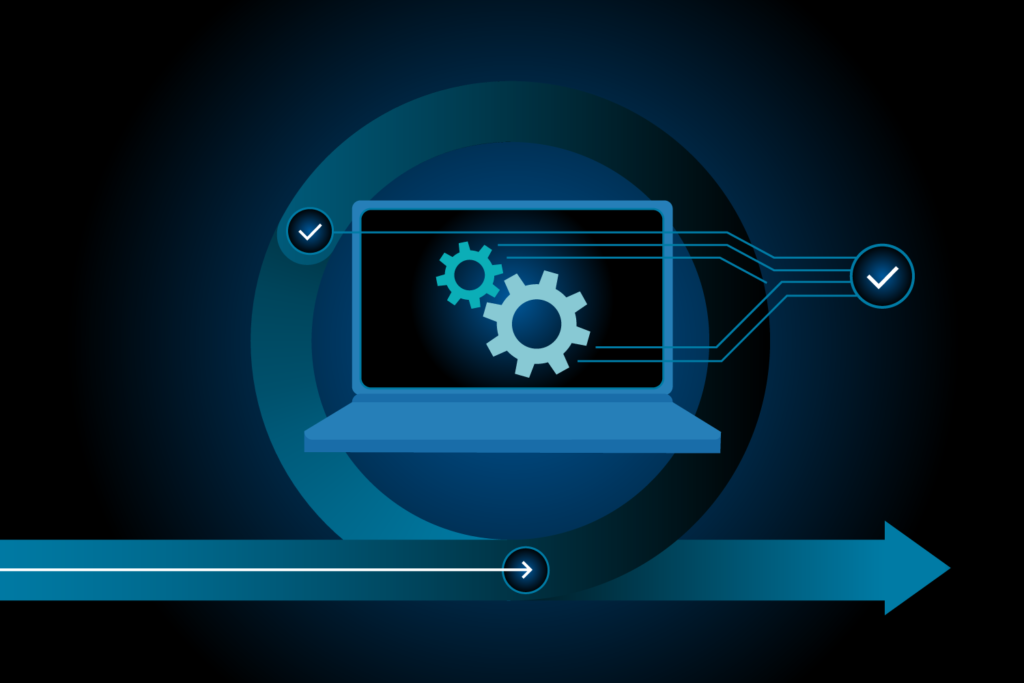
AI and automation often operate as parts of a single workflow. The process usually begins when an event occurs, such as receiving a message, uploading a document, or adding a new record to a database. The system then collects the relevant information, processes it, and performs the next action based on its instructions.
AI can help interpret unstructured information, including emails, documents, customer feedback, and images. Automation can then move that information between approved systems, update records, create notifications, or prepare reports.
For example, imagine a company receiving hundreds of customer emails each day. An AI tool could identify whether each message relates to a refund, product question, technical issue, or complaint. An automation workflow could assign the message to the correct team, create a support ticket, and notify the responsible employee.
| Component | Main Purpose | Example | Key Benefit |
|---|---|---|---|
| Artificial Intelligence | Interprets information and identifies patterns | Classifying customer messages | Handles complex information |
| Automation | Executes predefined actions | Sending notifications | Reduces repetitive work |
| AI-powered automation | Connects interpretation with action | Routing support tickets | Improves workflow efficiency |
| Human oversight | Reviews important decisions | Approving sensitive requests | Adds accountability |
The most effective workflows begin with a clear purpose. Adding AI to a poorly organized process may simply make mistakes happen faster. Businesses should first understand their existing tasks, identify unnecessary steps, and then decide where automation or AI can create genuine value.
Key Benefits of AI and Automation
One of the biggest advantages of AI and automation is the ability to reduce time spent on repetitive activities. Instead of manually copying information, sorting records, or preparing routine updates, people can use technology to complete these tasks more efficiently. This gives employees more time to focus on creative thinking, planning, customer relationships, and problem-solving.
Higher productivity: Automated workflows can perform routine tasks quickly and consistently. Employees can spend less time on administrative work and more time on activities that require their experience and judgment.
Improved consistency: A properly configured system follows the same process each time. This can reduce mistakes caused by repetitive manual work, although incorrect instructions or poor-quality data can still produce errors.
Faster information processing: AI can summarize lengthy documents, categorize feedback, identify patterns, and help organize large amounts of information. This can make it easier for people to understand complex material.
Better customer experiences: Businesses can use AI assistants to answer common questions, provide initial support, and direct customers to the right resources. More complicated or sensitive requests should still be handled by a qualified person.
Support for decision-making: AI tools can help analyze historical information, highlight trends, and compare possible outcomes. Their recommendations should be checked against reliable evidence rather than accepted automatically.
The actual benefits depend on the quality of the tools, the workflow being automated, and the way people use them. A simple, well-designed workflow may provide more value than a complicated system that is difficult to maintain.
Everyday Uses of AI and Automation
AI and automation are no longer limited to large technology companies. Many people encounter them through everyday apps, online services, digital assistants, and workplace software.
For personal productivity, AI writing assistants can help organize ideas, summarize notes, improve drafts, and suggest alternative ways to explain a topic. Calendar tools can send reminders, while task management systems can automatically update progress when a task changes.
In education, AI can explain difficult concepts, create practice questions, and help students structure their revision. These tools are most useful when learners actively evaluate the information and use it to build their own understanding instead of relying on generated answers without checking them.
In online shopping, automated systems can send order confirmations, update delivery notifications, and help customers find products. AI may also assist with product recommendations, although these suggestions can reflect incomplete data or commercial priorities.
At home, automation can control compatible lights, thermostats, security devices, and appliances. Smart systems may follow schedules or respond to certain conditions, helping people manage routine activities with less manual effort.
| Everyday Area | AI Application | Automation Example | Practical Value |
|---|---|---|---|
| Personal productivity | Summarizing notes | Recurring reminders | Better organization |
| Education | Explaining concepts | Scheduled study alerts | Structured learning |
| Online shopping | Product recommendations | Order status updates | Easier shopping |
| Smart homes | Voice-based assistance | Scheduled lighting | Everyday convenience |
These examples show that useful automation does not always need to be advanced. Even a small improvement, such as automatically organizing incoming files or sending appointment reminders, can make a daily routine easier.
AI and Automation in Business Operations
Businesses manage many connected processes, including sales, marketing, finance, customer service, human resources, and inventory. AI and automation can help coordinate these activities by reducing manual data entry and making information easier to access.
In sales, a customer relationship management system can automatically record enquiries, assign leads, and schedule follow-up reminders. AI may help summarize previous conversations or identify which enquiries need attention first. Sales professionals can then use this information to prepare more relevant responses.
Marketing teams can use AI to brainstorm campaign ideas, draft content, analyze audience feedback, and organize customer segments. Automation can schedule approved campaigns, update reporting dashboards, and notify team members when a campaign needs review. Human editing is still necessary to ensure the content is accurate, appropriate, and consistent with the brand.
Finance teams can automate invoice reminders, expense categorization, and routine reporting. AI may assist in extracting information from invoices or flagging unusual transactions. However, financial records, payments, tax calculations, and compliance-related decisions require suitable controls and verification.
Operations teams can use automation to track inventory, update order records, and alert staff when stock levels fall below a defined threshold. AI forecasting may help estimate future demand, but forecasts should be evaluated against actual sales, seasonal changes, and supply conditions.
The main objective is to connect individual tasks into a dependable process. Businesses should establish clear responsibilities, permissions, and approval steps before allowing automated systems to take actions that could affect customers, employees, or finances.
Popular Types of AI and Automation Tools
Different tools solve different problems. Some focus on generating or understanding information, while others connect applications and execute tasks. Choosing the right category starts with identifying the work that takes the most time or causes the most difficulty.
AI assistants help users write, research, brainstorm, summarize, and understand information. Document processing tools can extract text from forms, receipts, and reports. Workflow automation platforms connect compatible applications so that an action in one system can trigger an action in another.
Chatbots can answer common questions or collect information before a human agent takes over. Data analysis tools can help users explore trends, create summaries, and identify potential issues. Robotic process automation can imitate certain repetitive actions in software, such as transferring information between systems that do not integrate easily.
| Tool Category | Typical Tasks | Suitable Users | Important Consideration |
|---|---|---|---|
| AI assistants | Writing, summarizing, brainstorming | Students and professionals | Verify generated information |
| Workflow automation | Connecting apps and moving data | Teams and businesses | Check integration support |
| Chatbots | Answering common enquiries | Service teams | Provide human escalation |
| Data analysis tools | Reporting and trend identification | Analysts and managers | Validate data quality |
Not every tool needs to include AI. A standard automation system may be more predictable and affordable for simple tasks with clear rules. AI becomes more valuable when the workflow needs to interpret language, identify patterns, or work with information that does not follow a fixed format.
Challenges and Risks to Consider
Although AI and automation offer many benefits, they also introduce challenges that should not be ignored. Understanding these limitations helps individuals and organizations make informed decisions before adopting new technology.
Data privacy and security: AI systems may process business documents, customer details, or internal communications. Users should understand how information is stored and processed, restrict access to authorized people, and avoid entering confidential data into tools that have not been approved.
Inaccurate results: AI can produce incorrect answers, misunderstand instructions, or generate information that appears convincing but is unsupported. Important facts, calculations, and recommendations should be verified before use.
Implementation costs: Some tools require subscriptions, technical setup, employee training, or integration with existing systems. Organizations should compare the total cost with the expected time savings and operational benefits.
Overdependence on technology: Relying entirely on automated decisions can weaken human oversight. Businesses need clear procedures for reviewing unusual situations, correcting mistakes, and handling tasks that the system cannot complete.
Changing job responsibilities: Automation can reduce demand for certain repetitive activities while increasing the importance of skills such as communication, analysis, system management, and critical thinking. Training helps employees adapt to these changes.
Responsible adoption means deciding which tasks are appropriate for automation and which require human judgment. High-impact decisions involving employment, healthcare, legal matters, or financial access need particularly careful oversight and appropriate safeguards.
How to Get Started with AI and Automation
Getting started does not require advanced technical knowledge. A practical approach is to begin with one repetitive task, test a suitable tool, and measure whether the results justify the effort.
Identify a time-consuming task. Look for activities that happen frequently, follow a predictable pattern, or involve copying information between applications. Examples include organizing emails, preparing meeting summaries, or sending routine reminders.
Define the desired result. Decide what successful automation should achieve. It might reduce processing time, improve record accuracy, or ensure that follow-up messages are not forgotten.
Choose a suitable tool. Compare features, pricing, privacy controls, compatibility, and ease of use. Start with tools that fit your existing workflow rather than changing every system at once.
Test with a small sample. Use non-sensitive information to check whether the workflow works as expected. Review incorrect outputs, missing information, and situations where the system needs human intervention.
Measure performance. Compare the process before and after implementation. Track time saved, error rates, operating costs, and the amount of manual correction required.
Improve gradually. Once the initial workflow is reliable, consider connecting additional steps. Keep instructions documented and review the process when your requirements or software change.
This step-by-step method helps prevent unnecessary complexity. It also gives users a clearer understanding of what the technology can do well and where human involvement remains essential.
The Future of AI and Automation
AI and automation are expected to become increasingly integrated into everyday software. Digital assistants may help users complete multi-step tasks, while business systems may become better at interpreting information and coordinating actions across different applications.
Another important development is the growth of AI agents. These systems are designed to work toward a defined objective by selecting actions, using supported tools, and responding to intermediate results. Their usefulness depends on the permissions they receive, the reliability of their tools, and the quality of their instructions. Important actions still need suitable safeguards.
Personalized learning, predictive maintenance, document analysis, and customer support are other areas where these technologies may continue to develop. As systems improve, organizations will also need stronger approaches to data governance, cybersecurity, transparency, and accountability.
The future is unlikely to be defined by technology alone. People will still need to establish goals, understand context, assess risks, and make responsible decisions. Those who learn to work effectively with AI may find new ways to improve productivity without sacrificing accuracy or creativity.
FAQ’S
1. What is AI and automation?
AI uses technology to perform tasks that require human-like intelligence, while automation completes tasks with minimal manual effort. Together, they can make workflows faster and more efficient.
2. What are the main benefits of AI and automation?
The main benefits include saving time, reducing repetitive work, improving consistency, processing information faster, and supporting better decision-making.
3. How is AI automation used in business?
Businesses use AI automation for customer support, marketing, data analysis, invoice processing, inventory management, email organization, and routine reporting.
4. Which AI and automation tools are useful for beginners?
AI assistants, workflow automation platforms, chatbots, and automated task management tools are useful starting points. The best choice depends on your needs, budget, and existing software.
5. Will AI and automation replace human jobs?
AI and automation may change or reduce some repetitive tasks while creating demand for new skills and responsibilities. Human creativity, critical thinking, communication, and decision-making remain important.