

Creating something from scratch can be exciting, but it can also become frustrating when you spend more time fighting with software than actually working on your idea.Whether you’re a graphic designer, content creator, writer, video editor, photographer, social media manager, student, or someone who simply enjoys making things online, the right creative tools can make the process much easier.
Today, creators have access to tools for almost every part of the creative process. You can design graphics, edit videos, write content, create presentations, generate images, organize ideas, record audio, edit photos, and publish your work without needing a complicated professional setup.
But having too many options can create another problem: Which tools are actually worth using?
This guide explores the different types of creative tools available today and how to choose the ones that fit your workflow.
What Are Creative Tools?
Creative tools are software platforms, apps, websites, and digital resources that help people turn ideas into finished content.
They can be used for tasks such as:
- Graphic design
- Photo editing
- Video editing
- Writing
- Illustration
- Animation
- Audio production
- Presentations
- Social media content
- Branding
- Brainstorming
- AI-assisted creation
Some tools are designed for professionals, while others are simple enough for complete beginners.
The best tool isn’t necessarily the one with the most features. It’s the one that helps you get your work done without making the process unnecessarily complicated.
Graphic Design Tools
Graphic design is one of the biggest areas of digital creativity.
Design tools can help you create social media posts, thumbnails, posters, presentations, advertisements, logos, banners, invitations, and much more.
For beginners, an easy-to-use design platform can be more useful than professional software filled with advanced features you don’t yet need.
Experienced designers may prefer tools that provide detailed control over typography, vectors, layouts, colors, and file formats.
When choosing a design tool, consider:
- Ease of use
- Templates
- Typography options
- Image libraries
- Export formats
- Collaboration features
- Brand customization
- Advanced editing controls
The right choice depends heavily on the type of design you create.
AI Creative Tools

Artificial intelligence has become another part of the modern creative workflow.
AI-powered tools can help with brainstorming, writing, image creation, editing, summarizing, idea generation, and other creative tasks.
For example, a creator might use AI to generate several headline ideas before writing the final version themselves. A designer might use AI to explore visual concepts. A video creator might use AI-assisted tools for captions, transcripts, or editing.
The important thing is to treat AI as a creative assistant rather than automatically accepting everything it produces.
Your own judgment, taste, editing, and originality still matter.
Writing and Content Creation Tools
Writers and content creators have a huge range of digital tools available.
Writing tools can help with:
- Brainstorming ideas
- Organizing articles
- Checking grammar
- Improving readability
- Creating outlines
- Editing drafts
- Research organization
- Repurposing content
A useful writing workflow usually begins with a clear idea rather than immediately opening a writing tool.
Start by deciding what you want to say and who you’re saying it to. Then use digital tools to make the process smoother.
The final content should still sound like you.
Video Editing Tools
Video has become one of the most popular forms of online content.
Whether you’re making short-form videos, tutorials, product demonstrations, travel videos, educational content, or longer productions, a good video editor can make a huge difference.
Beginner-friendly editors often provide templates, transitions, music, captions, filters, and drag-and-drop editing.
More advanced software gives creators greater control over:
- Color correction
- Audio mixing
- Keyframes
- Visual effects
- Motion graphics
- Multitrack editing
- Export settings
If you’re new to video editing, don’t feel pressured to learn every feature. Start with cutting clips, arranging scenes, adding text, adjusting audio, and exporting correctly.
Those basics can take you surprisingly far.
Photo Editing Tools
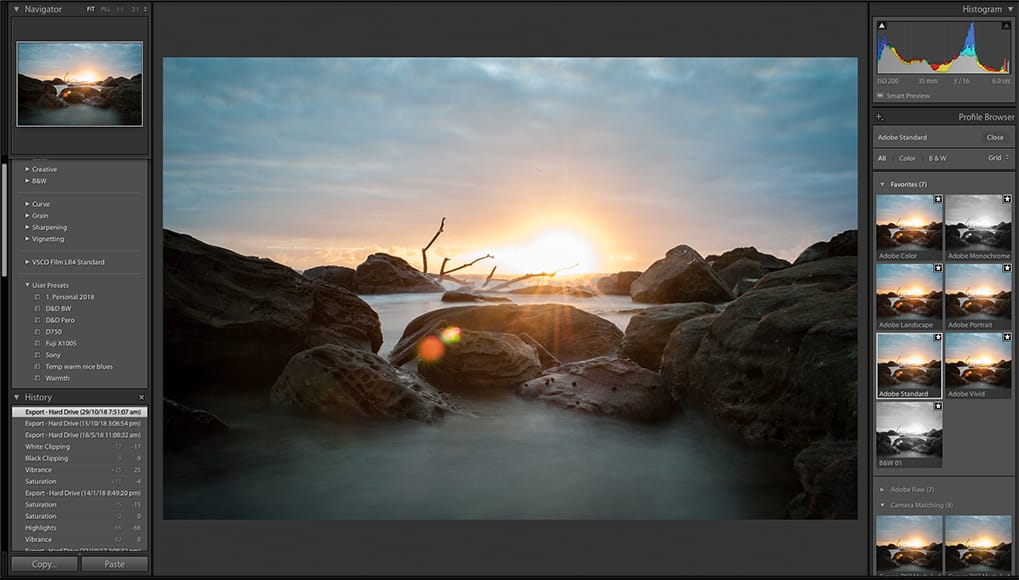
Good photo editing isn’t always about dramatic changes.
Sometimes the best edit is simply correcting exposure, adjusting colors, cropping an image, or removing a distracting element.
Photo editing tools can be useful for:
- Social media photos
- Product images
- Blog graphics
- Portraits
- Travel photography
- Website images
- Marketing content
Before editing, think about what the image actually needs. Over-editing can make a photo look unnatural.
Illustration and Digital Art Tools
Digital illustration has opened up creative possibilities that were difficult to achieve with traditional tools.
Artists can work with layers, brushes, textures, shapes, colors, and effects while keeping the ability to undo mistakes.
Some digital art tools are designed specifically for drawing, while others combine illustration with graphic design or photo editing.
A good drawing tool should feel comfortable with your preferred input method, whether you’re using a mouse, stylus, drawing tablet, or touchscreen.
Presentation and Visual Storytelling Tools
Presentations aren’t just for offices and classrooms anymore.
Creators use presentations to build educational content, explain complex ideas, pitch projects, showcase portfolios, and create social media visuals.
A strong presentation isn’t about filling every slide with information.
Instead:
- Keep one main idea per slide.
- Use readable text.
- Give visuals enough space.
- Maintain consistent fonts and colors.
- Use charts and images when they genuinely help.
- Remove unnecessary information.
Good visual storytelling makes information easier to understand.
Audio and Podcasting Tools
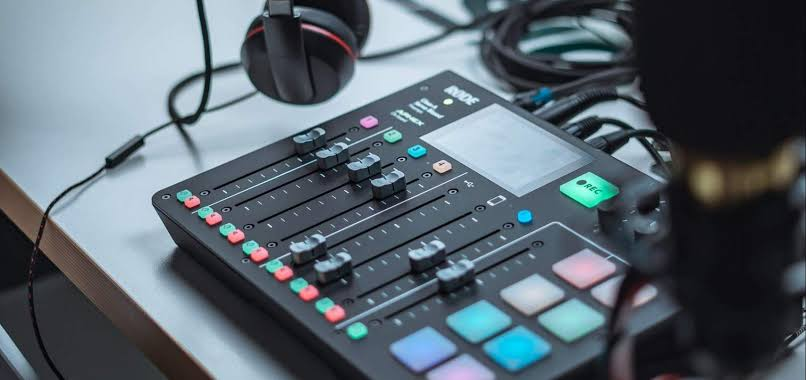
Clear audio often matters more than expensive equipment. A basic recording setup in a quiet environment can produce surprisingly good results.
Audio creators have their own collection of useful digital tools.
You can record voiceovers, edit podcasts, remove unwanted noise, mix music, and prepare audio for different platforms.
Even if you’re not creating a podcast, audio editing can improve videos, online courses, interviews, and social media content.
Social Media Creation Tools
Social media creators often have to produce content quickly.
That means tools that simplify resizing, templates, captions, scheduling, thumbnails, graphics, and video editing can save significant time.
Instead of creating every post from scratch, you can build reusable templates.
For example, create one consistent design system for:
- Instagram posts
- Stories
- YouTube thumbnails
- Short videos
- LinkedIn graphics
- Promotional posts
This can make your content look more consistent while reducing repetitive work.
Tools for Brainstorming and Idea Generation
One of the hardest parts of creativity is sometimes simply figuring out what to create next.
Brainstorming tools can help organize scattered thoughts and turn them into structured ideas.
Mind maps, digital whiteboards, note-taking apps, and AI brainstorming assistants can all be useful.
But don’t underestimate the value of a simple notebook.
Some of the best ideas appear when you’re walking, traveling, waiting for a coffee, or doing something completely unrelated to work.
Keep a quick way to capture those ideas before they disappear.
Collaboration Tools for Creative Teams

Creative work isn’t always done alone.
Designers, writers, editors, marketers, developers, and clients may all need to work on the same project.
Collaboration tools can make it easier to share files, collect feedback, track changes, and manage deadlines.
A good collaborative workflow should make responsibilities clear.
Instead of sending dozens of messages such as “Which version is final?”, use clear file names, folders, comments, and project stages.
Good organization can save as much time as good software.
How to Choose the Right Creative Tool
With so many options available, choosing a tool can feel overwhelming.
Start with your actual problem.
Instead of asking, “What’s the best design tool?” ask:
What am I trying to create?
If you’re making quick social graphics, you may need simplicity and templates.
If you’re designing professional brand assets, you may need precise controls and advanced file formats.
If you’re editing short videos, speed and easy captions may matter more than complex effects.
If you’re writing long-form content, organization and editing features may be more important.
The right question isn’t which tool is the best overall. It’s which tool is best for your specific job.
Free vs Paid Creative Tools

Many creative tools offer free versions, and they’re often enough for beginners.
Free plans can be useful for testing a platform before deciding whether you actually need premium features.
Before paying for a subscription, consider:
- How often will you use it?
- Which features do you actually need?
- Does the free version have limitations?
- Will the tool save enough time to justify the cost?
- Can you easily export your work?
- Does it fit into your existing workflow?
A paid subscription isn’t automatically better if you only use a few basic features.
Build a Repeatable Creative Workflow
The best creators aren’t necessarily using the most tools. They often have a process that they can repeat.
A simple workflow might look like this:
Idea → Research → Draft → Create → Edit → Review → Publish
Once the process becomes familiar, you spend less mental energy figuring out what to do next.
You can also create templates for repetitive tasks.
For example, if you regularly make social videos, prepare a standard intro, caption style, outro, thumbnail format, and folder structure.
This lets you focus more of your time on the actual creative idea.
Don’t Let Tools Replace Creativity
Digital tools can make creation faster, but they can’t automatically decide what is meaningful.
A tool can help you edit a photo, but it can’t know why the photo matters to you.
A writing assistant can suggest ideas, but it doesn’t automatically understand your personal experiences.
A design platform can provide templates, but your choices are what make the final work feel unique.
Technology should remove unnecessary friction—not remove your creative voice.
Keep Learning
Creative software changes constantly.
New features appear, interfaces change, and new tools enter the market.
You don’t need to learn everything.
Instead, choose one skill and improve it at a time.
Maybe this month you learn better typography. Next month you improve video editing. After that, you explore animation or photo composition.
Small improvements add up.
FAQ’S
1. What are creative tools?
Creative tools are apps and software that help with designing, writing, video editing, photo editing, illustration, audio, presentations, and content creation.
2. What are the best creative tools for beginners?
Beginners should choose simple tools with easy interfaces, templates, tutorials, and the features needed for their specific creative work.
3. Can AI tools help with creative work?
Yes. AI tools can help with brainstorming, writing, image creation, editing, research, captions, and other parts of the creative process.
4. Should creators use free or paid creative tools?
Free tools can be enough for basic projects, while paid tools may offer advanced features, higher limits, and additional creative capabilities.
5. How many creative tools does a creator need?
There is no fixed number. A small set of reliable tools for writing, design, editing, organization, and content creation can be enough for most workflows.

