
Artificial intelligence is no longer something limited to large technology companies or research laboratories. It has become part of everyday work. People now use AI to write content, organize information, analyze data, manage projects, communicate with customers, and handle repetitive tasks.
At the same time, automation is helping people reduce the amount of manual work involved in their daily routines. When AI and automation are combined, simple workflows can become faster and more efficient.
In 2026, there are many tools available for different types of work. Some help with writing and research, while others connect applications, manage projects, organize emails, analyze data, or automate business processes.
The important thing is not to use every AI tool available. The better approach is to find tools that solve genuine problems and fit naturally into your existing workflow.
What Are AI Automation Tools?
AI automation tools use artificial intelligence and automated processes to complete tasks with less human effort.
Traditional automation usually follows a fixed set of instructions. For example, a system might automatically send an email whenever someone fills out a form.
AI-powered automation can go further. It can interpret information, summarize text, categorize requests, identify patterns, and help decide what should happen next.
This makes AI automation useful for both simple and complex workflows.
A person might use AI automation to organize incoming emails, summarize meetings, create a first draft of a report, move information between applications, or prioritize tasks.
Why AI Automation Is Important in 2026
Modern professionals often use several digital tools during a single workday. They may switch between email, spreadsheets, documents, project management platforms, messaging applications, and customer databases.
Managing all these systems manually can become time-consuming.
AI automation helps connect these activities and reduce repetitive work. Instead of repeatedly copying information, sending routine messages, or organizing the same type of data, automated workflows can handle many of these steps.
This gives people more time for tasks that require creativity, problem-solving, communication, and decision-making.
AI Writing and Content Tools
Writing is one of the most popular uses of AI.
AI writing tools can help with brainstorming, outlining, drafting, rewriting, summarizing, and proofreading. They can be useful for blog writers, marketers, students, business owners, and professionals.
For example, someone preparing an article can use AI to generate possible headings and organize ideas before writing the final piece.
However, AI should not completely replace human editing. A person should check the content for accuracy, originality, tone, and relevance.
The best results usually come when AI handles the initial workload while the writer provides personal knowledge and final judgment.
AI Research Tools

Research can take a significant amount of time, particularly when information is spread across many documents and sources.
AI research tools can help summarize long material, organize notes, identify important points, and make large amounts of information easier to understand.
This can be useful when preparing reports, studying a topic, comparing information, or planning a project.
Instead of spending hours sorting through information before understanding the basic picture, users can use AI to create an initial summary and then review the original sources in greater detail.
This approach can make research more efficient without removing the need for careful verification.
Workflow Automation Tools
Workflow automation is particularly valuable for repetitive business tasks.
For example, a company may receive customer information through an online form. An automated workflow can transfer that information into a database, notify the appropriate employee, and create a follow-up task.
AI can make these workflows more flexible by helping classify information and understand the context of incoming requests.
A support message could be categorized as a billing question, technical issue, or general inquiry and then automatically directed to the appropriate workflow.
This can save employees from performing the same administrative steps repeatedly.
AI Project Management Tools
Keeping a project organized requires constant attention.
Teams need to manage deadlines, assign responsibilities, track progress, share documents, and communicate about changes.
AI-powered project management tools can assist with these activities by summarizing discussions, organizing tasks, identifying priorities, and helping teams keep track of deadlines.
For managers, this can reduce the time spent checking individual updates.
Instead of reviewing every conversation to understand what has happened, a manager can use AI-assisted summaries to quickly identify important developments.
AI Email Automation
Email can easily consume a large portion of the working day.
AI-powered email tools can help summarize long conversations, draft responses, categorize messages, and identify emails that may require immediate attention.
This is especially useful for professionals who receive a high volume of messages.
For routine communication, automation can save time. However, important emails should still be reviewed before sending.
A message involving customers, finances, contracts, or sensitive information deserves human attention even when an AI system has prepared the draft.
AI Tools for Marketing

Marketing involves many repetitive activities, including content planning, customer research, campaign management, reporting, and communication.
AI automation can help marketers manage these tasks more efficiently.
For example, AI can assist with content ideas, organize campaign information, summarize customer feedback, and help analyze marketing data.
Automation can also connect different stages of a campaign. Information collected from one system can be transferred to another without requiring someone to enter the same data manually.
This allows marketing teams to spend more time on strategy and creative thinking.
AI Data Analysis Tools
Businesses generate large amounts of data every day.
Spreadsheets, sales reports, customer information, website statistics, and other datasets can be difficult to analyze manually.
AI data analysis tools can help users identify patterns, summarize information, and answer questions about data.
One useful feature is the ability to ask questions using normal language instead of complex formulas.
For example, a user might want to understand which products performed best during a particular period. An AI-assisted system can help analyze the relevant data and present the findings in a more understandable way.
Users should still verify important results before making business decisions.
AI Customer Support Automation
Customer support is another area where automation can make a major difference.
AI systems can handle common questions, provide basic information, categorize support requests, and help customers find answers quickly.
When a problem is more complicated, the system can pass the request to a human representative.
This approach can reduce waiting times while allowing support teams to concentrate on difficult cases.
Good automation should make customer service easier, not create additional frustration. Customers should always have a clear path to human assistance when needed.
AI Scheduling and Productivity Tools
Managing appointments, deadlines, meetings, and personal tasks can become difficult when a schedule is crowded.
AI productivity tools can help users organize calendars, prioritize tasks, set reminders, and find suitable times for meetings.
They can also help identify routine activities that could be automated.
For example, recurring tasks can be scheduled automatically rather than added manually each week.
Better scheduling is not just about fitting more work into a day. It is also about protecting time for focused work and reducing unnecessary interruptions.
How to Choose the Right AI Automation Tool
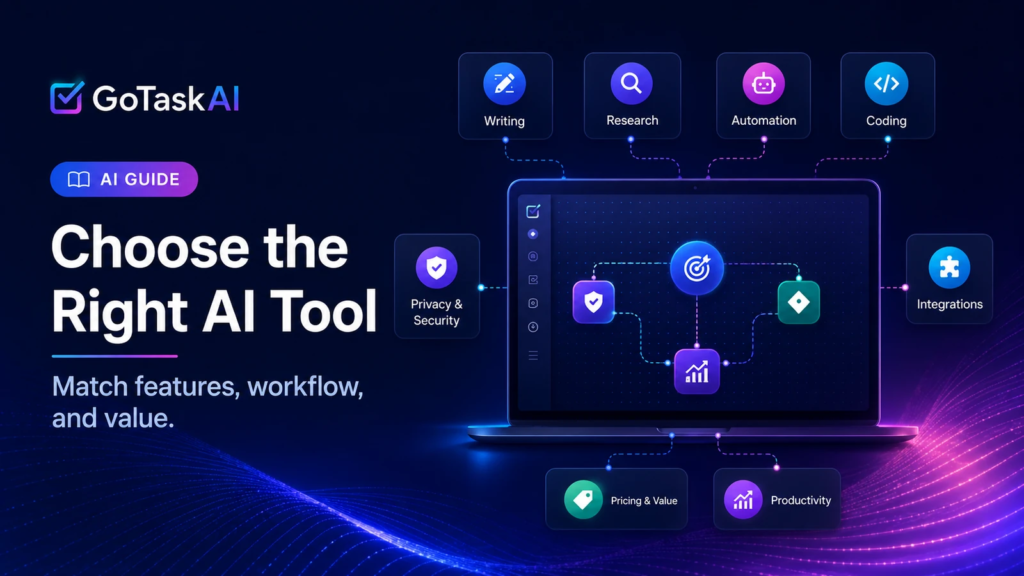
Choosing an AI tool should begin with a problem rather than a feature list.
Think about the tasks that take up the most time during a typical day.
Ask yourself:
- Which tasks do I repeat frequently?
- Which activities involve copying information between applications?
- Which processes often cause delays?
- Which tasks are predictable enough to automate?
- Where would AI assistance actually improve the workflow?
Once you understand the problem, you can look for a tool designed to solve it.
A content creator may benefit from writing and research tools, while a small business may need customer support and workflow automation. A larger organization might need tools that connect multiple systems.
Important Things to Consider
AI automation can be extremely useful, but it should be implemented carefully.
Privacy is one important consideration. Avoid putting sensitive information into tools without understanding how that information is handled.
Accuracy is another concern. AI systems can misunderstand information or produce incorrect results.
Human oversight remains important, especially for financial, legal, customer-facing, or business-critical tasks.
It is also worth starting small. Automate one process, monitor the results, and improve it before introducing automation across an entire workflow.
The Future of AI Automation
AI automation is likely to become a normal part of professional life.
Future systems will increasingly be able to understand context, work across multiple applications, manage complex workflows, and provide useful recommendations.
However, technology will not eliminate the importance of human skills.
Creativity, leadership, critical thinking, empathy, communication, and professional judgment will continue to matter.
The strongest approach is therefore not to automate everything. It is to let technology handle repetitive work while people focus on the responsibilities where human thinking makes the biggest difference.
FAQs
1. What are AI automation tools?
AI automation tools use artificial intelligence to complete repetitive tasks and improve everyday workflows.
2. How can AI automation improve productivity?
It can save time by handling routine tasks such as writing, organizing information, scheduling, and data processing.
3. Are AI automation tools useful for small businesses?
Yes. They can help small businesses manage customer support, marketing, communication, and administrative tasks more efficiently.
4. Can AI automation replace human workers?
AI can automate many repetitive tasks, but human creativity, judgment, communication, and decision-making remain important.
5. How should I choose an AI automation tool?
Choose a tool based on your specific needs, workflow, budget, ease of use, security, and the tasks you want to automate.