Taking a photo is easy. Getting the photo to look exactly how you imagined it is a little harder.Editing Tools Sometimes the lighting isn’t quite right. Maybe the colors look dull, there’s something distracting in the background, or the composition would look much better with a tighter crop. The good news is that you don’t need to be an expert to fix these problems anymore.
Photo editing tools in 2026 have become incredibly accessible. You can make simple adjustments with your phone or use advanced desktop software for detailed professional work.Editing Tools AI has also made many editing jobs faster, from removing unwanted objects to changing backgrounds and improving image details.
The bigger challenge now is choosing an editor.
There are dozens of apps competing for your attention, and each one is designed with a slightly different user in mind.Editing Tools Some are perfect for professional photography, while others are better for quick social media edits.
So, instead of downloading every app and figuring it out yourself, let’s look at some of the best photo editing tools in 2026 and what makes each one useful.
What Should You Look for in a Photo Editing Tool?
Before choosing an app, think about how you actually take and use your photos.
If you mainly take pictures with your phone, you probably don’t need complicated professional software.Editing Tools If you’re shooting RAW files with a mirrorless camera, however, you’ll want much more control.
Here are some features worth considering:
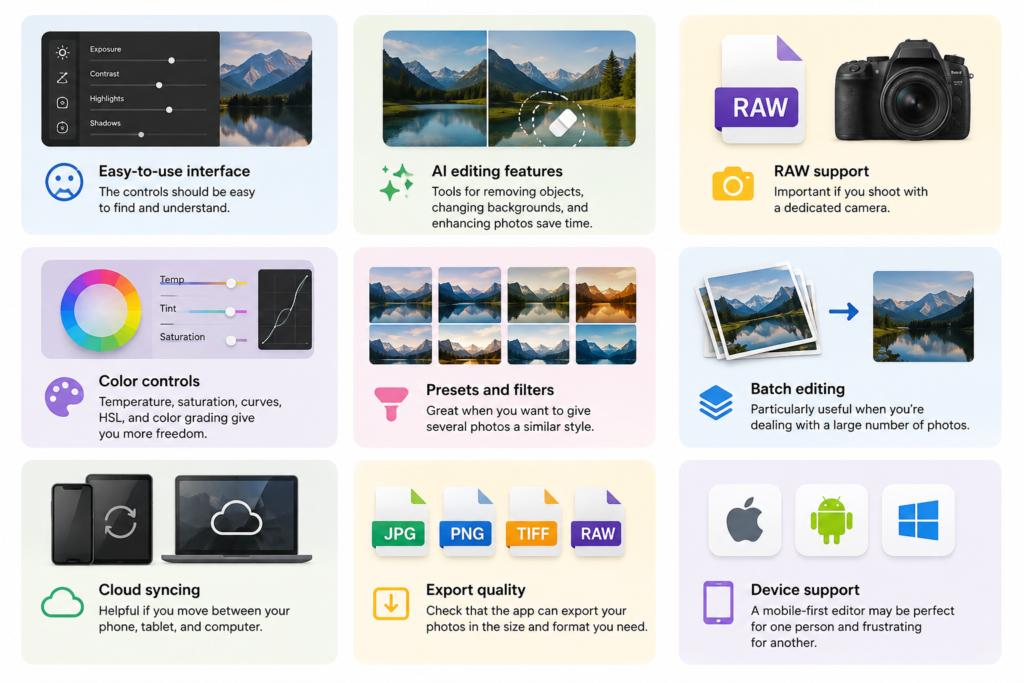
- Easy interface: Editing should feel straightforward rather than like a technical course.
- AI tools: Object removal, background editing, image enhancement, and automatic adjustments can save considerable time.
- RAW support: Important for photographers who shoot with DSLR or mirrorless cameras.
- Color controls: Exposure, temperature, saturation, curves, HSL, and color grading are useful for more precise editing.
- Presets and filters: Helpful when you want multiple photos to have a similar style.
- Batch editing: Extremely useful when you’re working with dozens or hundreds of images.
- Cloud syncing: Convenient if you edit on more than one device.
- Export options: Make sure you can save your finished photos at the size and quality you need.
- Device support: Choose an editor that works well on the devices you actually use.
Best Photo Editing Tools in 2026
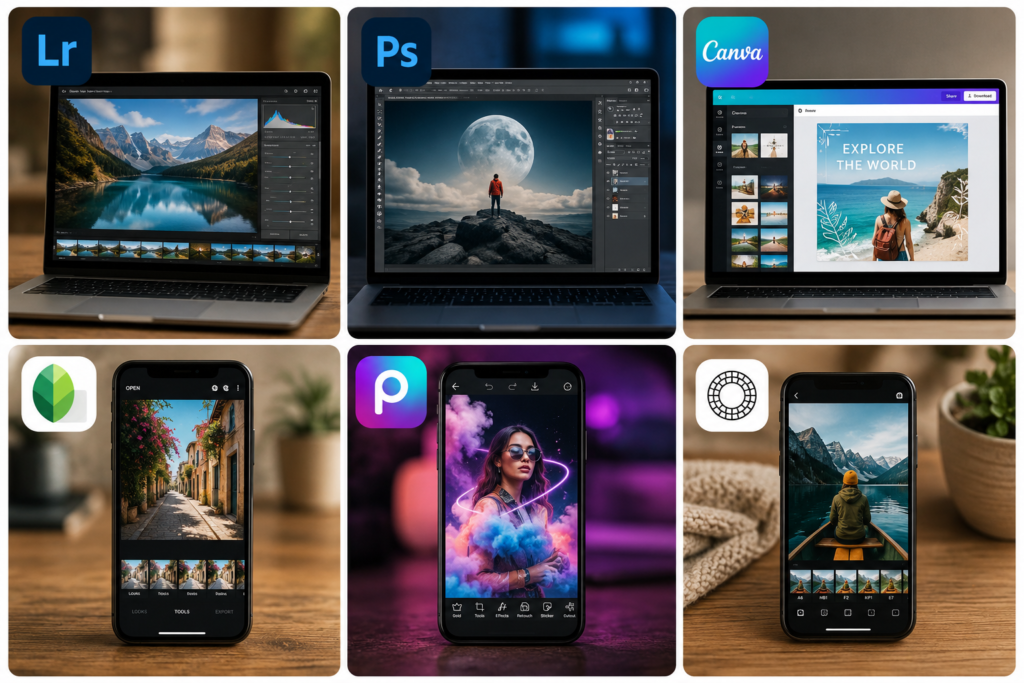
There isn’t one app that can honestly be called the best for everyone.
A professional photographer needs different features from someone who just wants to make their vacation photos look better before posting them online.
Here are some of the most useful options for different editing styles.
1. Adobe Lightroom — Best for Photographers
Adobe Lightroom is a strong choice for anyone who takes photography seriously.
It gives you plenty of control over exposure, highlights, shadows, white balance, colors, sharpness, and other important settings. You can also create presets, which means you don’t have to start from zero every time you edit a new photograph.
That’s especially helpful after a holiday or event when you have hundreds of images to go through.
Lightroom also combines editing with photo organization, making it easier to keep a large collection under control.
Its AI-assisted features can speed up tasks such as masking and removing distracting elements, too.
Best for: Photographers, serious hobbyists, RAW editing, travel photography, and large photo collections.
Pros:
- Excellent exposure and color controls
- Strong RAW editing
- Useful presets and masking
- Desktop and mobile support
- Good photo organization
Cons:
- Takes time to learn properly
- Mainly offered through a subscription
2. Adobe Photoshop — Best for Detailed Editing
Sometimes you’re not looking to make a photo slightly brighter or more colorful. You want to change something completely.
That’s where Adobe Photoshop becomes especially useful.
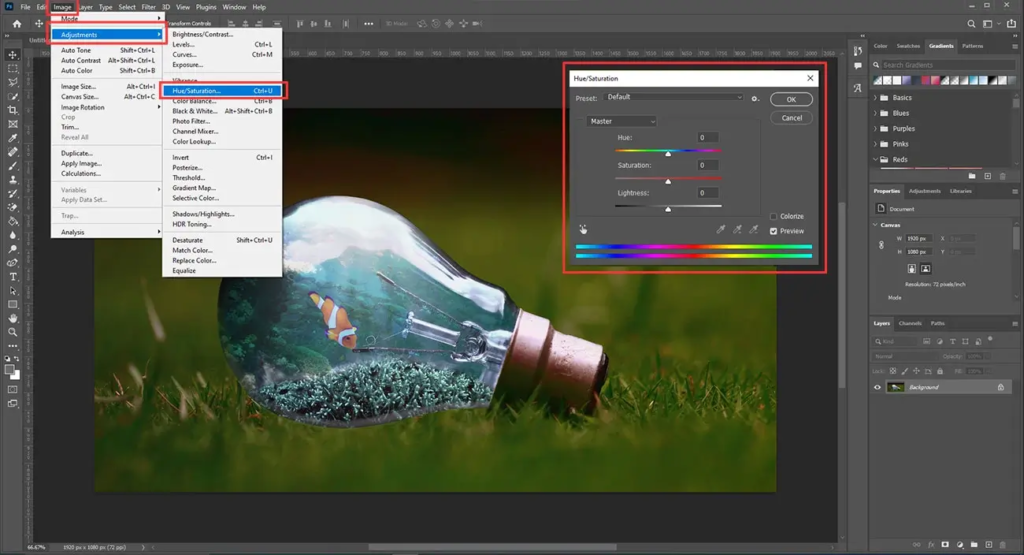
Photoshop lets you work with layers and masks, retouch portraits, remove unwanted elements, combine photographs, create composites, and make very detailed changes.
Its AI-powered features can also take care of some tasks that previously required much more manual work.
The downside is fairly obvious: Photoshop has a lot going on. Beginners may need some time before they feel comfortable using it.
If you’re simply fixing the brightness of a family photo, you probably don’t need all that power.
Best for: Professional photographers, designers, retouchers, and advanced users.
Pros:
- Extremely powerful editing tools
- Layers and masks
- Detailed retouching
- AI-assisted features
- Excellent for creative projects
Cons:
- Steeper learning curve
- More complicated than basic editors
3. Canva — Best for Social Media and Designs
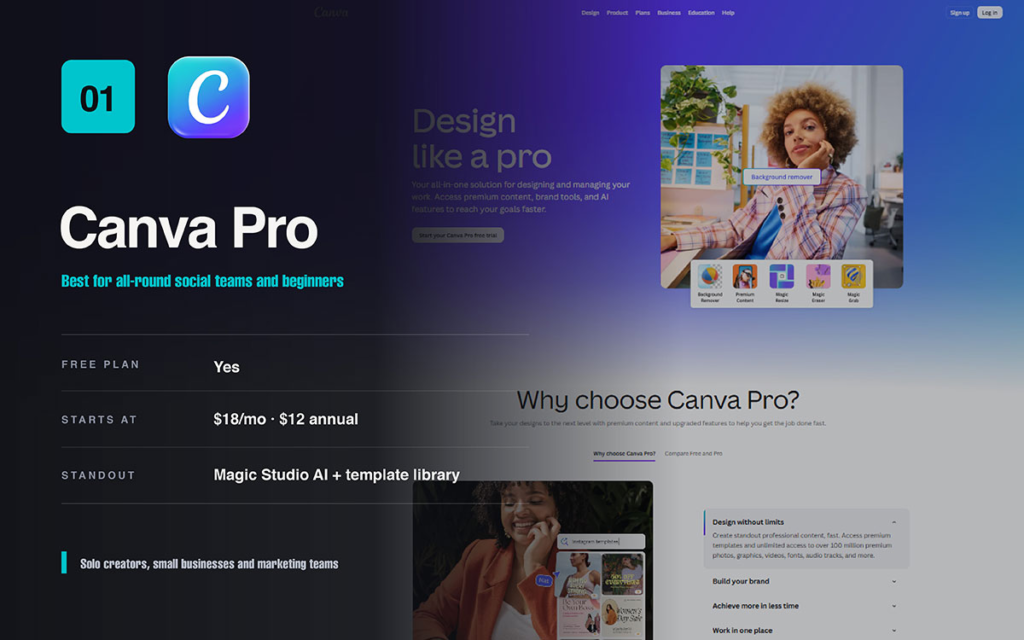
Canva isn’t a traditional photography editor in the same way as Lightroom or Photoshop.
Its strength is combining photos with design.
You can upload a picture, make some quick adjustments, remove the background, add text, choose a template, and turn it into an Instagram post, YouTube thumbnail, advertisement, presentation, or blog graphic.
For creators who want to get something finished quickly, that can be much more useful than having hundreds of advanced editing controls.
Best for: Content creators, bloggers, marketers, small businesses, and beginners.
Pros:
- Very easy to use
- Lots of templates
- Useful AI features
- Excellent for social media content
- Available on web and mobile
Cons:
- Not built for advanced RAW workflows
- Some features require a paid plan
4. Snapseed — Best Free Mobile Editor
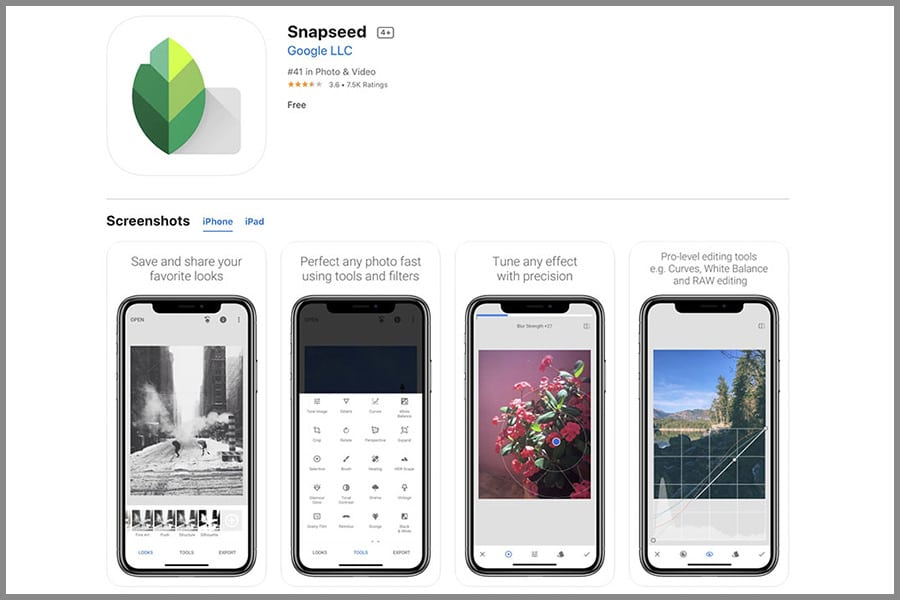
If you prefer editing photos directly on your phone, Snapseed is still a practical option.
It gives you considerably more control than a simple filter app without forcing you into a complicated professional workflow.
You can adjust exposure, contrast, saturation, sharpness, curves, and other settings. Selective adjustments are particularly useful when you want to improve one part of an image without changing everything else.
For everyday smartphone photography, that can be more than enough.
Best for: Smartphone photographers, casual users, and people looking for a free mobile editor.
Pros:
- Strong editing controls
- Easy to learn
- Selective adjustments
- Useful for everyday photography
Cons:
- Not designed for managing huge photo libraries
- Doesn’t provide the same workflow as professional desktop software
5. Picsart — Best for Creative Editing
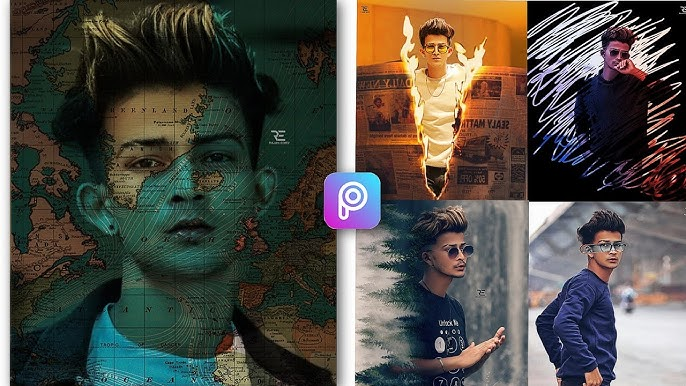
If you like adding a little personality to your photos, Picsart is worth exploring.
The app offers filters, effects, stickers, backgrounds, collages, templates, and other creative tools. It’s particularly useful for people creating content for social platforms.
AI features can also make certain creative edits much quicker.
It’s not really trying to replace professional photography software. Instead, it focuses on making photo editing more accessible and fun.
Best for: Social media creators, casual users, collages, and creative projects.
Pros:
- Lots of creative effects
- AI-powered tools
- Collage features
- Mobile-friendly
- Plenty of templates
Cons:
- Some features require premium access
- The number of options can feel overwhelming
6. VSCO — Best for Presets and Style
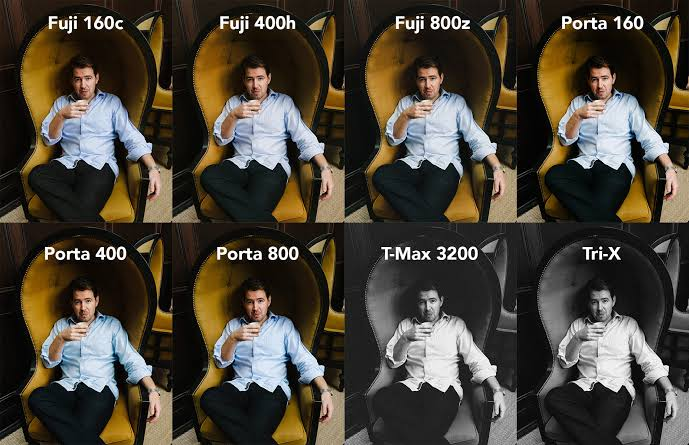
If you’re more interested in creating a particular mood or aesthetic, VSCO could be a better fit.
The app is well known for its presets, which give you a starting point instead of requiring you to adjust every setting manually.
You can then make small changes to get the photo looking exactly how you want.
This is particularly useful for travel, lifestyle, street photography, and social media feeds where you want your images to feel connected.
Best for: Presets, film-inspired styles, lifestyle photography, travel photos, and social media.
Pros:
- Attractive presets
- Clean interface
- Simple adjustments
- Consistent visual style
Cons:
- Many features are premium
- Not designed for advanced professional workflows
How AI Is Changing Photo Editing in 2026
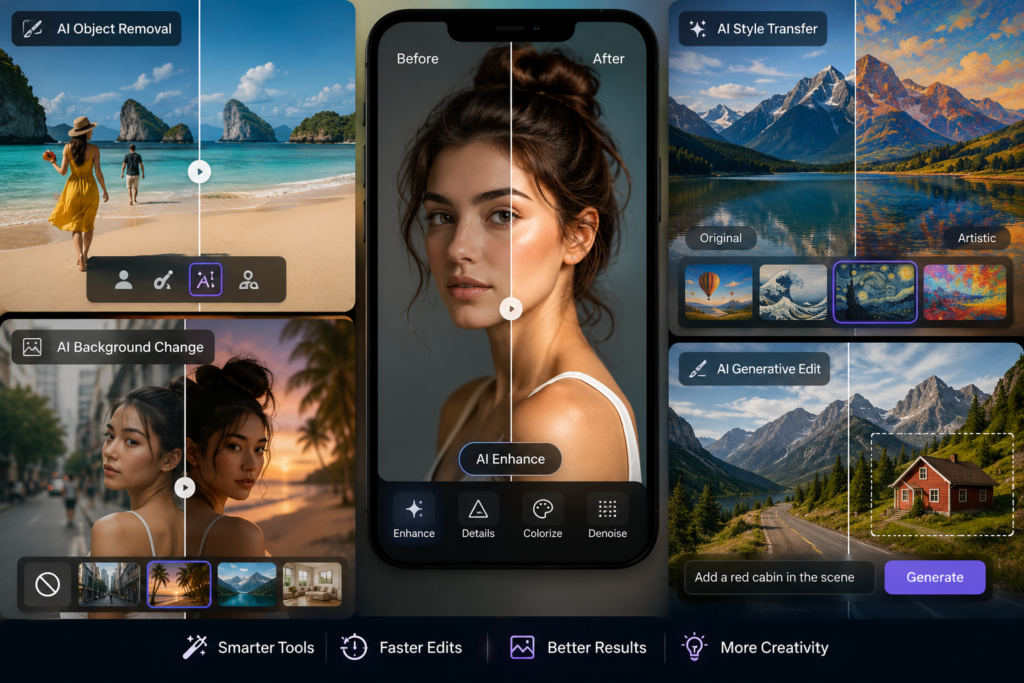
AI has changed photo editing in a pretty noticeable way.
Tasks that once required careful selections and plenty of patience can now often be completed in a few clicks.
But that doesn’t mean traditional editing skills are becoming useless. In fact, understanding exposure, color, composition, and cropping is still important.
AI can speed up the process, but it doesn’t always know what looks natural.
AI Object Removal
That person walking behind your subject. The sign you didn’t notice while taking the picture. The cable cutting across the sky.
AI removal tools can often get rid of these distractions surprisingly quickly.
Still, zoom in and check your image afterward. AI sometimes leaves behind strange edges or details.
AI Background Editing
Changing a background used to involve careful selections and quite a bit of manual work.
Modern AI tools can identify the main subject and make it much easier to replace, clean up, or alter the background.
This can be particularly useful for portraits, product photos, and social media content.
AI Image Enhancement
Some photos simply need a little help.
AI enhancement tools can improve perceived sharpness, reduce noise, and make images look cleaner. They’re particularly handy when the original photograph isn’t quite as crisp as you’d hoped.
Just remember that AI can’t recover every detail that wasn’t captured in the original image.
Generative Editing
Generative editing is one of the more interesting developments.
Instead of simply adjusting existing pixels, AI can create or extend parts of an image based on an instruction or selected area.
That opens up plenty of creative possibilities, although the results aren’t always perfect. Strange textures, unrealistic objects, and mismatched lighting can occasionally appear.
The best approach is to treat AI as an editing assistant, not as the final decision-maker.
Best Photo Editing Tools by Use Case
| What You Need | Recommended Tool |
|---|---|
| Professional photography | Adobe Lightroom |
| Advanced photo manipulation | Adobe Photoshop |
| Social media designs | Canva |
| Free mobile editing | Snapseed |
| Creative effects | Picsart |
| Stylish presets | VSCO |
| RAW photo editing | Adobe Lightroom |
| Detailed retouching | Adobe Photoshop |
| Beginner-friendly designs | Canva |
Are Free Photo Editing Tools Good Enough?
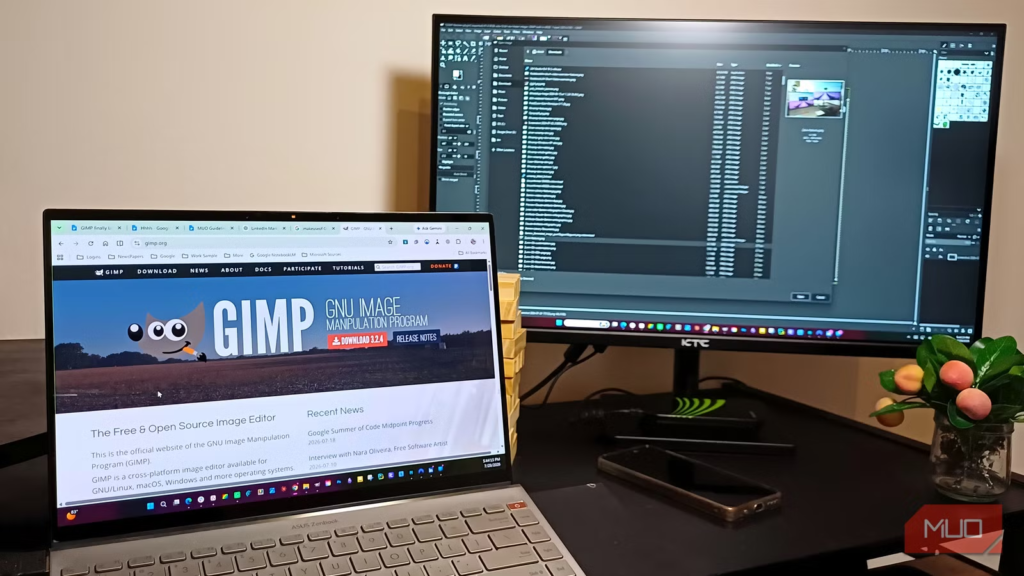
For everyday photography, they often are.
If you’re mainly cropping images, fixing exposure, adjusting colors, adding filters, or removing minor distractions, you can get excellent results without spending money on professional software.
Paid editors become more attractive when your work becomes more demanding.
For example, photographers may need advanced RAW processing and batch editing, while designers and retouchers may need sophisticated masking, layers, and detailed selections.
There’s no need to pay for features you’ll never use.
If you’re new to editing, start with a free option. Once you run into a limitation that genuinely affects your work, that’s a good time to consider upgrading.
How to Choose the Right Photo Editing App
Think about what you do most often.
For photographers: RAW support, color accuracy, presets, organization, and detailed adjustments should be priorities.
For content creators: Templates, background removal, text tools, quick edits, and social media formats may matter more.
Editing Tools For beginners: Look for something that feels comfortable rather than something with the longest feature list.
For designers and professional retouchers: Layers, masks, selections, compositing, and detailed retouching are likely to be important.
The best editor isn’t necessarily the most powerful one. It’s the one that makes your particular workflow easier.
Simple Tips for Better Photo Editing
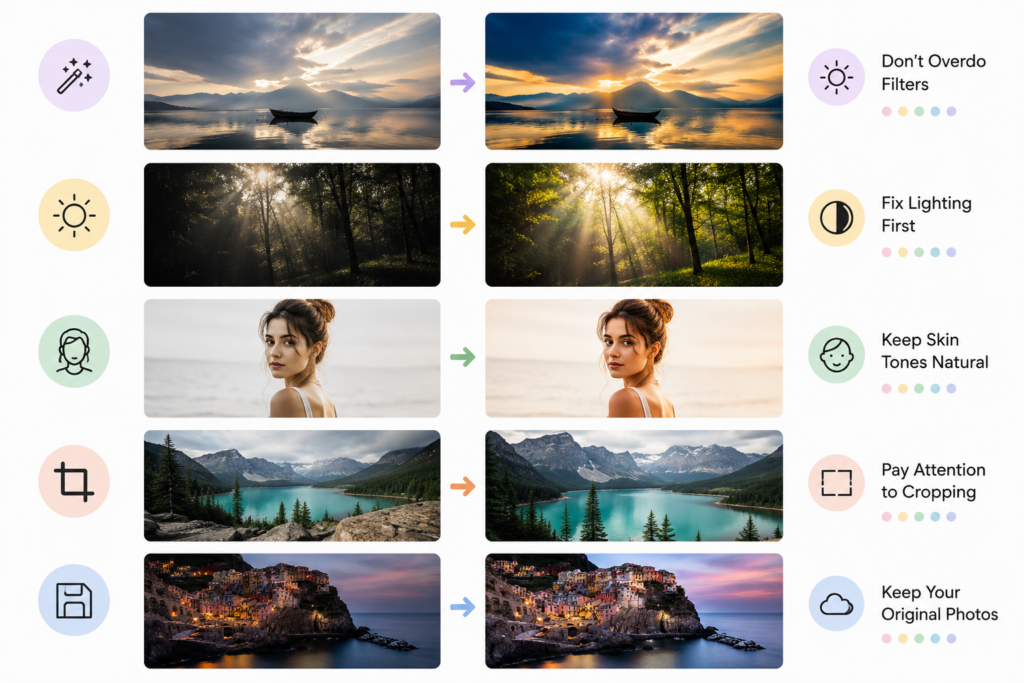
Good editing doesn’t mean using every tool available.
Often, a few small changes are enough.
Keep Filters Under Control
Filters can completely change the mood of an image, but too much of a good thing can make a photo look artificial.
Try starting with a subtle effect and increase it only when the image genuinely needs it.
Fix Exposure First
Before worrying about color grading, get the basic lighting right.
Adjust exposure, highlights, and shadows first. Once the image is balanced, you’ll have a much better foundation for creative edits.
Don’t Overedit Skin
Portrait editing requires a light touch.
Be careful with saturation, warmth, and smoothing. Skin that looks slightly imperfect often looks much more natural than skin that’s been heavily processed.
Use Cropping to Improve Composition
A photo can sometimes improve dramatically just by changing its framing.
Try removing distracting areas and positioning your subject where it has enough room to breathe.
Keep Your Original Image
Always keep an untouched copy of your original photograph.
It might not seem important when you’re starting an edit, but you’ll appreciate having the original if you later decide that an effect was too strong or you want to try a completely different style.
Frequently Asked Questions
1. What are the best photo editing tools in 2026?
Some of the most popular photo editing tools include Adobe Lightroom, Adobe Photoshop, Canva, Snapseed, Picsart, and VSCO. The best option depends on whether you need professional editing, mobile tools, social media designs, or creative effects.
2. What is the best photo editing app for beginners?
Canva and Snapseed are good choices for beginners because their interfaces are relatively easy to understand and they offer useful editing features without requiring extensive experience.
3. What is the best photo editing app for professional photographers?
Adobe Lightroom is a strong choice for photographers who need RAW editing, color adjustments, presets, organization, and advanced editing controls. Photoshop is better suited to detailed retouching and complex image manipulation.
4. What is the best free photo editing app in 2026?
Snapseed is a popular free option for mobile photo editing. It provides tools for exposure, color, sharpening, curves, cropping, and selective adjustments without requiring a professional desktop workflow.
5. Are AI photo editing tools worth using?
Yes. AI can make repetitive tasks much faster, including object removal, background editing, image enhancement, masking, and generative editing. However, it’s still important to review AI-generated results because they aren’t always perfect.