The smartphone landscape in 2026 marks one of the most substantial structural shifts in the history of Apple’s mobile platform. With Apple unifying its versioning across ecosystem operating systems and introducing its “Liquid Glass” design language, keeping up with software updates requires a modern roadmap.
Whether you are seeking peak stability on the current stable release, looking to troubleshoot minor performance quirks, or eager to test cutting-edge artificial intelligence capabilities on the horizon, this definitive guide breaks down everything you need to know about navigating iOS in 2026.
The State of iOS in 2026: An Overview
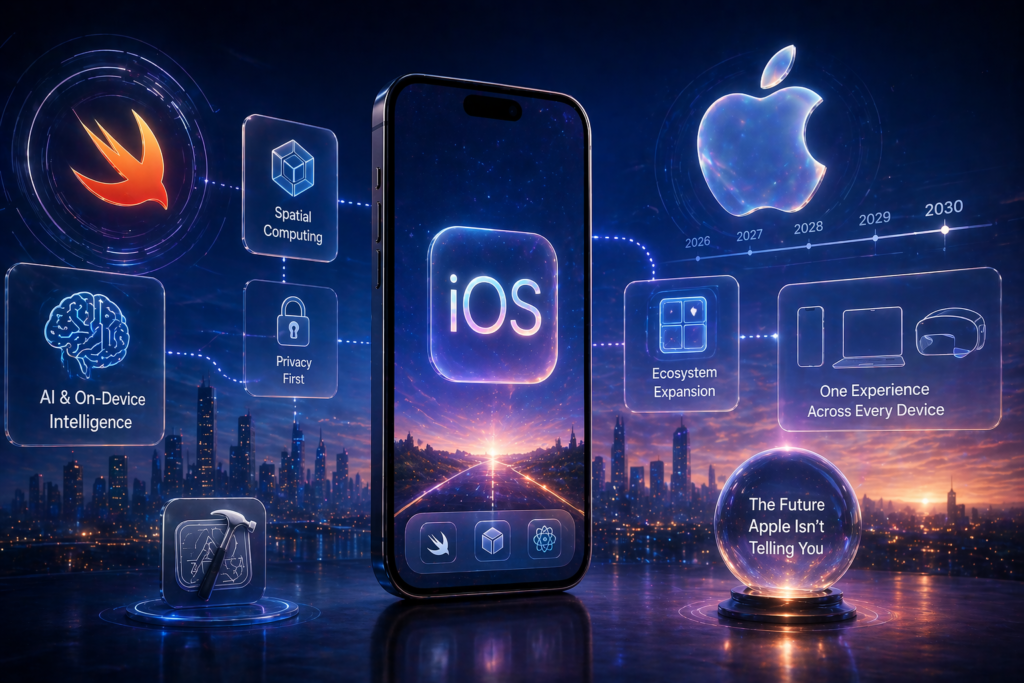
To understand where iPhone software stands today, it is essential to contextualize Apple’s version alignment. Following the transition from iOS 18, Apple streamlined its operating system numbering across iOS, iPadOS, macOS, watchOS, and visionOS to sync directly with the release season. Today, iOS 26 serves as the primary stable operational engine for millions of devices worldwide, while iOS 27 represents the upcoming leap forward, currently undergoing public beta testing ahead of its general autumn release.
┌────────────────────────────────────────────────────────┐
│ iOS Ecosystem in 2026 │
└───────────────────────────┬────────────────────────────┘
│
┌──────────────────────┴──────────────────────┐
▼ ▼
┌──────────────────────────────┐ ┌──────────────────────────────┐
│ iOS 26 Stable Branch │ │ iOS 27 Preview Branch │
├──────────────────────────────┤ ├──────────────────────────────┤
│ • Current Release: iOS 26.6 │ │ • Stage: Public Beta Testing │
│ • Focus: Security & Polish │ │ • Launch: General Fall Release│
│ • Design: Liquid Glass UI │ │ • Focus: Siri AI Engine │
└──────────────────────────────┘ └──────────────────────────────┘
Active Stable Platform: iOS 26 Feature Breakdown
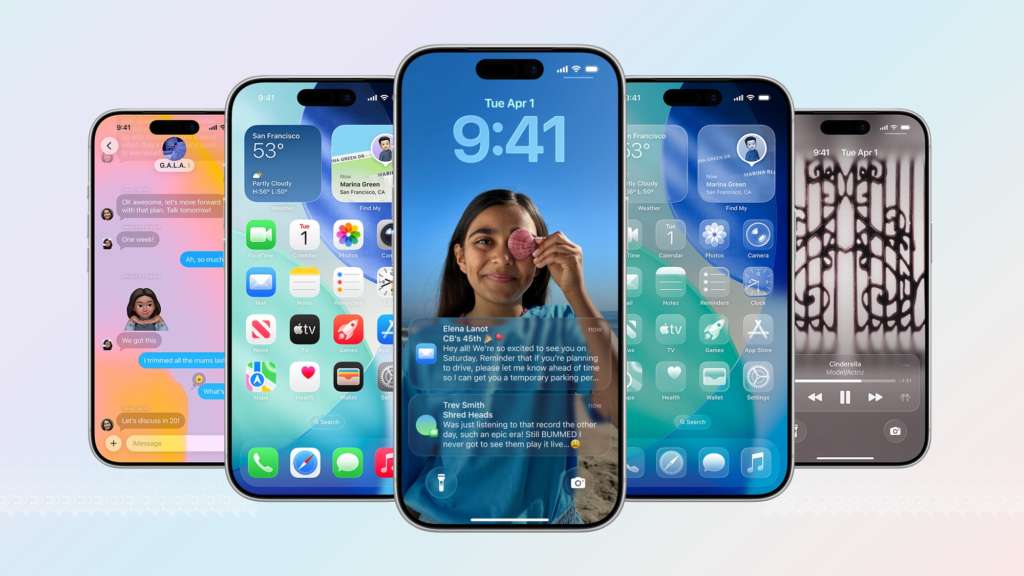
Released as a major visual and systemic overhaul, iOS 26 introduced the “Liquid Glass” interface—the first top-to-bottom design reimagining since iOS 7. The software focuses heavily on visual personalization, real-time context responsiveness, and proactive system tools.
1. Advanced Home Screen & Icon Customization
Personalizing the Home Screen on iOS 26 moves well beyond static grid adjustments. The platform gives users complete aesthetic control over contrast, hue, and optical depth:
- Dynamic App Icon Tinting: App icons can be globally configured into Dark, Light, or Clear (translucent glass) variants. Clear icons utilize real-time background refraction, matching the surrounding wallpaper dynamically as you scroll.
- Layout Grid Flexibility: Users can remove icon labels completely, expand icon dimensions for easier touch targeting, or place widgets without rigid anchor constraints.
- Contextual Palette Shifts: Icon colors and control overlays auto-adjust based on Focus Modes, ambient lighting, or custom scheduled triggers throughout the day.
2. Phone & Messages Infrastructure
Core communication channels received substantial upgrades aimed at privacy protection and clutter reduction:
- Live Call Screening & Spam Prevention: Building upon underlying intelligence models, Live Call Screening automatically intercepts calls from unrecognized numbers. The assistant prompts the caller for their identity and reason for calling, displaying a real-time transcript on the Lock Screen before your device ever rings. Known spam patterns are silently dropped without user disruption.
- Intelligent Message Sorting: The Messages application incorporates smart local filtering that categorizes incoming texts into designated tabs: Primary, Transactions, Promotions, and Unknown. Unknown numbers delivering multi-factor authentication (MFA) codes are parsed instantly, presenting the passcodes in quick-action banners before archiving the underlying message.
| Communication Module | Primary Key Feature | Practical Everyday Benefit |
| Phone App | Live Call Screening & Real-time Transcripts | Eliminates telemarketing interruptions without missing urgent unknown callers. |
| Messages App | Automated Intelligent Tab Sorting | Keeps personal conversations clutter-free while auto-archiving one-time passcodes. |
| FaceTime | Spatial Audio & Translucent Overlay Controls | Keeps video calls immersive without control menus obscuring participant video feeds. |
Maintenance & System Optimization: What’s New in iOS 26.6
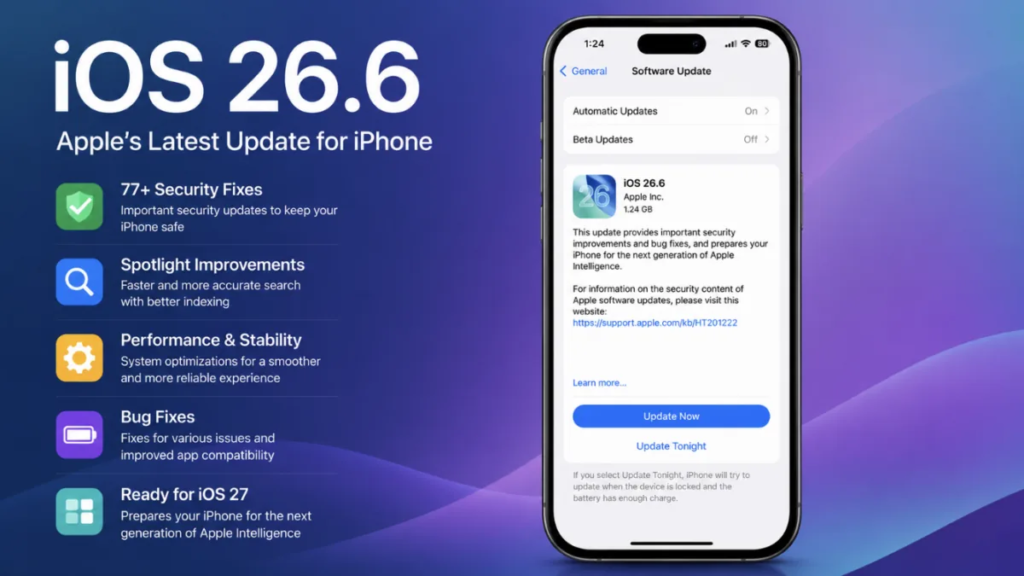
While major integer updates deliver headline features, point updates like iOS 26.6 deliver crucial backend stability, power management, and operational efficiency. Maintenance patches are critical to long-term hardware health and response performance.
┌─────────────────────────────────────────────────┐
│ iOS 26.6 Optimization Engine │
└────────────────────────┬────────────────────────┘
│
┌─────────────────────────────────┼─────────────────────────────────┐
▼ ▼ ▼
┌─────────────────┐ ┌─────────────────┐ ┌─────────────────┐
│ Spotlight Index │ │ Thermal & Power │ │ Memory Allocation│
│ Re-Architect │ │ Management │ │ & Cache Flush │
├─────────────────┤ ├─────────────────┤ ├─────────────────┤
│ Faster results, │ │ Lowers chipset │ │ Prevents background│
│ lower background│ │ thermal profile │ │ app latency and │
│ CPU utilization.│ │ during search. │ │ reload spikes. │
└─────────────────┘ └─────────────────┘ └─────────────────┘
Key Enhancements in recent minor updates (iOS 26.6):
- Spotlight Index Maintenance: System searches previously suffered from occasional background database fragmentation after months of continuous usage. Patch 26.6 restructures the local Spotlight database index, delivering near-instant search results across local files, cloud storage, and device settings while using significantly less background CPU power.
- Thermal & Battery Optimization: Refined background task throttling reduces heat buildup during heavy indexing tasks—such as processing newly shot 4K video footage or photo library syncs.
- Memory Management Refinements: Memory leak protections have been implemented for high-frequency apps, preventing background app restarts and maintaining smooth multitasking transitions across older supported hardware.
Upcoming Software Preview: The iOS 27 Public Beta
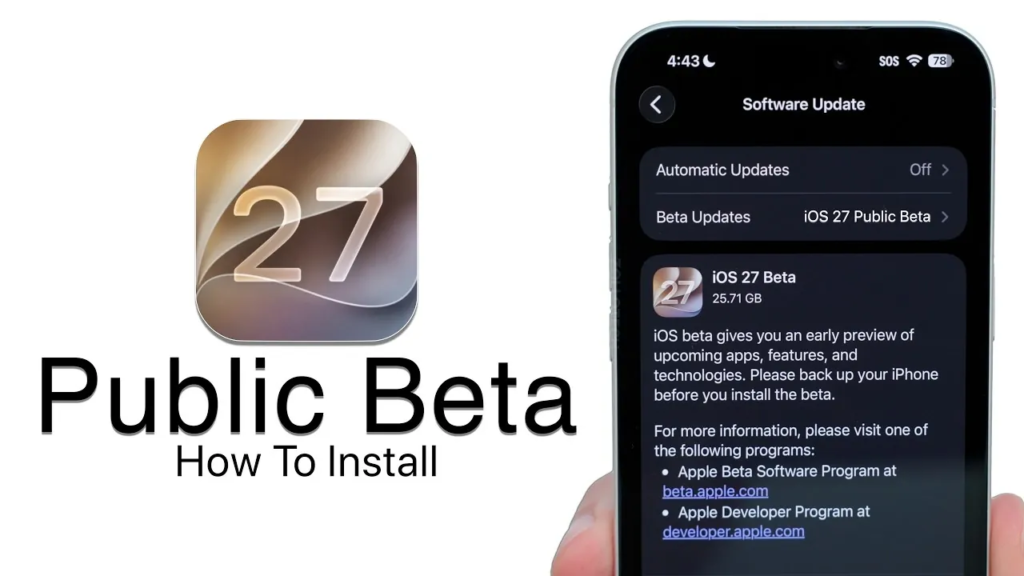
Currently accessible to registered developers and public beta participants, iOS 27 represents the next generation of Apple’s operating system ahead of its formal autumn launch. The beta highlights significant architectural breakthroughs in artificial intelligence, search algorithms, and core scheduling.
┌──────────────────────────────────────────────────────────────────────────────────────────┐
│ iOS 27 Core Architecture Highlights │
├───────────────────────────────┬───────────────────────────────┬──────────────────────────┤
│ Siri AI Engine │ Core CPU Scheduler │ Mail Search Ranking │
├───────────────────────────────┼───────────────────────────────┼──────────────────────────┤
│ Dedicated conversational app │ Microsecond thread routing │ Vector embedding index │
│ On-screen context parsing │ Efficiency core prioritizing │ Intent-based discovery │
│ Natural language automation │ Reduced thermal throttling │ Automated priority feeds │
└───────────────────────────────┴───────────────────────────────┴──────────────────────────┘
1. Siri AI Integration & Next-Gen Assistant Capabilities
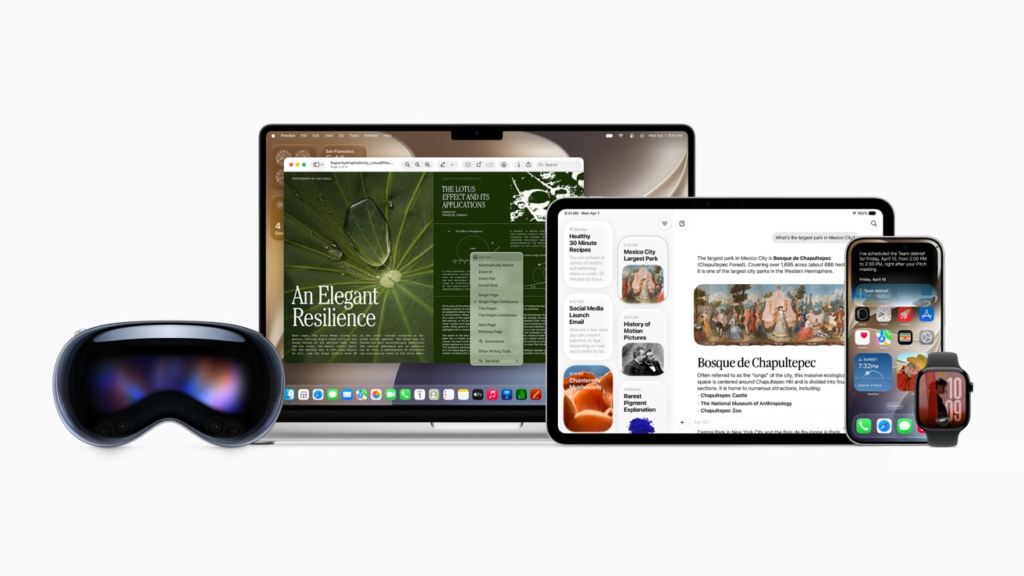
The central pillar of iOS 27 is a completely re-engineered assistant model built from the ground up:
- Dedicated Assistant Interface: Siri now features a dedicated workspace app designed for complex multi-step workflows, multi-modal queries, and deep document analysis.
- On-Screen Content Awareness: Utilizing enhanced Visual Intelligence, Siri can analyze what is currently displayed on your screen, answering context-aware questions or performing cross-app operations instantly without manual copy-pasting.
- Natural Language Shortcuts: Users can create complex multi-app automations using simple verbal instructions, bypassing the manual visual canvas in the Shortcuts application.
2. Core System & Infrastructure Improvements
Underneath the surface, iOS 27 introduces fundamental system-level performance enhancements:
- Advanced CPU Scheduler Routing: A revised kernel scheduler routes system tasks to high-efficiency or performance cores with microsecond accuracy. This reduces background energy draw during light interactions (such as reading ebooks or scrolling audio feeds) while instantly unleashing full processing speed during intensive operations.
- Refined Design Language: Building upon Liquid Glass, iOS 27 introduces subtle volumetric controls, fluid menu transitions, and improved touch-target geometry tailored for tactile precision.
- Smarter Mail Search & Intelligence: The built-in Mail client replaces traditional keyword matching with vector-based semantic search. Searching for “receipt from last week’s hardware store visit” instantly locates the exact invoice even if the word “hardware” or “receipt” never appears in the body of the message.
Step-by-Step Maintenance & Beta Enrollment Guide

Managing your device’s lifecycle effectively requires knowing how to keep your stable operating system optimized—or how to safely enroll in preview builds.
Sequence 1: Standard Maintenance & Update Process
For users on the stable release branch who want to update to current patches (like iOS 26.6) securely:
- Back Up Your Device: Navigate to Settings > [Your Name] > iCloud > iCloud Backup and tap Back Up Now. Alternatively, connect your iPhone to a computer for a local encrypted backup.
- Verify Storage Clearance: Ensure your device has at least 5GB to 8GB of free space to accommodate update package expansion. Check available space via Settings > General > iPhone Storage.
- Initiate Update Download: Go to Settings > General > Software Update. Allow the system to fetch available updates.
- Execute Installation: Tap Update Now or schedule the update for overnight installation while connected to a power source and Wi-Fi.
Sequence 2: Enrolling in the iOS 27 Public Beta
For adventurous users looking to evaluate upcoming features prior to official public release:
- Register Your Apple Account: Visit beta.apple.com in Safari and sign in using the primary Apple ID associated with your test device.
- Create an Archive Backup: Before installing preview software, perform a complete encrypted local backup via macOS Finder or Windows Apple Devices app. Archive this backup so it is not overwritten by subsequent beta snapshots.
- Enable Beta Updates in System Settings: On your iPhone, open Settings > General > Software Update > Beta Updates.
- Select Public Beta Channel: Choose iOS 27 Public Beta from the listed update tracks.
- Download and Install: Return to the main Software Update menu and select Download and Install. Maintain a stable Wi-Fi connection throughout the installation procedure.
Supported Devices Matrix (2026)
Hardware support remains a key strength of Apple’s ecosystem strategy. The matrix below outlines device compatibility across current stable software, maintenance revisions, and the upcoming beta release.
| iPhone Model Series | Supports iOS 26 Stable | Supports iOS 26.6 Optimizations | Supports iOS 27 Public Beta | Key Hardware Consideration |
| iPhone 17 Series | Yes | Yes | Yes | Native full support for all Siri AI models & Liquid Glass features. |
| iPhone 16 Series | Yes | Yes | Yes | Full support; local AI features utilize Neural Engine acceleration. |
| iPhone 15 Pro / Pro Max | Yes | Yes | Yes | Fully supported across all software features. |
| iPhone 15 / 15 Plus | Yes | Yes | Yes | Supported; select cloud-assisted AI features run with minor latency variations. |
| iPhone 14 Series | Yes | Yes | Yes | Supported; screen tinting and core system optimizations fully functional. |
| iPhone 13 & 12 Series | Yes | Yes | Limited | Basic features supported; advanced real-time optical rendering limited by GPU generation. |
| iPhone 11 Series | Yes | Yes | No | Final major supported release cycle; maintenance security updates only. |
Practical Troubleshooting & Best Practices for 2026

To keep your iPhone performing smoothly regardless of which software version you choose to run, follow these operational best practices:
1. Storage & Cache Hygiene
Modern operating systems rely on sufficient dynamic swap space to run local machine-learning models smoothly. Aim to keep at least 10% to 15% of total internal storage free. If your storage fills up:
- Clear temporary media caches in messaging apps.
- Offload unused applications via Settings > App Store > Offload Unused Apps.
- Review full-resolution video storage in Photos and utilize iCloud Photo Library optimization.
2. Managing Beta Instability
If you choose to run the iOS 27 Public Beta, expect occasional battery drain, third-party app crashes, or thermal spikes as developers update their software for the new platform.
- Use the built-in Feedback Assistant app to report recurring bugs directly to Apple engineers.
- Keep automatic app updates enabled in Settings > App Store so third-party developers’ stability patches install immediately.
- Keep a portable battery pack accessible during early beta testing cycles when system background logging runs at higher intensity.