
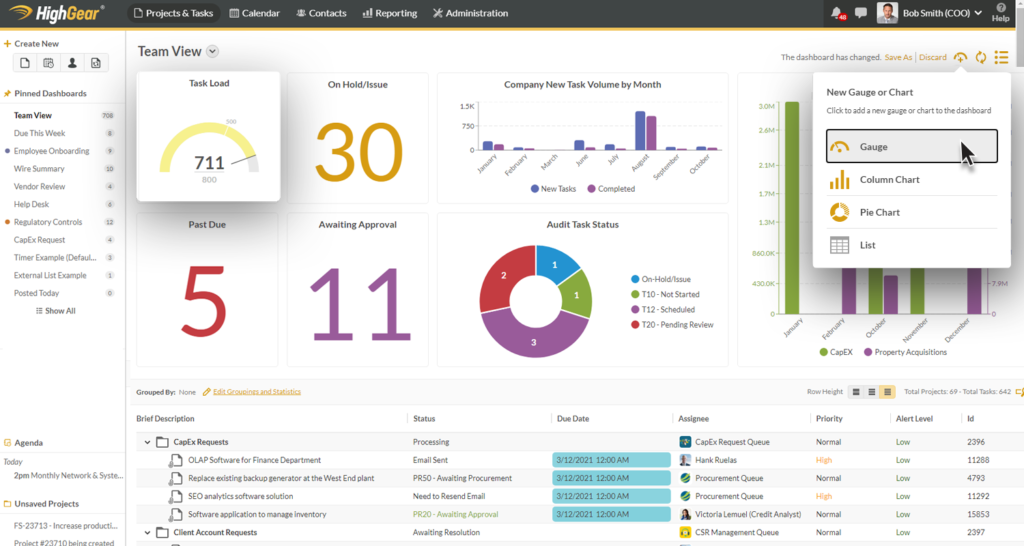
In today’s fast-paced digital world, staying organized is more challenging than ever. Modern businesses continuously handle multiple complex projects, employees collaborate across different geographic locations, and strict professional deadlines continue to grow tighter. Trying to manage these sophisticated tasks through scattered emails, clunky spreadsheets, and handwritten notes can quickly become incredibly confusing, leading directly to missed deadlines, duplicated work, and team burnout.
This is precisely where modern workflow tools make a real, measurable difference. They help ambitious individuals and professional teams organize daily tasks, automate repetitive processes, drastically improve communication, and keep long-term projects moving forward smoothly. Whether you are actively managing a growing small business, leading a completely remote team, or simply handling your own personal projects, choosing the right workflow tool can save hundreds of valuable hours and multiply overall productivity.
In 2026, workflow management is no longer just about assigning tasks. Modern workflow tools use artificial intelligence (AI), advanced automation, real-time collaboration, and smart predictive reporting to simplify complex corporate work and help teams make better strategic decisions. This comprehensive guide explores everything you need to know about workflow tools, their transformative operational benefits, popular industry platforms, and exactly how to choose the absolute best option for your unique business needs.
What Are Workflow Tools?
At their core, workflow tools are specialized software applications designed specifically to help individuals and larger organizations organize, manage, and corporate daily work processes. Instead of keeping track of moving pieces through chaotic email threads or manual, easily lost checklists, these digital platforms bring every single element together into one centralized digital workspace.
A robust workflow tool allows users to seamlessly create new projects, assign specific tasks, set firm deadlines, monitor real-time progress, securely share files, and communicate instantly with fellow team members. Furthermore, many modern platforms go a step further by automating repetitive work such as sending automated push reminders, updating live project statuses, or dynamically assigning tasks based on predefined operational rules. The main goal is to build a much smoother and more efficient operational workflow so everyone knows exactly what needs to be done and when it must be completed.
By centralizing information, workflow systems act as a single source of truth for an organization. This means that instead of searching through multiple platforms to find a document or verify a status, team members can find everything they need within a single screen. This level of consolidation fundamentally changes how daily work is approached, moving teams away from a reactive state of fighting fires and toward a proactive state of structured execution.
Why Workflow Tools Are Important for Success
As modern businesses grow and scale, attempting to manage projects manually becomes an increasingly impossible challenge. Without a central system, team members easily lose track of responsibilities, internal communication becomes heavily fragmented, and critical project deadlines are missed entirely, resulting in lost revenue and damaged client relationships.
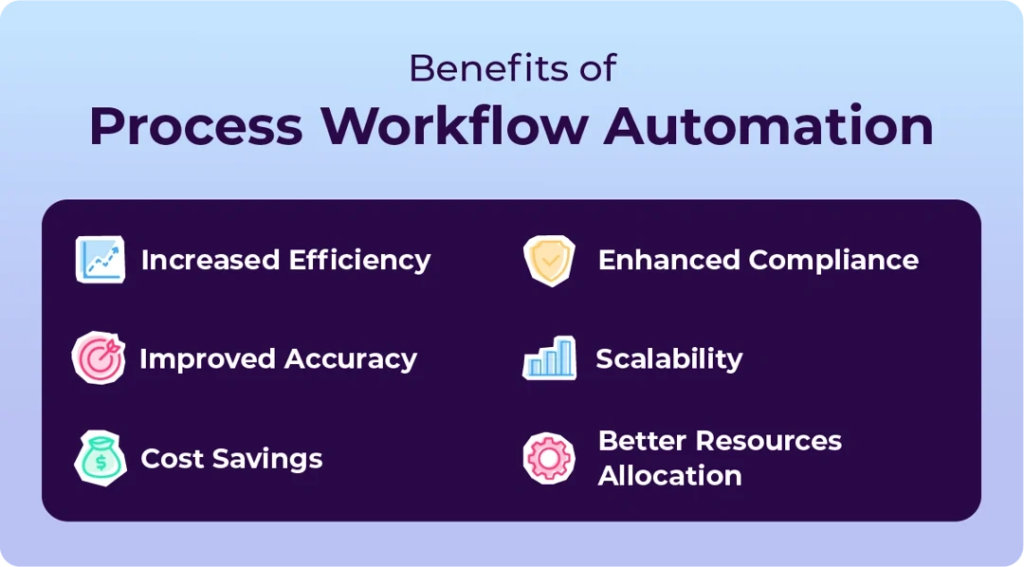
Workflow tools elegantly solve these organizational problems by providing a beautifully centralized workspace where everyone can see project updates, strategic priorities, and overall progress in real time. They also dramatically reduce the need for unnecessary status meetings because team members can quickly check project timelines, leave contextual comments, and share instant updates directly within the platform. For remote and hybrid teams, workflow software has transitioned from a luxury to an essential operational survival tool that keeps everyone aligned regardless of their physical location or time zone.
When teams operate without these tools, a phenomenon known as “work about work” takes over. Employees spend a significant portion of their day communicating about what they plan to do, searching for files, or asking for status updates, rather than actually performing their core duties. Implementing a structured tool drastically reduces this administrative overhead, allowing professionals to dedicate their mental energy to creative problem-solving and high-impact assignments.
Key Features of Modern Workflow Tools
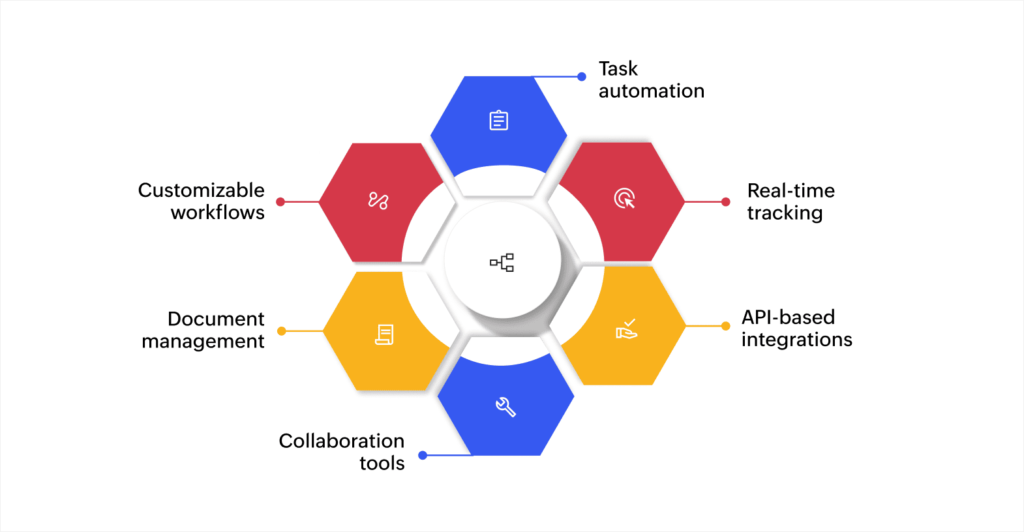
Today’s enterprise workflow platforms offer vastly more capabilities than simple, static task lists. To meet the complex demands of modern commerce, most top-tier workflow tools now include a comprehensive suite of features:
- Task management to effortlessly organize, categorize, and prioritize daily work.
- Project timelines and visual Gantt charts for planning long-term schedules and dependencies.
- Kanban boards to visually track workflow stages and move tasks fluidly from start to finish.
- Dynamic calendar views for effectively managing personal and team deadlines.
- Secure cloud file sharing for seamless, real-time document collaboration.
- Contextual team communication via direct task comments, mentions, and instant push notifications.
- No-code workflow automation for eliminating boring, repetitive administrative tasks.
- Integrated time tracking to accurately monitor productivity and project resource allocation.
- Advanced reporting and analytics dashboards for measuring team performance and output.
- AI-powered suggestions engineered to optimize everyday task distribution and efficiency.
These highly integrated features work together to help teams stay hyper-organized while entirely reducing the burden of manual administrative effort. Instead of toggling between ten different single-purpose apps, workers can manage their entire lifecycle within a unified environment.
The Tangible Benefits of Using Workflow Tools
One of the biggest, most immediate advantages of adopting workflow tools is a massive boost in workforce productivity. Instead of spending hours searching through local folders for specific files or asking colleagues for constant project updates, employees can securely access everything they need from a single, unified platform. This saves an incredible amount of valuable time and completely eliminates workplace confusion and misunderstandings.
Additionally, workflow software improves day-to-day collaboration by allowing team members to communicate directly within the context of specific tasks, share relevant research documents, and receive instant notifications. Powerful automation rules completely eliminate boring, repetitive work like sending manual follow-ups, updating task status milestones, and assigning recurring weekly activities. Ultimately, department managers gain much better visibility into workloads, making it simple to balance responsibilities across the team and identify potential bottlenecks before they turn into major corporate delays.
Another often overlooked benefit is the preservation of institutional knowledge. When project discussions happen over phone calls or private chat apps, valuable decisions and context are lost forever. Workflow tools capture every conversation, file revision, and decision directly inside the task history. This creates a permanent record that serves as an excellent resource for onboarding new employees or reviewing past project performance.
Popular Workflow Tools Leading the Market in 2026
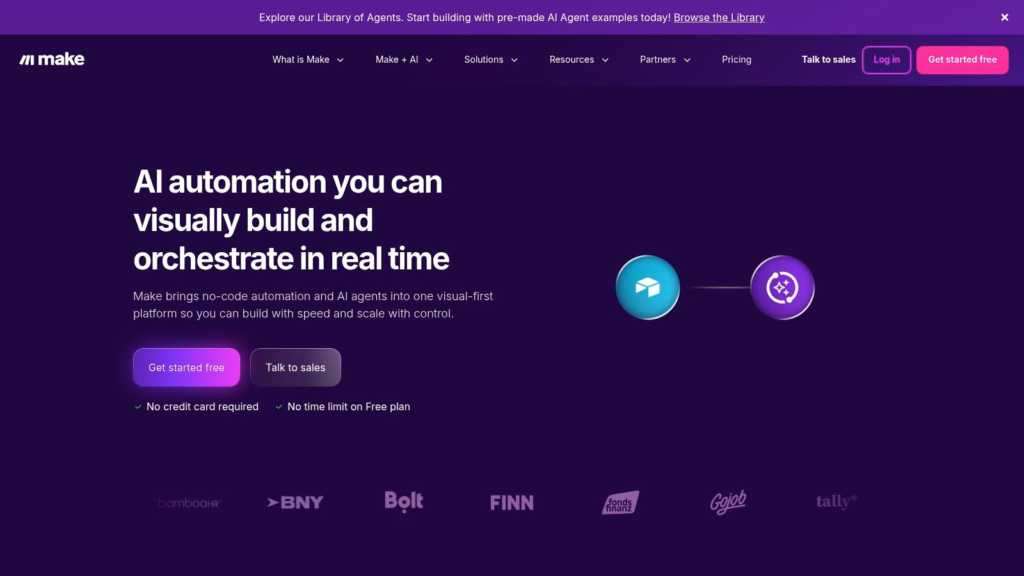
Several highly capable workflow management platforms continue to dominate the competitive market, each serving distinct business structures and operational styles:
- Monday.com: Offers highly customizable workflows, colorful visual dashboards, and native automation features that are perfect for scaling businesses of all sizes.
- Asana: Widely recognized for its clean user interface, detailed project timelines, and strong cross-functional collaboration tools.
- ClickUp: Uniquely combines task management, rich documents, strategic goal tracking, built-in AI assistance, and deep resource reporting into one single platform.
- Trello: Provides a beautifully simple Kanban board system that is absolutely ideal for small teams, freelancers, and personal productivity tracking.
- Wrike: Focuses heavily on enterprise-grade project management with advanced reporting, complex resource planning, and deep workflow customization.
- Notion: Combines comprehensive note-taking, internal documentation wikis, project management, and collaborative knowledge sharing in one highly flexible workspace.
Because each individual platform offers a unique set of features and aesthetics, the absolute best choice will depend entirely on your team’s specific size, your existing internal workflows, and your ultimate business goals.
Workflow Automation Makes Work Easier
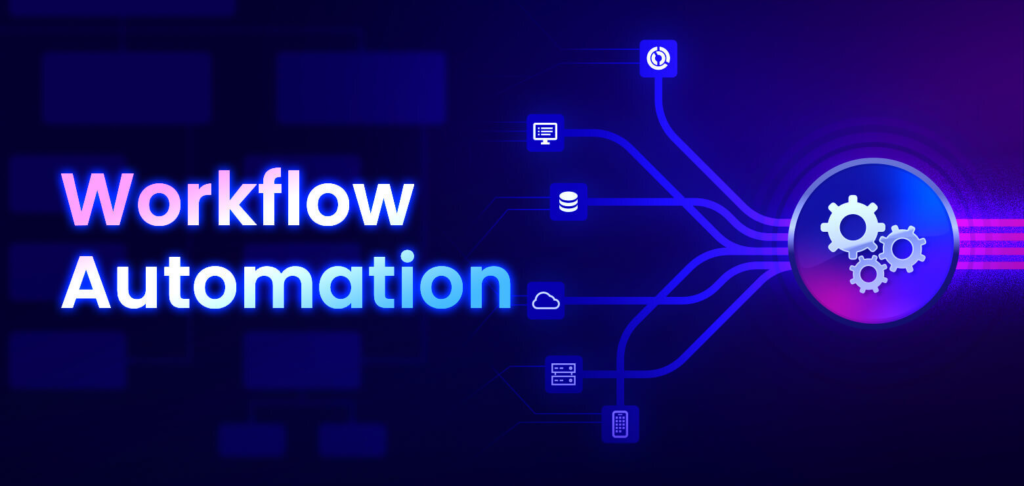
Sophisticated automation has quickly become one of the most valuable, sought-after features of modern workflow management. Instead of forcing employees to complete boring, repetitive administrative steps manually, businesses can easily map out automated workflows that execute tasks instantly based on custom triggers.
For example, the moment a creative asset is marked as complete by a designer, the system can automatically notify the proofreader, update the master project progress bar, assign follow-up QA work, and send a branded reminder email to the client. This type of seamless automation drastically reduces human error, guarantees operational consistency, and allows your brilliant employees to spend their energy on meaningful, high-value work instead of drowning in repetitive data entry.
Furthermore, automation ensures that organizational protocols are strictly followed. It eliminates the risk of an employee forgetting to notify a stakeholder or missing a critical quality control step, because the software enforces the workflow rules flawlessly behind the scenes.
AI Is Transforming Workflow Management

Artificial intelligence is rapidly making modern workflow tools significantly smarter, more adaptive, and more predictive than ever before. Instead of acting as passive databases that merely store text, platforms utilize embedded AI engines to summarize long meetings, generate instant project status updates, recommend daily task priorities, accurately predict project delays, and create performance reports automatically.
Intelligent AI assistants can also autonomously draft client emails, organize chaotic meeting notes, suggest realistic deadlines based on historical team data, and deeply analyze overall productivity trends to prevent team burnout. Rather than replacing human workers, AI acts as an empowering co-pilot, helping teams work with greater speed and accuracy by handling routine tasks and serving up valuable strategic insights. As machine learning algorithms continue to advance, workflow management will become completely intelligent and highly personalized.
Choosing the Right Workflow Tool for Your Team
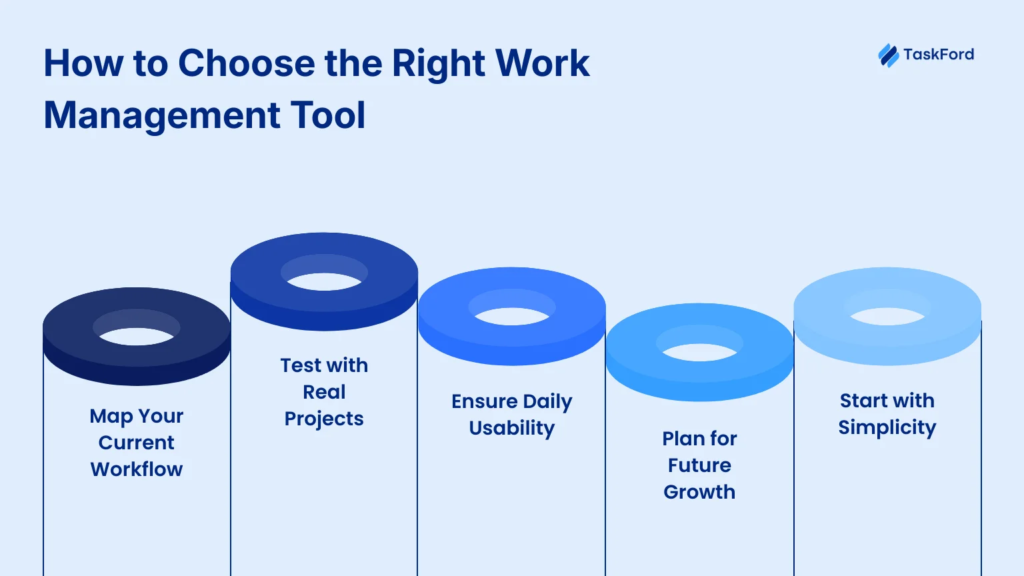
Selecting the perfect workflow software requires a deep and honest understanding of your team’s specific daily operations. Before purchasing an expensive enterprise subscription, your leadership team should answer critical questions such as:
- How many active people will realistically use the software on a daily basis?
- Does your team operate in a completely remote or hybrid work model?
- Do your core operational processes require complex automation rules?
- Does the new platform integrate seamlessly with existing tools like Slack, cloud storage, or CRM systems?
- Is the user interface easy enough for non-technical team members to adopt?
- Can the software scale effortlessly as your business grows over time?
- Does the pricing structure fit into your annual operational budget?
Taking full advantage of free trials allows your team to thoroughly explore different user experiences and layout styles before committing to a long-term financial investment.
Common Implementation Mistakes to Avoid

Many well-meaning organizations make the costly mistake of purchasing complex workflow software without clearly defining their internal business processes first. Before implementing any new digital tool, you must accurately map out how work currently flows through your office and pinpoint exactly where bottlenecks occur. If your underlying process is chaotic, moving it to an expensive software platform will only result in automated chaos.
Another incredibly common pitfall is choosing an overly complicated platform packed with advanced features that your employees will never actually use, which leads to confusion and frustration. Furthermore, skipping proper team training can ruin a deployment; even the most advanced workflow platform in the world cannot improve company productivity if team members don’t fundamentally understand how to use it effectively. Keeping your digital workflows as simple and intuitive as possible always leads to much higher adoption rates and long-term organizational success.
Best Practices for Effective Workflow Management
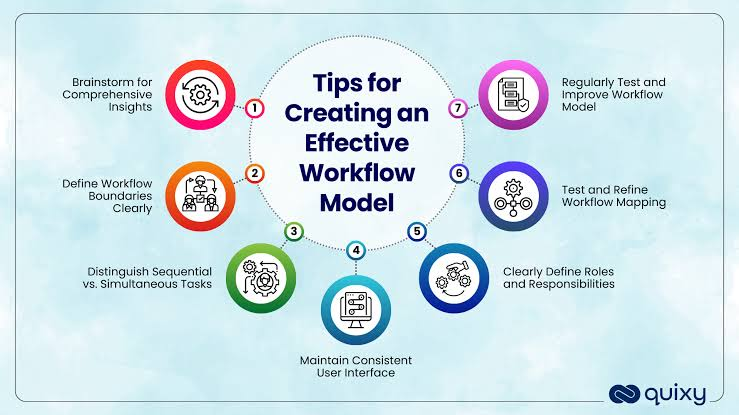
Achieving true, sustained operational excellence depends equally on utilizing great technology and cultivating good team habits. First, always clearly define project goals, assign single points of responsibility, and establish realistic deadlines that protect your team’s welfare and mental health.
Managers should make it a habit to review workflows regularly to identify hidden friction points and find fresh opportunities for optimization. It is equally vital to encourage a corporate culture of open communication, allowing team members to safely report project challenges early without fear of blame. Deploy thoughtful automation wherever it can save time without sacrificing quality, and remember to continuously evaluate your processes because your business needs will naturally evolve over time.
Future Trends in Digital Workflow Tools
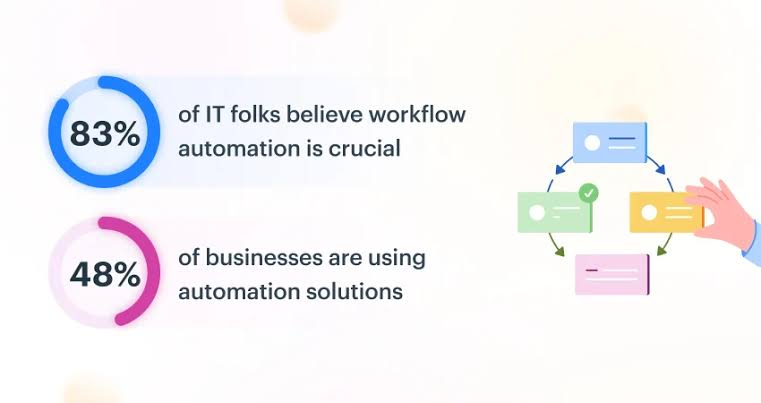
Looking toward the horizon, workflow management systems are expected to become deeply intelligent and predictive. Tomorrow’s AI-powered project assistants will not just organize tasks, but will actively provide real-time strategic recommendations and flag potential project risks long before they ever threaten a deadline.
Additionally, the rise of powerful no-code automation platforms will allow non-technical employees to build incredibly sophisticated, customized workflows completely on their own without writing a single line of code. We will also witness deeper native integrations linking workflow software, core communication channels, cloud storage solutions, CRM systems, and business analytics tools into one single, beautifully connected digital workplace. Finally, mobile-first workflow management will continue to improve rapidly, ensuring that modern global teams can remain fully productive and collaborative from absolutely anywhere in the world.
FAQs
1. What are workflow tools?
Workflow tools are software applications that help individuals and teams organize tasks, manage projects, automate repetitive processes, and improve collaboration.
2. Why are workflow tools important for businesses?
They improve productivity, centralize communication, reduce manual work, automate repetitive tasks, and help teams complete projects on time.
3. Which are the most popular workflow tools in 2026?
Some of the leading workflow tools include Monday.com, Asana, ClickUp, Trello, Wrike, and Notion, each offering features for task management, collaboration, and automation.
4. How does AI improve workflow management?
AI helps automate routine tasks, summarize meetings, prioritize work, predict project delays, generate reports, and improve overall productivity.

