Workflow pretending anyone actually enjoys spending their mornings copy-pasting tracking codes between spreadsheets, hunting down missing email attachments, or asking a coworker for the fifth time workflow.
We have more software tools sitting in our browser tabs than ever before, yet a massive chunk of knowledge workers feel completely buried under daily admin garbage. True productivity isn’t about grinding out 14-hour days or drinking more caffeine; it’s about getting the boring, repetitive tasks off your plate so your brain can do the actual strategic work you were hired for.
If your daily routine feels like an endless game of digital whack-a-mole, you don’t need to work harder. You just need a system that runs while you sleep.
The Jargon-Free Reality of a “Workflow Tool”
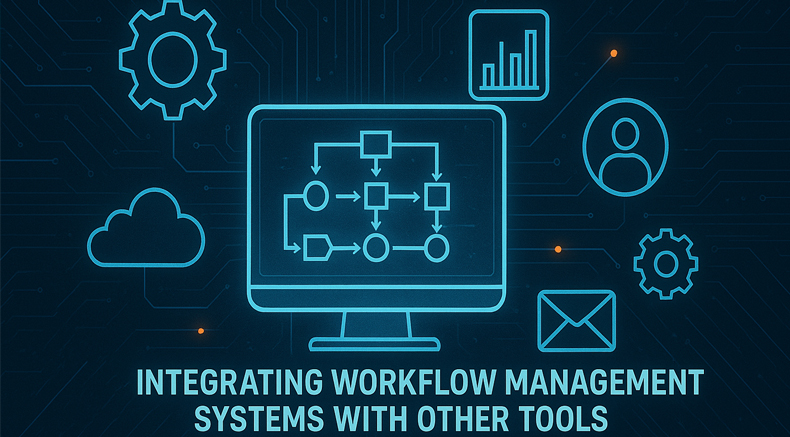
Forget the textbook definitions. A workflow tool is just a digital assembly line. It takes a messy, multi-step project and automatically passes the ball from one person (or app) to the next so nobody drops it.
Take a basic marketing campaign as an example. Without a system, it’s total chaos:
[Write Content] ──> [Design Graphics] ──> [Manager Approval] ──> [Schedule Post]
Without a workflow tool, that simple line requires ten emails, three Slack threads, and a prayer that everyone remembers their deadlines. With a tool, the second the writer hits “Save,” the designer gets a ping with the assets, the manager gets a text to sign off, and the post schedules itself. It turns human friction into a predictable line.
Moving Beyond “If This, Then That” Plumbing
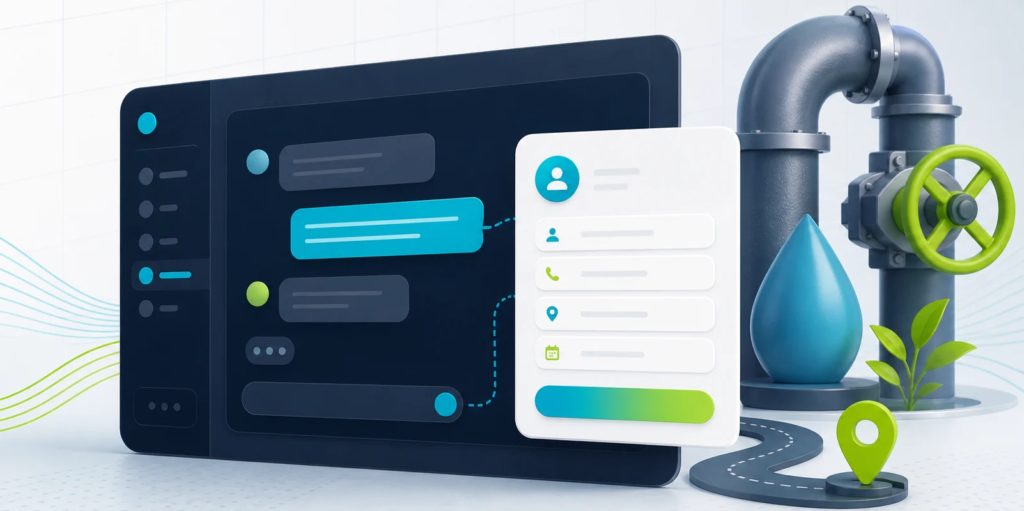
For years, automation was incredibly basic. If someone fills out a form, copy their email into a spreadsheet. That’s useful, but it’s just plumbing.
Right now, the entire landscape has shifted into Agentic AI Workflows. We are moving away from simple data-shuffling and moving into actual digital labor. Tools like Gumloop, Make, n8n, and Zapier’s AI Copilot are acting as reasoning layers.
The Big Shift: Instead of just moving a file from Point A to Point B, modern workflows use AI agents to read a messy customer email, flag the emotional tone, draft a highly specific response based on your internal documentation, and queue it up for a human to review.
The goal isn’t to replace humans entirely; it’s to build a “human-in-the-loop” setup where the machine does the heavy lifting and you just act as the editor-in-chief.
Why Scattered Data is Cooking Your Brain

Most teams don’t have a talent problem; they have an organization problem. When your project details are scattered across five browser tabs, two apps, and an ongoing text chain, your brain spends half its energy just trying to locate the work instead of actually doing it.
Putting everything into a centralized workspace solves three things immediately:
- It kills the status-update meeting: When everyone can see exactly what stage a project is in on a shared visual board, you don’t need a 30-minute sync just to ask people what they’re doing.
- It stops context switching: Constantly bouncing between different platforms is exhausting. Having your communication, files, and tasks in one place protects your focus.
- It eliminates stupid typos: Humans are brilliant at solving creative problems, but we are notoriously terrible at manual data entry. Letting an automated flow update your CRM keeps tiny human errors from blowing up project timelines.
Micro-Businesses and the “One-Person Empire”


There’s a myth that complex workflow automation is a luxury reserved for massive enterprise companies with huge IT budgets. Honestly? Small businesses and freelancers are the ones who need it most.
When you’re running a tiny team—or working completely by yourself—time is your absolute rarest asset. You don’t have an HR department, a billing team, or a customer service assistant. You are all of them.
- Sales & Consulting: Stop booking clients via back-and-forth emails. Sync your calendar tool directly to your invoice software and auto-generate a contract the moment they pick a time.
- E-Commerce & Retail: Stop manually copying order info into sheets. Route Shopify or Stripe data directly into your fulfillment and tax software instantly.
- Customer Support: Stop typing out the same five answers every day. Use a localized AI agent to triage incoming tickets and draft context-specific answers for you to approve.
Choosing Your Tool Stack (Without the Headache)
Don’t buy a massive, hyper-complex software platform just because a tech blog told you to. If a tool requires your team to take a three-week certification course just to figure out how to log a task, it’s going to fail. Everyone will quietly abandon it and go right back to spreadsheets.
Here is how to filter your choices right now:
The Automation Toolkit
1.Go for Zapier or Bardeen:If you want dead-simple plug-and-play.
They connect to thousands of apps out-of-the-box and let you build automations using plain English commands. Best if you don’t want to look at code.
2.Look at Make or n8n:If you have high-volume, complex data loops.
They take a little bit more time to learn, but they give you deep visual control over massive data loops without destroying your monthly budget.
3.Check out Gumloop or Mastra:If you want AI to process messy inputs.
These are built from the ground up for the AI era. They excel at letting AI agents read massive files, scrape websites, summarize concepts, and make logical decisions inside your pipeline.
At the end of the day, a great workflow tool shouldn’t feel like another chore on your to-do list. It should feel like a quiet, invisible assistant running in the background, keeping the wheels turning so you can finally step back, think clearly, and build what’s next.
Frequently Asked Questions
1.What are workflow tools?
Workflow tools are software applications that help individuals and organizations manage tasks, organize processes, automate activities, and improve productivity.
2.How do workflow tools increase productivity?
They centralize information, streamline communication, automate repetitive tasks, and provide clear visibility into project progress and responsibilities.
3.What is workflow automation?
Workflow automation involves using technology to perform repetitive tasks automatically based on predefined rules, reducing manual effort and improving efficiency.
4.Can small businesses benefit from workflow tools?
Yes. Workflow tools help small businesses save time, improve organization, enhance customer service, and scale operations more effectively.
5.Are workflow tools suitable for remote teams?
Absolutely. Workflow platforms provide collaboration features that allow remote and hybrid teams to communicate, share files, and track projects efficiently.
6.How does AI improve workflow management?
AI can analyze data, prioritize tasks, predict potential issues, generate insights, and automate decision-making processes to improve productivity.
7.Do workflow tools reduce human error?
Yes. Automated workflows follow consistent rules and processes, reducing the likelihood of mistakes caused by manual tasks.
8.What should businesses look for in a workflow tool?
Businesses should consider ease of use, automation capabilities, collaboration features, scalability, integration options, and alignment with their specific workflow needs.