
Writing clear and error-free content is essential whether you are creating blog posts, sending emails, preparing academic assignments, or posting on social media. Even small grammar mistakes can reduce the professionalism of your writing. To solve this problem, the AltFTool Grammar Checker provides a quick and simple way to check and improve your text online.
This browser-based tool analyzes your writing in seconds and highlights grammar, spelling, and punctuation errors so you can correct them instantly. It is designed for people who want a fast grammar checking solution without installing any software.
What is the AltFTool Grammar Checker?
The AltFTool Grammar Checker is an online writing assistant that scans your text and identifies grammatical mistakes, spelling errors, and punctuation issues. It helps users improve sentence clarity and correctness before publishing or sending their content.
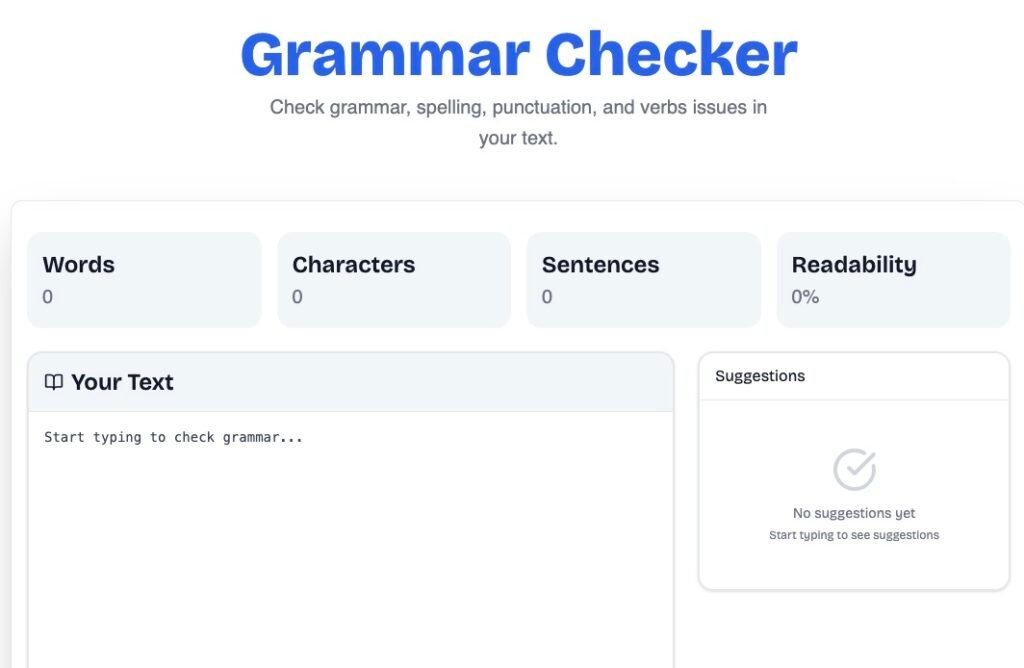
All you need to do is paste your text into the input box, run the grammar check, and the tool will quickly detect potential errors and suggest corrections. This makes proofreading much easier and saves valuable time.
Key Features of AltFTool Grammar Checker
Instant Grammar Detection
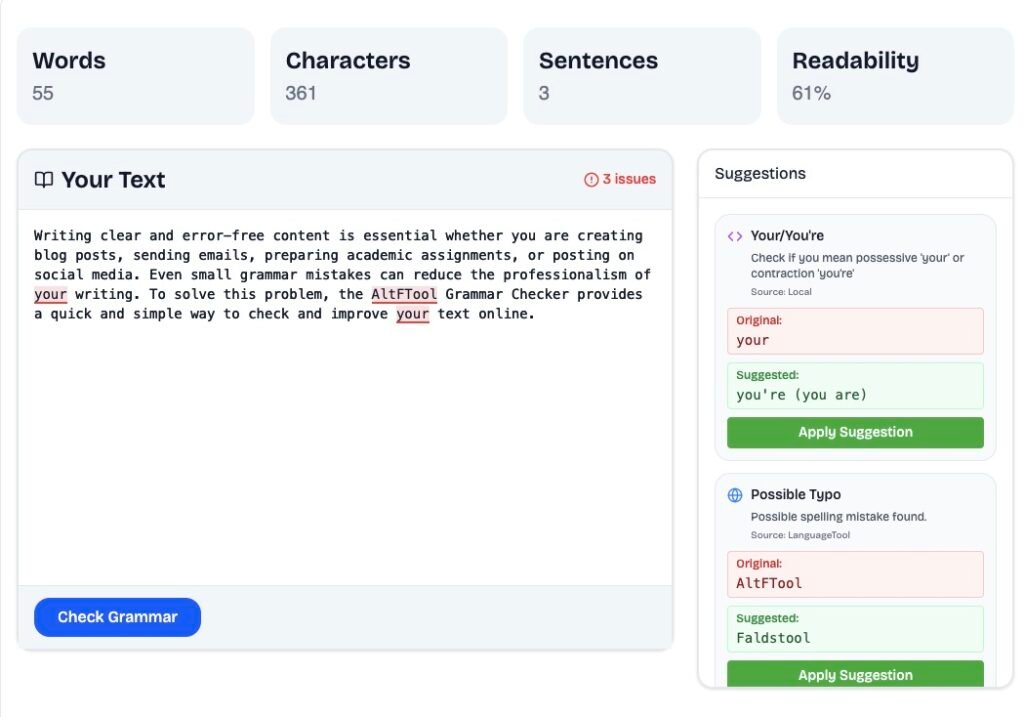
The tool scans your text immediately and highlights grammar mistakes, allowing you to quickly correct them.
Spelling Error Correction
Small spelling mistakes can often go unnoticed while writing. This tool detects those errors and suggests the correct spelling.
Punctuation Checking
Incorrect punctuation can affect the readability of your content. The tool identifies punctuation mistakes such as missing commas, incorrect apostrophes, or misplaced periods.
Simple Copy-Paste Interface
The interface is straightforward and easy to use. Users only need to paste their text and run the grammar check to see results.
Free and Web-Based
There is no need to install any application. The tool works directly in your browser and is easily accessible from anywhere.
How to Use the AltFTool Grammar Checker
Using the tool is very simple and requires only a few steps:
- Open the Grammar Checker tool page on AltFTool
- Paste your text into the input box
- Click the Check Grammar button
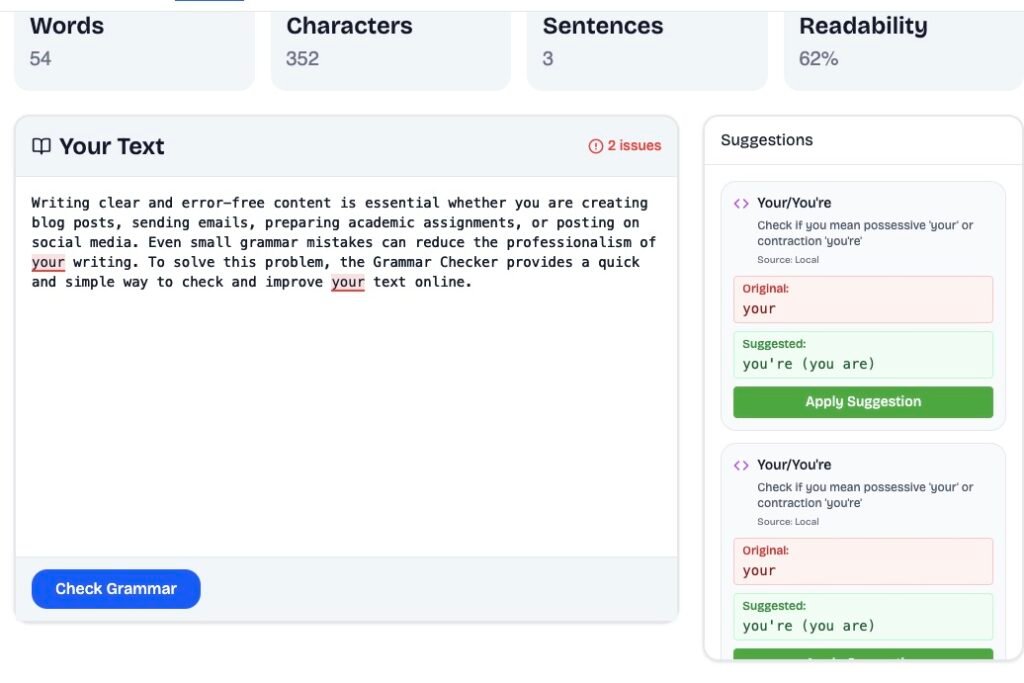
- Review the highlighted errors
- Apply the suggested corrections
Within seconds, your content becomes cleaner, more accurate, and ready to publish.
Who Should Use This Tool?
The AltFTool Grammar Checker is useful for a wide range of users who want to improve the quality of their writing. It is especially helpful for bloggers and content writers who need error-free articles, students and academic writers who want to submit well-structured assignments, and professionals who regularly send emails or prepare business documents. Social media managers can also use the tool to ensure their posts are clear and grammatically correct before publishing. In addition, freelancers and online marketers can benefit from it when creating website content, proposals, or marketing copy.
Pros and Cons
Pros
- Simple and user-friendly interface
- Fast grammar checking
- No installation required
- Free to use
- Ideal for quick proofreading
Cons
- Advanced writing suggestions may be limited
- Deep style analysis features are not always included
Try the Tool Today
Start improving your writing today with the AltFTool Grammar Checker. Simply paste your text, check for errors, and make your content clear, accurate, and professional in seconds.
FAQs
#GrammarChecker #WritingTools #AltFTool #ContentWriting #Carrerbook #Anslation #GrammarCheck #OnlineTools #WritingTips #BloggingTools #Toolreview

