

We have all been there. You start your morning with the best intentions, but within twenty minutes, you are drowning in tab soup. A client question is buried somewhere in an email thread, project updates are scattered across three different spreadsheets, someone on Slack is begging for an approval, Productivity and suddenly half your day is shot before you have even touched your actual job.
That messy reality is why workflow tools have become non-negotiable.
In 2026, workflow software isn’t just about ticking off digital to-do lists. The best platforms now combine visual automation, smart AI assistants, and deep app integrations to take repetitive administration off your plate. Instead of acting as a manual copy-paste bridge between five different apps, you can set up a system that handles the busywork quietly in the background.
The best part? You do not need a computer science degree to build something that actually works. Whether you are flying solo as a freelancer, running a small business, or managing a chaotic marketing team, there is a tool built for your exact mental model.
What Is a Workflow Tool, Really?
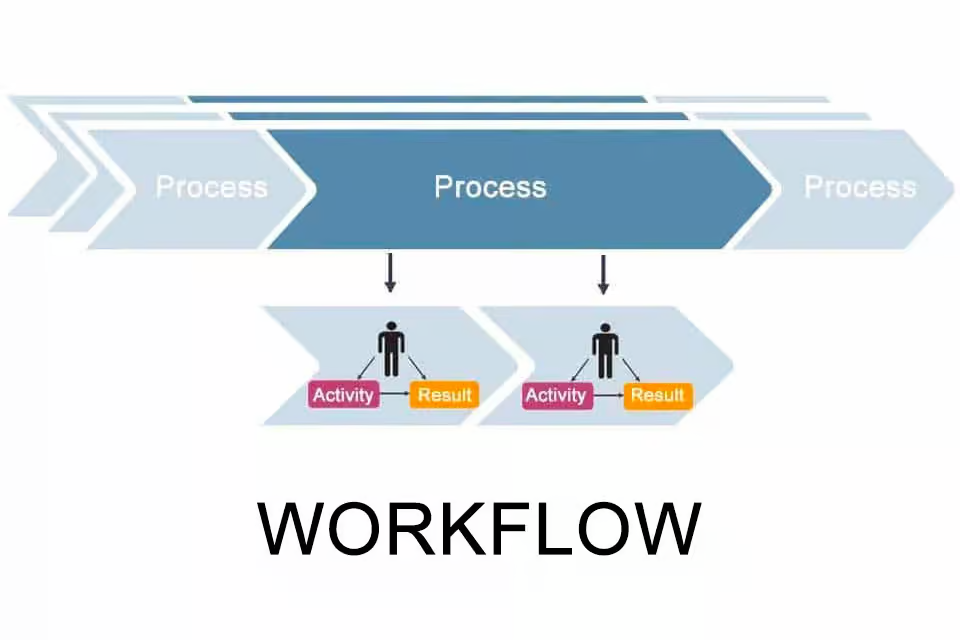
At its core, a workflow tool is your digital logistics manager. It takes a process you do over and over again and turns it into a smooth, repeatable path.
Think about a typical recurring chore:
- A prospective client fills out a form on your website.
- You manually copy their details into your CRM.
- You draft a confirmation email.
- You ping your teammate on Slack to let them know a new lead came in.
- You create a follow-up task on your calendar.
Doing that once takes three minutes. Doing it fifty times a week will make you want to throw your laptop out the window. A workflow tool ties those disconnected apps together so the entire sequence triggers automatically the second that form is submitted. You save hours of clicking, and more importantly, zero leads slip through the cracks because you were tired on a Friday afternoon.
The 10 Best Workflow Tools Worth Your Time in 2026
1. Zapier
The “Connect Anything to Everything” Swiss Army Knife
Zapier remains the undisputed heavyweight when you need to make two completely unrelated apps talk to each other without writing a single line of code. With access to over 7,000 apps, if a tool exists, Zapier can almost certainly connect to it.
Lindy.ai
In 2026, its natural-language AI builder lets you literally type out what you want to accomplish—like “When a new Stripe payment comes in, save the receipt to Google Drive and ping our finance channel on Slack”—and it drafts the automation for you.
Lindy.ai
- Best for: Solopreneurs, marketers, and operations managers who rely on dozens of separate web apps every day.
- Watch out for: Costs can climb quickly if your automations run thousands of times a month.
2. Make
The Visual Playground for Complex Processes
If Zapier feels like filling out a linear checklist, Make feels like playing with digital LEGO bricks. It gives you a visual canvas where you can drag, drop, and connect scenarios, watch data flow through colored nodes in real-time, and build complex conditional logic (“if X happens, split into Y and Z”).
It is wildly powerful for multi-step data transformations, webhooks, and intricate business processes that would require dozens of separate Zaps elsewhere.
- Best for: Visual thinkers, operations nerds, and teams building advanced, multi-branching automations on a budget.
- Watch out for: The visual canvas has a steeper learning curve for complete beginners.
3. monday.com
The Team Favorite for Clear Visual Tracking
If your team constantly asks “Wait, who is doing what?” or “What state is this project in?”, monday.com is a lifesaver. It balances workflow automation with clean, colorful project boards.
A content production team, for instance, can set up a board where an article automatically moves from Idea → Drafting → Editing → SEO Review → Published, auto-assigning the right team member and updating due dates at every single stage.
- Best for: Cross-functional teams that need high visibility, workload management, and intuitive project tracking.
- Watch out for: Feature bloat can set in if you try to use it for simple personal note-taking.
4. ClickUp
The “One App to Replace Them All” Workspace
ClickUp’s ambition is massive: bring tasks, documents, goals, whiteboards, and team chat into one single window. Its superpower is flexibility. You can view the exact same set of work as a Kanban board, a Gantt chart, a calendar, a nested list, or a database.
Its built-in workflow automations mean you can automatically reassign tasks when statuses change, post updates to team channels, or trigger approval subtasks without needing external automation tools.
- Best for: Growing agencies and teams looking to consolidate their fragmented app stack into one hub.
- Watch out for: The sheer amount of options and settings can feel overwhelming during initial setup.
5. Asana
The Structured Backbone for Serious Project Teams
Asana keeps things crisp, structured, and predictable. Where other tools offer endless customization, Asana excels at showing clear task dependencies and stage-by-stage progress.
When launching a major initiative—like a product launch or a multi-channel campaign—Asana’s workflow builder turns chaotic, multi-department handoffs into clean, repeatable sequences with designated owners and hard deadlines.
- Best for: Mid-sized to enterprise teams that value structure, accountability, and clear deadline tracking.
- Watch out for: The free tier is solid, but advanced workflow rules require paid plans.
6. Trello
The Stress-Free Kanban Classic
Sometimes you don’t need a massive enterprise database; you just need a digital whiteboard with sticky notes. That is Trello. Built around simple boards, lists, and cards, it takes about two minutes to master.
With its native automation bot (“Butler”), you can set up simple rules like “When a card is moved to ‘Ready for Review’, add the manager as a member and set the due date to tomorrow.”
- Best for: Individuals, freelancers, and small teams who want simple visual task tracking without a steep learning curve.
- Watch out for: Struggles to manage highly complex, multi-layered projects with heavy data needs.
7. Notion
The Ultimate Flexible Wiki & Work Hub
Notion has evolved far beyond a basic note-taking app. It is a fully customizable workspace where documents, databases, task boards, and internal team wikis live side-by-side.
For workflows, Notion shines when your tasks are heavily tied to documentation. A publishing team can store research notes, editorial guidelines, writer databases, and publishing schedules in one interconnected database system.
- Best for: Knowledge workers, creators, and teams that want their docs, notes, and task workflows under one roof.
- Watch out for: Because you build everything from a blank page, it requires upfront design time to build a system that works.
8. Airtable
The Spreadsheet That Grew Superpowers
If you love the familiar feel of Google Sheets or Excel, but keep pushing them past their limits, Airtable is your answer. It combines a relational database with the user-friendly feel of a spreadsheet.
You can store rich data—like image assets, customer profiles, and project budgets—and then build automated workflows on top of it. For example, automatically sending an email to a client when a project status column is flipped to “Approved.”
- Best for: Managing structured data, content calendars, inventory, or CRM pipelines visually.
- Watch out for: Row limits on lower tiers can sneak up on you if you import massive datasets.
9. HubSpot
The Heavy Hitter for Sales & Marketing Operations
While other tools on this list handle general team tasks, HubSpot is built specifically around the customer journey. Its workflow engine automates marketing emails, lead scoring, sales deal stages, and support ticket routing.
If an eBook is downloaded on your site, HubSpot can automatically score the lead, assign it to a regional sales rep, create a deal in your pipeline, and send a personalized follow-up sequence over two weeks.
- Best for: Revenue teams, marketers, and sales organizations looking to automate customer interactions.
- Watch out for: Professional and Enterprise tiers get expensive very quickly.
10. Microsoft Power Automate
The Enterprise Engine for the Microsoft 365 World
If your organization lives inside Teams, Outlook, SharePoint, and Excel, Power Automate is the most natural fit. It specializes in enterprise-grade process automation, document approvals, and data syncing across the entire Microsoft ecosystem.
Getint+ 1
Instead of chasing executives for signature approvals, Power Automate sends direct approval cards into Teams, logs the response in SharePoint, and updates an executive dashboard in Power BI automatically.
- Best for: Corporate environments and IT-managed organizations deeply tied to Microsoft software. Getint
- Watch out for: The interface feels distinctly corporate and less intuitive for casual consumer app users.
Real-World Comparison: Which Tool Fits Your Vibe?
| Tool | The Overall “Vibe” | Sweet Spot / Best Used When… | The Honest Catch |
|---|---|---|---|
| Zapier | The invisible duct tape | You want 2+ completely different apps to talk instantly | High task volumes get pricey fast |
| Make | The visual automation canvas | You have complex, multi-step logic and want visual control | Steeper learning curve for non-techies |
| monday.com | The bright, organized team hub | You need colorful, clear visibility over who is doing what | Overkill for solo personal task tracking |
| ClickUp | The customizable productivity suite | You want to replace 4 separate tools with one central app | So many settings it can feel cluttered initially |
| Asana | The structured project manager | You manage multi-department campaigns with strict deadlines | Requires paid plans for advanced custom rules |
| Trello | The digital sticky-note board | You want a simple, zero-friction visual Kanban board | Not designed for complex data or heavy reporting |
| Notion | The customizable digital notebook | Your tasks and projects are tightly connected to written docs | Requires time and effort to build your own system |
| Airtable | The spreadsheet with a brain | You manage structured databases, inventories, or content bases | Advanced database concepts take time to master |
| HubSpot | The customer relationship engine | You need to automate sales pipelines, leads, and emails | Premium tiers carry a high price tag |
| Power Automate | The corporate efficiency driver | Your company already runs entirely on Microsoft 365 | UI feels more rigid and enterprise-focused |
How to Pick Without Losing Your Mind

Choosing a tool isn’t about finding the platform with the most features; it’s about picking the one your team will actually open every morning.
- If your main headache is app switching: Start with Zapier or Make.
- If your main headache is team chaos and lost tasks: Look at monday.com, Asana, or ClickUp.
- If your main headache is tracking data and assets: Go with Airtable or Notion.
- If your main headache is managing leads and sales: Stick to HubSpot.
A Quick Warning: Don’t automate a broken process! If a manual routine is messy, vague, or confusing, automating it will only make bad things happen faster. Clean up the steps on paper first, then hand the job over to software.

