
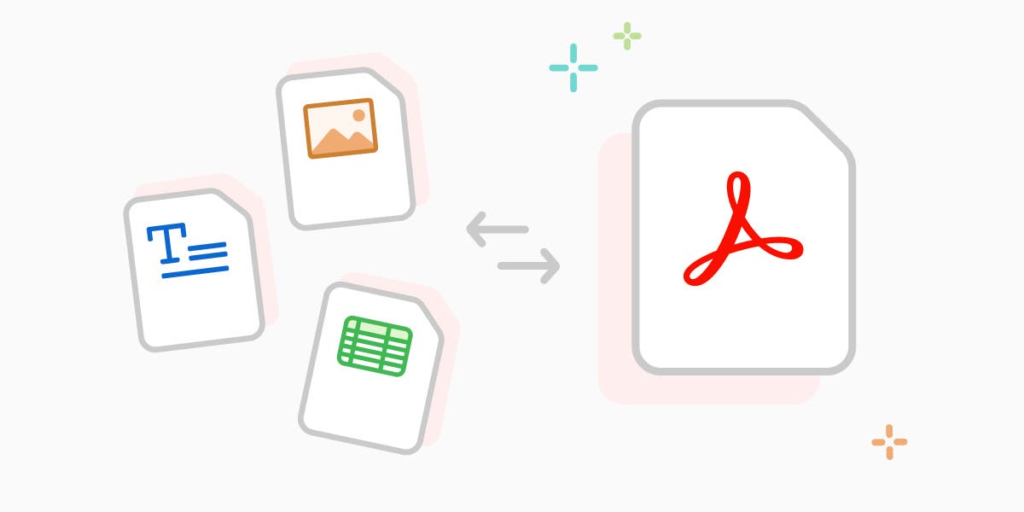
In a digital world where images and PDF documents are part of everyday communication, having a reliable file conversion tool is no longer optional. Whether you are a student preparing assignments, a professional managing reports, or a business owner handling documentation, file compatibility can quickly become a challenge. That is where Quick Convert stands out.
QuickConvert – Image and PDF Tools is built with a clear purpose: to offer a simple, fast, and completely offline solution for converting and processing images and PDF files directly inside the browser. It eliminates the need for complicated software, risky uploads, or slow third-party servers. Everything happens locally, ensuring speed, privacy, and convenience.
A Tool Designed With a Clear Motive
The core motive behind Quick Convert is simplicity and security. Many online converters require users to upload sensitive documents to external servers. This creates concerns about data privacy, internet dependency, and processing delays.
Quick Convert removes these concerns by processing files offline within the browser. This means:
- No file uploads to external servers
- No waiting for remote processing
- No risk of data being stored elsewhere
- Faster performance since everything runs locally
It is a practical solution for users who value both efficiency and privacy.
Powerful Image Tools in One Place
Quick Convert offers a complete set of image processing tools that cover everyday needs. Instead of using separate applications for each task, users can access everything from a single interface.
Image Conversion Made Simple
The platform supports conversion between popular formats such as:
- PNG to JPEG
- WebP conversion
- HEIC and other image formats
This flexibility ensures compatibility across devices, websites, and applications. Whether you need to reduce file size or switch formats for professional use, the process is straightforward and quick.
Image Compression and Resizing
Large image files can slow down websites, consume storage, and make sharing difficult. With the Image Reducer feature, users can compress and resize images without complicated settings. The result is a balanced file size that maintains visual quality while improving usability.
Image Cropping for Precision
The Image Cropper allows users to adjust framing easily. Whether you need to remove unwanted areas or focus on specific content, the cropping tool provides a clean and efficient editing experience.
Image to PDF Conversion
Sometimes images need to be compiled into a document format for submission or sharing. The Image to PDF feature converts images into organized PDF files instantly, making documentation easier and more professional.
Comprehensive PDF Tools for Everyday Needs
Beyond images, Quick Convert provides an impressive set of PDF management features. These tools are essential for students, educators, office workers, and businesses.
Merge and Split PDF Files
Managing multiple PDF files can be frustrating. Quick Convert simplifies this with:
- PDF Merge: Combine multiple PDF documents into one organized file.
- PDF Split: Extract specific pages or divide a large document into smaller sections.
These features are especially useful for organizing reports, assignments, and presentations.
PDF to DOCX and PPT Conversion
Content extraction is one of the most valuable functions of Quick Convert. The tool allows users to convert:
- PDF to DOCX
- PDF to PPT
- PDF to Text
This enables easy editing and content reuse without retyping entire documents. It is a significant time saver for professionals and students alike.
PDF Compression
Large PDF files can be difficult to email or upload. The PDF Compressor reduces file size while preserving document structure and readability. It is a practical solution for efficient file sharing.
Seamless and User-Friendly Workflow
One of the strongest advantages of Quick Convert is its clean and intuitive user flow.
- The user opens the extension and chooses between Image Tools or PDF Tools.
- A specific tool is selected from the available list.
- The file is uploaded directly into the interface.
- The extension processes the file offline within the browser.
- The output file is instantly generated and ready for download.
There are no complicated steps, no technical barriers, and no unnecessary delays. The process is designed to be simple, even for users with minimal technical knowledge.
Why Quick Convert Stands Out
What makes Quick Convert the ultimate all-in-one file conversion tool is not just the variety of features, but how those features are delivered.
- All-in-one functionality for both image and PDF tasks
- Offline browser processing for maximum privacy
- Fast performance without server dependency
- Clean and simple interface
- No need for additional software installation
Instead of juggling multiple apps or websites, users can handle everything in one place. It is efficient, secure, and practical.
Final Thought
Quick Convert proves that file conversion does not have to be complicated or risky. By combining powerful image and PDF tools with offline browser processing, it delivers a secure and streamlined experience. It respects user privacy, saves time, and removes the frustration often associated with file compatibility issues.
For anyone looking for a reliable, all-in-one solution for everyday image and PDF tasks, Quick Convert offers exactly what modern users need: simplicity, speed, and control.
This blog content is created for informational purposes based on the provided details about QuickConvert – Image and PDF Tools. Features and functionality may vary depending on updates or version changes. Users are encouraged to review the official extension information for the most accurate and up-to-date details.
#QuickConvert #FileConversionTool #ImageTools #PDFTools #OfflineProcessing #BrowserExtension #PDFConverter #ImageConverter #ProductivityTools #Anslation #Carrerbook

