
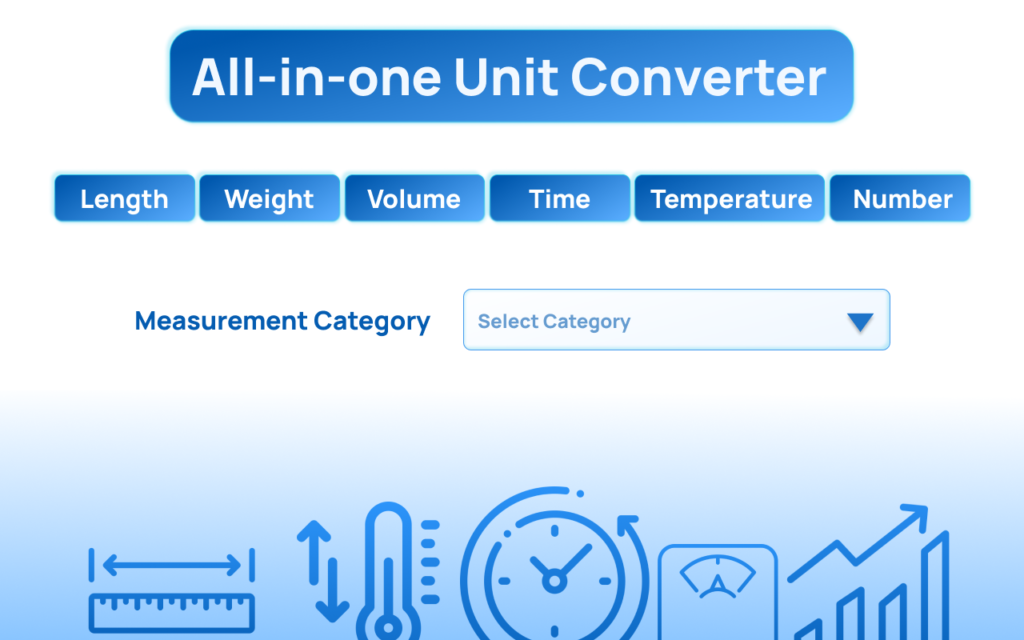
In a world where speed and accuracy matter, switching between tabs just to convert meters to miles or Celsius to Fahrenheit feels outdated. That’s where the ConvertAll Altftool Extension stands out. It brings powerful, precise, and multi-category unit conversion directly into your browser — without clutter, ads, or unnecessary complexity.
What Makes ConvertAll Altftool Different?

Most online converters focus on simple one-to-one conversions. ConvertAll Altftool goes further. It supports a wide range of categories including:
- Length, Area, Volume
- Mass and Weight
- Speed and Fuel Economy
- Energy and Power
- Temperature
- Pressure
- Digital Storage and Data Transfer
- Time and Frequency
This makes it useful not only for students but also for engineers, developers, researchers, content creators, and professionals who deal with mixed measurement systems daily.
Key Features That Set It Apart
1. Wide Unit Coverage
From meters to nautical miles, from kilobytes to terabytes, from PSI to Pascals — it handles conversions across technical and everyday categories.
2. Instant Results
No page reloads. No external websites. Just type and convert instantly inside your browser.
3. Clean and Lightweight
The extension runs smoothly without slowing down your browser.
4. Accurate Calculations
Precise formulas ensure reliable outputs, which is crucial for academic and professional work.
5. All-in-One Convenience
Instead of searching Google repeatedly, you have a centralized conversion solution available anytime.
How to Use ConvertAll Altftool Extension
Using the extension is simple:
- Install the ConvertAll Altftool Extension from the Chrome Web Store.
- Click the extension icon in your browser toolbar.
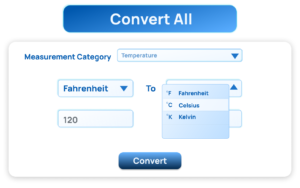
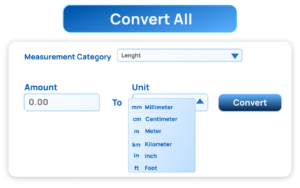
- Select the category (Length, Mass, Speed, etc.).
- Enter the value you want to convert.
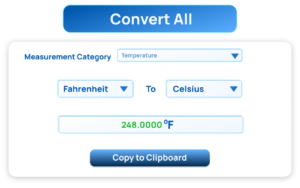
- Choose the unit you are converting from and the unit you want to convert to.
- The result updates instantly.
There’s no learning curve. The interface is intuitive, making it beginner-friendly while still powerful enough for advanced users.
Why It’s Better Than Online Converters
- No constant Googling
- No distracting ads
- No multiple tabs open
- Faster workflow
- Reliable and consistent results
For students solving physics problems, developers calculating data sizes, or professionals handling international measurement standards, this extension saves time and reduces errors.
Who Should Use It?
- Engineering and science students
- Developers working with data sizes and transfer rates
- Bloggers and writers converting global measurements
- Fitness enthusiasts tracking weight and distance
- Anyone who regularly switches between metric and imperial systems
Frequently Asked Questions
Final Thought
The ConvertAll Altftool Extension isn’t just another basic converter — it’s a productivity tool. It eliminates unnecessary searches, improves workflow efficiency, and provides accurate results across multiple categories in seconds. If you frequently work with different measurement systems, this extension is not optional — it’s essential.
The Ultimate Gmail Performance Dashboard by AltF
The Gmail Analytics Extension by AltF Tool is a productivity-focused browser extension designed to provide users with…

How to Organize Your Favorite Websites with Altftool Bookmark Manager
In today’s digital world, we visit dozens of websites every day for work, learning, shopping,…

How to Shorten Long URLs Easily Using Altftool URL Shortener
In today’s digital world, sharing links has become a daily activity. Whether you are sharing…

Master Your Precision: Play Aim Trainer Pro Now
Aim Trainer Pro is a web-based utility hosted on AltFTool designed to help users test and…

Top Email Extractor Extensions for Fast and Easy Email Collection
In today’s digital world, collecting contact information efficiently is essential for marketers, researchers, business owners,…

How to Record Your Screen in One Click Using a Lightweight Chrome Extension
Screen recording has become an essential tool for professionals, educators, developers, and content creators. Whether…
This article is for informational and promotional purposes only. Features and functionality of the ConvertAll Altftool Extension may vary based on updates or platform changes. Users are advised to review the official extension listing for the most accurate and up-to-date details before installation.
#ConvertAll #AltftoolExtension #UnitConverter #ChromeExtension #ProductivityTools #EngineeringTools #StudentTools #BrowserExtensions #Carrerbook #Anslation

