

In a world where speed matters, QR codes have quietly become one of the easiest ways to move information from one device to another. Whether you’re sending a website link to your phone, sharing contact details, or quickly transferring text, a QR code eliminates typing errors and saves time.
If you’re looking for a simple, fast, and privacy-conscious solution, a QR Code Generator Chrome extension is one of the smartest tools you can install. This guide walks you through everything you need to know — from installation to daily use — in a clear and practical way.
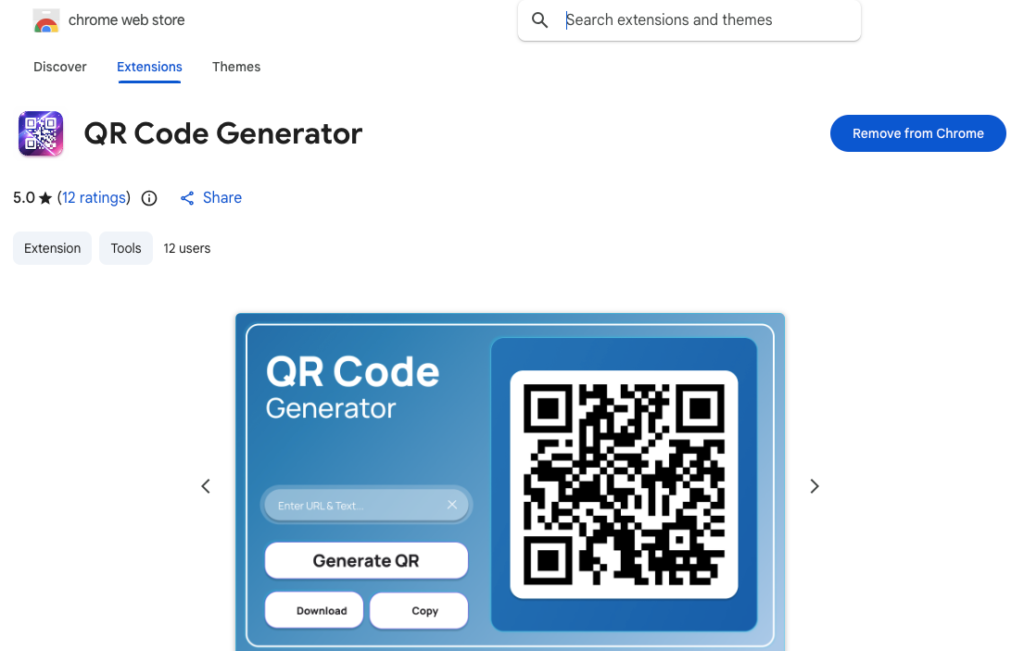
What Is a QR Code Generator Extension?
A QR Code Generator extension is a lightweight browser add-on that allows you to instantly create QR codes from any text or URL directly inside your Chrome browser.
Instead of opening a separate website, pasting your link, and downloading an image manually, the extension works through a small popup window. It’s built for convenience, speed, and everyday productivity.
This particular extension generates QR codes securely using api.qrserver.com, ensuring reliable and high-quality image output without storing user data.
Why Install a QR Code Generator Extension?
There are plenty of online QR tools available, but a browser extension offers clear advantages:
- Faster access directly from your toolbar
- No need to visit third-party websites repeatedly
- Lightweight design with no ads or distractions
- Immediate QR code download or copy option
- Minimal permissions and privacy-focused structure
If you frequently share links between desktop and mobile devices, this tool can quickly become part of your daily workflow.
Key Features Explained
1. Instant QR Code Generation
Simply enter any URL or text and click “Generate QR.” The QR code appears immediately.
2. Clean and Modern Interface
The popup design is simple and uncluttered. There are no unnecessary buttons, banners, or ads.
3. Download as Image
You can download the QR code as an image file for presentations, documents, or marketing materials.
4. Copy to Clipboard
With one click, you can copy the generated QR code directly to your clipboard for quick pasting.
5. No Ads and No Unnecessary Permissions
The extension is built to be efficient and focused. It does not require excessive browser access.
Step-by-Step Guide to Installing the Extension
Step 1: Open the Chrome Web Store
Go to the Chrome Web Store in your browser.
Step 2: Search for “QR Code Generator”
Locate the extension that matches the described features: fast, lightweight, and privacy-focused.
Step 3: Click “Add to Chrome”
Confirm the installation when prompted.
Step 4: Pin the Extension
After installation, click the puzzle icon in Chrome’s toolbar and pin the extension for easy access.
That’s it. The entire process takes less than a minute.
How to Use the QR Code Generator Extension
Using the extension is straightforward:
- Enter any text or URL in the input field.
- Click “Generate QR.”
- Download the QR code image or copy it to your clipboard instantly.
There are no complicated settings or account registrations required.
Privacy and Transparency
One of the strongest aspects of this extension is its privacy-first design.
- No tracking or analytics
- No user accounts required
- Clipboard access is only used when you click “Copy”
- Network access is limited strictly to generating QR codes through api.qrserver.com
- No user data is stored
This makes it ideal for professionals, students, marketers, and everyday users who value efficiency without compromising privacy.
Who Should Use This Extension?
This tool is useful for:
- Digital marketers sharing landing pages
- Students transferring research links
- Business owners sharing contact information
- Developers testing mobile previews
- Anyone who frequently switches between desktop and mobile
If you regularly copy and paste links across devices, this extension simplifies the process dramatically.
Benefits of Using a Lightweight QR Tool
A lightweight extension keeps your browser fast. It doesn’t overload memory or introduce unnecessary background processes. Since it focuses solely on QR generation, performance remains smooth and responsive.
For daily productivity, tools that do one job well are often the most valuable.
Final Thoughts
Installing a QR Code Generator extension is a small step that delivers immediate convenience. It removes friction from sharing information, keeps your workflow efficient, and respects your privacy.
If you want a simple, reliable, and clutter-free way to generate QR codes instantly from text or URLs, this extension is a practical solution. Clean design, fast generation, and zero data storage make it a dependable everyday tool.
Sometimes the best tools are the ones you barely notice — they just work.
This article is for informational purposes only. Features, permissions, and privacy policies may change over time. Always review the official extension listing and permissions before installation to ensure it meets your requirements.
#QRCodeGenerator #ChromeExtension #ProductivityTools #DigitalWorkflow #QRTools #TechGuide #BrowserExtension #OnlineTools #Anslation #Carrerbook #ALTFTOOL #Extansion

