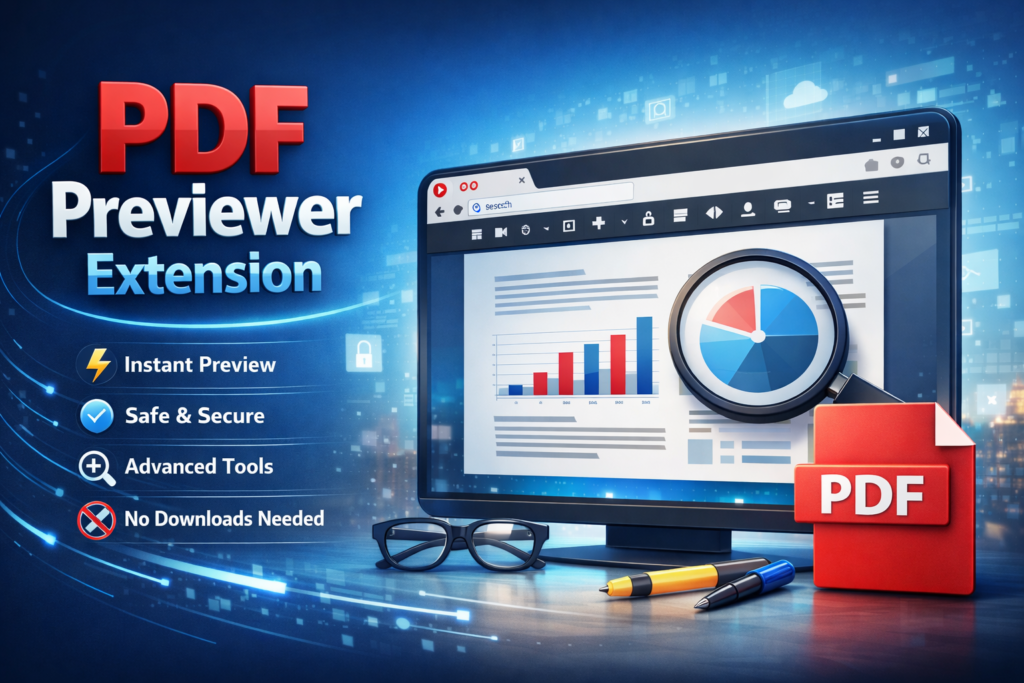
The PDF Previewer Extension is a powerful yet lightweight browser tool developed by AltFTools that revolutionizes how users interact with PDF documents. Designed with the modern user in mind, this extension eliminates the cumbersome process of downloading, opening, and managing PDF files in separate applications. Instead, it brings the PDF viewing experience directly into your browser, allowing you to preview any PDF link with a single click. Whether you’re a developer debugging documentation, a student researching academic papers, or a professional handling contracts and reports, this extension seamlessly integrates into your daily workflow, saving you valuable time and system resources.
Features & Functionality

One of the standout qualities of the PDF Previewer Extension is its comprehensive set of features that cater to a wide range of viewing needs. The extension offers intuitive zoom controls that allow users to magnify or reduce document content precisely to their preference, making it easier to read fine text or examine detailed diagrams.
The page navigation system is equally impressive, enabling users to jump between pages effortlessly, jump to specific pages, or use keyboard shortcuts for quick browsing. Additionally, the built-in search functionality is a game-changer for anyone who needs to locate specific information within lengthy documents—you can simply type your search query and instantly find every occurrence within the PDF. These features combine to create a smooth, desktop-quality viewing experience entirely within your browser window.
| Feature | Description |
|---|---|
| Zoom Controls | Adjust the PDF view magnification to your preference |
| Page Navigation | Easily browse through multi-page PDF documents |
| Search Enabled | Find specific text within your PDF files quickly |
Performance & Design Philosophy
AltFTools has built this extension on a philosophy of simplicity without compromise. Unlike many browser extensions that bog down system performance or clutter the interface with unnecessary features, PDF Previewer remains lightweight and efficient. The current version, v1.2.0, has been downloaded over 10,000 times and maintains a perfect 5.0-star rating, a testament to its reliability and user satisfaction. The extension operates with minimal memory footprint and loads documents rapidly, even for larger PDF files with high-resolution images or complex layouts. This focus on performance makes it particularly valuable for users who work with multiple PDF documents daily and need a tool that won’t slow down their browser or cause lag.
Privacy & Security
In an era where digital privacy is increasingly important, the PDF Previewer Extension stands out for its commitment to user privacy and security. The developers have implemented a strict no-tracking policy, meaning your browsing habits, document viewing history, and personal data are never collected or monitored. There are absolutely no advertisements embedded in the extension, ensuring a clean, distraction-free experience without any pop-ups, banners, or sponsored content. Furthermore, all PDF processing happens locally on your device, meaning your sensitive documents are never uploaded to external servers or shared with third parties. This privacy-first approach makes the extension particularly appealing for professionals handling confidential business documents, legal papers, or personal records.
Privacy First Approach
- No tracking – Your activity is not monitored
- No ads – Clean, distraction-free experience
- Your data stays on your device – Complete local processing
Compatibility & Availability
The PDF Previewer Extension is specifically designed for Google Chrome and can be easily installed directly from the AltFTools website. The installation process is straightforward and takes only moments, requiring no technical expertise or configuration. Once installed, the extension adds a small but convenient button to your browser toolbar, allowing you to preview any PDF link instantly. The extension is distributed under the MIT License, which means it is free to use, modify, and distribute—a gesture that reflects AltFTools’ dedication to providing valuable tools to the open-source community. This accessibility, combined with its robust feature set, makes it an essential addition to any Chrome user’s toolkit.
Extension Details
| Attribute | Information |
|---|---|
| Version | v1.2.0 |
| Downloads | 10,000+ |
| License | MIT License |
| Rating | 5.0 stars |
| Category | File, Data & Formatter Tools |
Conclusion
In summary, the PDF Previewer Extension by AltFTools is a must-have tool for anyone who regularly works with PDF documents. Its combination of powerful features, exceptional performance, privacy-focused design, and user-friendly interface makes it a standout choice in the crowded browser extension market. With over 10,000 downloads and a perfect 5.0-star rating, it’s clear that users trust and rely on this extension for their daily PDF viewing needs. Whether you’re a student, developer, designer, or business professional, this extension will streamline your workflow and transform the way you interact with PDF files
FAQs
#PDFPreviewer #PDFPreviewerExtension #ChromeExtension #BrowserExtension #PDFViewer #OnlinePDFViewer #PDFTools #ProductivityTools #DigitalWorkflow #TechTools #DeveloperTools #WebTools #DocumentViewer #PDFManagement #WorkSmart #OfficeProductivity #FreeExtension #SecureBrowsing #Tech2026 #SoftwareTools