
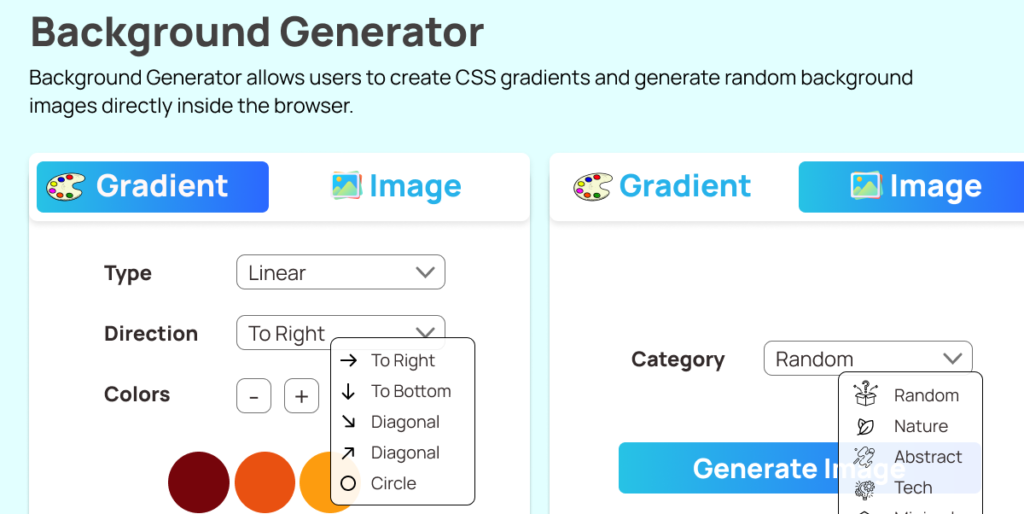
Creating visually appealing backgrounds should not feel complicated or time-consuming. Whether you are building a landing page, designing a dashboard, or experimenting with new UI ideas, having the right tool can make all the difference. The Ultimate CSS Background Generator Extension is built to simplify the process of creating gradients and generating background images directly inside your browser.
This extension focuses on speed, creativity, and convenience. It eliminates the need for external tools, reduces manual CSS writing, and provides everything you need within a clean, responsive popup interface. Below, we explore the top features that make this extension a practical and powerful solution for developers and designers alike.
A Clear Motive: Simplicity Meets Creativity
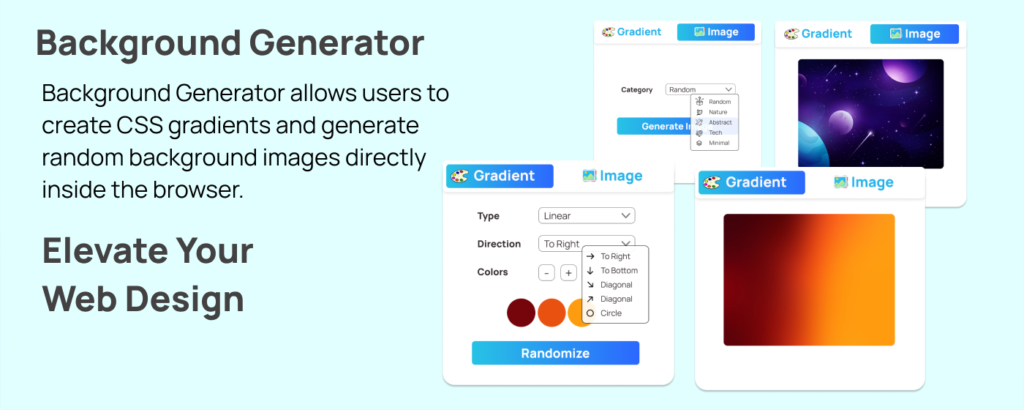
The main goal of this Background Generator is straightforward. It allows users to create CSS gradients and generate random background images directly inside the browser. Instead of switching between design tools and code editors, you can experiment, preview, and copy ready-to-use code instantly.
Everything runs locally inside the extension popup. This ensures faster performance, better responsiveness, and enhanced privacy since no background processing is done on external servers.
1. Powerful Gradient Mode
At the core of the extension is Gradient Mode. It supports three widely used gradient types:
- Linear gradients
- Radial gradients
- Conic gradients
Users can control the direction for applicable gradient types, making it easy to adjust the flow and visual depth of a design. Whether you want a subtle horizontal blend or a dramatic circular burst of color, the extension gives you precise control.
This flexibility makes it suitable for hero sections, buttons, cards, banners, and modern UI components.
2. Dynamic Color Controls
Design is all about balance. That is why the extension allows users to add or remove color stops with ease.
You can work with a minimum of two colors and a maximum of four. This range provides enough flexibility to create both simple gradients and more complex transitions without overwhelming the design.
The interface makes it easy to experiment with color combinations and refine them until the result feels just right.
3. Instant Color Randomization
Sometimes creativity needs a spark. The Randomize feature generates new color combinations instantly with a single click.
This is especially helpful when:
- You are looking for inspiration
- You want to test unexpected combinations
- You need quick variations for client previews
Instead of manually adjusting each color, you can explore multiple styles in seconds.
4. Real-Time Live Preview
One of the most practical features of the extension is the live preview. Every time you adjust a setting, whether it is gradient type, direction, or color stop, the preview updates automatically.
There is no need to refresh or reapply changes. What you see is exactly what you get. This real-time feedback speeds up decision-making and reduces guesswork.
It creates a smoother workflow, especially for developers who want immediate visual confirmation before copying the final CSS.
5. Ready-to-Copy CSS Output
Once you are satisfied with your gradient, the extension generates clean and usable CSS code automatically.
You do not need to write or format the gradient syntax manually. The output is displayed clearly and is ready to copy with a single click. You can paste it directly into your stylesheet or project files.
This feature saves time and minimizes syntax errors, especially for beginners or those working under tight deadlines.
6. Image Mode for Random Backgrounds
Beyond gradients, the extension includes an Image Mode that generates random background images by category. It uses the LoremFlickr source to fetch images based on the selected theme.
This is particularly useful for:
- Mockups
- Placeholder backgrounds
- Design inspiration
- Rapid prototyping
You can quickly generate fresh visuals without searching manually across different websites.
7. Seamless Copy to Clipboard
The extension uses the Clipboard API to provide a smooth copying experience. With a single click, you can:
- Copy CSS gradient code
- Copy the generated image URL
This eliminates unnecessary steps and keeps your workflow efficient. You can also open the generated image in a new tab if needed.
8. Modern and Responsive UI
A tool should not only be functional but also pleasant to use. The extension features a modern glass-style panel, smooth animations, a loading indicator for image generation, and a responsive popup layout.
The loader appears while images are being fetched, giving users clear feedback that the process is underway. The overall layout is structured to keep controls accessible and intuitive.
How to Use the Extension
The user flow is designed to be simple and intuitive.
Step 1: Open the extension popup. Gradient Mode loads by default.
Step 2: Use the mode switch to choose between Gradient Mode and Image Mode.
In Gradient Mode:
- Select the gradient type: Linear, Radial, or Conic
- Choose direction if applicable
- Add or remove color stops, or click Randomize
- Watch the live preview update instantly
- Copy the generated CSS code
In Image Mode:
- Select your preferred image category
- Click Generate Image
- Wait for the loader while the image loads
- View the updated preview
- Copy the image URL or open it in a new tab
The entire process is straightforward and requires no technical setup.
Final Thoughts
The Ultimate CSS Background Generator Extension is designed to simplify a task that often becomes unnecessarily complex. By combining gradient generation, random image sourcing, live previews, and copy-ready outputs into one lightweight browser tool, it supports both creativity and efficiency.
Its local processing ensures speed and privacy, while its intuitive interface makes it accessible to beginners and professionals alike. Whether you are building a full-scale application or refining small design details, this extension can significantly streamline your workflow.
This extension generates gradients and background images for development and design purposes only. Random images are sourced through LoremFlickr and may be subject to their availability and usage terms. Users are responsible for ensuring proper licensing and compliance when using generated images in commercial projects.
#CSSBackgroundGenerator #WebDesignTools #FrontendDevelopment #CSSGradients #UIUXDesign #BrowserExtension #WebDevelopmentTools #ALTFTools #Extansion

