

Have you ever visited a website and wondered how it was built? Maybe you liked its smooth animations, lightning-fast loading speed, or clean layout and thought, “What framework is this using?” For developers, designers, analysts, and even curious learners, understanding the technology behind a website can be incredibly valuable.
That is where Tech Detector Pro comes in.
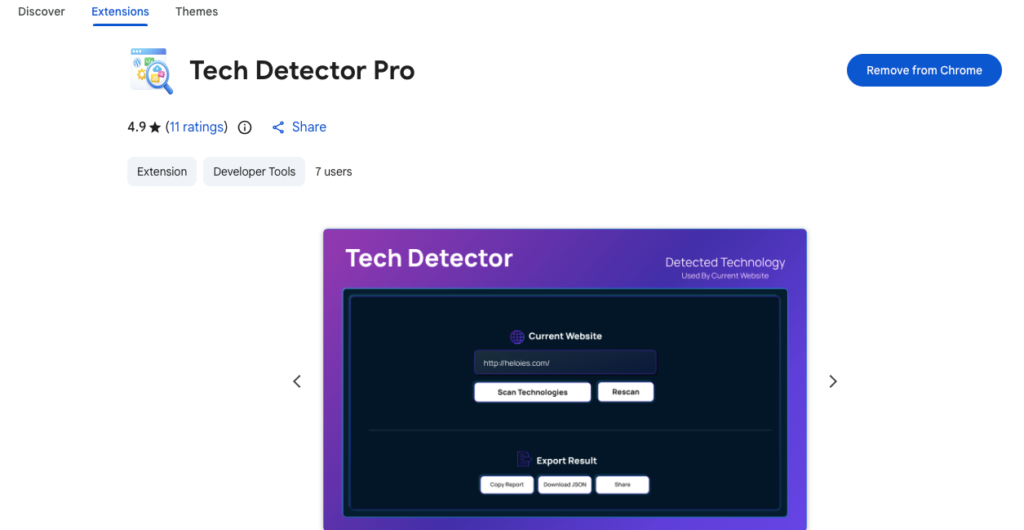
Tech Detector Pro is a browser extension that instantly reveals the technology stack behind any website you visit. With a single click, you can analyze a webpage and discover the tools, frameworks, and systems powering it — all without digging through source code manually.
Let’s explore how it works and why it simplifies technology detection.
What Tech Detector Pro Does
Tech Detector Pro analyzes any webpage and provides a detailed breakdown of the technologies being used. Instead of guessing or inspecting code line by line, you get organized results in seconds.
It helps you identify:
- Frontend frameworks and libraries
- Backend technologies and servers
- Content management systems
- Analytics and tracking tools
- Hosting providers and CDNs
- CSS frameworks and UI libraries
- JavaScript libraries and dependencies
This means whether a site is built with a modern JavaScript framework, powered by a specific CMS, or running on a particular hosting provider, you can find out instantly.
How It Works Behind the Scenes
The process is simple for users, but powerful under the hood.
Tech Detector Pro identifies technologies through:
- DOM analysis
- Script inspection
- Meta tag evaluation
By examining the structure of the page, loaded scripts, and embedded metadata, it gathers reliable indicators about the technologies being used. All of this happens locally inside your browser.
There is no need for external servers or data transmission. The analysis is performed instantly when you click the scan button.
Step-by-Step: Using Tech Detector Pro
Using the extension is straightforward:
- Navigate to any website.
- Click the extension icon in your browser toolbar.
- Press “Scan” to analyze the page.
- View the results organized by technology category.
Within seconds, you will see a structured list of detected technologies, grouped for easy reading.
There is no complicated setup. No configuration. Just one click and clear results.
Key Features That Make It Stand Out
One-Click Analysis
You do not need technical expertise to use it. The scan works instantly on the current tab.
Organized Results
Technologies are grouped into categories, making the output clean and easy to understand. Instead of a confusing data dump, you get a structured overview.
Scan History
Need to revisit a previously analyzed website? The built-in scan history lets you access recent results quickly without rescanning.
Export Options
You can:
- Copy results
- Download them as JSON
- Share reports easily
This is particularly useful for developers documenting research or analysts preparing reports.
Clean and Modern Interface
The design is intuitive and distraction-free, allowing you to focus on the information that matters.
Who Is Tech Detector Pro Perfect For?
Tech Detector Pro is designed for a wide range of users.
Developers
Research competitors, learn from other websites, or understand how certain features are implemented.
Designers
Gain insight into design frameworks and UI libraries powering modern websites.
Students
Explore real-world examples of web technologies in action.
Recruiters
Quickly evaluate the technology stack used by companies or projects.
Business Analysts
Assess technical platforms behind digital products to inform strategic decisions.
Whether you are building, learning, or analyzing, knowing the technology stack provides a clear advantage.
Privacy and Security First
One of the most important aspects of Tech Detector Pro is its privacy-focused approach.
- No data collection
- No external tracking
- No personal information stored or transmitted
- All processing happens locally in your browser
This means your browsing activity remains private. The extension analyzes the webpage without sending any data outside your device.
In a time when privacy concerns are growing, this level of transparency matters.
Why Technology Detection Matters
Understanding the technology behind a website is more than curiosity.
It helps you:
- Learn industry trends
- Improve your own projects
- Benchmark competitors
- Make informed technical decisions
- Explore tools used by successful platforms
Instead of guessing how something was built, you gain clear and structured insight.
And when information is accessible in seconds, it becomes practical rather than theoretical.
Final Thoughts
Tech Detector Pro simplifies something that used to require manual inspection and technical effort. By turning complex website analysis into a one-click process, it makes technology detection accessible to everyone — from experienced developers to curious students.
With organized results, export options, scan history, and a strong focus on privacy, it offers a balanced combination of power and simplicity.
If you want to understand how modern websites are built without diving into endless lines of code, Tech Detector Pro provides a fast, reliable, and user-friendly solution.
This article is based on the described features and functionality of Tech Detector Pro. Technology detection accuracy may vary depending on website structure and implementation methods. The extension performs analysis locally within the browser and does not collect or transmit personal user data.
#TechDetectorPro #WebTechnology #TechStackAnalysis #DeveloperTools #WebDevelopment #DigitalResearch #BrowserExtension #Anslation #Carrerbook #ALTFTOOL #Extansion

