
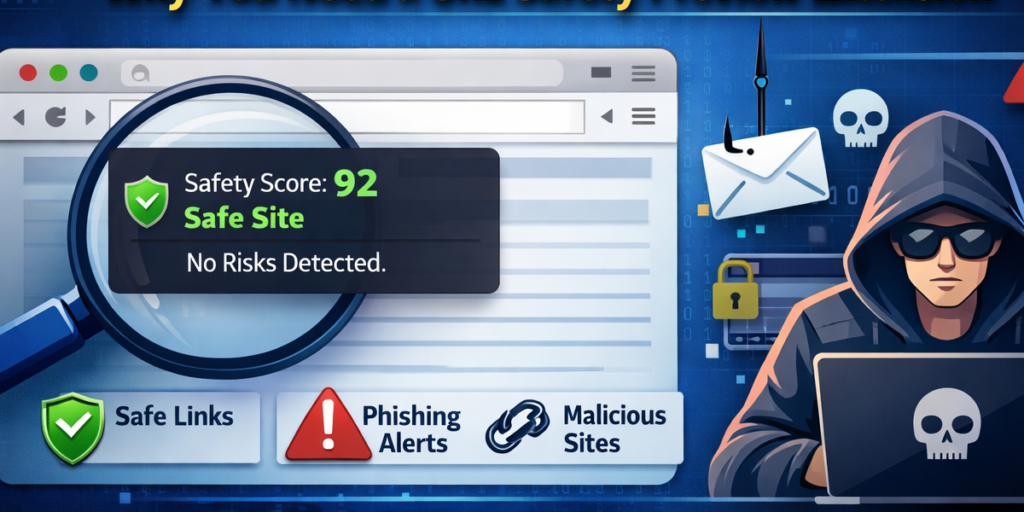
URL Safety Preview is designed to protect users from malicious, phishing, shortened, and suspicious links before they ever visit them. In today’s digital world, a single careless click can lead to malware downloads, credential theft, or data breaches. This extension acts as a preventive layer of security by analyzing links in advance and presenting a clear safety score along with risk indicators.
The goal is simple: give users confidence and clarity before opening unknown URLs. Instead of reacting after damage is done, URL Safety Preview helps you make informed decisions in real time. All analysis and data storage operate locally within the browser, ensuring privacy and complete control over your information.
Key Features
Manual URL Analysis
Users can paste any URL into the extension popup and instantly receive a safety score along with a detailed risk breakdown. This feature is especially helpful when dealing with suspicious emails, shortened links, or unfamiliar domains.
Hover-Based Preview
The extension displays a safety tooltip whenever you hover over a link. Without clicking, you can see the risk level and preview the safety score. This makes browsing safer without interrupting your workflow.
Composite Safety Score
Each analyzed URL receives a score from 0 to 100. The score is calculated using simulated risk factors such as insecure protocols, suspicious domain patterns, and other warning signals. A higher score indicates safer conditions, while lower scores suggest caution.
Block List Management
If you encounter a dangerous or unwanted domain, you can add it to your block list. The extension allows you to add, remove, import, and export blocked URLs, giving you full control over restricted domains.
History Tracking
Recently analyzed URLs are stored locally within the browser. This allows users to revisit past checks without re-entering links, making it easier to track browsing decisions.
Security Settings Panel
The extension includes a customizable settings page where users can enable auto-check features, activate HTTP warnings, and adjust data management preferences. This ensures flexibility for both casual users and security-conscious professionals.
Theme System
The Indigo Night themed interface provides a clean, modern look with visual risk indicators. Color-based signals make it easy to understand safety levels at a glance.
Local Processing
All analysis is performed locally inside the browser. No external servers are involved, and no data is uploaded. This ensures privacy and eliminates third-party tracking concerns.
User Flow – How It Works
Using URL Safety Preview is straightforward and designed for seamless integration into daily browsing.
Step 1: Install and activate the URL Safety Preview extension in your browser.
Step 2: Hover over any link to see a real-time safety preview and risk score.
Step 3: Open the extension popup to manually analyze any URL by pasting it into the input field.
Step 4: Review the safety score, risk level, and available domain information.
Step 5: Block suspicious URLs or manage blocked domains as needed.
Step 6: Configure your security preferences from the settings page to match your browsing style.
This simple workflow ensures users can stay protected without complicated technical steps.
Why URL Safety Preview Matters
Cyber threats continue to evolve, and phishing attacks are becoming increasingly sophisticated. Many harmful links are disguised through shortened URLs or convincing domain names. Without a preview tool, users often click first and regret later.
URL Safety Preview reduces uncertainty by offering instant risk insights. Whether you are checking links in emails, social media messages, or search results, this extension adds a proactive layer of defense.
It is particularly useful for students, remote workers, online shoppers, and business professionals who frequently interact with unknown links. By evaluating URLs before visiting them, users minimize exposure to harmful content and potential scams.
Privacy and Security Focus
Unlike many online URL checkers that require sending links to external servers, URL Safety Preview performs all processing locally. No browsing data is transmitted or stored outside your device. This design prioritizes user privacy while maintaining effective link analysis capabilities.
Final Thoughts
URL Safety Preview is more than a link checker. It is a preventive browsing companion that empowers users to make smarter online decisions. With features like hover-based previews, manual analysis, block list management, and customizable security settings, it provides both convenience and protection.
In a digital environment filled with hidden risks, having a reliable way to evaluate links before clicking can significantly reduce exposure to online threats. URL Safety Preview delivers that protection in a simple, privacy-focused, and user-friendly format.
Disclaimer: This blog is for informational purposes only. The safety score is based on simulated risk factors and should not be considered a substitute for professional cybersecurity tools or enterprise-level protection systems.
#URLSafety #SafeBrowsing #CyberSecurity #ChromeExtension #OnlineSecurity #PhishingProtection #Anslation #Carrerbook #AltfTools #Extension

